

Join The Tinkerer on Whop. Membership gets you early releases, private tools and a bunch of extra stuff.
👉 Join on Whop
💬 Join the community for support, free tools and early news on Discord
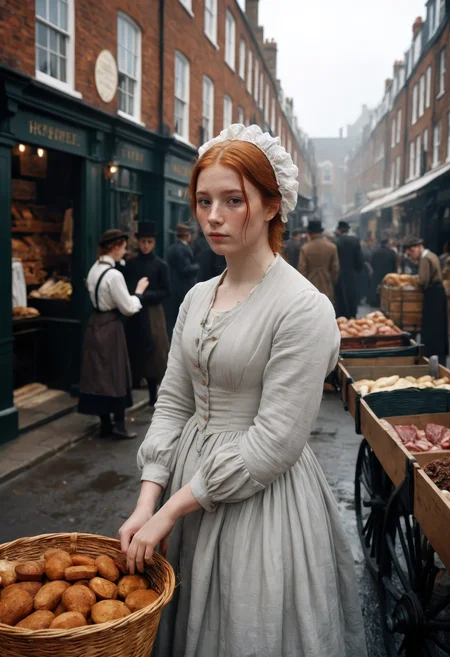
This is the model you reach for when you want super clean, photo-realistic results.
It’s sharp, powerful, and somehow just nails gorgeous images every single time.
⚙️ Recommended Settings
Sampling method: DPM++ 2M SDE Karras
VAE: is already Baked In
Sampling steps: 30+ Steps
Resolution: 832x1216 / 896x1152
CFG: 3-5
Clip Skip: 1
Upscale: 1.5 upscale (0.3 - 0.35 denoise)
Upscalers: 4x_NickelbackFS_72000_G / 4x_foolhardy_Remacri / 4x_NMKD-Siax_200k
⚙️ Recommended Settings DMD2
Sampler: LCM
Schedule Type: Exponential
Sampling Steps: 8/12 (12 for extra detail)
CFG Scale: 1-1.5
⚡ These settings are not the same as the standard SDXL workflow — be sure to adjust your pipeline!
💡 What’s the difference between FP16 and FP32 checkpoints?
FP16 (half precision) uses 16-bit floating-point weights. It’s smaller in size, loads faster, and uses less VRAM - perfect for normal image generation. You won’t notice any visual difference for inference, so it’s ideal for everyday use.
FP32 (full precision) uses 32-bit weights, which means it’s larger and heavier on resources. It doesn’t improve generation quality, but it’s better if you’re training, merging, or fine-tuning models, since it keeps the exact weight data without rounding loss.
🧠 Prompting
Example negative prompt:
cartoon, illustration, anime, painting, CGI, 3D render, low quality, watermark, logo, labelor use CyberRealistic Negative
✨ Optional Adetailer
Adetailer model: face_yolov9c.pt
If you only want the main face being refined set 'Mask only the top k largest' to 1.
🔗 Links
Backup location: HuggingFace
☕ Fuel the Project
If this model gave you stellar results, consider buying me a coffee. Or two. Or, you know… a GPU.
⚠️ Heads-Up
This model can make mature or sensitive content. You’re fully responsible for what you create, so use it responsibly (or if you can’t resist, at least be artistically irresponsible).
💬 Want Better Prompts?
Use this custom ChatGPT to auto-generate polished prompts for CyberRealistic XL:
🔗 [Try it now on ChatGPT]
Description
It took a while for CyberRealistic XL V8.0 to finally drop. I really wanted to get it just right. V7.0 was already close to perfect, so what makes this one even better?
V8.0 lands somewhere between V7.0 and CyberRealistic XL Desire when it comes to NSFW capability. It adds a bit more flexibility without losing what makes CyberRealistic XL shine: those stunning, high-quality results. It strikes a nice balance.
NSFW handling is definitely improved, but there are also a bunch of subtle tweaks under the hood that might not jump out right away.
That said, V7.0 is still amazing and totally solid for most situations. But if you ever (just hypothetically, of course 😉) want to lean a little more into NSFW territory, V8.0’s got your back.
FAQ
Comments (22)
Why using the same workflow for the images you generated, the same parameters, and the same v8 model, do I get a completely black image?
ComfyUI?
yes, i dont know why haha. but when i use other workflows and models for sdxl and ComfyUI works well
@danielvr25 Got same issue with example wf's on comfy, lol. But, before trying examples (I often do that to find out how in creator's view models works the best way) - I tried v8 on wf created before for 7 or 6 xl - and everything works, lol. And I was like: wait, i did something before to prevent black screen. And it was changing value "CLIP Set Last Layer" from -1 to -2, or just bypassing whole node. Simple af. Wish I knew someday why for someone "-1" works fine (but I'm not in sdxl anymore since I moved from forge to comfy because of wan2.2, but sometimes interesting how progressing illustrious stuff).
Same problem. Black screen.
Solved with Clip Skip=disabled or Clip Skip=0
And Euler A - sgm uniform, CGF4
@forfreelsd368 but from my understanding (according to comfyui's node description) CLIP Set Last Layer -1 equals clip skip=0
v8 seems to have some issues with hands
Can we get Onnx releases someday?
Hi, you can try to convert it in Python.
You are a genius model maker. Where should I see differences between the smaller and larger models? When I do same seed comparisons I pretty much get the same image except for (very) minor details.
Yes, that’s correct. There is a difference of course, but it’s mainly meant for creating your own checkpoints as a base or for making other crazy things. For normal use, FP16 is perfectly fine (although I use FP32… probably just out of habit).
I really like your models, but may I ask can if we can get an SDXL inpainting versions?
and from your experience, do you have any idea why it's almost rare to find inpaiting models for SDXL in particular?
anyway I really appreciate what you doing. peace from Norway.
Good question - I’m not sure why there are so few SDXL inpaint models. It’s possible that some of them just don’t work well. I’ll upload mine today.
I uploaded the SDXL Inpaint version!
I believe you can create an inpainting version of any model (in comfyui) by subtracting the base model from the inpainting version, then adding the leftover to the checkpoint: https://www.reddit.com/r/comfyui/comments/1bzqdxh/making_any_model_into_inpainting_model_on_the_fly/ That could explain why people don't bother uploading them.
@Tekaiguy the 'problem' is that there is no real SDXL inpaint model.
@Cyberdelia I'm curious how you created it then, unless it's too complicated to explain in a comment.
@Tekaiguy No, it’s not complicated. Just create a solid base inpaint model (SDXL base) and do what you suggested. That’s basically all you need to do.
@Cyberdelia Ah yes, draw the rest of the owl. Thanks anyway for drawing many different owls.
@Cyberdelia thank you so much sir I appreciate it
@Tekaiguy so I think we will need the base and the inpainting SDXL models in FP32 precision, and load both in the VRAM until the process finishes, right? damn.. my 8gb gpu would OOM the hell out of me lol. I never tried training/fine-tuning models before so excuse my ignorance
Can we use the inpainting model for adetailer workflow ? and if so can you give me some pointers about the denoise level and cfg ? basically my workflow is cyberrealistic pony for the main image and adetailer with cyber realistic XL checkpoints
Details
Files
cyberrealisticXL_v80_pruned_fp16.safetensors
Mirrors
CyberRealisticXLPlay_V8.0_FP16.safetensors
cyberrealisticXL_v80.safetensors
SDXL-cyberrealisticXL_v80.safetensors
cyberrealisticXL_v80.safetensors
CyberRealistic XL v5.8.safetensors
XL_v80.safetensors
cyberrealisticXL_v80 (1).safetensors
cyberrealisticXL_v80.safetensors
cyberrealisticXL_v80.safetensors
CyberRealisticXLPlay_V8.0_FP16.safetensors
Available On (1 platform)
Same model published on other platforms. May have additional downloads or version variants.