
Join The Tinkerer on Whop. Membership gets you early releases, private tools and a bunch of extra stuff.
👉 Join on Whop
💬 Join the community for support, free tools and early news on Discord
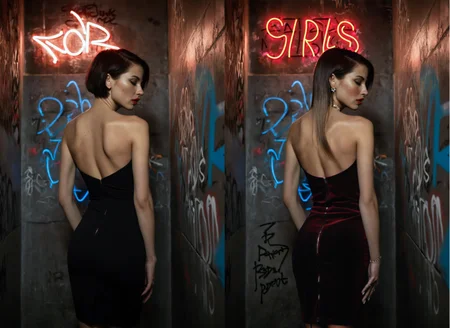
This is the model you reach for when you want super clean, photo-realistic results.
It’s sharp, powerful, and somehow just nails gorgeous images every single time.
⚙️ Recommended Settings
Sampling method: DPM++ 2M SDE Karras
VAE: is already Baked In
Sampling steps: 30+ Steps
Resolution: 832x1216 / 896x1152
CFG: 3-5
Clip Skip: 1
Upscale: 1.5 upscale (0.3 - 0.35 denoise)
Upscalers: 4x_NickelbackFS_72000_G / 4x_foolhardy_Remacri / 4x_NMKD-Siax_200k
⚙️ Recommended Settings DMD2
Sampler: LCM
Schedule Type: Exponential
Sampling Steps: 8/12 (12 for extra detail)
CFG Scale: 1-1.5
⚡ These settings are not the same as the standard SDXL workflow — be sure to adjust your pipeline!
💡 What’s the difference between FP16 and FP32 checkpoints?
FP16 (half precision) uses 16-bit floating-point weights. It’s smaller in size, loads faster, and uses less VRAM - perfect for normal image generation. You won’t notice any visual difference for inference, so it’s ideal for everyday use.
FP32 (full precision) uses 32-bit weights, which means it’s larger and heavier on resources. It doesn’t improve generation quality, but it’s better if you’re training, merging, or fine-tuning models, since it keeps the exact weight data without rounding loss.
🧠 Prompting
Example negative prompt:
cartoon, illustration, anime, painting, CGI, 3D render, low quality, watermark, logo, labelor use CyberRealistic Negative
✨ Optional Adetailer
Adetailer model: face_yolov9c.pt
If you only want the main face being refined set 'Mask only the top k largest' to 1.
🔗 Links
Backup location: HuggingFace
☕ Fuel the Project
If this model gave you stellar results, consider buying me a coffee. Or two. Or, you know… a GPU.
⚠️ Heads-Up
This model can make mature or sensitive content. You’re fully responsible for what you create, so use it responsibly (or if you can’t resist, at least be artistically irresponsible).
💬 Want Better Prompts?
Use this custom ChatGPT to auto-generate polished prompts for CyberRealistic XL:
🔗 [Try it now on ChatGPT]
Description
Specially developed SDXL inpaint checkpoint for inpainting and outpainting.
FAQ
Comments (28)
It is quite funny how the Cyber Realistic V5.3 Checkpoint is probably the second best SDXL model I have ever downloaded since 2022 so far, while at the same time the Inpainting model is the worst one I have ever downloaded on this entire site. I generated hundreds of images (RTX 4080) with it, even copying the metadata. Switched from ComfyUI to ForgeUI. No matter what I try, the output is absolutely useless. It took 300 generated images to surpass the output of one single image of the SD1.5 Cyber Realistic Inpainting model.
I'm pretty sure the error is not sitting in front of the screen. I have been using Stable Diffusion on a daily basis for years with high end hardware. There is something wrong with the Inpainting model. This error doesn't happen with any other SDXL model.
You created txt2img images with the inpaint model?
@Cyberdelia No, I created img2img images, like I have been doing for years now. It seems to be impossible to make it deliver results anywhere near as good as with your SD1.5 inpainting model. It will either change little to nothing or generate things absolutely unrelated to the original image. Example: I try to fix a malfunction (hands) of a woman and she will suddenly have massive male hands that look glitched. I try to remove glitched text from an attire and it will randomly generate things I have not asked for, I have another SDXL inpainting model that works just fine - yet not as good as SD1.5 inpainting models do.
@HGBDN1510 As far as I've been able to find, there simply aren't any usable SDXL inpainting checkpoints. Only approaches built around controlnet inpainting / extra models (requiring dedicated support in tools like in Invoke) seem to work with SDXL.
@HGBDN1510 Actually scratch that. This inpainting model seems to surprisingly work well enough for at least smaller detail inpainting.
@aj739 Meaning the model we are commenting on, or another Inpainting model you forgot to link to?
How did you make the inpainting model? Did you merge CyberRealistic 5.3 with the SD-Xl inpainting model or did you train the inpainting model from CyberRealistic 5.3?
Hello! Your example pictures look amazing. Could you or anyone else tell me how to upscale an image to achieve that level of detail? If possible, could you also share the settings you used? I'm not sure why, but no matter what I've tried (HighRes. Fix, the SD Upscale script, etc.), the texture always seems to get distorted, and I can never get it that sharp.
Ultimate SD Upscaler where you must experiment with the settings
@Cyberdelia Thank you verz much! will experiment more.
O gosh... Trying with forge to replicate the exact picture fails... ok. Still I have a good picture, so I try my luck with Ultimate SD Upscaler. Then it's getting really, really bad... faces in faces and so on. Alright, I check the options (putting denoising low at 0.05), read / view some guides to get even a glimpse better pictures, nearly like the examples provided. No chance at all. Ultimate SD Upscaler makes it worse at least for me and I'm pretty sure the problem is me - layer 8 problem. I don't get it.
Is there an exact step by step guide to learn and adapt from it... well, no need for a proper ISO conformed documentation, but a documentation a fool like me can get it :D
(maybe even specific configurations with forge which I haven't covered? I run forge on default options with the exception that I have plufgins like ADetailer and Ultimate SD Upscaler installed).
@Silencer Did you find any good solution? I'm using Forge as well. Not sure if it has something to do with Forge or not.
@TheHut Solution to upscale images and ADetailer? If you use ADetailer set Inpaint denoising strength 0.5, use separate steps 70. You can set separate width/height 1024/1024. Also setting Mask only the top k largest on 1 will only inpaint the main face.
@Cyberdelia 70 steps for adetailer? Thats Flux heavy speed.
@thomaspiere479 I suppose! But if it works, it works - that's my life motto!
@Cyberdelia Maybe, for 1.5 it was gamechanger, for xl i dont need anymore(simple hires enough)
@FatcowAI For sharpness, use a sharp vae: 1.5 or 2.0. And use it with hires fix too. (Same Vae setting)
@thomaspiere479 well that's true. I personally use SD1.5 80% of the time (I know crazy) so maybe these settings are my normal now. I don't use adetailer almost never > 1.5
@Cyberdelia You must use 1.5, because of your job:))
@thomaspiere479 And that is? :)
@Cyberdelia To help the poor, who still use 1.5:))
@thomaspiere479 :) yep
@thomaspiere479 Thank you so much! I never knew that vae could affect sharpness...
one of my favourites so far! Do you recommend using your embeddings for the SDXL variation or just pony?
This is by far the best SDXL model out there. Prompting is super easy and intuitive, even without putting much effort into the negative prompt, the results are consistently great. Everything just works right out of the box.
Hey is there any workflow around for CyberRealistic
Can i use DualCLIP with beter vit-L and vit-G?
This is where I start with nearly all my blends.