





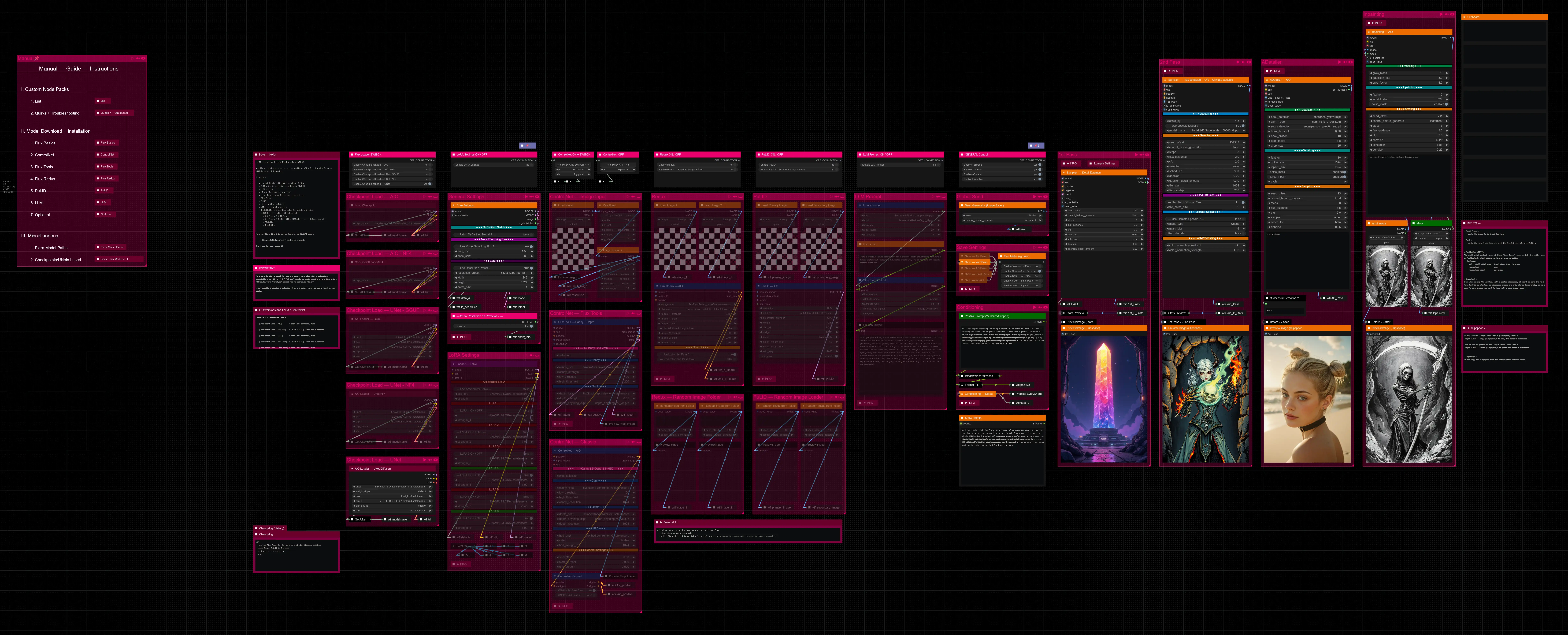





Hello there and thanks for checking out this workflow!
What's new in v27? : Major rework with new SubGraphs to streamline and compact the workflow even more, removal of outdated/broken nodes + fixes and optimizations all over!
—Purpose—
Built to provide an advanced, versatile and modular workflow for Flux with focus on efficiency, structure and information.
It comes with many notes explaining node settings and recommendations, as well as general guides from instructions to troubleshooting.
—Features—
Convenient loaders for all common versions of Flux and Clip models
Full metadata; recognized by CivitAI
LoRA support
SageAttention, EasyCache + Model Compile acceleration
ControlNet with Union support
Flux Tools LoRAs Canny + Depth (alt. to CNet based on LoRA)
Flux Redux (similar to IPAdapter)
PuLID (SVDQuant version only)
Wildcard prompting
Installation and download guide for models and nodes
multiple passes with optional upscales
— 1st : Detail Daemon + Variation Seed
— 2nd : DD. + Tiled Diffusion / UltimateSDUpscale
— ADetailer with dedicated LoRA Loader
— Inpainting
—Custom Nodes—
ComfyUI-nunchaku — SVDQuant version only
All of which can be installed through the ComfyUI-Manager
—Troubleshooting—
If nodes show up red (failing to load), check the 'Install Missing Custom Nodes' tab of the ComfyUI Manager for the missing node packs and install them.
Please check if all custom node packs load properly after installing, i.e. no
(IMPORT FAILED)messages next to any of them in the console upon ComfyUI startup.Always reload/drag'n'drop the original, downloaded workflow file into ComfyUI to reload an intact version of the workflow.
→ The last opened workflow that appears on startup shows a cached version of the workflow, "remembering" group nodes that failed due to missing nodes as failed, keeping them broken even after having everything installed correctly.
—Thanks—
The workflow would not be possible as is without these custom node packs. If you want to support the custom node creators, give them a ⭐ on their github repos! Thank you!
Feel free to ask questions, share improvements and suggestions in the comment section!
Let me know if you encounter confusing points I can elaborate on in the next update!
Description
v20
— reworked Flux Redux for far more control with timestep-settings
— added Daemon-Detail to 2nd pass
FAQ
Comments (12)
It might be a great workflow, but PuLID Enhanced has problems with installing Insightface and Facexlib. Even a direct force install to the python_embeded folder with the pre-downloaded right Insightface.whl. Replacing the pulidflux.py does not solve the problem. If someone has a different problems. Can you upload a clean ComfyUI with this workflow and pre installed all nodes special for it (ready to use)?
Hey there, sorry to hear that. PuLID installation did not cause those sorts of issues for me and the pulidflux.py only fixes some specific errors occuring when running it on the repo's (outdated) version.
The installation of Insightface and Facexlib should happen automatically when installing ComfyUI-PuLID-Flux-Enhanced through the Comfy Manager, as those are within its requirements.txt.
What errors do you get? And did you check the node pack's repository for the issue?
A preset Comfy installation is nothing I can really do or maintain, but if you can provide the console log containing the installation failure and error message, I might be able to help making the installation succeed. Just drag and drop a .txt file with it here https://wormhole.app/
Update as I just stumbled upon this in another user's case:
I looked into the facexlib issue causing PuLID to fail and found this potential solution in the node pack's issues on github:
---------------------------------------------------------------------------------------------------------------------
Navigate to your python_embeded folder, which should be here:
ComfyUI_windows_portable\python_embeded
Click in the folder's adress bar and enter "cmd" to open a command prompt window in that location.
Then enter:
python.exe -s -m pip install --use-pep517 facexlib
within that command window.
@RedPinkRetro, I'm trying:
1)Replacing pulidflux.py
2)python.exe -s -m pip install --use-pep517 facexlib inside python_embeded folder
3)Manual install ComfyUI-PuLID-Flux-Enhanced from git.
5)Weak mode inside config.ini
6)Using a new clean ComfyUI without any other nodes.
7)Changing to Channel: Dev
8)Manual installing a insightface-0.7.3-cp312-cp312-win_amd64.whl inside a python_embeded folder
Error:
Traceback (most recent call last):
File "C:\ComfyUI_windows_portable_nvidia\ComfyUI_windows_portable\ComfyUI\nodes.py", line 2110, in load_custom_node
module_spec.loader.exec_module(module)
File "<frozen importlib._bootstrap_external>", line 999, in exec_module
File "<frozen importlib._bootstrap>", line 488, in callwith_frames_removed
File "C:\ComfyUI_windows_portable_nvidia\ComfyUI_windows_portable\ComfyUI\custom_nodes\ComfyUI-PuLID-Flux-Enhanced\__init__.py", line 1, in <module>
from .pulidflux import NODE_CLASS_MAPPINGS, NODE_DISPLAY_NAME_MAPPINGS
File "C:\ComfyUI_windows_portable_nvidia\ComfyUI_windows_portable\ComfyUI\custom_nodes\ComfyUI-PuLID-Flux-Enhanced\pulidflux.py", line 12, in <module>
from insightface.app import FaceAnalysis
ModuleNotFoundError: No module named 'insightface'
Cannot import C:\ComfyUI_windows_portable_nvidia\ComfyUI_windows_portable\ComfyUI\custom_nodes\ComfyUI-PuLID-Flux-Enhanced module for custom nodes: No module named 'insightface'
After installing an insight insightface.whl, the nodes in the console are loaded, but inside ComfyUI, they are still not working. They are not finding nodes (Missing Node Types).
I still think the idea of providing complete ComfyUI + Workflow + all preinstalled working nodes is a good idea, even if they will be updated so rarely - like every five updates of workflows. Thanks.
@MM744 About the measures you undertook:
1. pulidflux.py only matters when the workflow is already running and having an error during sampling when using pulid
2. the manual python.exe -s -m pip install --use-pep517 facexlib inside python_embeded should only be done after the ComfyUI-PuLID-Flux-Enhanced installation through the ComfyUI Manager fails.
3. same as 2.
4. -
5. Setting the security-level to "weak" within config.ini only matters when regular installation or via Git URL through the ComfyUI Manager fails with a permission error.
6. That is a last-resort type solution, which would only fail if either the custom node pack is having breaking issues or your installation of Comfy, or rather the surrounding environment, is not set up fully/correctly.
That could have to do with drivers, the CUDA version, your system's environment PATH variables, the Microsoft Visual Studio installation and its specific packages, etc.
I can't even remember the things I had to install and set up outside of ComfyUI to have everything install and run properly for some more specific functionalities. It's a lot of smaller things, that are just easy to miss and sometimes not communicated very well, but should always be found on their github repos or in the issues section of it, as likely others have gone through similar troubles at some point.
7. Changing to the dev channel is only necessary for the few node packs that are on there—namely the NF4, NF4-UNet and execution-inversion-demo packs.
And it's important to always change it back to the default channel afterwards, as it only looks for updates to node packs within the currently selected channel, not finding any from the default channel as a result, if left on dev.
8. Manually installing via the correct wheel reflecting your python-embeded environment is also an advanced manual installation step
Put in a more sensible order, I would suggest the following steps in your case :
1. Fresh ComfyUI
2. Installation of ComfyUI-PuLID-Flux-Enhanced via ComfyUI Manager's Custom Nodes Manager
if 2. fails → 3.
3. Installation via Git URL
if 3. gives you a permission error → 4.
4. Tweak the "security_level" setting to "weak" in the config.ini file at "ComfyUI\user\default\ComfyUI-Manager"
→ retry 3.
if 3 still fails → 5.
5. Manual installation of insightface via wheel :
5a — Check your ComfyUI's python version, by opening a cmd window within ComfyUI\python_embeded and entering "python.exe -V"
5b — Download the corresponding wheel (https://github.com/Gourieff/Assets/tree/main/Insightface) and place it in your ComfyUI root folder (where the run_nvidia_gpu.bat is)
5c — Install latest pip version in ComfyUI\python_embeded: "python.exe -m pip install -U pip"
5d — Install the wheel: "python_embeded\python.exe -m pip install insightface-0.7.3-cp3XX-cp3XX-win_amd64.whl" where XX should reflect your python version
if 5 fails → 6.
6. Troubleshooting
→ check for the errors you are getting in the github issues of the node pack
→ look up the exact error in a regular browser search to stumble upon eventual solutions to the same/similar issues
→ try analyzing the error message via ChatGPT (you can use a free access like on duck.ai)
having similar problems to whats being spoken about here. I'm thinking that perhaps in the future i'll try having different fresh comfy ui installs for each workflow. And then link the loras and checkpoints via folder linking. If the workflow fails or i need to do the level of troubleshooting discussed here --- or more. Then at least i know it's not my installs fault. And i've done the best i can given my limited time.
Hey! I am really looking forward to setting this up, but Pulid among other things are causing issues for me, and it doesn't seem to be specific to just your workflow here. After the main install, adding bitsnbites via git pull method, and adding the modified Pulid file to the directory, here is what I am left with. The manager console says I am missing the following: "Comfyui_Essentials (Shows I am missing despite trying to downgrade and update), ComfyUI_VLM_nodes (is giving an import failed warning which I will share below), ComfyUI_PuLID_Flux_II and ComfyUI-Pulid-Flux_Enhanced (both are giving import failed warnings as well). Here are the warnings:
ComfyUI_VLM_nodes:
>>> Traceback (most recent call last):
File "A:\AI\ComfyUI_windows_portable\ComfyUI\nodes.py", line 2110, in load_custom_node
module_spec.loader.exec_module(module)
File "<frozen importlib._bootstrap_external>", line 999, in exec_module
File "<frozen importlib._bootstrap>", line 488, in callwith_frames_removed
File "A:\AI\ComfyUI_windows_portable\ComfyUI\custom_nodes\comfyui_vlm_nodes\__init__.py", line 4, in <module>
import pkg_resources
File "A:\AI\ComfyUI_windows_portable\python_embeded\Lib\site-packages\pkg_resources\__init__.py", line 2191, in <module>
register_finder(pkgutil.ImpImporter, find_on_path)
^^^^^^^^^^^^^^^^^^^
AttributeError: module 'pkgutil' has no attribute 'ImpImporter'. Did you mean: 'zipimporter'? <<<
And here is the Comfyui_Pulid_Flux_II Error:
>>>
Traceback (most recent call last):
File "A:\AI\ComfyUI_windows_portable\ComfyUI\nodes.py", line 2110, in load_custom_node
module_spec.loader.exec_module(module)
File "<frozen importlib._bootstrap_external>", line 999, in exec_module
File "<frozen importlib._bootstrap>", line 488, in callwith_frames_removed
File "A:\AI\ComfyUI_windows_portable\ComfyUI\custom_nodes\comfyui_pulid_flux_ll\__init__.py", line 1, in <module>
from .pulidflux import NODE_CLASS_MAPPINGS, NODE_DISPLAY_NAME_MAPPINGS
File "A:\AI\ComfyUI_windows_portable\ComfyUI\custom_nodes\comfyui_pulid_flux_ll\pulidflux.py", line 15, in <module>
from facexlib.parsing import init_parsing_model
ModuleNotFoundError: No module named 'facexlib' <<<
And lastly, here is the ComfyUI-Pulid-Flux-Enhanced Error:
>>> A:\AI\ComfyUI_windows_portable\python_embeded\Lib\site-packages\albumentations\__init__.py:13: UserWarning: A new version of Albumentations is available: 2.0.2 (you have 1.4.15). Upgrade using: pip install -U albumentations. To disable automatic update checks, set the environment variable NO_ALBUMENTATIONS_UPDATE to 1.
check_for_updates()
Traceback (most recent call last):
File "A:\AI\ComfyUI_windows_portable\ComfyUI\nodes.py", line 2110, in load_custom_node
module_spec.loader.exec_module(module)
File "<frozen importlib._bootstrap_external>", line 999, in exec_module
File "<frozen importlib._bootstrap>", line 488, in callwith_frames_removed
File "A:\AI\ComfyUI_windows_portable\ComfyUI\custom_nodes\ComfyUI-PuLID-Flux-Enhanced\__init__.py", line 1, in <module>
from .pulidflux import NODE_CLASS_MAPPINGS, NODE_DISPLAY_NAME_MAPPINGS
File "A:\AI\ComfyUI_windows_portable\ComfyUI\custom_nodes\ComfyUI-PuLID-Flux-Enhanced\pulidflux.py", line 13, in <module>
from facexlib.parsing import init_parsing_model
ModuleNotFoundError: No module named 'facexlib' <<<
Sorry for the long message, and thank you for your time.
Hey there,
I did not try comfyui_pulid_flux_II alongside the ComfyUI-Pulid-Flux-Enhanced version, so there might be incompatibility issues from having both in place at once. This workflow only relies on the "Enhanced" one.
I looked into the facexlib issue causing PuLID to fail and found this potential solution in the node pack's issues on github:
---------------------------------------------------------------------------------------------------------------------
Navigate to your python_embeded folder, which should be here:
ComfyUI_windows_portable\python_embeded
Click in the folder's adress bar and enter "cmd" to open a command prompt window in that location.
Then enter:
python.exe -s -m pip install --use-pep517 facexlib
within that command window.
---------------------------------------------------------------------------------------------------------------------
About the VLM-nodes issue I couldn't find anything or identify what made it fail. Maybe an uninstall/reinstall of the node pack might help with that, or manually reinstalling its requirements, in case something failed there, though it would've attempted installing all those automatically anyway.
In case you want to retry that, you can navigate to your ComfyUI_VLM_nodes folder within custom_nodes:
ComfyUI_windows_portable\ComfyUI\custom_nodes\ComfyUI_VLM_nodes
Open a command window in there and enter:
..\..\..\python_embeded\python.exe -m pip install -r requirements.txt
Fingers crossed it will just work™️ 🤞
@RedPinkRetro Thank you for taking the time to troubleshoot this with me. I did make some headway, so I wanted to share incase it may help anyone else:
To solve the Pulid issue with facexlib, I tried what you mentioned using pip to directly install into the comfyui portable python embedded folder. However, I ran into some errors. I double checked my two versions of python were the same and so I went to my appdata/local/programs/python/python(ver) folder and ran the same python pip install for facexlib in the cmd. Then it installed without issue, so I now needed it in my comfyui portable python embedded file, so I took any of the facexlib folders I could find in the original folder and copied them into Comfyui_windows_portable/python embedded/Lib/site_packages folder. Once I did that, I ran the comfyui again, and so far, no errors.
Now I am working on the issue with VLM. I will report back if I find a solution. Thanks!
@RedPinkRetro I solved the VLM issue (I think...) Using this workaround:
"Find your ComfyUI_VLM_Nodes dir (ie. E:\ComfyUI_windows_portable\ComfyUI\custom_nodes\ComfyUI_VLM_nodes) and open install_init.py in VS Code or Notepad++.
Find line 158 and comment it out. On line 159, hard code the wheel URL.
Go here, find the version for your system. https://github.com/abetlen/llama-cpp-python/releases/
Right click copy link and paste that link between the quotes on line 159. Save and exit, relaunch CUI."
However, I still have missing nodes on launch, despite having nothing to update or install in the mod manager. I made sure my python was good, cuda, etc.
Sadly, it is saying I am missing the following node types:
"InversionDemoLazyIndexSwitch(In group node 'workflow>ControlNet — AIO')
workflow>ControlNet — AIORemove from workflow
InversionDemoLazySwitch(In group node 'workflow>Stats Preview')
workflow>Stats PreviewRemove from workflow
workflow>Flux Redux — AIORemove from workflow
workflow>Flux Tools — Canny + DepthRemove from workflow
workflow>Core SettingsRemove from workflow
workflow>Sampler — Tiled Diffusion —OR— Ultimate UpscaleRemove from workflow
workflow>ADetailer — AIORemove from workflow
workflow>Inpainting — AIORemove from workflow
workflow>Sampler — Detail DaemonRemove from workflow
CheckpointLoaderNF4
workflowSave — Pass IV
workflowCroptional
workflowImage Resize +
workflowConditioning — Default
workflowFormat Fix
workflowLoRA Signal
workflowControlNet Control
workflowStats Preview
workflowAIO Loader — UNet NF4
workflowAIO Loader — GGUF
workflowAIO Loader — UNet Diffusers
workflowControlNet — AIO
workflowFlux Tools — Canny + Depth
workflowPuLID — AIO
workflowFlux Redux — AIO
workflowRandom Image from Folder
workflowLLava Loader
workflowSampler — Detail Daemon
workflowInpainting — AIO
workflowSampler — Tiled Diffusion —OR— Ultimate Upscale
workflowADetailer — AIO
workflowClipboard
workflowCore Settings
workflowLoader — LoRA"
It seems way too much to make any sense. I feel like I installed these already. Maybe there is a sync issue? But in the launcher, all I get for errors now is a random one called:
" Error. No naistyles.csv found. Put your naistyles.csv in the custom_nodes/ComfyUI_NAI-mod/CSV directory of ComfyUI. Then press "Refresh".
Your current root directory is: A:\AI\ComfyUI_windows_portable\ComfyUI"
I even solved the update pip warning that was plaguing me.
Ugh, so difficult. >.<
@RedPinkRetro Just incase you can help, I will dump my CUI start up notifications incase you can pick out what the issue is. I've tried my best for today I think. Here is anything with some sort of error or warning:
** ComfyUI Path: A:\AI\ComfyUI_windows_portable\ComfyUI
** ComfyUI Base Folder Path: A:\AI\ComfyUI_windows_portable\ComfyUI
** User directory: A:\AI\ComfyUI_windows_portable\ComfyUI\user
** ComfyUI-Manager config path: A:\AI\ComfyUI_windows_portable\ComfyUI\user\default\ComfyUI-Manager\config.ini
** Log path: A:\AI\ComfyUI_windows_portable\ComfyUI\user\comfyui.log
Prestartup times for custom nodes:
0.0 seconds: A:\AI\ComfyUI_windows_portable\ComfyUI\custom_nodes\rgthree-comfy
2.5 seconds: A:\AI\ComfyUI_windows_portable\ComfyUI\custom_nodes\comfyui-manager
Checkpoint files will always be loaded safely.
Total VRAM 24564 MB, total RAM 64657 MB
pytorch version: 2.6.0+cu124
Set vram state to: NORMAL_VRAM
Device: cuda:0 NVIDIA GeForce RTX 4090 : cudaMallocAsync
Using pytorch attention
ComfyUI version: 0.3.13
[Prompt Server] web root: A:\AI\ComfyUI_windows_portable\ComfyUI\web
[Allor]: 0 nodes were overridden.
[Allor]: 12 modules were enabled.
[Allor]: 98 nodes were loaded.
### Loading: ComfyUI-Impact-Pack (V8.8)
[Impact Pack] Wildcards loading done.
### Loading: ComfyUI-Impact-Subpack (V1.2.9)
[Impact Subpack] ultralytics_bbox: A:\AI\ComfyUI_windows_portable\ComfyUI\models\ultralytics\bbox
[Impact Subpack] ultralytics_segm: A:\AI\ComfyUI_windows_portable\ComfyUI\models\ultralytics\segm
Total VRAM 24564 MB, total RAM 64657 MB
pytorch version: 2.6.0+cu124
Set vram state to: NORMAL_VRAM
Device: cuda:0 NVIDIA GeForce RTX 4090 : cudaMallocAsync
### Loading: ComfyUI-Manager (V3.13)
### ComfyUI Version: v0.3.13-6-g9e1d3011 | Released on '2025-02-01'
[ComfyUI-Manager] default cache updated: https://raw.githubusercontent.com/ltdrdata/ComfyUI-Manager/main/model-list.json
[ComfyUI-Manager] default cache updated: https://raw.githubusercontent.com/ltdrdata/ComfyUI-Manager/main/alter-list.json
[ComfyUI-Manager] default cache updated: https://raw.githubusercontent.com/ltdrdata/ComfyUI-Manager/main/github-stats.json
A:\AI\ComfyUI_windows_portable\python_embeded\Lib\site-packages\albumentations\__init__.py:13: UserWarning: A new version of Albumentations is available: 2.0.2 (you have 1.4.15). Upgrade using: pip install -U albumentations. To disable automatic update checks, set the environment variable NO_ALBUMENTATIONS_UPDATE to 1.
check_for_updates()
[ComfyUI-Manager] default cache updated: https://raw.githubusercontent.com/ltdrdata/ComfyUI-Manager/main/extension-node-map.json
[ComfyUI-Manager] default cache updated: https://raw.githubusercontent.com/ltdrdata/ComfyUI-Manager/main/custom-node-list.json
A:\AI\ComfyUI_windows_portable\python_embeded\Lib\site-packages\timm\models\layers\__init__.py:48: FutureWarning: Importing from timm.models.layers is deprecated, please import via timm.layers
warnings.warn(f"Importing from {__name__} is deprecated, please import via timm.layers", FutureWarning)
Please 'pip install xformers'
Nvidia APEX normalization not installed, using PyTorch LayerNorm
A:\AI\ComfyUI_windows_portable
############################################
A:\AI\ComfyUI_windows_portable\custom_nodes\ComfyUI-NAI-styler\CSV
############################################
[]
############################################
------------------------------------------
Comfyroll Studio v1.76 : 175 Nodes Loaded
------------------------------------------
** For changes, please see patch notes at https://github.com/Suzie1/ComfyUI_Comfyroll_CustomNodes/blob/main/Patch_Notes.md
** For help, please see the wiki at https://github.com/Suzie1/ComfyUI_Comfyroll_CustomNodes/wiki
------------------------------------------
[comfyui_controlnet_aux] | INFO -> Using ckpts path: A:\AI\ComfyUI_windows_portable\ComfyUI\custom_nodes\comfyui_controlnet_aux\ckpts
[comfyui_controlnet_aux] | INFO -> Using symlinks: False
[comfyui_controlnet_aux] | INFO -> Using ort providers: ['CUDAExecutionProvider', 'DirectMLExecutionProvider', 'OpenVINOExecutionProvider', 'ROCMExecutionProvider', 'CPUExecutionProvider', 'CoreMLExecutionProvider']
A:\AI\ComfyUI_windows_portable\ComfyUI\custom_nodes\comfyui_controlnet_aux\node_wrappers\dwpose.py:26: UserWarning: DWPose: Onnxruntime not found or doesn't come with acceleration providers, switch to OpenCV with CPU device. DWPose might run very slowly
warnings.warn("DWPose: Onnxruntime not found or doesn't come with acceleration providers, switch to OpenCV with CPU device. DWPose might run very slowly")
# 😺dzNodes: LayerStyle -> Cannot import name 'guidedFilter' from 'cv2.ximgproc'
A few nodes cannot works properly, while most nodes are not affected. Please REINSTALL package 'opencv-contrib-python'.
For detail refer to https://github.com/chflame163/ComfyUI_LayerStyle/issues/5
Please 'pip install xformers'
Nvidia APEX normalization not installed, using PyTorch LayerNorm
All packages from requirements.txt are installed and up to date.
llama-cpp installed
All packages from requirements.txt are installed and up to date.
set VIDEO_TOTAL_PIXELS: 90316800
WAS Node Suite: OpenCV Python FFMPEG support is enabled
WAS Node Suite Warning: ffmpeg_bin_path is not set in A:\AI\ComfyUI_windows_portable\ComfyUI\custom_nodes\pr-was-node-suite-comfyui-47064894\was_suite_config.json config file. Will attempt to use system ffmpeg binaries if available.
WAS Node Suite: Finished. Loaded 218 nodes successfully.
"""
Thanks again for all your assistance <3
@connorgsg3274 Alright, those workarounds do seem a little odd, but as long as it works 😄
As for the remaining issues. Most of the nodes that don't load only fail because of being cached in a dysfunctional state. Drag and drop in the downloaded workflow file and most of them will be good. The few ones actually still missing nodes mention the execution-inversion-demo-comfyui node pack.
Did you install it as instructed here? :
► In case of "execution-inversion-demo-comfyui" you need to set the "Channel" setting to "Channel: dev". (Found in the top left of the ComfyUI Manager Menu)
→ Do not forget to turn the channel setting back to default again afterwards
And can you confirm it doesn't show an (IMPORT FAILED) in the console next to it upon ComfyUI startup?