WAN 2.2 💠 T2V / I2V / S2V / T2I🔹4-6 steps🔹Loop 🔹SVI Video extend 🔹WanVideoWrapper Workflow🔹K3NK

NOTICE: IF YOU ARE NEW TO COMFYUI, I DONT RECOMMEND STARTING WITH THIS WORKFLOW, IS AN ALL IN ONE WORKFLOW YOU WILL GET CONFUSED.
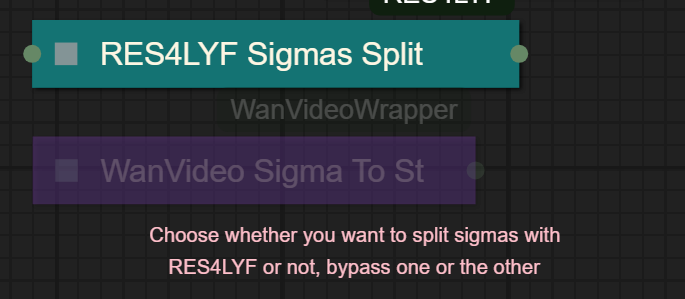
I UPDATED v2.3, YOU CAN CHOOSE IF YOU WANT RES4LYF OR WVW SIGMA SPLITTING
Since v1.8 im using subgraphs, you need latest comfyui with the latest frontend updates, also probably you will need to update Comfyui Manager.
For me was: setting nightly vers on the manager then update confy from the manager too.
* i allways leave the image overlay enabled, it will error if you dont have an image on it, sorry :S
v2.0
You can choose whether to merge with the loras or not, change the lora connection from the model loader to the set loras node, after that uncheck merge_loras
The toggled i added for radial sage, requieres Sage Attention to be installed, if you dont have it you should unplug the conexion i made to the attention type on the model loaders..
Be sure to update WanVideoWrapper nodes ..
The workflow works just fine with Wan2.1 if you bypass first sampler and model loader
This workflow is included with all my uploads as metadata, drag and drop a vid to comfyui.
I run a 4090 locally

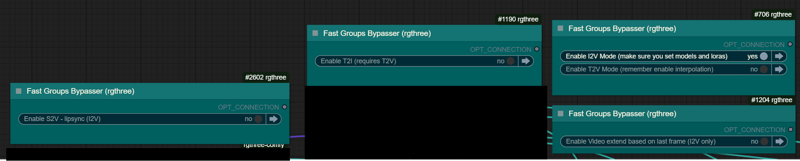
You can use it as other modes if you activate this option for enabling the required nodes.
Make sure you load the correct models on the model loaders
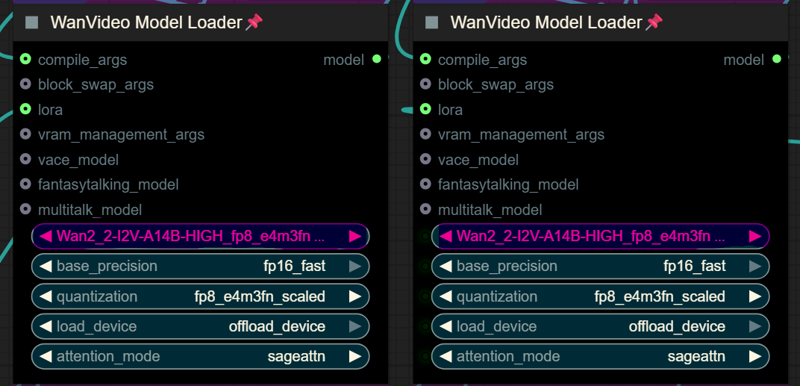
Kijai's WanVideoWrapper Node
Wan2.2 Kijai's models
Lightx2v LoRa needed for lower steps (faster generations)
Wan22-Lightning Lightx2v alternative, newer and better in some scenarios
NSFW Clip Vision (not really needed in wan2.2)
RES4LYF Nodes
MMAUDIO
https://huggingface.co/Kijai/MMAudio_safetensors/tree/main
once installed replace nodes.py file in the mmaudio node folder with this one: https://github.com/phazei/ComfyUI-MMAudio/blob/master/nodes.py
WAN 2.2 💠 T2V / I2V
MMAUDIO NSFW
https://huggingface.co/phazei/NSFW_MMaudio (download and rename it to "mmaudio_nsfw_large_44k_v2_fp16.safetensors")
BOYONODES
K3NK IMAGE GRAB

Description
Removed the video extend section (png combine video extend method is more efficient and better imo)
Added mmaudio
Added float list nodes for speed loras strenght
FAQ
Comments (14)
Just tried v2!
Looks good so far, only mmaudio_nsfw_large_44k_v2_fp16 is not findable via google, please provide a link.
Oh and I might have found a bug:
If i set steps to 8, I get
WanVideoSampler
list index out of range
yes, we need mmaudio nsfw
@Nextgenai1 https://huggingface.co/phazei/NSFW_MMaudio
iv looked at this workflow and my little brain blow off haha, i should really take a moment to sit and read to get my head around everything this workflow has to offer, it looks incredible via the photos
v2.0 is fantastic! Was a while figuring it out but it's by far the best and overall fastest workflow for quality. Thanks for sharing
I love your workflow. Any plan to adapt for the new all in one: Wan2.2-rapid-mega-aio-nsfw-v1.safetensors?
Hey, I love this workflow. There's so much here, and it runs super well on my machine after installing all the needed nodes (getting generations under 60 seconds for 3s videos).
I was wondering how you use the "End frame input" node to make longer videos? When I use the "Batch png combine for video extend" option, I see that I can stitch together multiple generations, but it stitches together multiple videos that simply repeat.
Is the intent of the End frame input node to create seamless joins between the video? I'm not really sure what "end frame" to choose here when running with the Batch png combine mode turned on.
Ideally I'd love to make one long continuous scene this way.
Also as an added bonus, do you know of a way to support loading lora tags from prompts with this workflow? WanVideoWrapper has a bunch of custom types that make it hard to insert something like the comfyui_lora_tag_loader node that loads lora from tags in the prompt text (ie <lora:somelora:1.0>)
Thank you so much again for this!
Thanks for your incredible contributions to the community. I've been trying to get your workflow to work for a long time, i think I'm close but right now its hanging at 0% on WanVideo high noise sampler. Any idea why that might be? my video card is not cooling, so I'm pretty sure its just stuck on this step not doing anything.
you need to check resources usage to know whats going on, probably youre getting a vram oom
Error
Loop Detected 2770,2643,2834,2911,2904,2846,2845,2451,795,557,254,246,244,236,1977,2599,2005,
im getting this mmaudio error
ZeroDivisionError: float division by zero
Bro, I am sorry that I have to ask but I am fairly new to ComfyUI and after opening your workload, getting all the custom nodes etc. I am just blown away by how complex this is. Could I please ask you to make a video tutorial on your process as you make new i2v, extend them, etc?
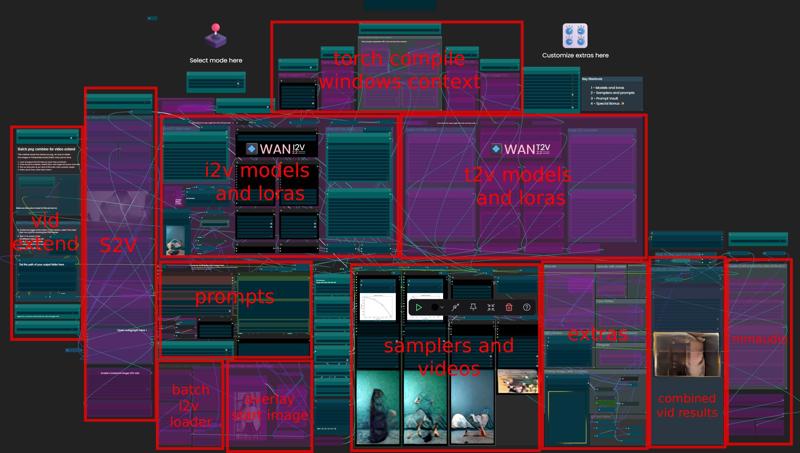
i added anotations inside the workflow itself, the rest is basic , model loaders, prompt fields, negative.. lora loaders.. settings like steps and duration nodes are positioned in the middle, then you have the samplers and the video combiners, in the upper side you have the toggles for every section, mostly will change automatically when changing/toggling between modes... extras can be toggled one by one.. the most complex is the png to video extend, that has more instructions on how to do it.. oh also, the size for the t2v is in avobe the duration node, and in the i2v is avobe the image input... is really not that complicated.. is basically the kijai's t2v workflow where i added i2v and the other modes..
@K3NK spent the whole day watching videos on Youtube, trying to figure it out, no luck so far. If you can do one video as you go through the process of making 1 long video it would be greatly appreciated