WAN 2.2 💠 T2V / I2V / S2V / T2I🔹4-6 steps🔹Loop 🔹SVI Video extend 🔹WanVideoWrapper Workflow🔹K3NK

NOTICE: IF YOU ARE NEW TO COMFYUI, I DONT RECOMMEND STARTING WITH THIS WORKFLOW, IS AN ALL IN ONE WORKFLOW YOU WILL GET CONFUSED.
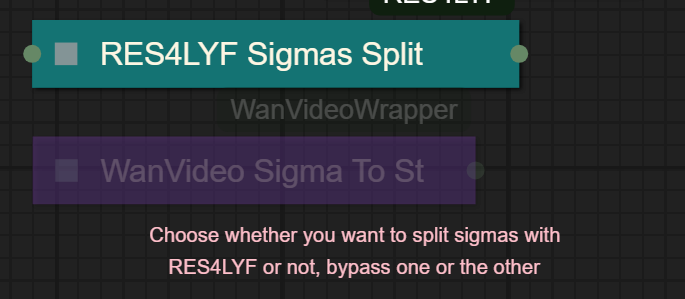
I UPDATED v2.3, YOU CAN CHOOSE IF YOU WANT RES4LYF OR WVW SIGMA SPLITTING
Since v1.8 im using subgraphs, you need latest comfyui with the latest frontend updates, also probably you will need to update Comfyui Manager.
For me was: setting nightly vers on the manager then update confy from the manager too.
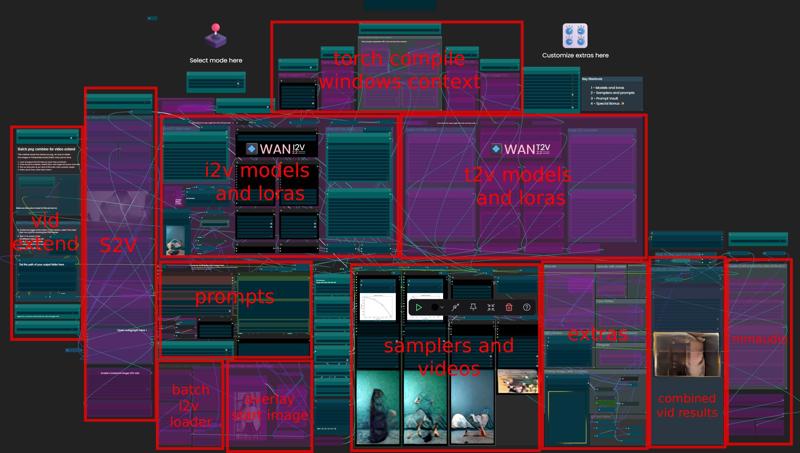
* i allways leave the image overlay enabled, it will error if you dont have an image on it, sorry :S
v2.0
You can choose whether to merge with the loras or not, change the lora connection from the model loader to the set loras node, after that uncheck merge_loras
The toggled i added for radial sage, requieres Sage Attention to be installed, if you dont have it you should unplug the conexion i made to the attention type on the model loaders..
Be sure to update WanVideoWrapper nodes ..
The workflow works just fine with Wan2.1 if you bypass first sampler and model loader
This workflow is included with all my uploads as metadata, drag and drop a vid to comfyui.
I run a 4090 locally

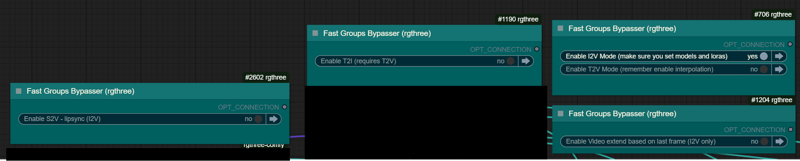
You can use it as other modes if you activate this option for enabling the required nodes.
Make sure you load the correct models on the model loaders
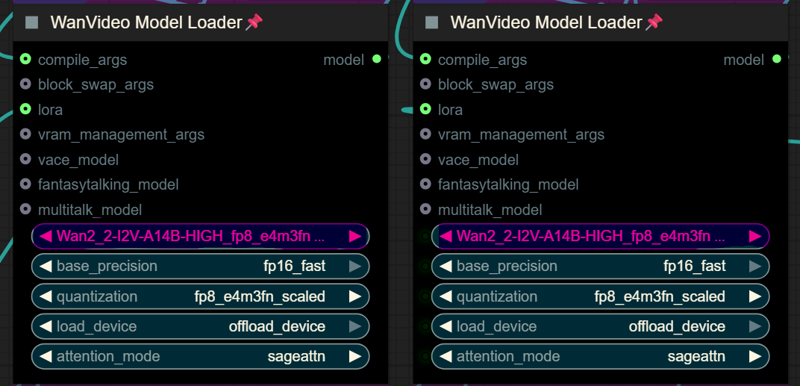
Kijai's WanVideoWrapper Node
Wan2.2 Kijai's models
Lightx2v LoRa needed for lower steps (faster generations)
Wan22-Lightning Lightx2v alternative, newer and better in some scenarios
NSFW Clip Vision (not really needed in wan2.2)
RES4LYF Nodes
MMAUDIO
https://huggingface.co/Kijai/MMAudio_safetensors/tree/main
once installed replace nodes.py file in the mmaudio node folder with this one: https://github.com/phazei/ComfyUI-MMAudio/blob/master/nodes.py
WAN 2.2 💠 T2V / I2V
MMAUDIO NSFW
https://huggingface.co/phazei/NSFW_MMaudio (download and rename it to "mmaudio_nsfw_large_44k_v2_fp16.safetensors")
BOYONODES
K3NK IMAGE GRAB

Description
Separated torch compile and radial sage
Re-arranged the extended i2v section, now is easier to manage and understand
FAQ
Comments (51)
TY for such a great WF!
What "Overlay Image after film grain" does? What image is supposed to be put there?
It's what creates the frame around the output video. You need to create an image with a transparent centre, or just disable it.
Oh. TY
@abufdgf yeah, what galaxy said, in the v1.6 i added a switch coz idk why sometimes when bypassing a node it wont pass the "signal"... that was happening with the overlay node i think.. bypassing those nodes on the v1.6 should be seamless
Yes! Exactly! : ))))
I've found every node, but i cannot get "workflowimgbatch", can anyone share where this is found? Comfny says i dont have it, and it cannot be found. When i click properties, this node has no properties.
where is that node located? it should be highlighted in red, right?
@K3NK Had the same problem
Broken node is in the upper section, lower left group named "Batch I2V image loader queue", the node right beneath the Note.
Says "workflowimgbatch" when I import it but is meant to be just "imgbatch". Reloading the workflow seemed to fix it for me, though
@antonherker758 i think is this node? https://github.com/badayvedat/ComfyUI-Frontend-Only
ill need to update my confy to check for more errors, thanks for the feedback
@K3NK Hmm i am using ComfyUI-Zluda because of AMD unsure if i can put this one.
@antonherker758 just reloading it? I keep getting the same error
No input found for flattened id [1636] slot [-1]
node id 1635 is "Set_i2v_resized_first_img" is a set node on the image loader > resize image
@K3NK Thanks, it keep thowing up an error
@K3NK sorted, thanks for sharing the WF!
@ResistAi what was it?
@K3NK i think this started happening after the recent comfy update. i get this error whenever i bypass a node group (e.g upscaling). it used to work fine before, not sure what changed. i'm not 100% sure but when i trace the node id from the error, it's always a Set or Get node.
@fluffywool hopefully k3nk can get it sorted
@K3NK i didnt follow the instructions :)
No input found for flattened id [1657] slot [-1]
@redsnail I'm getting this error as well, were you able to fix it?
@honryindian No, I just rejected this workflow and that's it.
@redsnail nice i gues :D, i just updated and im not seeing any of those errors, im doing i2v now.. is this the same confyui version you have?
ComfyUI 0.3.52, ComfyUI_frontend v1.21.7
have you updated your wanvideowrapper node?
@K3NK
Same error here except it is 1464. No input found for flattened id [1464] slot [-1]
Only seems to happen when turning on the video extension toggle. Googling shows that lots of people are having this problem because the new frontend is not compatible with the get and set nodes. The 1.6 workflow doesn't throw this error but also doesn't appear to be getting the last frame either. Maybe a workflow without all of the get/set and streamlining nodes would help.
@K3NK for me the error only shows up when using the extend video
Apparently the recent Comfy update broke how it handles some nodes/ I think it's the switch/any nodes specifically? When you bypass them or nodes connected it throws that error. If you don't want to downgrade your frontend you can get it working by either deleting the connected/bypassed nodes (so create independent T2V/I2V versions of this workflow), or I was able to get T2V working, for example, by enabling some of the I2V switches and image loader (early part of the I2V workflow). I2V seemed to work out of the box. Extended workflows -- same type of fix. Sorry I don't know exactly which switch nodes were the issue.
@rj02 I downgraded the frontent and it still didnt work. Also a new error appeared after changing prompt when trying to gen after the first run
How much faster is SpargeAttention/raidialsage?
i really dont know, you can ask gpt to seek the internet about that info XD
I try to use the workflow and only end up with the graph image running after loading an image. is there something I am forgetting to enable? may just be me not reading all the way lol
Would it be possible for you to make an absolute stripped down version of this to be used as a starting off point for i2v? I'm thinking basically the absolute core essentials to generate an image using the lighting model, lora, preferred settings and values. No wildcards, no prompt gen, no find nearest bucket, no extra toggle group options. I tried tearing this down to the core and found there was just too much going on to get to a streamlined workflow.
yeah, sadly i dont use the set/get nodes that much, resulting in a quite caotic node conexions, i gues you could say the 1.0 is the more simple, 1.3 has the RES4LYF nodes for splitting sigmas, if you want to disect the workflow i will use with those
Anyone else running into this issue?: WanVideoSampler
'WanVideoVAE' object has no attribute 'get'
comfyui in all his glory, good luck to make it work if your not a pro of comfyui, no input found for flattened id 1657
downgrade the UI when launching Comfy (--front-end-version Comfy-Org/[email protected])
Or just unmute /delete the bypassed nodes to create specific T2V /I2V only versions until Comfy fixes what they broke
@rj02 i wanted to do a subgraph kind of new scheme but you cant subgraphs seg/get nodes.. i'll need to noodle it
after 3 hours trying with chatgpt 5 help with screenshot and loading the whole .djon, I was unable to make it working :( good luck if you wanna try it...
If you're sending mustard to LLMs you'll never catchup.
Florence2Run node seems like it never finishes it loops saying a couple of things back to back any idea whats wrong ? See Below.
%%% [debug] make_llir: adding llvm option for amdgpu-waves-per-eu=4 -- triton/backends/amd/compiler.py
%%% [debug] make_llir: adding llvm option for amdgpu-waves-per-eu=2 -- triton/backends/amd/compiler.py
%%% [debug] make_llir: adding llvm option for amdgpu-waves-per-eu=4 -- triton/backends/amd/compiler.py
%%% [debug] make_llir: adding llvm option for amdgpu-waves-per-eu=2 -- triton/backends/amd/compiler.py
%%% [debug] make_llir: adding llvm option for amdgpu-waves-per-eu=4 -- triton/backends/amd/compiler.py
%%% [debug] make_llir: adding llvm option for amdgpu-waves-per-eu=2 -- triton/backends/amd/compiler.py
%%% [debug] make_llir: adding llvm option for amdgpu-waves-per-eu=1 -- triton/backends/amd/compiler.py
no idea, sorry, just disable the florenc
To update it. Kajai answered on his issues on his github. This just takes a long time the 1st run. He said to put Florence model to convert to safe tensor for resolution and this greatly lowers wait time.
Anyone figured out how to fix SageAttn with I2V? Appears as if somewhere down the line the image is resized to something not divisible by 128 blocks
Answer: Node #658 needs to be divisible by 128, not 32.
@singularity42 For me it was node #1505.
For anyone who doesn't know what we are talking about: Nodes have IDs. Just google how to configure ComfyUI to display them and also install a custom node that enables search for a node ID in a workflow.
You can also just check all "Resize Image v2" nodes manually instead of searching via ID. Basically they all need to have divisible_by set to 128. That's a "bit" more tedious.
This takes a long time to render on 16GB VRAM. (I'm completely new to this) is there a way I can make it run faster?
this is a huge mess and refuses to install the last few modules it doesnt work
i think theres a grouped node, that might be the last one
Our styles are different enough that I had to load 10 custom node packs with the manager, but everything ran on the first try. Now I just need to figure out where to inject the proper prompts to, uh, inject. Thanks!
Odd, it ran the first time with an image I placed fine, then on the second run with same image, as another commented, it generated "No input found for flattened id [1636] slot [-1]".
I had clicked enable video extend causing the error; it needed an enable loop set, but doing that caused a bool tensor error in the extend 1 wan video decode node, so had to keep the enable loop setting, but disconnect the end image from the encode setup, and while a second portion of a video did then complete, it wasn't sequential from the first, nor did it splice the two together. I'll need to keep looking at it.