

Updated the Prompting Guide
For business inquires, commercial licensing, custom models, and consultation contact me under [email protected]
Join Juggernaut now on X/Twitter
Prompting Guide for Juggernaut Ragnarok by Adam
Hey everyone,
It’s been 8 months since the last version was released here on CivitAI.
Of course, I haven’t been idle during that time . I completed several projects to ensure I’d have the financial means to keep exploring new architectures and possibly do full finetunes on them in the future.
Juggernaut Flux (and its many sub-variants) was a ton of work, but ultimately, I’ve wrapped that chapter up. The training process gave me way too many headaches. To keep my sanity, I spent my spare time working on Juggernaut SDXL with the hope of maybe releasing one final version for you all.
And that day has finally come. :)
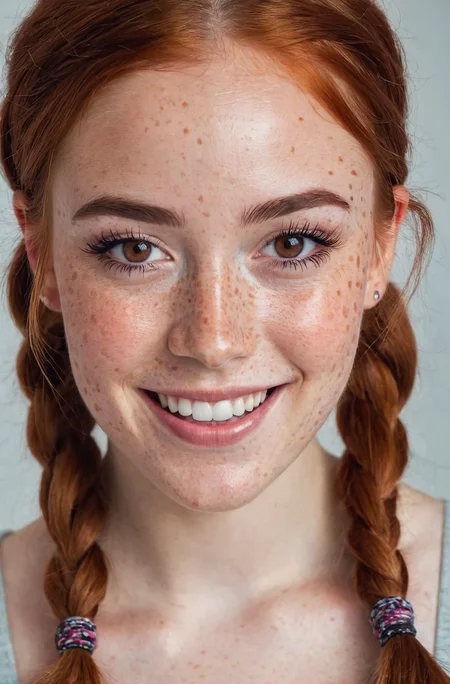
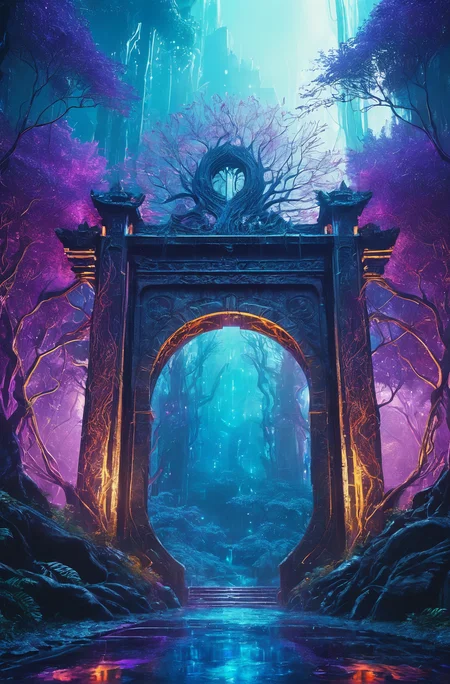
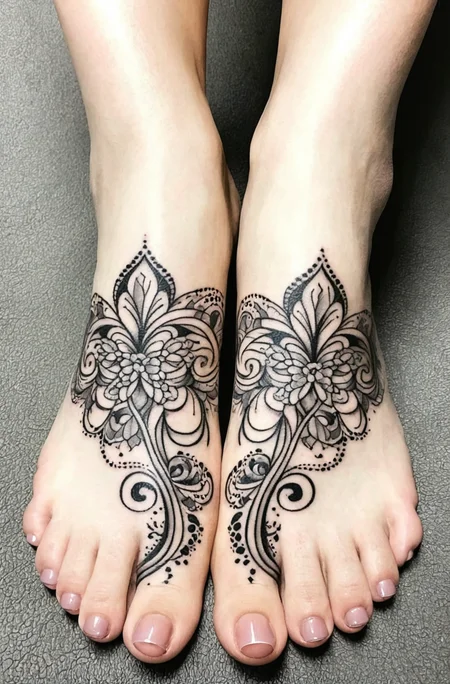
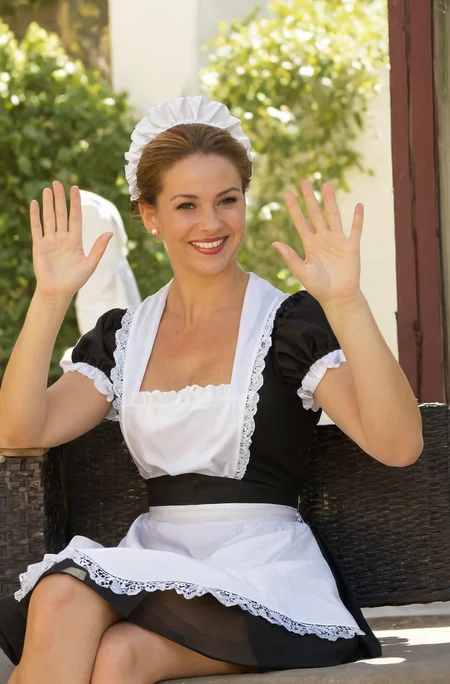
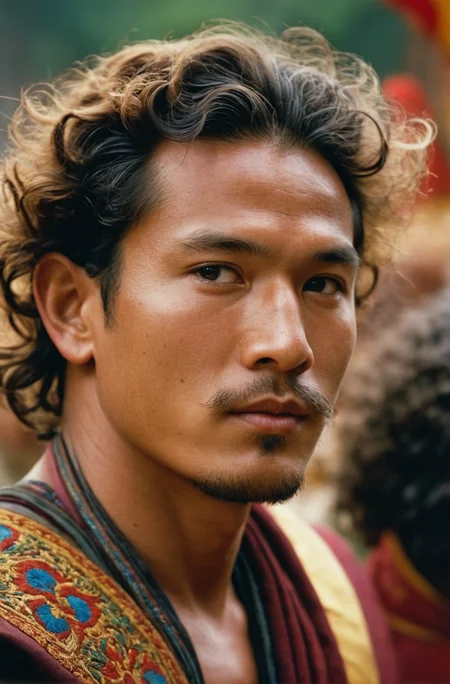
Juggernaut Ragnarok has improved in many areas: photorealism, digital painting, poses, hands, feet, and much more.
That said, it’s still an SDXL model, and I don’t recommend comparing it to models like Flux, Reve, or Sora. For example, it still has limitations when it comes to text rendering or faces at a distance.
I recommend using it as part of a pipeline for your projects. Example setup:
FluxDev / Pixelwave / Jug Flux Pro → Juggernaut Ragnarok
A quick personal note about Juggernaut:
Honestly, I don’t know what comes next.
After the release of Sora and similar tools, the open-source image generation space feels a bit dull in comparison.
Nothing has really excited me enough to dive back into training (yes, I’m talking about HiDream too).
So I’m seeing Juggernaut Ragnarok as a kind of farewell, especially since it’s unclear where things are headed with CivitAI in general.
(You can download all Juggernaut versions from HuggingFace, by the way.)
Last but not least:
Have fun with the model, share your creations, and good luck with your projects!
And in case you’re wondering: Yes, you can do anything you want with Juggernaut : merge it, train it, sell the image outputs, etc.
Just a simple shoutout is all I ask. :)
And now, here are the recommended settings:
Recommended Settings(VAE is baked in):
Res: 832*1216 (For Portrait, but any SDXL Res will work fine)
Sampler: DPM++ 2M SDE
Steps: 30-40
CFG: 3-6 (less is a bit more realistic)
Negative: Start with no negative, and add afterwards the Stuff you don´t wanna see in that image.
VAE is already Baked In
HiRes: 4xNMKD-Siax_200k with 15 Steps and 0.3 Denoise + 1.5 Upscale
And now, have fun trying it out. As always, I'm eagerly waiting for your pictures in the Gallery :)
If you liked the model, please leave a Like. In the end, that's what helps me the most as a creator on CivitAI. :)
Last but not least, I'd like to thank a few people without whom Juggernaut XL probably wouldn't have come to fruition:
Dreamlook.AI (Trained 3 Side Sets)
Description
General Quality Update
Focus on Hands,Feets, Skin Details, Photographic Output
FAQ
Comments (153)
I dunno, I get an extra finger on most generations with this model compared to 7.5.
We have taken hundreds of comparison shots with V7. I myself have taken dozens with V7.5. The end result was that V8 was a slight improvement. Not a significant leap, but still noticeable. However, of course, we also had test images where V7 looked better, and in V8, suddenly had more fingers etc. Unfortunately, this cannot be entirely avoided (at least not yet). But as mentioned earlier, a large number of comparison shots has shown a slight improvement.
@KandooAI I'm perfectly happy using 7.5. Just thought I'd mention it. Keep up the good work!
@Jimsmithwick
I just wanted to explain that despite the improvement, it is possible that in some shots, hands may look better in V7/7.5 compared to V8. Some aspects of the training process can be quite unpredictable! :D Anyway, in just under 2 weeks, we'll have 8.5 coming to Tensor :)
@KandooAI can't wait for NSFW update, dude I will scan whole Playboy magazine from 1990s to now if needed haha
Why do you use a novels worth of words in your negative prompts for this SDXL checkpoint?
Pure habit from my old SD 1.5 Days :D The model works excellently even with a much shorter negative prompt ^^
Congrats on the Chamath on the all-in podcast shoutout!
Much more welcoming! Still the cover might be the best bet.
VAMOOOOOOOOOOS!!!! LO ESPERE MUCHO TIEMPO EL V8
Very nice model, when I use it with midjourney mimic and DPO lora it gives me more detail and higher saturation and contrast, these two lora give sdxl a big step up in texture and level of image.
Thanks to the author for his work and I hope to go further!
The dynamic moments really got better.
Yo V8 really is a jump in quality! Nice work man!
My homie Juggernaut V8 single-handedly carrying the SDXL community against Dalle3 and Midjourney v6! Thanks for this amazing model.
Oh wow, that was a very nice compliment :) Thank you very much :)
@wyxzddsjj919 it's open source model done by individuals alone, compared to massive corporations and their dedicated team, and we are still going in the right direction with models like JuggernautXL V8 with all these improvements
@KandooAI Do u have to use a refiner or something with it?? i can't seem to get better results specifically with this model.
@devilsinister17 Just the Settings mentioned in the Description with the HiRes Fix, no Refiner
What are the best resolutions to use this model?
I would suggest following Resolutions for SDXL:
1024 x 1024
1152 x 896
896 x 1152
1216 x 832
832 x 1216
1344 x 768
768 x 1344
1536 x 640
640 x 1536
768 x 1344: Vertical (9:16)
915 x 1144: Portrait (4:5)
1024 x 1024: square 1:1
1182 x 886: Photo (4:3)
1254 x 836: Landscape (3:2)
1365 x 768: Widescreen (16:9)
1564 x 670: Cinematic (21:9)
Personal favorite
1216 x 832
832 x 1216
Which negative prompt do you use to get a more photorealistic image? Should I set refiner, hires fix
You can see my negative when you click on the Showcase Images :) But actually you can use a way shorter Negative than mine. Best Case Scenario you start with no negative and generate an image. Afterwards you put stuff in the negative you didnt wanna see anymore...So for example: If you prompt an image without negative and it gives you a painting, than you can add painting to the Negative and so on.
Other than that i use the HiRes Upscaler : 4xNMKD-Siax_200k with 15 Steps and 0.3 Denoise . Thats all :)
@KandooAI thanks you are kind
I tried to replicate in v8 some SFW photos I already create with v7 but they become NSFW
EDIT: I also had "NSFW" in negative prompt
Can I make anime with this model?
It´s not trained with Anime, so i wouldnt recommend it. But i´ve already seen people doing anime Images with it, so its doable. But no doubt about it, there are waaaaaay better Full Anime Models for SDXL out there
I loved V7, wasn't expecting V8 so soon, I also love the direction you taking for the NSFW be present but not so explicit.
I try to update every 4-6 weeks. Of course i could do only update every 3-4 months by now. The current update plan gives me the opportunity to respond fairly promptly to community feedback and adjust the training accordingly.
Nsfw best u will lose 40% of customers
After I load PNG in ComfyUI I getting odd colors and output in general.
Hey check the VAE setting. Make sure it's not trying to inject a different one during the VAE Decode process.
try change output to 1024 x 1024 and disable upscaling, along with VAE suggestion.
HiRes: 4xNMKD-Siax_200k with 15 Steps and 0.3 Denoise
how to do that in comfyui?
github ->cumfyui impact pack
generate base image with ksampler, then feed the outgoing latent into this set of nodes:
load upscale model node -> latent upscale on pixel space -> ksampler -> vae decode -> save image. download whatever upscale model you want to use.
can't imagine how difficult implementing proper hands in checkpoints considering there's over a trillion ways on how hands can position themselves XD Thanks for your hard work.
Try drawing realistic hands on your own and you'll understand, hands are and always have been very difficult, both for AI and for experienced artists.
@sken6825368110 I graduated from Pratt and yes those were my first lessons to learn in human anatomy :) And no it's not hard to draw them if u figure out the basics and lots of motivation. Dunno what your definition of experienced is though as none of my peers ever complained about hands :-/
what role is rundiffusion playing in this? is it merged? arent they licensed now?
Since V6 i merged the RD Photo Model (Closed Source) with the Juggernaut Base. And they help me with Buisness related Stuff. Thats it :)
Why do I see green horizontal lines when zooming in on the image?
Which Version ?
Try to use this VAE: https://huggingface.co/stabilityai/sdxl-vae
@KandooAI 7.0 but since then i've been using 8.0 and it's good
@korimass Yeah the Original V7 had the wrong VAE Baked In. It exactly produces the lines u mentioned. But i also uploaded a V7 fix. With that Version and of course V8 it wont appear :)
How do you set up your training dataset for these multi-concept models?
I believe you could ask 10 different creators, and you would receive 10 different workflows :D When I approach a larger dataset, I try to select concepts that could harmonize well during training to achieve the best possible results. Having various photo styles is not a problem at all for fine-tune training. I would avoid cramming entirely different concepts into ONE dataset (e.g., photographs and anime). While it can work, it will likely become a mix of both. Otherwise, the most crucial part is captioning: try to do it manually (yes, it can be annoying) and stick to your captioning style. Especially when dealing with large quantities of captions, it's easy to drift off. Training, in general, involves a lot of trial and error. Each training run feels unique to me.
@KandooAI Am working on a model for generating humans. It has done well at generating super photorealistic images. Now, I want to put those people in any setting, like in a kitchen, taxi rank, or bedroom, holding something, etc. I have collected all datasets that I want these people to be featured in. And have captioned them. Now am stuck as to how to organize that into training. Like
1. Do I throw them into one image folder or do I make separate folders for each concept.
2. Which training type do I go for - finetuning, lora or dreambooth
3. How do I deal with the issue of one concept being overtrained while others undertrain
4. Or do I train each concept separately and then merge all of them at the end
@sphiwe I don't know anything else, but I've done a lot of testing on the merge model. As far as your goals are concerned, you can rule out the #4 method. Because by doing so, you will also face time to merge tests > time to do training
Hi, I'm getting "RuntimeError: 'devices' argument must be DML" error on AMD right after I press Generate. 1.5 models work fine. How to fix this?
After dozens of tests, I found that it's connected with amount of VRAM.
On 8 VRAM I can generate 512x512, but only if I run bat file with --lowvram.
If you have such error you need a major hardware upgrade to at least 16 VRAM.
This is not the place for technical questions. Even if it was, your question is low quality.
@Fooky9 lol genius
awesome i will be trying this for sure
For some reason I’m getting bad anatomy with almost every render I make using V8. Disformed legs, hands, too many fingers etc. Could it be the LoRA (XPenis1.5) I’m using? With V7 generating works much better.
Use xpenis 1.4, 1.5 has problems
@rime11 I’ll try it, thanks!
@rime11 Works better with 1.4 but still now perfect. I will keep experimenting more.
@brownbagel0 Personally what I do is generate an image without the xpenis Lora and then inpaint the penis into the image with xpenis1.5, works perfectly for me
@brownbagel0 I think I keep the strength of the Lora at 0.5
@brownbagel0 just posted an image of what it would roughly look like
@rime11 inpaint with ?
@BNP222222 with xpenis 1.5, draw the penis and in the prompt put huge cock or something like that along with xpenis 1.5 lora
@BNP222222if you are asking what model i inpaint with I dont inpaint with any inpaint model but you can
works great for stills, thank you. FWIW when I use SDXL motionmodel with animatediff, other SDXL checkpoints work , but this one throws a memory error with same settings
v7 works for me in this context
turbo version coming soon?
No Turbo Version planned
@KandooAI at the risk of being annoying, I want to throw my vote in for a turbo model, too, lol. Still on an oooooold GTX and it's painful with SDXL.
@uncledude @crowav98995 You guys know that you can just merge XL turbo with Juggernaut and get Juggernaut Turbo?
I'm using this: martyn/safetensors-merge-supermario: Merge safetensor files using the technique described in "Language Models are Super Mario: Absorbing Abilities from Homologous Models as a Free Lunch" (github.com)
I can't get a whole body, from head to toe, I often have an image with just the body and the head but without having a photo that's a little far away, does anyone have any ideas of prompt?
"Full Body Shot" works, and don´t put something like "Portrait" in the Prompt, otherwise it will get a closer Shot.
Sometimes it also helps to describe the Shoes, that kind of force the AI to put a whole Body in the Image
@KandooAI I also couldn’t create a photo with a full body, I’ll try as you said, thanks
@Saxan007 Posted a Image here: https://civitai.com/posts/1194701
It was just a quick generation, so i didnt look at quality...just to show that its easy possible
@KandooAI As I understand it, to make this work better, you need to describe the lower part of the body, shoes, pants, and so on
The more technical prompt for that is full length portrait. But the better way to achieve that is to put a full body picture in openpose, then leave only the body bone of the figure, and scale them down as small as you want small the depicted body. It will figure out many poses, even sitting or lying, but almost always with a full body. Set the controlnet weight lower to give it more freedom.
Same here, full body shot and full length portrait don't work for me
Same "issue" : Big difference with version 7 where the model could infer the whole body without having to give extra details (shoes or anything else): "full body" alone was enough and gave an image adapted to the context of the prompt. Version 8 is far less flexible.
Much better eye quality! Awesome 😁
Any tips on to how to prompt my way into having the girl be in different positions? or camera angles? It's so hard to get like a sideway profile picture let's say.
use controlnet, google it
this looks great. But I have noticed that the eyes seems to be ever so slightly too big, typically they are also the same shape kinda Asian like. Also, lol the torso on these girls are long as hell. I have tried several prompts to fix these but nothing is working.
Hi Juggernaut Crew. Just wanted to commend you on such a great Checkpoint. Congrats on getting #1 spot. I train most of my LoRas with jugg and they are looking great. Keep up the great work and good luck with any future projects.. DiceAiDevelopment
love the model.. is there anyway to get results that are similar to the civitai web generator with a1111 @KandooAI? ive tried using same prompts with little to no close results at all.
Do you know a prompt for not having to focus on the person? so as not to have the background blur
Use "full body shot" in the prompt. Use "close-up" in negetive prompt.
Realistic background, detailed background
@anelesmelchiorre @GodOfSmething
it doesn't work, I also try "bokeh" in negative message but no change, I think sdxl is the most trained in professional photography this is the cause of our blurry background...
@iphono that's unfortunate. Can you share the prompt and negative prompt and other parameters you use?
I love it but I can't use it since I work from face trained Loras that are made using the SDXL Base model. Using them with a non Base checkpoint produces the same distortions that I get from using them with other Loras. The only solution that I know of is to lower the Lora strenght but that would also lower the likeness to the subject.
I suppose I should try training a Lora based on the Juggernaut checkpoint because it really is nice.
try 2 samplers
I dont know why near the 80% of the creation of the photo i receive a photo like in the link, if someone can help, i tried text2img, img2img and same result, i changed the size also, and used other sampling methods, with other models works correctly
Not sure what link you are referring to, but that sounds like you're using a VAE, and maybe one for an SD model instead of SDXL. In this case, Juggernaut has the VAE baked in, so you should set it to None.
@Manax Ohhh perfect, yes i had selected some SD VAE, thanks
dwonload the picture and extract png info, all the setting is there
Hi all!!! Who knows why images generated using Automatic 1111 are very different from those generated by civitai with the same settings... Thank you very much for your answer.
same problem on 3060 12gb cant get same image
Hey, you need to be using the exact same generation info - the listed configs don't show everything, click the copy button on the bottom right and then paste these details somewhere. The hires stuff isn't as important but the image dimensions etc are.
Your running on a local pc, what do you expect , this site runs off a server,, its gonna be different
Automatic1111, ComfyUI and so on and so on .. All those UIs implement different elements their own way, and one of those, the Sampling, has a huge impact. To make it simple the sampler ('Euler', 'DPM', 'DDIM' etc..) gives the schedule and the way the denoising is done in the latent space.
If the code below those samplers can be similar, some UIs will use the CPU and some will use the GPU (ComfyUI) for the scheduling.
So in the end unless you are using the same UI, your results will be quite inconsistent with someone using another UI.
Has anyone else had issues with memory leak? I have no problems with other models, but on this one I can seem to only generate a few times with no issues before I get memory errors (specifically with ComfyUI and SeargeSDXL workflow.) Thanks!
I had some strange issues with Searge workflow. Never had any issues with juggernaut and my own workflows
Nice model, balanced, detailed, real, now is my favorite
Controlnet does not work for me if I use this checkpoint :(
Of course it works. Did you try the right control net for SDXL? the 1.5 doesn't work for SDXL.
@diogod that was the problem, thank you
Both the previous version and V8, how can i get a sharp background if the lens focus on a human whom in the front, for now the depth of field which be came out is always the way too deep that makes the overall of pics much faker and unrealistic, how can i fix it?
Use "bokeh, depth of field, portrait" in the negetive prompt. Also, look for the name of a camera or photographer that matches your desired dof, and use the name in the prompt. Finally, yiu can look for an already generated image that matches your desired outcome and start remixing it, until you get what you want.
@GodOfSmething so kind of you i ll try and see what is gonna happen.Thx~
@cyptoRabbit anytime!
Hi my new reales Lora will help you with that issue to, Its called "Add UHD Details & Text XL and SD" hopefully that will help you out
@DiceAiDevelopment Thx! i ll try it right now
Hi can i ask someting hope its ok. Im new here was invited by diceAiDevelopment. But i dont know how to fond him . he said come check out juggernault but cant figure out how to find him . any advice?
You can find users by changing the search dropdown (left of the entry) to Users and then searching for them name
Oh My Days just noticed my name mentioned and was like wtf lol
Should i use the sdxl refiner with this?
Yes.
As a rule of thumb, we should generally use sdxl "extentions" with sdxl models.
@GodOfSmething many models are trained on post-refiner photos, and using refiner with them lowers quality
no that would lower the quality and is more resource intensive.
you can test a few photos with and without the refiner and see for yourself
Hello. I'm new to all this, please help me with some advice. I'm trying to use this model in the Fooocus interface. Which LoRA should I choose when using this model, and what LoRA parameters should I set to generate more realistic photos? Thanks in advance for your answer :)
You don't need LORAs to create realistic pictures with this model. It will react well to normal prompting like 'A photo of ' add some lights, some background ideas and the model should react well.
Try the 'Fooocus Photograph' or the 'SAI photographic', with the normal 'Fooocus V2" and Fooocus Enhance' and 'Fooocus Masterpiece'.
In the bottom of the 'Settings panel', you get a 'History Log' which will give you a nice tabular view of the images you have created during the day with the technical data associated. That will help you to see what works well or not.
You only need a Lora if you want to create a specific type of character or certain type of clothing. Like if you want to make a picture of a Disney princess, you could find a Cinderella lora or something.
When I add this to "Draw Things" (on macOS) it asks me if V-Prediction was used in this model. Should I enable this?
I can't run it on Draw things cause I'm a noob, can you make a tutorial for that?
@mattiacusani665 Download the file from here and go to the drop down menu under "Model" in Draw Things. Click "Manage" and a window with all the models will show. At the bottom of there are three options, click the middle one (the import symbol). Click on the first drop down menu under Downloaded File and then select from files. Choose the file you downloaded from here, change the Fine-tuned image size to 1024x1024 because it is an XL model and then import the custom model. Have fun!
@Kind_Grapefruit_2351234 I've done it with default options putting it but grey results
this is my config: {"targetImageWidth":1024,"seed":2601398831,"numFrames":14,"hiresFix":false,"id":0,"controls":[],"hiresFixStrength":0.69999998807907104,"refinerStart":0.85000002384185791,"clipSkip":1,"steps":30,"imagePriorSteps":5,"hiresFixWidth":768,"hiresFixHeight":768,"maskBlur":1.5,"negativeOriginalImageWidth":512,"negativeAestheticScore":2.5,"seedMode":2,"sampler":0,"negativeOriginalImageHeight":512,"originalImageWidth":1024,"targetImageHeight":1024,"zeroNegativePrompt":false,"batchCount":1,"motionScale":127,"negativePromptForImagePrior":true,"height":1024,"model":"juggernautxl_v8rundiffusion_f16.ckpt","imageGuidanceScale":1.5,"cropTop":0,"clipWeight":1,"aestheticScore":6,"originalImageHeight":1024,"batchSize":1,"cropLeft":0,"fps":5,"loras":[],"guidingFrameNoise":0.019999999552965164,"strength":1,"startFrameGuidance":1,"guidanceScale":7.5,"width":1024}
When V9 bro?
In my opinion V7 best so far idk what you did guys after that but V7 was good excellent
Can´t tell a Release Date yet, i wasnt happy with the last tests. So it prob take 2 more weeks.
@KandooAI take your time polishing the next update, we're rooting for you!
Seriously .. you have already mastered this version and extracted all you could from it?
When generating in preview, it shows a good picture, but when the generation is completed at the last stage, it breaks the picture, and here's what happens https://imgur.com/a/J4MhrZD
Wrong VAE, Juggernaut has the VAE already baked in. So either choose "Automatic" or "None" (If you use Auto1111)
@KandooAI Thank you, it helped!
@KandooAI I removed 'vae' and the result changed. Now I'm getting not just a bunch of pixels, but simply bad images, even though I follow prompts and examples
@figusqw180 that linked image was the literal output? 512x512 ... change the output size to 1024x1024,,, XL checkpoints generally do not output useful at 512
Hi everyone, I got bored for an hour , and found myself making a video about Juggernaut lol........ https://civitai.com/posts/1377485
Appologise in advance ........
when will 9th be released? 8th already morally outdated lol
Clip Skip should be zero (0), correct? Looks like civit has not provided that info in the context box here. Thank you - great model! 👽
Update:
I am gonna Upload Version 9 on Sunday, so the wait time is almost over :)
If you can´t wait until Sunday, you can check RunDiffusion.
It´s now live there on RD Foooocus.
Woohoo! We're lucky enough to have Juggernaut v9 on RunDiffusion (Fooocus only) for testing! Let us know what you think! Be part of the big worldwide release early!
Thank you for this model. I often do fantasy characters and this is one of the few that can do elf ears properly. Hope the next version keeps that functionality!
Do you think version 9 may fix the white orb artifact issue (small white dots) when merging with other models? I even dreambooth trained over jugg v8 and tried to merge with original v8 again and it still produces those artifacts.
@user1234123 Use the right VAE when training.
Is there a reason when merging this with other models that it creates small white orb artifacts on things? I even tried dreambooth training over v8 and merging with original v8 again and still does it.
I tried merging with both auto1111 and forge and it doesn't matter the merge strength. Is there anything I can do to avoid this?
Make sure to merge in the VAE. Use the SDXL fp16 fix VAE (google it) or jump in the RunDiffusion discord and we’ll link it for you.
Details
Files
juggernautXL_v8Rundiffusion.safetensors
Mirrors
juggernautXL_v8Rundiffusion.safetensors
juggernautXL_v8Rundiffusion.safetensors
juggernautXL_v8Rundiffusion.safetensors
juggernautXL_v8Rundiffusion.safetensors
juggernautXL_v8Rundiffusion.safetensors
juggernautXL_v8Rundiffusion.safetensors
juggernautXL_v8Rundiffusion.safetensors
juggernautXL_v8Rundiffusion.safetensors
juggernautXL_v8Rundiffusion.safetensors
juggernautXL_v8Rundiffusion.safetensors
juggernautXL_v8Rundiffusion.safetensors
juggernautXL_v8Rundiffusion.safetensors
JXL_v8Rundiffusion.safetensors
juggernautXL_v8Rundiffusion.safetensors
juggernautXL_v8Rundiffusion.safetensors
juggernautXL_v8Rundiffusion.safetensors
juggernautXL_v8Rundiffusion.safetensors
juggernautXL_v8Rundiffusion.safetensors
juggernautXL_v8Rundiffusion.safetensors
juggernautXL_v8Rundiffusion.safetensors
juggernautXL_v8Rundiffusion.safetensors
juggernautXL_v8Rundiffusion.safetensors
juggernautXL_v8Rundiffusion.safetensors
juggernautXL_v8Rundiffusion.safetensors
juggernautXL_v8Rundiffusion.safetensors
juggernautXL_v8Rundiffusion.safetensors
juggernautXL_v8Rundiffusion.safetensors
juggernautXL_v8Rundiffusion.safetensors
juggernautXL_v8Rundiffusion.safetensors
juggernautXL_v8Rundiffusion.safetensors
juggernautXL_v8Rundiffusion.safetensors
juggernautXL_v8Rundiffusion.safetensors
juggernautXL_v8Rundiffusion.safetensors
juggernautXL_v8Rundiffusion.safetensors
juggernautXL_v8Rundiffusion.safetensors
juggernaut-xl_v8.safetensors
juggernautXL_v8Rundiffusion.safetensors
juggernautXL_v8Rundiffusion.safetensors
realistic_v8xl.safetensors
juggernautXL_v8Rundiffusion.safetensors
juggernautXL_v8Rundiffusion.safetensors
juggernautXL_v8Rundiffusion.safetensors
juggernautXL_v8Rundiffusion.safetensors
juggernautXL_version8Rundiffussion.safetensors
juggernautXL_v8Rundiffusion.safetensors
juggernautXL_v8Rundiffusion.safetensors
JuggernautXL.safetensors
juggernautXL_v8Rundiffusion.safetensors
juggernautXL_v8Rundiffusion.safetensors
JuggernautXL_V8Rundiffusion.safetensors
juggernautXL_v8Rundiffusion.safetensors
juggernautXL_v8Rundiffusion.safetensors
juggernautXL_v8Rundiffusion.safetensors
juggernaut_xl_v08.safetensors
JuggernautXL_V8Rundiffusion.safetensors
juggernautXL_v8Rundiffusion.safetensors
juggernautXL_v8Rundiffusion.safetensors
juggernautXL_v8Rundiffusion.safetensors
juggernautXL_v8Rundiffusion.safetensors
Available On (1 platform)
Same model published on other platforms. May have additional downloads or version variants.