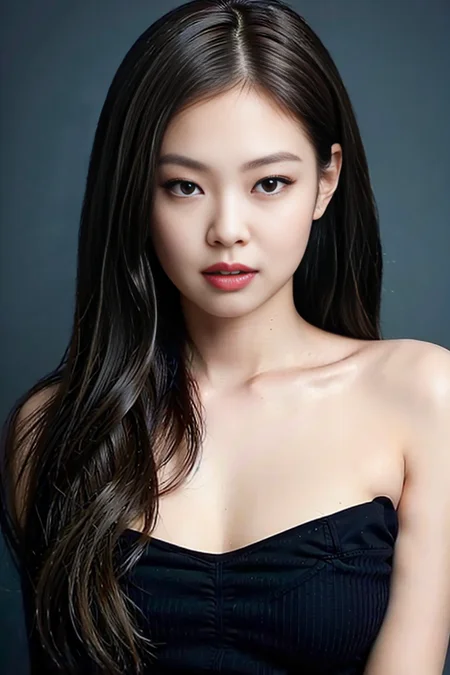





Description
FAQ
Comments (12)
"Girls frontline" tag? What?
only generate images are allowed.
No QR codes are allowed in your images. You have been muted and prevented from commenting, reviewing, or uploading for 48 hours as a warning.
What is the "Trigger Word" please ?
what check point for this?
very low quality. do not waste time.
Strong disagree that this is "very low quality". This is an extremely strong LORA, but highly trained so you'll need to reduce its weight to 0.3-0.6 to get the best results.
Did you try using something else than ChilloutMix? I am not able to get a good render even with weight 1 - 1.5
@GSwan You want weight 0.4-0.6. I've used this LORA successfully with a wide variety of models -- I'll post some examples below.
which one is the trigger word?
Please do Mai Shiraishi (白石麻衣) or Erika Ikuta (生田絵梨花) or Nanase Nishino (西野七瀬)😄
I always generate multi-people when I set resolution 1024*2048. I use negative prompts like "multi-people" and "duplicate", but it not work, anyone has ideas?
Most SD1.5 models are trained with a base resolution of 512 pixels in width. If you set the canvas size to 1024x2048px, the AI model interprets it as having two or more canvases to render the image, therefore the duplicate / multi people result.
To generate a large image, start with a 512x1024px resolution, then move the image to the img2img tab. Use the same prompt, adjust the denoise strength (ideally between 0.3 and 0.6), and set resize by scale 2x.
Details
Files
JENNIE.safetensors
Mirrors
16581_JENNIE.safetensors
JENNIE.safetensors
JENNIE.safetensors
jennieForBLACKPINK_v10.safetensors
JENNIE.safetensors
JENNIE.safetensors
jennieForBLACKPINK_v10.safetensors
jennieForBLACKPINK_v10.safetensors
JENNIE.safetensors
jennie_chilloutmix.safetensors
jennieForBLACKPINK_v10.safetensors
cel_bp_jennie.safetensors
JENNIE.safetensors
jennie_chilloutmix.safetensors
jennie_chilloutmix.safetensors
jennieForBLACKPINK_v10.safetensors
JENNIE.safetensors
jennie2.safetensors
Available On (2 platforms)
Same model published on other platforms. May have additional downloads or version variants.