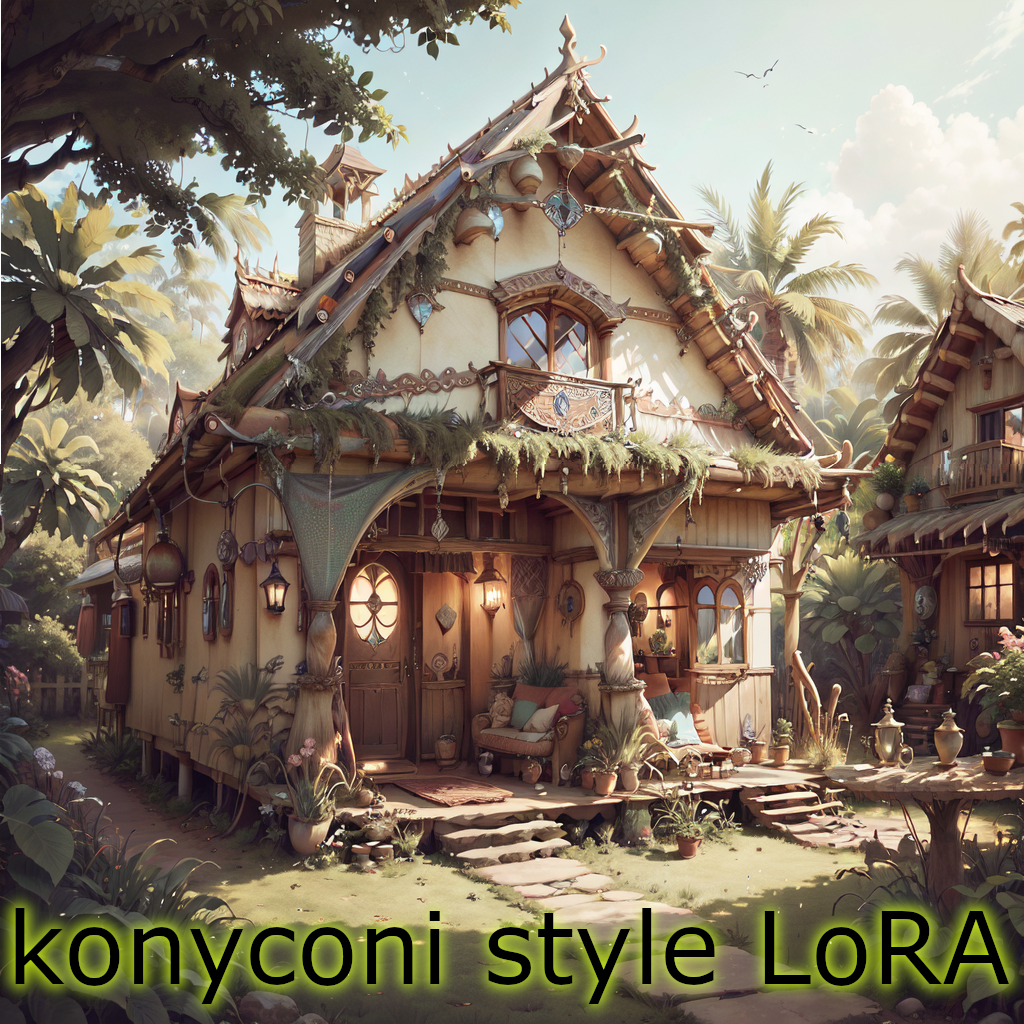
New version of this tutorial is here: https://civarchive.com/articles/771/tutorial-konyconi-style-lora-update
After some trial and error, I discovered an efficient method for creating LoRAs that can apply styles or features to various items. My LoRAs have been well-received here, on civitai.com, and it's surprising how easy and fast the process is. It almost feels like cheating. I've enjoyed the recognition, but I believe it's time to humbly share my approach with everyone at no cost.
This tutorial showcases the typical process I follow for creating most of my LoRAs.
TLDR version: I utilize generated images; I incorporate simplistic illustrations into the training data; I employ basic captioning: [triggerword] [concept], and I use a simple Python script to create the caption files.
STEP 1: Find an idea (style / feature) and check that SD with your favorite checkpoint can't do it. Let's say, the boho-style.
Dear revAnimated, please generate a "boho tank" for me:
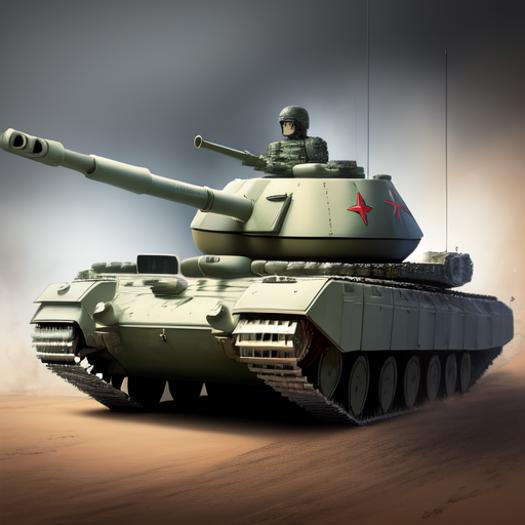
OK, the boho-style seems a good idea to try,
STEP 2: Check other image generators.
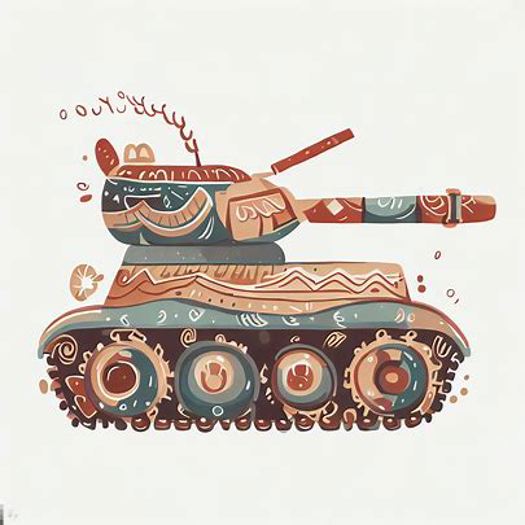
Dear Bing, please generate a "boho tank" for me:
prompt: illustration of battle tank in boho-style
Dear DALEE-2, please generate a "boho tank" for me:
prompt: battle tank in boho style, illustration
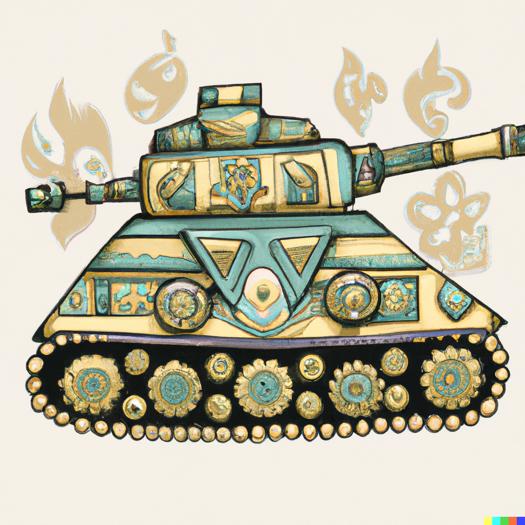
OK, we can see that these pictures somewhat capture the boho-style. Therefore ....
STEP 3: Generate the training set using an image generator which can understand the boho-style.
Some of my LoRAs use no generated images in the training set, while others incorporate a portion of generated images. Notably, my most recent LoRAs rely exclusively on generated pictures.
For example, generate "boho tank," "boho computer," "boho village," "boho dirigible," "boho submarine," etc. Aim for 1-6 images per concept, totaling 50-100 images.
When you generate such uncommon things, like "boho tank" you might come across images such the ones shown in STEP 2. Don't worry about including these images in the training data; they're often better than (semi-)realistic pictures. For instance, my training data for BohoAI only contains the following examples of dirigibles:

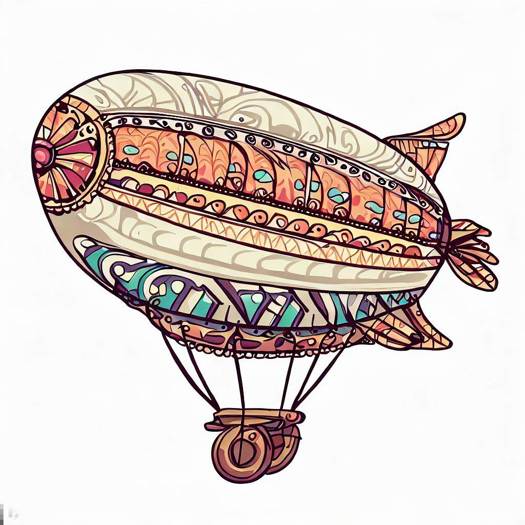
Yet, the final model produces this:
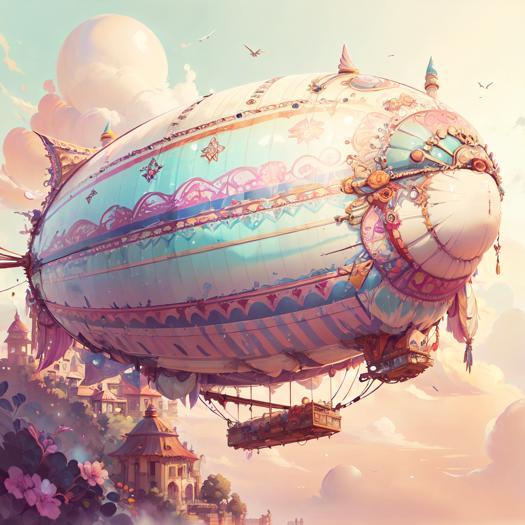
Include also some (semi-)realistic pictures. They should not be problem to generate for some concepts, like "boho living room".
STEP 4: Clean up the images by removing logos, generated author signatures, and other similar elements. Also remove unwanted artefacts, like the extra cannon on the tank tower.
The removal can be quite crude: just place other part of the picture over the unwanted part.
Do not resize the picture.
STEP 5: Captioning.
Use very basic captions, like "BohoAI dirigible."
To expedite the process, try this trick: save the images in a folder named after the concept. So, all dirigible pictures will be in a folder named "dirigible."
Once you have all images organized in their respective folders, execute the Python procedure I provide in attached files. It recursively travels through folders, and for each .jpg file creates .txt containing a given triggerword and the folder name.
STEP 6: We are good to go. Train the LoRA.
I think that you cannot go wrong with your usual setting.
After some experimenting, it seems that rank 128 and alpha 128 are needed to get the desired result. I'm going to make a deeper study later.
I'm sharing the config for kohya ss, but please take it with a grain of salt. I often change it and experiment blindly. BohoAI was trained with this config using 10 repetitions.
The LoRA encapsulates boho-style, adeptly applying it to untrained concepts.
Check dajusha's review picture (there are no pictures of any animals in my dataset.): https://civarchive.com/images/616301?period=Week&periodMode=published&sort=Most+Reactions&view=categories&modelVersionId=56427&modelId=51966&postId=172873
I've shared my secret and kindly request one favor: if you publish your LoRA trained using this method, please credit this tutorial.
Numerous creators can adopt and enhance this idea, ultimately elevating the quality of civitai.com content. By sharing my golden goose, I kindly ask you to consider supporting me with a coffee through these links:
Description
FAQ
Comments (59)
kinda thinking trigger word for style is not necessary.
Yes, you are right. If it's just one style, It is not necessary. I've included them with Idea, that one day I merge everything into one large model. I've already tried and failed. Now it is just a habit. Maybe I'll try it again.
awesomesauce
Thanks for sharing, I'm a bit curious as to why you say not to resize the images? Tutorials on youtube always recommend resizing them to 768 or 512 before training.
Other than that yeah, I suppose it could be quick to train loras like this but my 3070 still takes 8 hours for the actual training haha.
OK, quick answer would be: the recipe works for me, so resizing is probably a waste of time.
I'm sure I've read somewhere, that it is not needed. It was a while ago. I'll try to find it later and link it here.
if you have the um.... some setting :D tiling, buckets ? something ? active in the trainer you don't need to resize, it'll slice the image up or whatever voodoo it does, it's one of the upsides of Lora training
@theartificialanalyst I confirm that I have the bucketing option on.
anyone knows about an "actual" Youtube video on how to train LoRA step by step?
@technerd I started with this one: https://www.youtube.com/watch?v=70H03cv57-o&t=19s&ab_channel=Aitrepreneur
@konyconi @malcolmrey thanks for the link! I finally I made some LoRA's with kohya_ss from friends faces and they are "okay" but since you have much more experience I wanted to know. Which source model is better to use for LoRA training? Stable Diffusion 1.5 base model or any models from here like Realistic Vision, Liberty, Analog Diffusion??? I know these are some basic questions but can't find any useful information about this on google.
@technerd I thought I already replied but I guess the message was not sent? :-)
I'm currently using realistic vision 2.0 as my base
one reason is that I still keep my dreambooths so it's better if the base is nice, but I think that the training is actually better on a custom base
@malcolmrey just realised that I can open any "LoRA" with Notepad and read the meta/training/data/settings/prompts/etc. and which model was used. That is really cool and will help me a lot to understand things better.
@technerd I use SD1.5. Also you can also see the metadata in A1111, clicking on that circled i.
Thank you for posting this! I might try making one of my own.
I had a question. You say that some of your loras use no generated images in the training set. Which ones are those? And what process/criteria did you use in selecting training images for those?
clocworkspiderAI, dieselpunkAI, streamlinerAI, HRGiger, postapocalypseAI,... +celebrities. Generally, LoRAs which are not "I want to see [add style] on a tank and coffee machine".
About criteria: It is hard to say. I take everything what somehow captures the setting. Most crazy selection was dieselpunkAI -- there is a small portion of really dieselpunk pics, and quite large portion of pictures of submarines, diesel motors, ww1 tanks, nazi uniforms, factories, .... (I have no idea why it worked so well).
Thanks for taking the time to make this. Your LoRAs always capture the styles so well!
thank you.
hey thank you, you are a shiny example of how AI art can indeed be creative
Hello, just found out about your loras few days ago and i been impressed by the quality of your renders. Thanks for posting this it will be very interesting to try your wrkflow !
Now i just have a question, for your stonepunk lora, and loras in such style, what were your dataset ? Following what you said in your tutorial, did you generate set of images as "stone shoe", "stone tank" etc ?
StonepunkAI was rather minimalistic. I've trained it on following concepts: battle mech, tank, car, coffee machine, combine harvester, space station, train, truck <--- so these were the generated pictures (only about 30 pictures in total)
Some prompt engineering was needed to get them: like "battle tank made of crude stones and logs, concept art".
@konyconi alright than you very much for your help and aswer :)
awesome!! Thanks for sharing ❤️
Thank You! This is giving me ideas! My blain blurts!
Thanks for sharing your process.
I think a lot of the success with your training is probably just down to your settings and image selection though. Apart from using other image generators to make training data, which is a great idea, there's nothing that's really any different from the standard way of making a lora.
I think maybe having simple captions could be helping. Captions are still a bit of a mystery to me, eveyone seems to have a different idea about how to write them. I know you are supposed to write stuff you don't want the AI to pick up on but when I've been testing loras trying to learn how to make them I've found sometimes having captions negatively affected the outcome, especially longer captions. Sometimes I've had better results using no captions at all.
Anyway thanks again for this, it's always nice to see another person's process, and thanks for the loras!
Thank you for the feedback.
Regarding captioning: I once mistakenly neglected to run the python script, training a model without captions, which yielded significantly poorer results. But I generated only few images before I identified the problem. Apart from this experience, I've experimented with BLIP captioning and manually written captions. BLIP proves unreliable, as it frequently fails to identify objects in complex images, such as a "baroque coffee machine". On the other hand, manual captioning is tedious and frustrating. Therefore, I advocate for utilizing basic captions, as they can be efficiently generated with a single click using the script, ensuring complete control.
@konyconi I believe that simple captioning only works in style LoRA, since style is not something that can be easily describe in words. For something like a character it tends to make features like hair color or pupil color unchangeable.
Thank you for sharing! Love your LoRAs so much :D
Coffee provided. :D
Much appreciated. You mentioned under other LoRA that you use Kohya_SS on default settings - is that correct? Nothing to click, nothing to change?
No. For my older LoRAs I used config I took from the link under this video: https://www.youtube.com/watch?v=70H03cv57-o&ab_channel=Aitrepreneur
Through the time I've changed a few things, but it is mostly blind trying, usually without visible effect. Maybe it would be a good idea to upload my settings. I'm going to do that, give me a few minutes.
OK, it's there. Also the description of STEP 6 is updated accordingly.
Very cool to see. I had assumed this was your general process (generating images) which is something ive done before and i think it's a really valid way of doing concepts.
How has your captioning process evolved ? I remember your earlier loras like totempunk have got captions in the metadata.
Thank you.
Previously, I used BLIP captioning, once I tried manually written captions (for CyberdeadAI), and now I only use basic captions [triggerword] [concept], like "tikiAI combine harvester". This is my evolution. The captions remain visible in the metadata, and I don't attempt to conceal them through editing.
@konyconi cheers. i didn't mean to imply you were doing anything weird to the metadata, purely speculating on how your process had changed since you used to use full captions and don't now. I've definitely checked out your metadata to see what kind of things you're training on when i've been reviewing your stuff
@theartificialanalyst Apologies, I misunderstood the question earlier. English is not my first language. I stopped using BLIP when I observed that it described an image of a fat cyberzombie (for CyberdeadAI LoRA) as a "cartoon character with a large head". I manually wrote captions for that LoRA, but it was a rather tedious and frustrating process. Therefore, I switched to this simpler captioning method.
@konyconi yeah its interesting as well, totempunk and cyberded are two of your more overcooked loras i wonder if the captions are part of what makes them too strong... in totempunk in particular it really seems to be more aggressive when it's doing snowy or wood things. (ps Id love you to do another version of totempunk that's less overcooked, it's still my favourite :D )
@theartificialanalyst Indeed, the older models are overcooked. In time, I plan to revisit and enhance them. However, I believe the issue isn't rooted in the caption style, but rather in the training parameters.
Very interesting :-) Thanks so much for publishing this. Do you use the Kohya-ss stuff for the actual training?
Thank you. Yes. Just a few minutes ago, I've shared my kohya ss config and updated the description of STEP 6 accordingly.
@konyconi Again, thanks for doing this :-) I'd given up trying LORAs but armed with your info perhaps it's time to have another go. Not sure if my 2060/6GB is up to it... when I've tried in the past it's the 16GB main RAM that's run out almost immediately. In the meantime I've been making (unpublished) TIs using a not-entirely-different workflow to what you've shared. Some reals picked/cropped off Commons, TI'd, then some gens from that TI + more open-licence reals to create a 2nd gen TI that kinda does what I want (I'm into surreal and patterns rather than recognised Art Styles). Since reading through your workflow a couple of times I'm thinking I might try making a TI of one of your themes using gen'd images from, say, your ArtDeco LORA. I'm curious to see if there's enough, umm, space? weight? for want of a better word in a kilobytes TI rather than a megabytes LORA to reproduce anything like the quality I'm enjoying from your ArtDecoAI. You OK with me trying to replicate some of your LORA in TI form?
@chromesun Sure, I'm totally OK with that. More than that. I beg you to do it.
Also, could you recommend a good TI tutorial to me?
@konyconi Hah! That's a good question! I've scoured the net and picked out stuff here & there but have not found a good all-in-one guide for TIs that apply styles. So, like you, there's been a lot of blind testing. And waiting around for s-l-o-w training runs. The huge thread at
https://github.com/AUTOMATIC1111/stable-diffusion-webui/discussions/1528
has been very helpful (particularly mykeehu's posts and txt files). That thread let me work out how to make person TIs 'cos I had family wanting to be superheroes :-) Worked quite well. Since then I've been trying to make TI styles - particularly marbled paper (base SD15 is rubbish at that). You can see the swirly effect in a couple of the review gens I did for your ArtDecoAI.
Some of the comment threads by @JernauGurgeh here on CivitAI were interesting/useful too, but again for person/thing rather than style.
Perhaps it's time I published one of my style TIs on CivitAI with settings/training info. I've held back because I feel they're unfinished... but they'll always be unfinished! <sigh>
Today, though, I'm doing gens with your StainedGlassAI and BohoAI LORAs. Hopefully post review pics later... and of course you'll be getting 5* for both! They are both great fun to play with :-)
@chromesun I've got something for you today: https://civitai.com/models/55080/marblingai
@konyconi Oh wow! Thank you so much for doing that :-) I'll go try it out right now. I dl'd your Boho data and had 1 try at making a TI over the weekend. Too much Real Life to have multiple tries :-( The TI does something, but subtle compared to your LORAs.
I was very curious how you made such cool models. Thanks for sharing!
Finally.. the keys to the kingdom... the golden goose..... :D
Unfortunately my computer is a potato .. but I hope to see people take this knowledge forward.
Thank you for writing this!
Thank you so much for this info. I really appreciate it, and can’t wait to try it out!
I find that information very useful!! I really appreciate that! I will have a try on this!
I've just noticed that the kohya-ss config was a wrong file. Now it is fixed.
Thanks a lot for throwing your knowledge, if you allow me I'm gonna also explain couple things here about your process while also tell common differences to other trainings (take this with caution, I can't be take at expert at all)
As I can see in the json file and the tutorial it seems you are aiming to "bleed" the layers in terms of style (that's why this is not recommended when doing specific character of specific clothing, cause it MIX, which for style, superb, for specific things, horror lol). Indeed the idea is great and since you're aiming for style, you still will have consistency since -as always- Input > all. And your inputs have categorized order and more important, you have already structured everything.
Same for tagging. This type of tags with some minor tweaks is what I'm using for style and the one people use since it's almost impossible to describe styles with more than 9/10 words and don't confuse the AI.
Repetitions. Here is the juice and what people need to maybe change doing other things, styles, etc. As I've been studying and testing, steps in total should be around 1500/2000 for good starter (repetitions x number of images, etc.). That's why you having like 60 images you are doing 10, if you were doing like 12 in total, probably factor should go 60-100, etc.
Batch size... Unsure. I run 1-2 flawless and even I have rtx 3090 able to do 8-12, never increase it since it gets affected to quality (MAYBE for the Dim/Rank).
DIM/RANK: This is where it comes messy. 128 for me it's a lot but its style dependant, noise images there, squares, colors, etc. I have been doing 8 dimensions, 16, 32, 12, 80.. it depends, usually you should be running different dimensions (and ranks) to get the best style but I recognize in the first Lora days I used 128 too. Here is very very relative and again, will be good for normal using but in my case I felt it was too much (also ranks and dim can be #). Question here, did you try other values in the past?
Method: Cosine with restarts. Some people use constant with 0 Warms and works great. 15 epoch is a lot but with repetitions less than 15-20, works. Re-starts is weird since when 15 I used like 8-10 (for example) but can't see it on the json?
Rates: In my opinion the best generic ones and the BF16/BF16 its perfect (if you cant run use FP16x2).
And in general your training is similar to one of the variants I'm doing but the basis are the same. Pretty clever the mixing tech. If I got something wrong feel free to tell me, always love to learn new things. An sorry for the long boring post!
Thank you. It is not boring, it is actually super-valuable for me.
I've not tried to change the dimension. I've only tried to reduce the dimension afterwards -- not sure whether it gives the same result. But I'm going to experiment with from now on.
Hey guys, first of all want to thank you both, OP and random guru. I spent about 1h with chatGPT to understand those 2 files because i have 0 code skills but i got whats going on. Just want to ask like the noob that i am, after i change captioning.py
[...] to my desired images path and such, LoraBasicSettings.json do i also run it in python like: python LoraBasicSettings.py LoraBasicSettings.json or do i do something else with it?
@KH1R0N It is config file used in kohya ss script: https://github.com/kohya-ss/sd-scripts
That's what I use to train the LoRA. If you are not familiar with it, I recommend to start with this video: https://www.youtube.com/watch?v=70H03cv57-o&t=16s&ab_channel=Aitrepreneur
@KH1R0N why not do it on free Colab with the Linaqruf notebook? I'm getting great results there and your can use everything from this tutorial there
Thank you for the additional insight! :)
Thank you kindly for this awesome guide :)
I skimmed it, and will use it when I get around to start making my own LORA's
It would be very useful if you put "TUTORIAL" in big letters on the picture, so it stands out in CivitAI's growing DB, especially since there's no actual category for tutorials yet.
By "captions", you mean filenames, right? - So we name the pictures by the concept they represent?
I've only done some checkpoint training once or twice back in January..
Thank you. Good idea, I'll do it later.
Regarding the captions: I mean text in a .txt file with the same name as the image.
For instance: If you have an image of a boho tank in the file 001.jpg, you should insert the description "BohoAI tank" into a text file named 001.txt.
@konyconi Thanks for clearing that up!
you are amazing ! thank you very much!! 心から感謝しております!凄いテュートリアル教えてくれたのだ、CIVITAIの皆様が喜ぶと思うぞ!