







Since CivitAI is going down THE DRAIN
I won't be updating this workflow here anymore, and I won't post any more models from now on.
I hope to find interest from people to keep updating this. Thanks everyone!
Keep following this workflow development and more on my new Discord server: https://discord.gg/EwKE8KBDqD
Get new releases from GitHub: https://github.com/diodiogod/Comfy-Inpainting-Works
Now there is a "simple/compact" version that I will update together with the normal one.
Read "about this model" on the right panel please!! I recommend reading v6.0, v5.0, v5.1 as well.
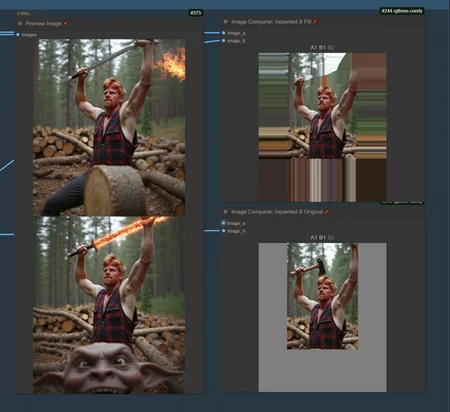
This is a proper inpainting with alimama control-net + Flux Fill + Flux Tools (Depth an Canny) support from V7 and above.
I try my best to avoid hiding the workflow flow, while balancing keeping it clean and user-friendly.
This workflow will make sure your image is composited in the end to prevent VAE degradation AND from v5 will make sure your image is a multiple of 8 (so it doesn't get resized by ksampler) at the same time it avoids resizing at all (unless you want to) since resizing will degrade the original image as well.
For inpainting that leaves a face and changes the whole background and character, Alimama works way better. Alimama also works better for LoRas. Alimama is terrible at outpainting and Flux Fill is amazing. You should test both. My comfyUI OOM or crashes when switching from one to the other IF my system memory page file is not large enough. With a pagefile of 50GB I can freely switch from Flux Fill to normal Flux Dev now.
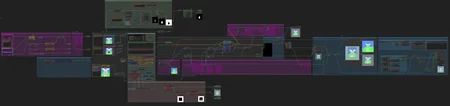
It does use a lot of custom nodes to make life easier and workflow cleaner. Use manager to install the missing ones.
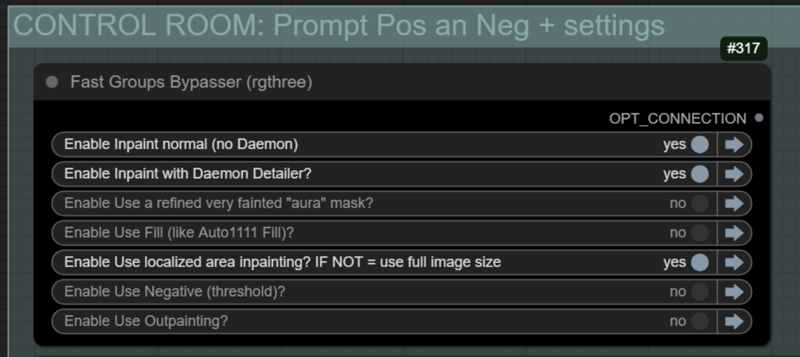
Supports loading of an external mask (need to match the image size) or doing the inpainting within the right-click "Open MaskEditor" on the image itself.
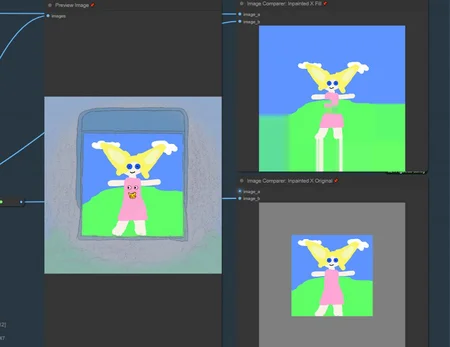
Supports FILL -the normal fill, like Auto1111- (use FastBypasser - black node)
Supports area inpaiting x full image inpaiting (use FastBypasser - black node)
Supports variable denoise (Change denoise on the CONTROL ROOM)
Supports Negative (use FastBypasser - black node)
Proper composite so no VAE degradation
Support for Flux Tools (Depth an Canny) with Alimama
I added LoRa support and Daemon Detailer support (both are optional)
Description
Very few changes.
1- People had trouble loading the Unet models with "checkpoint selector" so I went back to normal Unet Loader with "Load Diffusion Model" and getting the name with "Widget To String". It should work the same way. But "Widget To String" needs to have the node number correct there pointing to the "Load Diffusion Model"
2- Finally removed the last LogicUtils node "text replacer" to a "was nodes" with the same function. So now people should not have any issues with missing nodes. Please let me know.
Edit 4.11: Fill image was not connected to the wrkflow, sorry.
FAQ
Comments (7)
About 4.1: I had to upload a 4.11 because I forgot to connect the "Fill image" from the fill option to the actual workflow, my bad
Is there a reason that differential diffusion is only being used by flux fill model only? If you select either 1 (normal model) or 2 (gguf) then differential diffusion wouldn't be used at all. Unless I'm missing something shouldn't you place differential diffusion node after model select and before apply lora stack?
Well, I think it is a new node. It was used on the comfyui example for using Flux Fill Dev. I didn't really know about this node until flux fill was released, so I used it because I thought it was a requirement for flux fill. If I had to guess, I think it serves as a way to control the model for inpainting. I don't know if it works with normal dev with control-net inpainting. I did not test it. That is why I did not want to apply it to the other models.
Edit: You are right. It's not a new node. the project page describes it as being an enhancer for inpainting and that it can be applied to any model. So I guess it should work for all the models.
@diogod I would definitely apply it to every model or maybe give the option to toggle on or off after the model select. Differential diffusion has been around since before flux fill and every model would benefit from its use in the workflow imo.
@cenor Yes, I've just read about it. I'll test and add it to all the models in a next version! Thanks for letting me know!
For those who want to see an example Andrea Baioni shows a good example of differential diffusions effect in his video here https://youtu.be/mkitinPOlY4?si=Ioki_31OZh-fCY2o. 5:45 mark is when he shows the result with it disabled but I do recommend watching the video leading up to that point as he does give a brief overview of it earlier in the video.
T Y gentleman 🍷