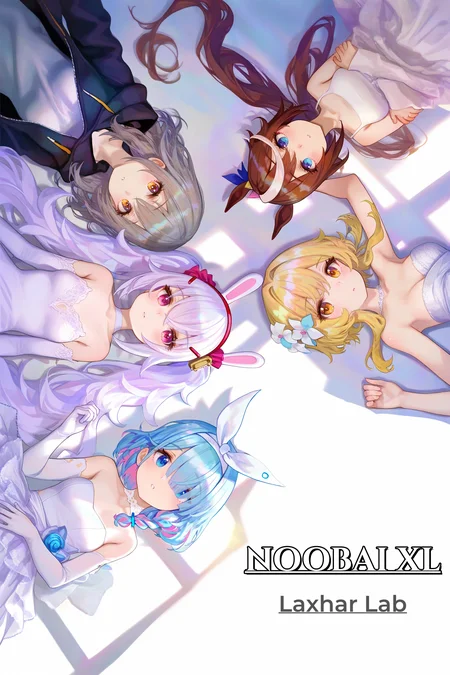
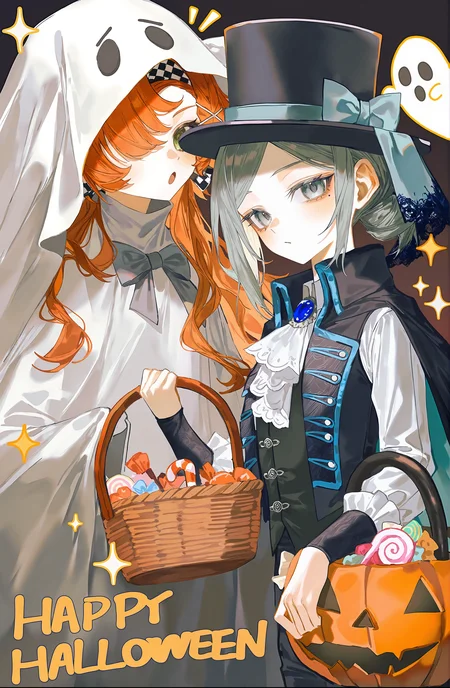
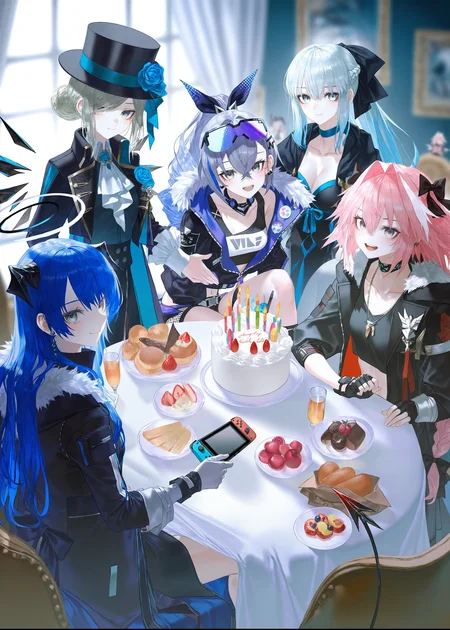
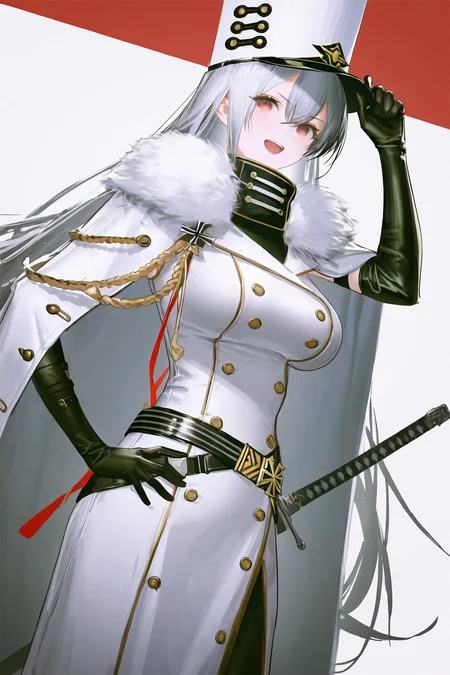
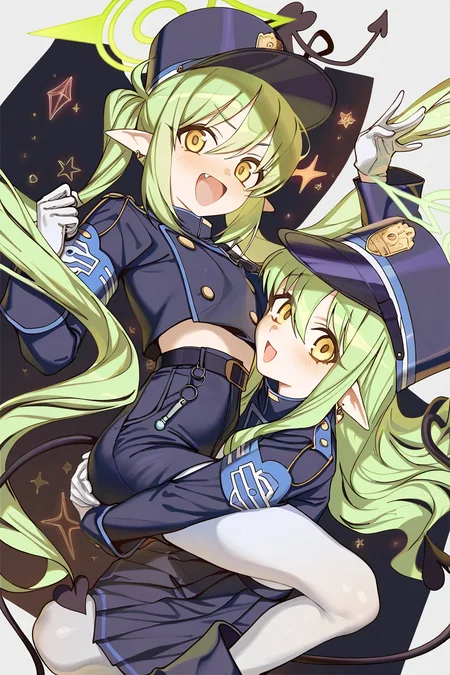
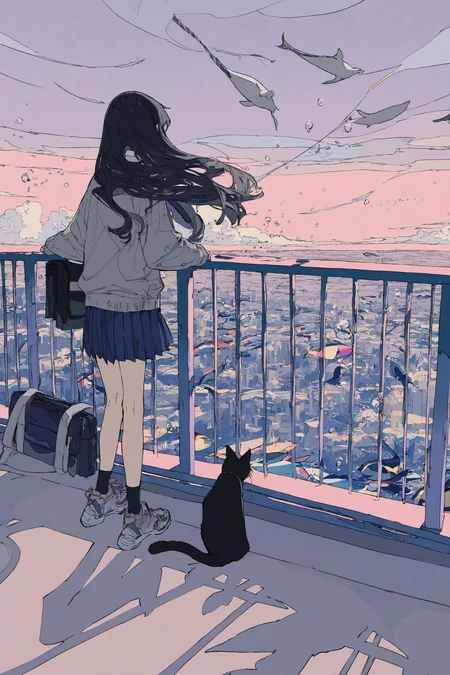
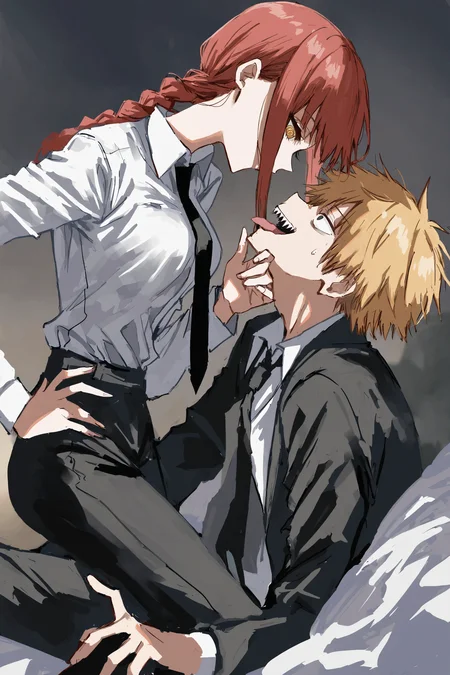
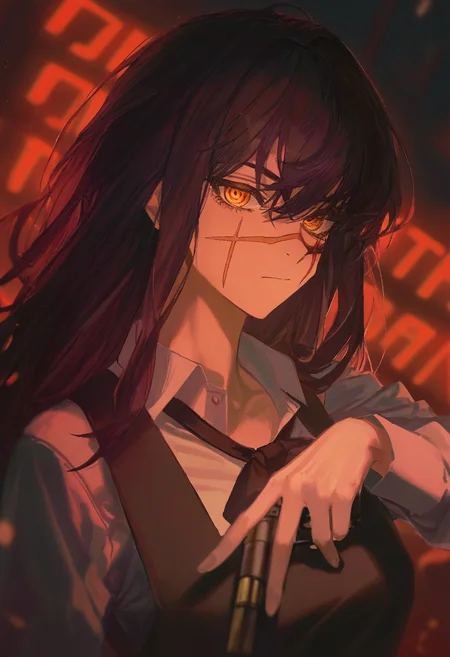
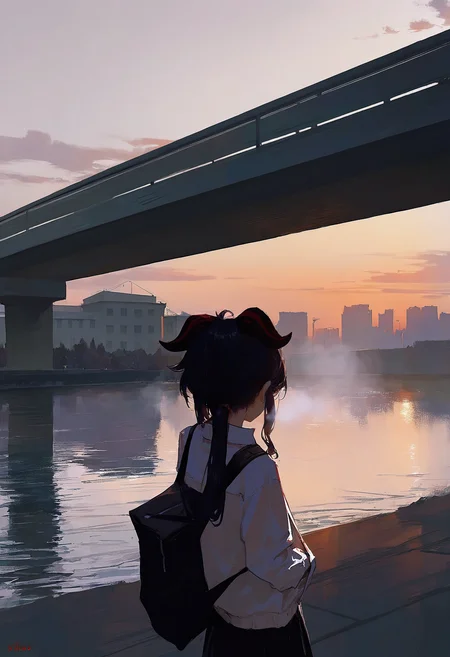

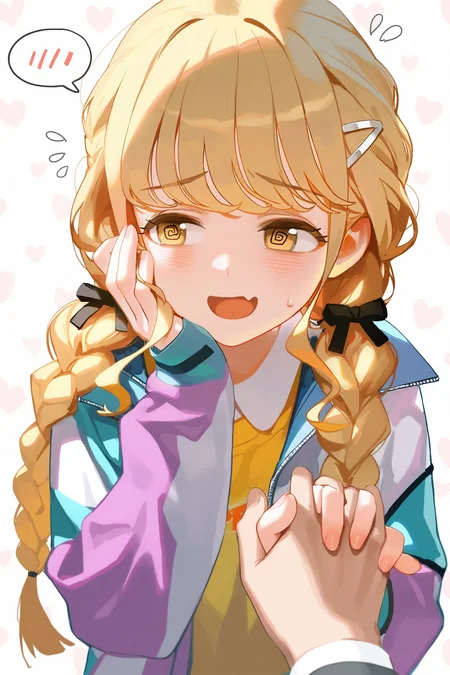
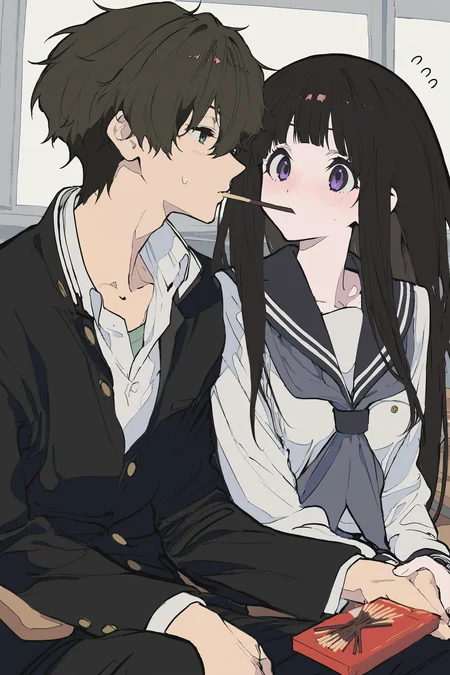
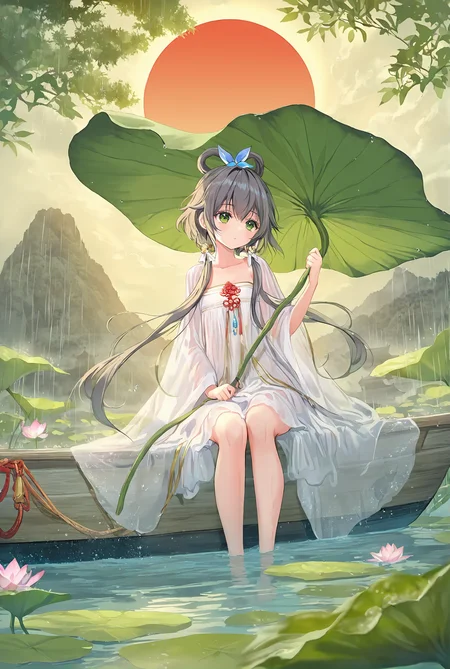
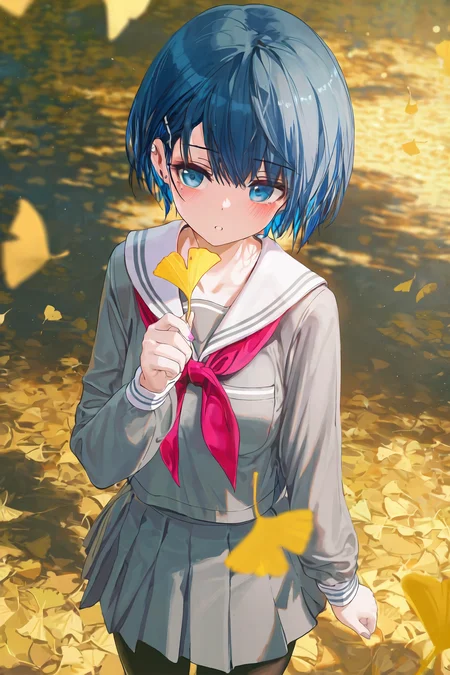
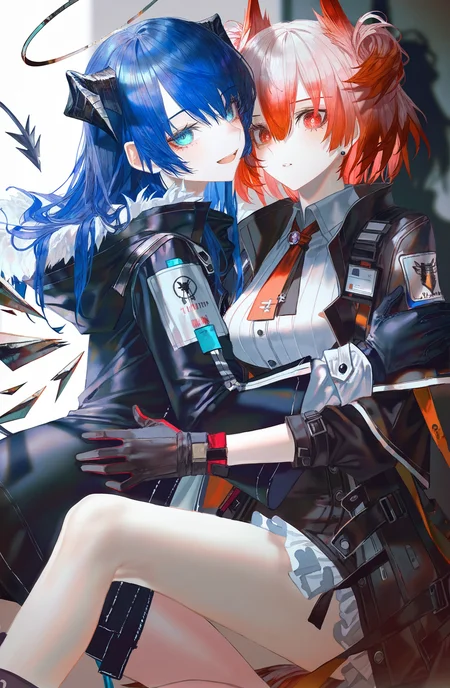
Model Introduction
This image generation model, based on Laxhar/noobai-XL_v1.0, leverages full Danbooru and e621 datasets with native tags and natural language captioning.
Implemented as a v-prediction model (distinct from eps-prediction), it requires specific parameter configurations - detailed in following sections.
Special thanks to my teammate euge for the coding work, and we're grateful for the technical support from many helpful community members.
⚠️ IMPORTANT NOTICE ⚠️
THIS MODEL WORKS DIFFERENT FROM EPS MODELS!
PLEASE READ THE GUIDE CAREFULLY!
Model Details
Developed by: Laxhar Lab
Model Type: Diffusion-based text-to-image generative model
Fine-tuned from: Laxhar/noobai-XL_v1.0
Sponsored by from:
Collaborative testing:
How to Use the Model.
Guidebook for NoobAI XL:
ENG:
https://civarchive.com/articles/8962
CHS:
https://fcnk27d6mpa5.feishu.cn/wiki/S8Z4wy7fSiePNRksiBXcyrUenOh
Recommended LoRa List for NoobAI XL:
https://fcnk27d6mpa5.feishu.cn/wiki/IBVGwvVGViazLYkMgVEcvbklnge
Method I: reForge
(If you haven't installed reForge) Install reForge by following the instructions in the repository;
Launch WebUI and use the model as usual!
Method II: ComfyUI
SAMLPLE with NODES
Method III: WebUI
Note that dev branch is not stable and may contain bugs.
1. (If you haven't installed WebUI) Install WebUI by following the instructions in the repository. For simp
2.Switch to dev branch:
git switch dev
3. Pull latest updates:
git pull
4. Launch WebUI and use the model as usual!
Method IV: Diffusers
import torch
from diffusers import StableDiffusionXLPipeline
from diffusers import EulerDiscreteScheduler

ckpt_path = "/path/to/model.safetensors"
pipe = StableDiffusionXLPipeline.from_single_file(
    ckpt_path,
    use_safetensors=True,
    torch_dtype=torch.float16,
)
scheduler_args = {"prediction_type": "v_prediction", "rescale_betas_zero_snr": True}
pipe.scheduler = EulerDiscreteScheduler.from_config(pipe.scheduler.config, **scheduler_args)
pipe.enable_xformers_memory_efficient_attention()
pipe = pipe.to("cuda")

prompt = """masterpiece, best quality,artist:john_kafka,artist:nixeu,artist:quasarcake, chromatic aberration, film grain, horror \(theme\), limited palette, x-shaped pupils, high contrast, color contrast, cold colors, arlecchino \(genshin impact\), black theme,  gritty, graphite \(medium\)"""
negative_prompt = "nsfw, worst quality, old, early, low quality, lowres, signature, username, logo, bad hands, mutated hands, mammal, anthro, furry, ambiguous form, feral, semi-anthro"

image = pipe(
    prompt=prompt,
    negative_prompt=negative_prompt,
    width=832,
    height=1216,
    num_inference_steps=28,
    guidance_scale=5,
    generator=torch.Generator().manual_seed(42),
).images[0]

image.save("output.png")
Note: Please make sure Git is installed and environment is properly configured on your machine.
Recommended Settings
Parameters
CFG: 4 ~ 5
Steps: 28 ~ 35
Sampling Method: Euler (⚠️ Other samplers will not work properly)
Resolution: Total area around 1024x1024. Best to choose from: 768x1344, 832x1216, 896x1152, 1024x1024, 1152x896, 1216x832, 1344x768
Prompts
Prompt Prefix:
masterpiece, best quality, newest, absurdres, highres, safe,
Negative Prompt:
nsfw, worst quality, old, early, low quality, lowres, signature, username, logo, bad hands, mutated hands, mammal, anthro, furry, ambiguous form, feral, semi-anthro
Usage Guidelines
Caption
<1girl/1boy/1other/...>, <character>, <series>, <artists>, <special tags>, <general tags>, <other tags>
Quality Tags
For quality tags, we evaluated image popularity through the following process:
Data normalization based on various sources and ratings.
Application of time-based decay coefficients according to date recency.
Ranking of images within the entire dataset based on this processing.
Our ultimate goal is to ensure that quality tags effectively track user preferences in recent years.
Percentile RangeQuality Tags> 95thmasterpiece> 85th, <= 95thbest quality> 60th, <= 85thgood quality> 30th, <= 60thnormal quality<= 30thworst quality
Aesthetic Tags
TagDescriptionvery awaTop 5% of images in terms of aesthetic score by waifu-scorerworst aestheticAll the bottom 5% of images in terms of aesthetic score by waifu-scorer and aesthetic-shadow-v2......
Date Tags
There are two types of date tags: year tags and period tags. For year tags, use year xxxx format, i.e., year 2021. For period tags, please refer to the following table:
Year RangePeriod tag2005-2010old2011-2014early2014-2017mid2018-2020recent2021-2024newest
Dataset
The latest Danbooru images up to the training date (approximately before 2024-10-23)
E621 images e621-2024-webp-4Mpixel dataset on Hugging Face
Communication
QQ Groups:
427280545
677964513
852429527
914818692
635772191
870086562
Discord: Laxhar Dream Lab SDXL NOOB
How to train a LoRA on v-pred SDXL model
A tutorial is intended for LoRA trainers based on sd-scripts.
article link: https://civarchive.com/articles/8723
Utility Tool
Laxhar Lab is training a dedicated ControlNet model for NoobXL, and the models are being released progressively. So far, the normal, depth, and canny have been released.
Model link: https://civarchive.com/models/929685
Model License
This model's license inherits from https://huggingface.co/OnomaAIResearch/Illustrious-xl-early-release-v0 fair-ai-public-license-1.0-sd and adds the following terms. Any use of this model and its variants is bound by this license.
I. Usage Restrictions
Prohibited use for harmful, malicious, or illegal activities, including but not limited to harassment, threats, and spreading misinformation.
Prohibited generation of unethical or offensive content.
Prohibited violation of laws and regulations in the user's jurisdiction.
II. Commercial Prohibition
We prohibit any form of commercialization, including but not limited to monetization or commercial use of the model, derivative models, or model-generated products.
III. Open Source Community
To foster a thriving open-source community,users MUST comply with the following requirements:
Open source derivative models, merged models, LoRAs, and products based on the above models.
Share work details such as synthesis formulas, prompts, and workflows.
Follow the fair-ai-public-license to ensure derivative works remain open source.
IV. Disclaimer
Generated models may produce unexpected or harmful outputs. Users must assume all risks and potential consequences of usage.
Participants and Contributors
Participants
L_A_X: Civitai | Liblib.art | Huggingface
li_li: Civitai | Huggingface
nebulae: Civitai | Huggingface
Chenkin: Civitai | Huggingface
Euge: Civitai | Huggingface | Github
Contributors
Narugo1992: Thanks to narugo1992 and the deepghs team for open-sourcing various training sets, image processing tools, and models.
Onommai: Thanks to OnommAI for open-sourcing a powerful base model.
V-Prediction: Thanks to the following individuals for their detailed instructions and experiments.
adsfssdf
madmanfourohfour
Community: aria1th261, neggles, sdtana, chewing, irldoggo, reoe, kblueleaf, Yidhar, ageless, 白玲可, Creeper, KaerMorh, 吟游诗人, SeASnAkE, zwh20081, Wenaka~喵, 稀里哗啦, 幸运二副, 昨日の約, 445, EBIX, Sopp, Y_X, Minthybasis, Rakosz, 孤辰NULL, 汤人烂, 沅月弯刀,David, 年糕特工队,
Description
Introduction to NoobAI-XL EPS 1.0 Vwe by Laxhar Dream Lab
尊敬的各位AIGC爱好者,
Dear All,
很高兴向大家介绍Laxhar Dream Lab推出的:NoobAI-XL EPS 1.0
该模型使用了1270万张图像(最新的Danbooru和e621完整数据集),在32*H100 GPUs上进行了32个epoch的训练(共计38.4亿步),已支持D站solo count 80图的角色和风格。
We are honored to introduce to you the NoobAI-XL EPS 1.0 model launched by Laxhar Dream Lab. This model has been trained on 12.7 million images, including the latest complete datasets from Danbooru and e621, and was trained for 32 epochs on 32 H100 GPUs (a total of 3.84 billion steps), now supporting D station solo count 80 characters and artistic styles.
特别鸣谢
Special Acknowledgments
本版本训练过程中,来自nieta的算法实习生@li_li对trainer发挥了重要作用,在此进行特别鸣谢,感谢li_li作为Laxhar Lab成员的辛勤付出。
Lanyun作为本项目的算力赞助商,其对于开源社区的巨大贡献我们无以言表,Liblib AI在训练过程中提供了测试设备,也一同在此致谢。
同时,解构原典社群的伙伴们也在训练过程中进行了详细的测试与辅助工作,限于人数众多,无法一一鸣谢,在此对各位一并致以最诚挚的感谢!
In the training process of this version, algorithm intern @li_li from nieta played a significant role in the training, for which we express our special thanks here. We appreciate the hard work of li_li as a member of Laxhar Lab.
Lanyun, as the computational sponsor of this project, has made an invaluable contribution to the open-source community, for which we are immensely grateful. Liblib AI also provided testing equipment during the training process, and we extend our thanks to them as well.
At the same time, our partners at DCTN have also carried out detailed testing and auxiliary work during the training process. Due to the large number of people involved, it is not possible to thank each one individually, so we extend our sincerest gratitude to all!
To do List
Laxhar Dream Lab目前正全力致力于进一步完善SDXL开源生态,后续我们的工作是开发v预测版与noob配套的专用controlNet,以及更多配套插件,提高模型的泛用度,这也是这个模型明明的初衷,即“菜鸟也能用的很好的模型。”
Laxhar Dream Lab is currently fully committed to further improving the SDXL open-source ecosystem. Our next steps include developing a v-prediction version and a dedicated controlNet for NoobAI-XL, as well as additional complementary plugins, to enhance the versatility of the model. This is also the original intention of this model - "A model that even noobs can use well."
我们衷心感谢所有参与过测试和训练的人员,感谢大家的支持,希望开源社区变得越来越好!
We sincerely thank all those who have participated in testing and training, and we appreciate everyone's support. We hope that the open-source community will continue to grow and improve.
FAQ
Comments (236)
Why is this license different from illustrious license?
Description says "This model is released under Fair-AI-Public-License-1.0-SD", which is the same as Illustrious one. They probably need to tag Illustrioius as a base model for it to have "License: Illustrious License" thing, because it appears that the licenses are connected to base models.
v1 is live!! POG!!!
This is problematic when one does not want to copy an artist style. One advantage of the Animagine-based models (although they lack a lot of knowledge compared to Illustrious-based ones) is that you can tweak a default style or use an artist style.
Since here you have to mix and match, sometimes getting "rare styles" (flat color, anime-coloring style is one of them) is problematic, and takes a lot of trial and error. Note that this is not a criticism of this model per se, but a feature/problem of all Illustrious (and Kohaku) based models. Not too noob-friendly, unfortunately.
the noob was a joke, this model is for hard core who want to experiment.
Psst... the model still rely on Animagine quality tags. You might be wanna try to use it with the model while using no artist tags.
My sample:
https://civitai.com/posts/8698697
Using artist names is completely not necessary for quality, finetunes of Illustrious like NoobXL make it possible at least. And you can also directly describe a style with whatever booru tags there are for it.
@kayfahaarukku It works-ish, but at least in my early tests (I have done a few) the quality isn't as good as I would want. (This of course includes problems that are not fault of this specific model, like the artifacts and the backgrounds, which are part of Illustrious itself).
I might be on the lookout for merges which add stronger default styles on it, because the knowledge of this model is and remains impressive.
@munchkin Yeah works, but at least not as good as the examples shown in these pages.
Looking foward to test it when it's available for Civitai Generator.
Any idea when it will be available for on-site use?
wooohoo
If I want to train my own artstyle should I use this model or illustrious model for model base training?
I have the same question
Training with illustrious XL and running with noob
well, time to go back to 0.5. here's hoping they'll eventually update illustrious past 0.1
?
最新的1.0版本测试下来感觉在各种概念上有了强化,但有个比较明显的问题,人物的大小腿比例很不正常,有的时候还容易扭曲,脚的崩坏率也比0.75版本更高。。。希望作者可以想办法修复下~
确实感觉不如0.75
我一开始也是认为解刨学有退步,但是discord的讨论认为少量的测试不足以明确解刨学的问题,所以我把之前的评论删了😂
我测试下来手指很强呐,特殊动作都没问题。比0.75强很多,但稳定性稍有下降。上下限区间变大了,好的特别好,差的也还行。
@Fishknn 用之前0.75出的图重新跑了几次1.0,感觉出图质量差距蛮大的
@Mluac 权重,质量词可能都要改,0.5到0.75的时候就是这样
@Mluac 权重有开很高么,感觉1.0里的风格词和部分提示词,权重超过1.3质量就会大幅下降。可能是拟合度变高了,多加一些就直接过拟了
"Not only legs, but also arms turn out worse compared to model 0.75. And in general, version 1.0 has many more minor issues that weren't present in previous models. I don't want to upset the creators, but all tests show that the previous version is much better! I'll stick with 0.75 for now, thank you so much for it!"
Sorry if I made any mistakes, my English is not very good
Earlier I wrote that I didn't notice any degradation in the quality of the NoobAI-Epsilon075, but after longer testing I have to admit that this model has some anatomy issues in some cases. I decided to do a simple merge that fixes this problem. And from what I can tell, this merge came out pretty good. I created this merge for myself, but I decided to let you play with it, maybe you will like it too NoobaiCyberFix
P.S. I just noticed that version 1.0 is out. This version seems to have the same problems, so probably I'll make a second version of this merge soon
Really great, I'm curious about how this was done. I've followed and if there are any updates, please let me know
@muhuan I uploaded a new version of NoobaiCyberFix
strong picture,
Adding this word to the prompt will cause the screen to crash. You can try it. This problem does exist, especially in the case of long prompts. Put this word in the front or increase the weight.
In your generation Ui settings you may need to turn on "no norm"
@hasoo Wow, thank you so much, you saved me from being a noob
@TIMEvsEZIO wasn't sure if that was the problem but it sounded like the right one.. happy if I could help ^^
So far I'm experiencing poor backgrounds and too much creativity in character poses. I wish I had more control over those aspects...
Thank you for sharing amazing model for free!!!!!
For v1.0 stability is not good enough. Probability of anatomy distortion rises high. Anyhow thank you for your hard work. Hope a fix for it in the next version.
Good One
It's good
Awesome! :)
in 0.75, it applies lora styles perfectly but in 1.0 the style loras that I have trained are not being applied consistently to the images. Not sure if it is because the style loras needs to be retrained on this specific model for the style to be applied or not.
if you're training loras on previous releases, i wouldn't expect them to work as well with later ones. noobai looks to be in constant development so don't get too attached to the ones you cook
@7ar I see, I assumed that was the case. I am guessing when they are done releasing the versions, (not sure if this is the last version they are releasing) NoobAI will have its own category on Civitai.
✨👍Unspeakable Masterpiece👍✨
Thanks for upgrading to v1.0!
1.0 overall improves the color, line and light effect. However, it's a downgrade to certain art styles (e.g. overfit, the hair always covers the pupils no matter how emphasized the relative negative prompt was) and the anatomy is not so perfect compared to v0.75. And I don't know why but the face skin color always became darker every time I tried face restoration using detailer nodes. Hope there'll be a fix on these issues soon!
From what I can tell, the Text Encoder wasn't fully frozen after 0.75, unfortunately - Whether they let it train partly after getting the feedback from 0.75 or let it go all the way through is unknown, but the Unet never had time to catch up like it should've regardless.
If anything, this is made some of the issues more apparent, depending on the style you're using.
I'll go back to waiting for the vpred release, but if you plan to use EPS 1.0, downweighting artists and strong tags to ~0.5 or lower seems to help significantly if they're trying to overpower the prompt.
Is there a lists of characters that the ckpt knows. or maybe at least it can be determined in the data set?
Go check danbooru, this model should recognize all the tags listed on that website
Is it finished? Or there will be new version?
Their Epsilon prediction model is done, they're moving to making a V-Prediction version next along with a controlnet for noob, but as far as I've seen they haven't given any ETA.
They are training V-pred and controlnet... But i too want to know if there's further training after. Super grateful for what we have, this now imo surpasses NovelAI Diffusion V3 for local... But it'd be amazing if we got updates.
@Valstrix @fizalpher I ask because I want to know train loras from pony to noobai or wait more.
@Enigmata well 1.0 is over now. and eps is best to train lora on, so go for it now.
For versions 0.75 and 1.0, there is indeed a decreasing trend in Lora's control, and pairing with character tags may require reducing character weights to achieve Lora's art style or character. However, the effect is still great without using Lora. Please try more!
i think the base model should be illustrious-xl instead of sdxl
...it is illustrious-xl base model though? unless you mean for classification above, that's because they made this before illustrious was option.
These models are really great, but I still believe 0.5 is the best model. I would suggest a re-evaluation of the dataset both aesthetically and technically. There seems to be a lot of low quality data holding the training back. Considering you're training on illustrious, I would suggest following the illustrious training strategy outlined by its author or maybe contact them as they have been sharing their thoughts on Noob and what could be improved.
My suggestions:
-Rescrape the dataset instead of using a compressed version. According to the huggingface page you are using a e621 dataset that is both scaled down and compressed @ 90% quality, which introduces artifacts.
-Remove excessively unaesthetic images. Does the model really need, no exaggeration, 40000+ feces/diaper images? Because that's how many are in the furry portion of the dataset. With 12 million images, this means 1 out of every 300 images involves some sort of furry scatplay.
-Implement NovelAI's loss-weighting to bring even more focus to character/style tags
-Re-evaluate how you prune artist tags as they seem to be losing effect and aren't as strong as they are in NovelAI v3
-Begin training on vpred
-Pull additional data from other sources, including pixiv and gelbooru which contain more images not available on Danbooru
-Pause the TE training fully for at least 0.5-versions worth of training.
Thank you for these models and I hope to see them continue improving.
I really like how its better in colors and style composition. love it (●'◡'●)
OMFG why so BRIGHT, CONTRAST and OVERSATURATED?
Especially with character lora
I had this issue but fixed it by removing or lower my lora's and making sure that I wasn't over prompting my negative prompt.
please make ver 0.75 or 0.5 available again for on site generation ... 🙏🥺
insane, bro, really super good! But i cant understand how to increase quality, maybe some tags?
南無三,太感謝各位大佬了!!!
Nice model ^_^
The colors are perfect, don't listen to people. I think a lot of people just like desaturated images.
Saturation is normal, but the contrast is stronger than necessary. (this can be easily understood by the light areas), saturation and contrast are not the same thing
No matter what I do I can't get the same quality from v1.0 as I am getting from v0.75 or my Stable NoobAI model. I guess further testing is needed...
If you want to learn more about artist styles, you can check this:
NOOB 1.0 Version - 1000 Single Artist Test
https://docs.qq.com/sheet/DZGxRSXhvcmNmeHFv?tab=9v7zie
If you find that using certain artists results in oversaturated images or too strong artistic styles, remember to lower the artist's weight to 0.1-0.5. The intensity of specific artwork styles can also be reduced by lowering their weights.
If you find the art style, character, and costume are over-fitted, or the image is overexposed, consider lowering the CFG to 4.5-5. Of course, this depends on your preference - some art styles and characters perform better with CFG above 5.5.
If you find character stretching or distortion, you can change the resolution. Recommended:
- Vertical images: 1024*1536
- Square images: 1024*1024
If you still want to use special resolution outputs, consider adding more camera language like "cowboy shot", "from side", "upper body", etc.
If you don't want to draw furry images, you can put furry prompt words in the negative prompt box, which can significantly improve the output quality.
In summary, version 1.0 is an excellent version, and you need to learn to understand and use it. Have fun!
Thx alot
太强了,你是菩萨
score_9 model
After using version 1.0 for a while, I find it really works well. For those who think there might be issues, I suggest adjusting your prompts and settings carefully to get better results.
請問大佬,該模型的藝術家名稱大概有多少個,有標籤嗎
https://docs.qq.com/sheet/DZGxRSXhvcmNmeHFv?tab=9v7zie
@WHITELINKER 你是用什么方法快速测试这些画师的画风的?
@WHITELINKER 感謝大佬,我都在PixAi上測試模型所以Civitai沒有作品,我會回饋一下在這文檔上,目前還在研究融合畫風跟品質標籤,看其他的作品用其他的品質標籤做出來的成果有差異
@FrostKinetics 4090跑5小时
@WHITELINKER 那你跑的过程是否用到了XYZ图表?还是单纯的批量出图?我之前生成了一些不同画风的全身对比图,然后发现用这个XYZ图表的提示词搜索和替换的值太长了生成的对比图也非常长,只能分几组生成,效率极低。
@FrostKinetics 脚本里面有一个叫从文件提取提示词跑的,导入慢慢跑就行,就是配置不够的话跑一半会炸。
@WHITELINKER 这个我知道,但我主要是为了生成一张对比图,然后就发现WebUI自带的对比图脚本输出单一值时不支持换行显示,如果一次性输出50张图片对比图就会特别长。。。
@FrostKinetics 保持种子不变的话你可能只能考虑comfyui了,不需要保持种子不变的话,就换提示词或者模型跑两组excel放一块。
@WHITELINKER 确实是这样,只能分组然后分队列执行了
@WHITELINKER 看你这个测试图,这模型确实有nai3的感觉了
Yet to try it out but hearing it's potentially THE Pony Killer model. Very interesting.
大伙有没有去除文字的负面tag?不知道为什么我出图一直有文字,用了这个anatomical nonsense也没用
加text看看,不行就把chinese text, English text,和japanese text 都加進去,記得放在負面詞
@a9909178983 不行
@dygy 有些画师名放进去就是大水印,挡不住的,不如重绘掉,点名wlop
@TIMEvsEZIO 不是水印 就是那种漫画里的对话框 不知道怎么触发的
@dygy 1.0挺容易出这种文字框,和突然的黑白画风,我把画师权重整体降低并使用过量的负面提示词后就会很少出了。
requesting a vpred version of the 0.5 version of noob
这个模型的出图分辨率会直接影响色调,对比度,画风和细节。1024*1024和1024*1536(宽*高)的推荐分辨率出图质量很好。我一开始无论如何弄出图质量极差就是分辨率的问题。还有不同的画师提示词也会影响画面的元素。比如写实风格的画师背景细节就会比较多。
朋友,我是新手,我想请问一下该怎么确认模型里收录的各类提示词?包括画师提示词
@icerainL plz refer count of danbooru
我听说这个模型和nai3一样好用,是真的吗?
@chosen 如果你使用0.5版本,那确实如nai3一般惊人。但在1.0版本中我尚未找到能使它如同0.5版本时那样美丽的方式。
@Hiroshi_Bo 所以旧版本反而更好用喽
@chosen 我是这么感觉的,你拉满负面提示词,加点画师串然后随便想生成什么0.5都很泛用而且质量很高。1.0用这一套的质量下降了很多,也许需要重新构筑画师串?
@Hiroshi_Bo 在不同模型上使用同一个画师串并期待它能保持好用是不现实的。你需要做的不应该是尝试在新模型上复刻老模型的效果,而是在新模型上开发新的效果。如果你想要原来的画风,那你大可以直接使用老版本
@Hiroshi_Bo 他这个模型的更新换代完全就是看他群里主要训练哪些画师和角色,版本越新只能代表可以支持的tag和画师或者角色越多,但新出的角色你不如用其他模型+lora,顶多手脚不如noob,实在不行你其实可以使用其他模型,或者练一个lora。还有毕竟他像nai3一样的使用方式必然会导致藏画师串成风,放弃这个模型也没什么
@Hiroshi_Bo 这个模型毕竟是原来经常用NAI3的那个原典群里面的几个领头人和富哥们训练的,你并不知道在他们背后有没有画师介入和资本家介入,而且说难听点,一些老外看到这个模型是中国人做的肯定就会转头就走,跑去继续用他们的pony啊,autism啊等等。但前面两个模型毕竟做的很久了也有不少lora,noob刚起步,lora基本靠自己。noob唯一的优势也就是如果他们群主炼了这个画师、角色、tag,你会方便很多。但如果群主没练——那你还不如用pony,多少pony用起来更简单一些,lora也多
@TruthEater 如果真是这样的话他们就不应该吧e621扔进去,虽然它有助于解剖学
@L_A_X i got it, hank you so much
@Wenaka_ 我想我过早的对1.0发出了不合适的判断,在调整了画师权重和CFG后,它可以和0.5同样精美而稳定。
@TruthEater 是这样吗,我没有太深入的使用pony系的模型,但noobai给我的体验是全新的。
@Hiroshi_Bo 差不多,而且这种精品模型我这边接到的小道消息就是国内某些二游的主美已经在使用AI,二是这些模型背后有藤子在支持。目前noob毕竟是公开免费给大家用的,要什么进他那个群填表,运气好的没准就给你炼了。运气不好就自己动手练lora吧,效果完全看数据集大小罢了,你图够多炼啥都能成。当然noob将来会不会有企业版,变成一个国内nai3,没准,目前很多二游背后都有藤子,何况AI本身就可以拿来捞钱,抵制的人也不会少 也别把任何一个跨时代的模型想的太简单。
@zeseren 我并不了解这些,我讲的只是当时一些别人给我转发的聊天记录罢了
@TruthEater 逆天 给我看笑了,我从noob刚起步就在测试群待着了,从来没听说过这么逆天的阴谋论😂有金主不假,但约等于做慈善,真想赚你钱还开源个der啊。。。
@TruthEater 真是腾讯的话我不信他能开源啊
@Wenaka_ 道听途说,我也知道发表这种言论100%会被群内人当乐子,反正这闲话也是别人传给我的,我无所谓,说出来别人听个乐呵罢了。
Very bad to train LoRAs. 1.0 is ultra over-contrasted.
You can see grid comparison:
https://civitai.com/posts/8737466
LoRAs trained on 1.0, 0.75 noobai and Illustrious (All used on NoobAI 1.0).
LoRA which is trained on 1.0 is over-contrasted all time (even with artist style, which is not oversaturated).
Illustrious LoRA forgets some details of character because between Illustrious and NoobAI a gap of 12 million art - It is not the same like PonyV6 and Autismmix where PonyV6 had shit over-contrasted style but autismmix (or style loras from pony page) fixed everything with small adding of style loras (obviously not with 12 million arts, lol).
So Idk which is the best option to train loras now...
I think I try 0.75. Maybe 1.0 loras will be good on future mixes and other finetunes of this models.
P.S. Actually model is not for "noobs" because it doesn't support natural language (pony partially supports it), so danbooru tags only. And you must to know artists styles and good weights for them or style will be shit all time.
Is someone threatening you not to lower the CFG value?
0.5 still seems superior, idk why. Maybe my skill issue but I tried same prompts on both variants, 0.5 outputs better results
@Ypkat I tested a little. cfg 5 instead of 7 does better but doesn't fix problem. Also 5 is not enought for complex scenes. If model is so smart how to I feel that without complex prompts like were on Pony?
@Enigmata Try various methods such as samplers, schedulers, artist combinations, and LoRAs.
If you find it too difficult to handle, wait for new merged models. When used without proper adjustments, this model will naturally have unstable art styles, saturation, and contrast. This is because it contains knowledge of numerous artists’ styles and artwork data. Conversely, this means that if you can handle this model well, it has the potential to produce exceptional results.
[This text is AI translated, thank you for your understanding]
@Ypkat AutismNoobAI mix the only hope 😂
@Ypkat btw only euler gives stable results. DPMs and Karras are worse. And yes I tested them too. They do worse as I thought.
I'm writing here just to approve that what OP said about the image quality is actually true. I tested and I'm still testing multiple Illustrious/NoobAI models and they all have very bad quality images. If you don't know certain artists names from their datasets, you're out of luck unfortunately. The overall prompt adherence is way better on Pony than on Illustrious/Noob AI models/merges. I'll publish my research when I'm done with all the comparisons.
Idk why people hype these 2 models so much, because most of the images look like some drawings made by kindergarten kids.
@Enigmata Yes, I’m using ComfyUI with satisfactory results using Euler A CFG++ sgm uniform / cfg 2.5 / step 20. I’m also mixing in a LoRA that slightly adjusts the art style. I hope you find your own optimized settings that work best for you.
@ArtistUndead It seems there might be some issues with your prompt engineering and settings. I’d recommend exploring and experimenting with different approaches to find what works best.
i agree with this, the pred 0.5 and early access one give better quality result than 1.0 with default settings (cfg7, euler_a), while the 1.0 are likely too overfit without lowering cfg, i though it was lora side problem
@Ypkat Personally for me such settings don't work at all.But cfg 4-5 helps.
1.0 is really good! Thanks for this amazing model.
Absolutely amazing!
I find 0.75 more stable and better. ver1 tends to oversaturate and using artist style produce style burn quite often
Have you tried lowering the CFG value? It works great
On this model I trained lora, one of my favorite characters, but in many cases my cfg needs to be set to 4 or even lower
你不应该做的:
1,在新版本的模型上使用老版本的画风并期待他能保持原样或变得更好
2,因为自己调试好的画风在新版本变样了就来评论说新版本模型劣化变差
你应该做的:
1,在新版本的模型上尝试构建全新的画风
2,如果想证明某个概念真如你所说“过拟合”了,请拉一张xyz表格来证明你的观点
正确的,精辟的,一针见血的,鞭辟入里的,建议翻译成英文让更多人看看👍🏻
大家很关注这个模型,积极反应了各种可能存在的问题,也有各个大佬提出了各种解决问题的有效措施。。。
包括我也是刚开始用起来感觉和之前的版本有不少差距,现在忙着在评论找说明。。。
但是你的发言除了让人感觉莫名的恼火感觉毫无用处。。。
所以我为什么不能“在新版本的模型上使用老版本的画风并期待他能保持原样或变得更好”,这是违反常识的行为吗?也没有人提前告诉我们应该去怎么怎么做啊,那么当大家遇到问题后去提出问题并且产生怀疑,这很反常吗?所以你是先知?除了你,别人都是那啥?
与其在这里说这种拱火的话,还不如真的像别的大佬去提出一些有效的意见,比如:
如果你使用某些画师后觉得画面饱和度过高,画师风格太强注意给画师降权,权重降低到0.1-0.5,某些特定作品的风格也可以通过降权来减弱强度。 如果你觉得画风,角色和服装过拟合,画面过曝,可以考虑降低CFG到4.5-5,当然这个得根据你的喜好来,有的画风角色在CFG 5.5以上表现更佳。 如果你发现人物拉伸扭曲,你可以更改分辨率,推荐竖图1024*1536,方图1024*1024。 如果你仍然想要特殊分辨率出图,你可以考虑加入更多的镜头语言,cowboy shot,from side,upper body等等。 如果你不想画furry图,你可以把furry提示词放到负面提示词框,可以显著提高出图质量。
很感谢提出这些意见的大佬,但是假如不需要采取这些额外措施那必然是更加完美的~
大家都很期待这个模型变得更好,都在积极的提出各种问题与意见。
但是你就别搁这里拱火了,ok?
@Boominglove 回答你的问题。经过更进一步训练后的模型对画风的拟合度会有变化,所以原来的画师串无法使用,这完全是正常现象。从nai3到ea,从ea到0.5,从0.5到0.75在到现在的1.0,每个版本更新时总有人会说感觉不如上个版本,总有人会尝试复刻之前模型的画师串效果。那么模型真的不如上个版本吗?不见得,noob1.0的bias远好于以往的任何一个版本。如果你真的很想要以前的画师串效果,那为什么不直接用以前的模型呢?其次,请不要带着情绪说话,不知道为何我这样一条评论能够刺痛你,我绝无所谓拱火的想法。另外,对于你的这句话:“所以你是先知?除了你,别人都是那啥?”我也很好奇你是如何看出这层意思的,是我哪里用语有歧义?对概念拟合度有质疑的,相比于主观臆断“我感觉......我觉得......”,拉个xyz表格进行对比才是正确的做法吧?
noob是个伟大的模型,大家都是希望他向好的,大可不必神经如此敏感的搞对立。
@Wenaka_ 不要误会,仅针对你个人发言,装腔作势且毫无意义。
开发者?串子?粉丝?饭圈?你的成分让我陷入思考
@393476960378 负责模型测试和很少一部分的数据清洗和代码编写,算半个开发者,你可以在模型介绍页的最下方鸣谢列表里看见我的ID。你目前能看到的大部分优化方法比如负面加福瑞都是测试组的小伙伴们得出来的。不要想太多,我无意挑起争端
@393476960378 我的观点来自于测试群群友“二小姐”,他的原话如下:
群友测试模型的时候我有几个建议:
1.测试模型的时候,尽量不要轻易下结论,清晰的现象(表征)比结论更重要。例如:
某角色过拟合了(结论),
在XX条件下某角色特征不准确(现象,表征)。
现象(表征)→结论,应当是充分测试下得出,把能想到的变量都排除掉,然后提出猜想→结论。这样严肃的猜想或结论才能对训练有意义。
2.在发现某一异常现象或问题的时候,控制变量,多跑几张图,你可能又会观察到相反的现象。测试模型的日常,每当想做出结论的时候,再跑一组图,就会有反例,这就是薛定谔的模型测试,玄学,厉害吧。所以,多跑xyz图。
3.不同于nai3,这模型是持续在训练的,所以在旧版上表现良好的prompt在新版上表现不好是非常正常的现象,新版的跑图体感也会不同于旧版,新版往往需要挖掘其能力。
4.目前,从我的测试来看,未观察到noob有任何劣化的迹象甚至倾向。在noob之前,我一个人几乎测试了“千杠苗”他们的全部模型,评估模型其实是一件很困哪的事情,对当时的我们来说错误的结论会让一个月的算力和工作白费,容错率非常低,做出结论总是慎之又慎。当然现在12M集,15h/epoch的阵仗我是没见过的,太恐怖了(
我认为这是科学客观的测试方法,同样也是评论区的你们所应该采用的
@Wenaka_ 哥们讲话有点冲,但是话糙理不糙。我一开始也认为性能有所下降,但是测试多了就改变看法了,看到自己的心血被人妄加评论确实让人恼火😂
@Wenaka_ 有一说一,我没有直接无脑复制,而是看了例图以后先直接抄例图的串,然后去改角色部分,来逐渐熟悉新的模型,对于新模型我一向是这么做的。然而例图里面的画师串权重和0.75,0.5类似,我实际操作下来就是例图的串没啥问题,人物部分换成我的就寄了。当然,你可以说是因为我的串没有例图质量高,我也承认,但某些其他的光辉系确实没有这个问题。所以说这个过拟合的未必是不思考不动手的,在拉XYZ和直接照抄然后说过拟合之间还存在很多中间态。
@Wenaka_ 当然,我无意批评这个模型,描述的时候我只说是其他的光辉系模型也是为了避免搞拉踩。我只是单纯就这件事来说。
@Wenaka_ 还真是开发者吗? 很多模型(A31,kohaku,anything,AAM,pony等等)都会在介绍里放到推荐参数,包含各种推荐正负面及其作用,推荐CGF,采样器等等,给到新手一个初步的引导。我认为如果你反对无脑反馈,应该给到正向的介绍,而不是在这发带高高在上,带有情绪的言论,会让人觉得很串和拱火,而且还是在开发者角度来发言,挺无语的。杜尚有句话“你反对一件事,等于你同意一件事”,当你表达反对无脑反馈的时候,已经把人的注意力从试用转到了节奏上。当然,只针对这一条评论。其他附议2楼
其他使用体验:同时用了COMFYUI和WEBUI,在0.5之后明显感觉COMFYUI的画师风格更好,画大尺寸的时候表现更到位
同时我试用了noobcyberfix,在人体上史诗性加强(略油腻),画师风格减弱,画面构图饱满减弱(差异非常大),大尺寸特殊尺寸都不会崩。细节完成度提高很多,但是失去了灵活性的构图。 期待开发者的自己的微调
Whatever character or concept knowledge that the model learned from training the TE after 0.5 is not worth it, the model is increasingly unstable in various regards (particularly eyes are very bad in 1.0 compared to 0.5), some artists are fried compared to before, anatomy has taken a hit in certain situations, etc.
Please consider returning to 0.5 and converting it to v-pred, don't train the TE.
I ran into the same issues and decided to make a simple merge for myself that pretty much solved the anatomy issues while still retaining 100% of that model knowledge. I decided to upload this merge so people can play with it too NoobaiCyberFix
I also recommend reducing the CFG in this version, because this model responds more strongly to prompts than the previous version, and because of this, images may be too bright at high CFG. Also if some artist tags is too strong, you can reduce their strength. For example 1girl, (by Khyle:0.7)
It's sad that many people are disappointed with NoobAI Epsilon 1.0, because this model is great and the anatomy problems can be solved with a very simple merge
@MindInTheDigits hey nice ! i have to compare with Stable NoobAI from somedoby that i find incredible.
MY TESTS on the merge receipe over 1.0 conducted with incredible accuracy and prompt control.
i would love to heard your though, i would also try your work.
here is the link of 0.75 stable merge with the receipe. go check my post there for a quick compare
https://civitai.com/models/906585?modelVersionId=1018194
What am I doing wrong? NoobAI doesn't work for me, it generates simple images with thick lines, almost like sketches. What I've tried: different styles (it gets much better, but the backgrounds are clearly broken), different VAEs, no VAEs, changed clip skip from 2 to 1, different samplers with different schedulers, different resolutions, different CFGs - nothing changed.
Try using CFG 10, 30 steps and this prompt in the negative
lowres, worst quality, low quality, (bad anatomy, bad hands:1.4), abstract, signature
just copy metadata from below and learn how to write your own prompt
@MindInTheDigits Newest update to 1. 0 just fixed it
Dreams and hopes for a real anime model have flown away like farts, carried by an autumn breeze.
wait, its bad?
@Madafada1991 1.0 is pretty decent. Users reporting otherwise likely suffer from a skill issue.
使用建议(转发)-Suggestions (from others):
· 如果你使用某些画师后觉得画面饱和度过高,画师风格太强注意给画师降权,权重降低到0.1-0.5,某些特定作品的风格也可以通过降权来减弱强度。
If you feel that using certain artists results in images with excessive saturation or an overly strong style, try lowering the artist's influence by reducing their weight to between 0.1 and 0.5. For specific works with a very distinct style, lowering the weight can also help soften its intensity.
· 如果你觉得画风,角色和服装过拟合,画面过曝,可以考虑降低CFG到4.5-5,当然这个得根据你的喜好来,有的画风角色在CFG 5.5以上表现更佳。
If you find the art style, character design, or clothing overly fitted or if the image appears overexposed, consider lowering the CFG scale to around 4.5 to 5. Adjust this based on your preferences, as some styles and characters actually look better at a CFG scale above 5.5.
· 如果你发现人物拉伸扭曲,你可以更改分辨率,推荐竖图1024*1536,方图1024*1024。 如果你仍然想要特殊分辨率出图,你可以考虑加入更多的镜头语言,cowboy shot,from side,upper body等等。
If you notice issues with characters appearing stretched or distorted, you can adjust the resolution. For portraits, try 1024x1536; for square images, 1024x1024 is recommended. If you still want a specific custom resolution, try adding more camera-angle prompts, like "cowboy shot," "from side," "upper body," etc.
· 如果你不想画furry图,你可以把furry提示词放到负面提示词框,可以显著提高出图质量。
If you want to avoid furry images, add the term “furry” to the negative prompt box to significantly improve the quality.
感谢提出这些建议的大佬们,但还是希望模型做的更好,假如不需要这些额外措施就好了~
Thanks to everyone who shared these tips! It would be great if the model could handle these details without needing extra adjustments, but in the meantime, these tweaks can help.
1024*1536的竖图分辨率是一个极端拉伸的分辨率,建议使用832*1216
Prompting on lower than 7 cfg is pain if your scene is complex.
Your current model is the best. The prompts are understood very well. I look forward to the next version. And if possible, please consider SD3.5 as well.
1.0太强了,感觉画风的复现远强于0.5!!皮肤质感、衣服细节更棒!!!!
1.0 has improvement in understanding prompts and better scenery. The only thing I have problems with it is when I prompt a certain character, my style lora that is trained directly on NoobAI 1.0 doesn't work but works wonderful on different characters or OCs. My lora that I have trained on illustrious works fine on 0.5 and 0.75 but the one that I trained on NoobAI 1.0 doesn't work at all when I prompt for certain characters.
If someone knows how to fix this problem then please let me know, but if it is a problem with the model, please fix this, creators.
I tested and trained 4 LoRas, including two character loras and two style loras, and there were no issues. The problem you mentioned with certain characters not working might be a rare occurrence. You could try improving your tagging method or optimizing your training dataset.you can share the lora you trained and the characters that don't work, which would help others to analyze the issue
@Wenaka_ Like the style lora I trained it on works fine until I prompt for an example would be "Ashley Graves" from TCOAAL, it doesn't apply the same type of style that I had when I used 0.75. It could be my Lora but I highly doubt it because when I trained my Sagawa style lora on illustrious, it worked on 0.75 just as I tested it on illustrious. I retrained Sagawa style lora onto NoobAI 1.0 and it somehow doesn't work on some characters. It is not really a deal breaker for me but I do sometimes prompt for those characters.
@AkioAI try out STABLE NoobAI then
It use a merge difference of iterCOMP and SPO model to improve prompt adherance and spacial awareness.
https://civitai.com/models/906585?modelVersionId=1018194
character in the dataset are way more stable by itself, you can prompt many things and they wouldn't loose their features
@Le_Fourbe Thanks, I will try it out when I have the time
After playing around with the epsilonPred10 version for a couple of days now, I can say that while yes, it is soo much better than the previous versions. but despite being called NoobXL, it is really not easy to prompt this model, in my case I tried with my always go to combo for artist style which is Hero neisan and Ishikei, I notice that it favour the artist that have a lot more posts on danbooru, in my case it was Ishikei.
from what I observe I have to be extra careful as to not put in too much value on one tag furthermore due to it having soo much knowledge of different artist and style it became a lot more sensitive to weights
CFG is also something I notice while generating with this model, basically speaking more CFG create more saturated images with bold outlines. the style became a bit more rigid and less "moe" or rounded. while less CFG create much more curvy, rounded and balance coloured images, things like sweat, skin surfaces and...the hair down there become a lot more natural with low CFG.
I also notice that with my own combination of Hero Neisan and Ishikei, that it tend to draw better in mosaic (especially for vajayjay) but maybe because on danbooru it have alot more censored than uncensored images. (I am still sadge that it tend to ignore a much niche feature of an image like dark groin mark for example, a more dirty looking images if you will)
I agree with what some other people say that it need a personal fine tune in order to make it easier to get the style that you want reliably (which I have to learn to do sooner or later, anyone able to be my mentor on this matter? dm me, I really needed that Hero Neisan and Ishikei fusion, its too good of an art style lol)
Anyway, I wouldn't say its bad, its really good at listening to prompts but reaaaaaaly hard to get the style you want unless, the style that you like comes from a well known artist on danbooru or...the other site E something something. I definitely looking forward to the V-pred one because THAT makes the style that I like much more frequently.
you should definitly try StableNoobAI that i found recently.
i made some compare and merged on my side V1.0 you can check my samples in the comments.
https://civitai.com/models/906585?modelVersionId=1018194
i plan to release the 1.0 merge when i get the time. it was the first time i merged.
it even respond to controlnet Xinsiropenpose beter.
I tried a little more with loras for characters.
My grid: https://civitai.com/posts/8737466
1) LoRAs which are trained on 1.0 are sucks with almost every settings. They are over-contrasted.
2) LoRAs which are trained on 0.75 are OK with 4-5 cfg. Also sometimes "red theme, colorful" in negative can help.
3) Illustrious loras work but worse than 0.75. You can see that these loras forget details of characters. So you don't need to train it purposely on Illustrious.
About styles in noobai and loras - they work well together if style or loras are not overfitted. But I still can't find balance for art style tags. Some of them are poor, some good, some are overfitted.
Sad thing personally for me - I don't know which 3D styles model can recognize except gacha / JRPG Tales of / Ys like games. And I can't to find out it because danbooru is greedy - only 2 tags in search.
Impressive !
Anyone else got issues with watermarks showing up on 1.0? Even generating with (text, watermark, patreon logo, signature:1.2) in negative doesn't help.
I think 1.0 looks better than the earlier versions but I didn't get watermarks that I couldn't prompt away with 0.5 and 0.75.
Yes, watermarks often appear in 1.0, as does just random text.
Thank you very much!
If there is ever a 2D image generator history book, your name should be on at least page 1.
Based on my personal preferences, I specifically tested the styles of artists who have drawn pantyhose, to further study how to enhance the overall feel/aesthetic of pantyhose, click the link above for details
基于我的个人喜好,专门测试了一些画过连裤袜的画师们的画风,以进一步研究如何提升连裤袜的质感,点击上面的"POST"以查看具体内容。
I have currently tested how these artists' styles perform in complex scenarios. Given that some artists' work is mostly based on a simple white background, my next step will be to test their styles on a simple white background.
目前我已经测试了在复杂场景下这些画师们的画风表现,鉴于有些画师所画的内容大部分都是基于简单的白色背景,下一步我将测试简单的白色背景下这些画师们的画风表现。
Thanks !
1.0 seems to have more issues with anatomy than previous versions i. e. necks turning too far and elbows bending the wrong way. I'm also having issues with results being oversaturated at similar settings to 0.5, but that may be an issue with my settings that I need to figure out.
v1.0. I wonder is this by design or what? every image generated by this model has watermark & random blurry effect on certain area. Other than that.. all is okay for me, with combination of "masterpiece, best quality, highly detailed" the image looks better.
长文警告!!!
Long text warning!!!
自己玩了几天了,分享一点经验吧(,sampler方面试下来euler A cgf++ 和 cgf scale=2(schedule type 选automatic,自动就是normal map)感觉这次发挥的很好,要细节有细节要构图有构图,对我来说SAG插件还能进一步提升细节,值得一试,hires.fix可以切换到经典的DPM++2M karras,可以修复一些扭曲(很少有就是了)。也用了好久的pony系列模型了,对比起来最值得称道的优点就是——知识储备充足!没有奇奇怪怪的审查和删减,如果有tag记录,基本上就可以生成,随心所欲畅通无阻的太爽了,让我找回了当初刚开始玩模型时候的热情。当然缺点就是对3D和现实的支持不是很好,但也正常就是了毕竟底模摆在那,这方面还是未来可期的。总体来说非常好,革命性的模型,加油!
btw:一些进阶技巧emmmmm 1.prompt施工工程也挺重要的,简单说就是多尝试,根据出图结果,观察图里的元素,加减正面反面提示词或者调整权重,然后就是一些经验之谈(比如说我在负面提示里加shoes,角色是没穿鞋子没错了啦,但“脚部”这个概念也跟着减少了,生成的图里更少出现角色的脚了,单词与单词之间会有一些概念上的连锁反应)。你的经验越多,掌握最后出图结果往往会更得心应手,多练多试就好了。(我现在正面和负面提示词加起来有1000多个token,hhh,但是还是要注意越精简越好,比如负面提示里,没必要的细节或模棱两可的就不要加了,对于tag库里搜不到的就更加要谨慎了。 2.哦还有sd-dynamic-prompts插件也挺好用的,每次生成像开盲盒,又能精简token,提高细节质量,我全都要.jpg. 3.我设置里选了pad prompt选项,感觉能好一点 4.生成多个角色时,为了防止概念的溢出,就是prompt bleeding,(角色特征的杂糅很恼人),我一般是一个角色用框框起来,加特征用逗号隔开,像这样——(character A,white hair,etc),能减少特征溢出的风险 5. 福瑞不福瑞的,你把monster girl放负面提示词里,权重拉高点就行了
It takes too much time to write it myself, so I just use AI translation,sorry for the inconvenience
I've been playing around for a few days and would like to share some experiences:
In terms of samplers, I tried euler A, cgf++, and cgf scale=2 (schedule type set to automatic, which is normal map). The performance was great this time, with both detail and composition. For me, the SAG plugin can further enhance details and is worth trying. The hires.fix can switch to the classic DPM++2M karras, which can correct some distortions (though they're rare).
I've been using the pony series models for a long time. The most commendable advantage is the extensive knowledge base! There's no strange censorship or editing, and if there's a tag record, it can basically generate whatever you want. It's incredibly liberating, bringing back the enthusiasm I had when I first started playing with models. Of course, the downside is that support for 3D and reality isn't great, but that's normal given the base model. This area still has a lot of potential for the future.
Overall, the model is revolutionary and very good. Keep it up!
btw some Additional advanced tips emmmm:
1.Prompt engineering is also quite important. Simply put, it's about trying more. Based on the output image, observe the elements, add or remove positive and negative prompt words, or adjust weights. For example, I added "shoes" to the negative prompt; the characters no longer wear shoes, but the concept of "feet" is also reduced, so fewer feet appear in the generated images. There are conceptual chain reactions between words. The more experience you have, the better you can control the final output. Just practice and try more. Currently, I have over 1,000 tokens combining positive and negative prompts, but still, the more concise, the better. Avoid unnecessary details or ambiguous words in the negative prompt, and be cautious with tags not found in the tag database.
2.The sd-dynamic-prompts plugin is also quite handy. Each generation feels like opening a blind box, and it can streamline tokens and improve detail quality. I want them all .jpg
3.I selected the pad prompt option in the settings, and it feels a bit better.
4.When generating multiple characters, to prevent concept overflow (prompt bleeding), which is annoying when character features mix, I usually enclose one character's features in brackets and separate traits with commas, like this—(character A, white hair, etc.), to reduce the risk of feature overflow.
5.Furry or not, just put "monster girl" in the negative prompt words and give it a high weight.
个人认为属于是上限很高、下限很低的模型,确实不太符合“菜鸟”的名字。不知道是不是因为提示词权重的问题,即使在同一串画师tag下,更换不同的描述出来的画风也会不同,不太会存在同一串画师tag可以保持画风任意出图的情况,不过这可能是“幸存者偏差”,因为数据还不够多。出图大小最好保证最小为1024*1024,特写类的图细节会比较好,也比较清晰,全身图基本上都会很糊,细节不是丢失就是一团乱线,当然这可能是我自己的问题。已经上传了几张图供大家参考,都是在同样的画师tag下的图。
I think this model has remarkably high potential but can also produce underwhelming results, making the name a bit misleading. It seems that even with the same artist tags, variations in the description lead to different art styles. Consistent style across outputs with a single set of artist tags doesn't appear reliable, though this might be a case of "survivorship bias" due to limited testing. Ideally, the minimum output resolution should be 1024x1024. Close-ups are generally detailed and crisp, whereas full-body images tend to be blurry, with details either lost or appearing as a jumble of lines. Of course, this could be an issue with my prompting. I've included some examples generated with the same artist tags for reference.
The prompt must be long and detailed. otherwise, trash output.
@jeriff Yes, but writing detailed prompts themselves is not for Noob. And if the hand is not in the center of the main view, no matter how detailed the prompts are, the hand drawn will be blurry and not detailed enough.
还真是,在引入艺术家风格的时候模型的稳定性非常差。我把这个模型用到web游戏上,根据游戏内容微调提示词;哪怕大部分提示词一致,仅仅是更改了身高、发色、瞳色之类非常细节的提示词,图像的风格都可能发生变化。而且就我自己的使用体验来讲,只要引入了艺术家风格,哪怕你的关键词完全一致,仅仅是改变种子都可能导致画面风格发生巨大变化。
@KINGOAL 是的,只能说潜力不错,但是想主力使用还需要优化
@KINGOAL hires独立提示词 latent放大 hires去噪0.7 仅输入画风影响+重点目标
保持原图内容基础上单独用画风重绘一次 排除提示词权重溢出 虽然还是不能完全稳定 能好很多 基本都接近主体画风效果
u r the best thank you!!!
Single Artist Document Update [Tencent Document] NOOB Version 1.0 8888 Single Artist Test
https://docs.qq.com/sheet/DZGxRSXhvcmNmeHFv?tab=q5lnh5
Time to cancel Opus.
I have also tested the Epsilon Pred 1.0 checkpoint and find the images very saturated. I will continue to use this one.
ok
玩了些天了,1.0可玩性其实很高,就是不太好上手,稍微重口点的涩涩特别好
Meh. I tested it with a simple Miku and personally prefer the output from PrefectPonyXL. It feels like the model isn't ready for the big stage yet. Maybe a future version will convince me otherwise
Using a short prompt will not make noobxl output beautiful images. The bias of the merged model may be more beautiful than noobxl, but if you can use the artist tag skillfully, the upper limit of noobxl is far beyond your imagination. Of course, if you don't want to learn how to write complex prompts,then pony's merge model is more suitable for you.
Are you using artist labels correctly? When used correctly, this model cap can be very high
Is there any place that has documentation for this model? I want to know if it is necessary to include "artist:" when referencing artists.
You should write the artist's name directly.
I made an article about this, check it out
https://civitai.com/articles/8682/artist-name-formatting-effects-on-illustrious-models
我在webui上用这个模型,prompt过了75出图的质量就会大幅下降,而其他的模型没有这个问题,请问一下是对webui的兼容性比较差吗
没差了 换comfyUI力 虽然webui用LCM也可以出不错的图 但还是comfyUI好些
偉大的模型!
嘎嘎好用
Probably meta tags like "highres, absurdres, photoshop \(medium\), official art, traditional media" etc.
But this is just a suggestion and as you can see in their own posted images they don't follow this suggestion. There is generally more emphasis on the tags at the start so you might want to consider adding the style & quality tags at the beginning of the prompt instead. If you notice that a concept or character likeness is underperforming add them at the start of the prompt or use the weighting feature, e.g. (my character:1.2).
Why does the 'base model' notation keep going back and forth between 'sdxl' and 'ilustrious'??
Set to "Illustrious" you couldn't using Embedding XL on this model on Civitai Online Generator, Set to "SDXL 1.0" you couldn't using Illustrious LoRA/LoCon on this model on Civitai Online Generator. But it won't effect local users, I still don't understand why they do this.
Amazing model
Хотел бы сказать что модель вообще нормис 10/10
Is there an entire list of characters/artists present in illustrious?
Technically most of stuff from danbooru/e621 should work if those are not too new and have decent amount of images.
maybe Tip? : if you're bored with that weird faceless guy in your nsfw gen, type "male/female" in negative with high weight, and boom, he's gone, i'm sorry buddy, you're not invited this time lol
我给此模型(noob1.0)做了个定制的danbooru.csv(用于webui的TagAutoComplete或者ComfyUI的Custom-Scripts)
记得之前的简介中,数据集是2024-4,并且只训练的count大于80的tag,但是我现在找不到这些声明了、可能我脑子out了
现在的简介说是当日最新,我按10月算的话,也有一些七八九月,甚至更早的count大于80的tag不能复现……
总而言之,我抓取了今天的最新danbooru全部tag,并移除了count低于80的所有tag
另一份是在上面的基础上,移除了所有创建于2024-3月之后的新tag,因为如果我记得没错是4月数据集的话肯定不包含这些
理论上说,当使用这个csv时,如果自动补完功能能够识别,那它应该在此模型中经过训练了
如果没有,那也不是我的错(逃
I made a customized danbooru.csv for this model (for webui's TagAutoComplete or ComfyUI's Custom-Scripts)
Maybe I'm going a bit crazy, but I remember from the previous profile that the dataset was 2024-4 and that only tags with a count greater than 80 were trained, but I can't find those statements now.
I grabbed all the tags from today's latest danbooru and removed all the tags with a count below 80
The other one builds on the above and removes all new tags created after 2024-3
Theoretically, when using this csv, if the auto-completion feature recognizes it, then it should have been trained in this model.
另外,经常有人问noob包含哪些画师,csv里B列的1代表画师名,4代表角色,你可以用筛选抽出来所有画师词
Also, people often ask which artists are included in the noob, and in the csv column B has 1 for the artist name and 4 for the character
正好我在找有没有地方搜索画师和角色列表,多谢大佬
非常感谢!
谢谢大佬发片
感謝大佬整理標籤,這個非常有用 太棒了!
相对的翻译对照的话…… 可以在哪里找到吗?
Are you supposed to use underscores in tags or not? Only on artists? Not at all?
There's no official guidance I can find.
OPs images are a mix of having underscores in some parts of the prompts and mostly not. Artist wildcard sets are thrown around with underscores in them (not by OP to be fair).
Base Illustrious doesn't want them afaik and you'd think the common consensus is to strip underscores... which only adds to my confusion.
I'm sure an answer to this will be "barely matters", but what was trained?
No, don't use underscores. Use spaces in place of underscores :)
You can use spaces, underscores, or dashes interchangeably. I believe the model is trained on spaces, but CLIP will handle the sequences fairly robustly regardless of which delimiter you use.
@momoura A lot of things I've read on various models say not to use underscores, but spaces instead
Actually through my own experimentation I've been able to determine that using underscores instead of spaces in some cases actually improves the over all quality of the image.
Having underscores or spaces is typically up to the model you are using but with NoobAI it appears to be fully up to the user to choose if or not they want to.
which one is better for use characters and series tag?
1. keqing, genshin impact
2. keqing genshin impact
3. keqing (genshin impact)
4. keqing \(genshin impact\)
keqing \(genshin impact\) is the token sequence the model will be trained on, so it is likely the most reliable (https://danbooru.donmai.us/posts?tags=keqing_(genshin_impact))
It's the fourth option, keqing \genshin impact\
@momoura You can actually just use keqing \genshin impact\ without adding the parentheses as well. It works for everything I've done.
@madaraxuchiha88 Omitting the parentheses would make the slashes redundant. The purpose of the slashes is to be a escape character so that webui/forge interprets parentheses literally instead of as emphasis.
@Gereccan I mean, it's what I use for all my stuff and it works so...Idk what to say. For A1111, which is what I use, using parentheses implies emphasis on something, so using the slashes instead is what works. Check my stuff and you'll see if you don't believe me.
@madaraxuchiha88 I don't doubt that it works. It's just that there's no need for the slashes if you're not using parenthises.
What are the quality tags for it?
Your model looks very good but tags system is kind of hard to understand.
Guys, what character tag format are you using?
I noticed that devs said in the post, the prompt format is:
<1girl/1boy/1other/...>, <character>, <series>, <artists>, <special tags>, <general tags>
Does this mean the character tag from danbooru, for example, "xxxxxx (xxx xxx xxx)", should be "xxxxxx, xxx xxx xxx" instead?
However even the post cover images are also using danbooru format "xxxxxx (xxx xxx xxx)".
I'm a little confused.
here xxxxxx \(xxx xxx xxx\)
no. xxxxx \(series name\). then repeat it again (the series name) after in a separate split after first comma. so basically same as novelAI prompting.
You may just fully follow the format of Danbooru tags, but replace all the underlines "_" into spaces " ".
For example, "mei mei \(jujutsu kaisen\), jujutsu kaisen"
Details
Files
noobaiXLNAIXL_epsilonPred10Version.safetensors
Mirrors
noobaiXLNAIXL_epsilonPred10Version.safetensors
noobaiXLNAIXLMerge_v10.safetensors
noobaiXLNAIXLMerge_v02.safetensors
noobaiXLNAIXL_epsilonPred10Version.safetensors
noobaiXLNAIXL_epsilonPred10Version.safetensors
noobaiXLNAIXLMerge_v10.safetensors
noobaiXLNAIXL_epsilonPred10Version.safetensors
noobaiXLNAIXL_epsilonPred10Version.safetensors
noobaiXLNAIXL_epsilonPred10Version.safetensors
noobaiXLNAIXL_epsilonPred10Version.safetensors
noobaiXLNAIXL_epsilonPred10Version.safetensors
noobaiXLNAIXLMerge_v02.safetensors
noobaiXLNAIXL_epsilonPred10Version.safetensors
noobaiXLNAIXL_epsilonPred10Version.safetensors
noobaiXLNAIXL_epsilonPred10Version.safetensors
NoobAI-XL-v1.0.safetensors
noobaiXLNAIXL_epsilonPred10Version.safetensors
noobaiXLNAIXL_epsilonPred10Version.safetensors
noobaiXLNAIXL_epsilonPred10Version.safetensors
noobaiXLNAIXL_epsilonPred10Version.safetensors
noobaiXLNAIXL_epsilonPred10Version.safetensors
noobaiXLNAIXL_epsilonPred10Version.safetensors
noobaiXLNAIXL_epsilonPred10Version.safetensors
NoobAI-XL-v1.0.safetensors
noobaiXLNAIXL_epsilonPred10Version.safetensors
noobaiXLNAIXL_epsilonPred10Version.safetensors
noobaiXLNAIXL_epsilonPred10Version.safetensors
noobaiXLNAIXL_epsilonPred10Version.safetensors
noobaiXLNAIXL_epsilonPred10Version.safetensors
inb.safetensors
noobaiXLNAIXL_epsilonPred10Version.safetensors
Available On (2 platforms)
Same model published on other platforms. May have additional downloads or version variants.