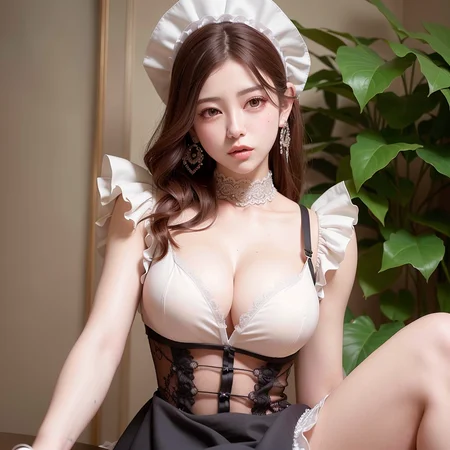


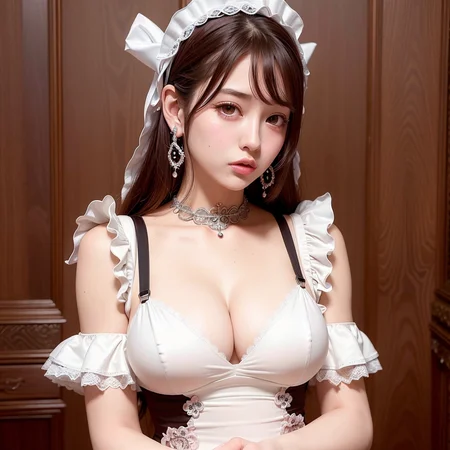


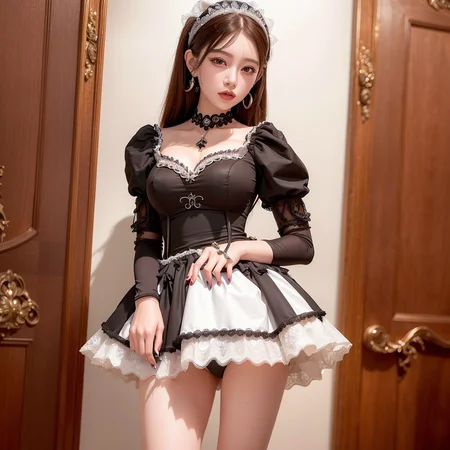


*I modified the License.(22/2/Feb)
That is not usual "creativeml-openrail-m"
Check Permission and Liscense below(modified Dreamlike Liscense.)
When I made samples,
My eta (see setting) was "0".
And ESND was "1"
Now,I canged them to eta to "0.67" and ESND "31337"(20/Feb/2023)
よいこのみんなは節度を守って楽しもうな!!
職場や家族の前で開くのはやめておいたほうがいいよ!!
当モデルを転売することは認めていません。
生成された画像の取り扱いには、自己責任の上、十分注意してください。
当モデルを使用したことを明記せずに生成された画像を公開することは禁止です。
商用利用は一切認めていません。
AIコミュニティの発展に悪影響を与えるような行動や個人の権利やプライバシーを侵害するような利用は禁止します。
New merge model for 2.5D illustration here!!
https://civarchive.com/models/9291/sunshinemix
↑
(少しイラスト寄りにしたのもあります。)
IMPORTANT:First of all, I never suggest regenerate images of “real “person,
but, photo "realistic" images.
本人郑重声明:本模型原则上禁止用于训练基于明星、公众人物肖像的风格模型训练,因为这会带来争议,对AI社区的发展造成不良的负面影响。如各位一定要违反以上声明训练相关模型并公开发布,请在您的发布说明中删除与本模型有关的一切描述。感谢各位使用者的支持与理解。
I solemnly declare: In principle, this model is prohibited from being used for training style models based on portraits of celebrities and public figures, because it will cause controversy and have a negative impact on the development of the AI community. If you must violate the above statement to train the relevant model and release it publicly, please delete all descriptions related to this model in your release notes. Thank you for your support and understanding.
I appreciate you enjoy my model.
But, it might cause legal conflicts if you made some works/Loras/Embeddings named with actual person/copyright.
I beg you never to put them with my model.
If you can't be with actual name/copyright, just remove my model from your works.
I never suggest to regenerate actual persons/copyright with my models.
And I never want any legal conflicts from my models.
PLEASE!! Care about legal conscious and privacy!!
Show what your favorite works from this merge
on comments, if you like this mix.
I wanna see and share your good ideas from this merge. :)
It’s my pleasure.
Let's share your good ideas
and enjoy this merge!!
(Some funs have already put their great works from this merge.
It could be like a kind of community.)
I started to put some tips with samples/prompts on review.
Try to find them!!(I've already put 5. 14/Feb/2023)
(I'm sorry but I stop to invite my discord.)
<EXPLANATION of this model>
Konnichiwa!!!!
・This is Merged "Basilmix"(nuigurumi/basil_mix · Hugging Face)
+ wonderful realistic models.
(PoV Skin Texture - r34 Lucid Black | Stable Diffusion Checkpoint | Civitai
PoV Skin Texture - Dreamlike r34 | Stable Diffusion Checkpoint | Civitai
by twilightBOO)
・Use: vae-ft-mse-840000(←!!)
stabilityai/sd-vae-ft-mse-original at main (huggingface.co)
1. Get vae-ft-mse-840000-ema-pruned.safetensor
2. Put it in folder(models>VAE)
3. Set VAE on webUI(Settings>Stable diffusion>SD VAE)
4. Don't forget to push "Apply settings"
(Your picture would be foggy, if you didnt use vae with this merge.)
You dont need to use VAE with the latest ver."Chilloutmix-Ni"
・All sample images have been upscaled using highrexfix
And, I made some samples when I made test ckpt file for myself.
I made safetensor file after that.
(Cuz, ckpt files couldnt be liked on this site, because they include arbitrary code.)
That’s why Prompts from some sample pictures wouldn't make the same pictures,sorry.
・I think this model is not perfect,
but better for realistic Asian(+ other areas.Just try) .
・Face variation is really limited.
Use LORA or Embeddings as you like.(←!!)
I like to use "Ulzzang-6500" embeddings (I used that for all sample images).
This is my type....I couldn't avoid generating with this....
You can get it here.
(Thanks @jayp and @samo9t4gmailcom for telling me on comments.)
↓
https://www.reddit.com/r/sdnsfw/comments/yv8d3l/embedding_i_trained_for_korean_ulzzang_face/
https://moritz.pm/files/ulzzang-6500.pt
https://oo.pe/https://moritz.pm/files/ulzzang-6500.pt
(all 3 adress are the same files)
Other Embeddings
By FapMagi Creator Profile | Civitai
Pure Eros Face | Stable Diffusion TextualInversion | Civitai
By Dcy:Asian face mix
https://huggingface.co/dcy/AsiaFacemix/tree/main
(Thanks for sharing @yatagarasu !!)
As the same as other areas of this world, Asian are quite variated and there are quite lots of races, communities and nations in Asia.
Who can tell you what is the typical Asian?
'"Typical "could cause less variation.
I've been coming to think face variation should be developed not on models, but on LORAs and also on embeddings.
Because,results can be quite randomed if that was developed on models.
(Yeah,I know random encounting could be also fun,though.)
You can make ideal faces with LORAs, embeddings as you like.
(Some examples of face variation by using some TI/HN/LORA)
Some Lora could work very nice, even though they were made for 2D charas.
They are notable that 2D charas Loras generate not only crothes, hair styles, but also facial features!!
This model is likely to get bigger tits.
If you like more smaller tits, try both of prompts,
"(small breasts) and (fantasy breasts)"
(Slim girl) maybe good.
・Preparing:TASUKU2023/Chilloutmix · Hugging Face
I put explanation too much,sorry.
ーーーーーーーーーーーーーーーーーーーーーーーーーーーーーーーー
Due to using Dreamlike Diffusion 1.0, this model has the following license:
Modified License(Dreamlike photoreal allowed me to modify Liscence.)
This model is licesed under a modified CreativeML OpenRAIL-M license.
- You can't host or use the model or its derivatives on websites/apps/etc., from which you earn, will earn, or plan to earn revenue or donations. If you want to, please email us at [email protected]
- You are free to host the model card and files (Without any actual inference or finetuning) on both commercial and non-commercial websites/apps/etc. Please state the full model name (Dreamlike Diffusion 1.0) and include a link to the model card (https://huggingface.co/dreamlike-art/dreamlike-diffusion-1.0)
- You are free to host the model or its derivatives on completely non-commercial websites/apps/etc (Meaning you are not getting ANY revenue or donations). Please state the full model name (Dreamlike Diffusion 1.0) and include a link to the model card (https://huggingface.co/dreamlike-art/dreamlike-diffusion-1.0)
- You are free to use the outputs of the model or the outputs of the model's derivatives for commercial purposes in teams of 10 or less
(Edit:We sencerely ban to use the outputs of the model or the outputs of the model's derivatives(further murged models and Loras included) for commercial purposes. Because, it would cause controversy and have a negative impact on the development of the AI community, wheter images were generated from real person or not.)
- You can't use the model to deliberately produce nor share illegal or harmful outputs or content
- The authors claims no rights on the outputs you generate, you are free to use them and are accountable for their use which must not go against the provisions set in the license
- You may re-distribute the weights. If you do, please be aware you have to include the same use restrictions as the ones in the license and share a copy of the modified CreativeML OpenRAIL-M to all your users (please read the license entirely and carefully) Please read the full license here: https://huggingface.co/dreamlike-art/dreamlike-diffusion-1.0/blob/main/LICENSE.md
Description
FAQ
Comments (92)
"Ulzzang-6500" embeddings can't find it :(
D'oh, I wish it was a LORA. I've fallen in love with that format... Looks like a really nice model though!
Thank you!! I’m not planning to make LORA because of my PC spec, sorry.
any suggest to remove the gray on image?
I simply load the model, but image generated was very gray and not very photo-realistic, I wonder why?
Thanks for your question.
Did you set VAE?
And if you like photorealistic image, put "illustration” not on prompt ,but on NEGATIVE prompt.
Try with prompts of sample image.
@tasuku thanks fo replie, i totally copied the sample data ,not only the prompts, but even the CFG、Sampler etc,but the result show up is quite different(TAT)
And I search the vae you told in the model instruction,but find out it is .ckpt file? or where can I get the vae.pt file then? it's quite a dumb question, sorry, but I hope you can teach me more,very greatful. o ne gai shi ma su (合掌)
@XQAnima
Yes,ckpt file
vae-ft-mse-840000-ema-pruned.ckpt · stabilityai/sd-vae-ft-mse-original at main (huggingface.co)
1. Put it in folder(models>VAE)
2. Set VAE on webUI(Settings>Stable diffusion>SD VAE)
3. Dont forget to push "Apply settings"
You can ask me whatever.
If it works, show me your favorite picture made with this!!
@XQAnima PS. safetensor file is also OK for VAE.
@XQAnima And did you set highres.fix when generate pics?
I usually set like this.(Good settings depends on which model you use.)
Upscaler:Latent(bicubic antialiased)
Upscale by:2
Denoising strength:0.5
Highres steps:20
Try it.:)
@tasuku Where to set the noise?ty
@LOEWE001 chech highres fix in the bottom of main webui
@tasuku TY may I get the prompt of 13P
@LOEWE001 Sure.Enjoy~~~
Prompt: best quality, ultra high res, (photorealistic:1.4), male POV, looking at viewer, nsfw, 3 girls, (girlssandwitch), (group sex:1.2), leg spreads on cock, (ulzzang-6500:1.0), dark hair, (maid:1.4), beautiful nipples, large breasts
Negative prompt: paintings, sketches, (worst quality:2), (low quality:2), (normal quality:2), lowres, normal quality, ((monochrome)), ((grayscale)), skin spots, acnes, skin blemishes, age spot, (outdoor:1.6), manboobs, backlight
Steps: 20, Sampler: DPM++ SDE Karras, CFG scale: 7, Seed: 4236797678, Size: 512x512, Denoising strength: 0.5, Hires upscale: 1.85, Hires steps: 20, Hires upscaler: Latent (bicubic antialiased)
@tasuku Thank you very much
@tasuku Are the previous ones all the same?
@LOEWE001 All the same? probably not.What do you mean?
@LOEWE001 I think I didnt understand what you mean.Sorry.
@tasuku sry,My English is not that good
@tasuku Just wanted a hint from the previous photo
@LOEWE001 Ah,Okay.Not the same.If you need, I can tell you some hint of prompt.Just ask.
@tasuku P 9 10 11 ,sry,I'm so stupid
Of course,OK.Dont say that about yourself!!
If you like this mix, please post your favorite picture on comment!!
P9:
Prompt:best quality, ultra high res, (photorealistic:1.4), nsfw,, hetero, sex, 1 naked muscular, man, 1 girl, girl saddling on man, ulzzang-6500, (maid crothes:1.4), black hair, puff nipples, intricate earrings, leg spread on a cock, indoor, night, perfect anatomy
Negative prompt: paintings, sketches, (worst quality:2), (low quality:2), (normal quality:2), lowres, normal quality, ((monochrome)), ((grayscale)), skin spots, acnes, skin blemishes, age spot, (outdoor:1.6), bad anatomy
Steps: 20, Sampler: DPM++ SDE Karras, CFG scale: 7, Seed: 3453331913, Size: 512x512, Denoising strength: 0.5, Hires upscale: 2, Hires steps: 20, Hires upscaler: Latent (bicubic antialiased)
P10
Prompt:best quality, ultra high res, (photorealistic:1.4), nsfw, 1 naked man, 1 teen girl saddling on man, doggystyyle sex, from behind, ass focus, (ulzzang-6500:1.2), (detailed maid crothes:1.4), (large breasts:1.0), dark hair, puff nipples, detailed shiny skin, sweat, steam breath, onsen, cum in pussy, (semen:1.0), realcum AI
Negative prompt: paintings, sketches, (worst quality:2), (low quality:2), (normal quality:2), lowres, normal quality, ((monochrome)), ((grayscale)), skin spots, acnes, skin blemishes, age spot, outdoor, outdoor
Steps: 20, Sampler: DPM++ SDE Karras, CFG scale: 7, Seed: 3108381681, Size: 512x512, Denoising strength: 0.5, Hires upscale: 1.85, Hires steps: 20, Hires upscaler: Latent (bicubic antialiased)
P11
Prompt:best quality, ultra high res, (photorealistic:1.4), From Behind, vagina focus, crose up, nsfw, 1 naked man, penis, grab ass, (sex:1.6), (ulzzang-6500:1.2), opening her gargantuan hips on a cock, (maid crothes:1.4), with Maximalist gigantic ass and giant boobs, dark hair, detailed shiny skin, intricate bed room, sweat on buttock, vulgar anal, vulgar vagina
Negative prompt: paintings, sketches, (worst quality:2), (low quality:2), (normal quality:2), lowres, normal quality, ((monochrome)), ((grayscale)), skin spots, acnes, skin blemishes, age spot, (outdoor:1.6), glans
Steps: 20, Sampler: DPM++ SDE Karras, CFG scale: 7, Seed: 564631529, Size: 512x512, Denoising strength: 0.5, Hires upscale: 1.85, Hires steps: 20, Hires upscaler: Latent (bicubic antialiased)
I often change samples. If it was different from what you expect, please forgive me.
@tasuku I tried what you taught, and it works brilliant fine!! Thanks a lot to you @tasuku sense (I guess u r japanese? if it's not, pls forgive my rudeness).
By the way , are you using the automatic 111 webui?
cauz I can't find the upscaling steps you said in my webui.
in txt2img part ,there is a button for 'highres.fix',
but only 'the width first generate' , 'depth first generate' , and 'denosing strength',these three option.
where can I find the steps you said in webui, like 'latent' or sth what?
thanks again, you helped a lot.
@tasuku ,and the model hush, does it matters?
i download the .safestoner file and shows the Model hash is 28da698f,
but in your sample,your model hash is a757fe8b3d.
does this matters?
p.s:I still can't get the exactly same image like your sample.
but vae do improve the generated image a lot.
@tasuku Although mine are not exactly the same, thank you very much
@XQAnima @LOEWE001
Thank you.
I forgot that I made some samples when I made ckpt file for myself.
I made safetensor file after that.
(Cuz, ckpt files couldnt be liked on this site, because they include arbitrary code.)
That's why prompts from some sample pictures wouldn't make the same pictures,sorry.
@XQAnima If you couldnt find upscaler, your Automatic 1111 might not the latest version.
I think upscaler might not matter.
It's very hard to tell you my nationality.
But,I've heard uncensored pics could be illegal in Japan, and there were still a lot of brutal Samurais in that country........
PS:Not for this case, but I tell you.
Sampling method with "a"(Like Euler a) would make the same pictures even though prompts and seeds are the same.
Just I've heard that.I dont know well.
I deleted model hash on my answer, because they might cause confusion.
Hello my friend, I want to ask a very stupid question.I feel that the entry I wrote is completely inconsistent with the drawing (for example, I entered blue hair as your entry above,but the drawing is black hair), which makes me very upset.
Very cool model, hope for more future updates and more face variations <3
Thanks:)
I've been coming to think face variation should be developed not on moels but on LORAs and also on embeddings.
Because,results can be quite randomed if that was developed on models.
You can make ideal faces with LORAs, embeddings as you like.
Try to use HEEJIN TI and Haseul TI from explain.
They work very nice as other face variation.
I really want More and more LORAs,embeddings.
Very beautiful model, amazing results and skin texture, the only negative is the same type of faces.
Thank you for your impression.
I've been coming to think face variation should be developed not on models but on LORAs and also on embeddings.
Because,results can be quite randomed if that was developed on models.
You can make ideal faces with LORAs, embeddings as you like.
Very nice, would you mind uploading or sending me the prompts for some of the sex ones? Getting penetration to work on realistic models has always been difficult for me.
Thank you.
See comments on XQAnima
But,I've changed some samples already.
If you need, tell me number which you need.
Oh I didn't see that comment, thanks!
12 and 17 please
@JoeyFred p12: I expected 3girls, but only one appeared.:(
Prompt
best quality, ultra high res, (photorealistic:1.4), nsfw, POV from behind, (grab her ass:1.4), hetero, large penis, vaginal insertion, 3 girls, girlssandwitch, (doggystyle sex:1.2), all fours, lookback, vaginal penetration from behind, (ulzzang-6500:1.0), (orgasm:1.2) , (happy smiling:1.4), (white mask:1.0), (medical female nurse:1.4), wet pussy, white stockings, dark hair, white gloves, ((vast semen on face:1.2), pubic hair, side light
Negative prompt:
paintings, sketches, (worst quality:2), (low quality:2), (normal quality:2), lowres, normal quality, ((monochrome)), ((grayscale)), skin spots, acnes, skin blemishes, age spot, (outdoor:1.6), manboobs, backlight, glasses, panty
Steps: 20, Sampler: DPM++ SDE Karras, CFG scale: 7, Seed: 583072040, Size: 512x512, Model hash: a757fe8b3d, Denoising strength: 0.5, Hires upscale: 1.85, Hires steps: 20, Hires upscaler: Latent (bicubic antialiased)
@JoeyFred p17:I think this was made my draft ckpt model.(I made ckpt before safetensor.)
This is why the prompts would not make the same image.But, just try.
That is Size: 360x648.
prompt: best quality, ultra high res, (photorealistic:1.4), POV, nsfw, 1 naked man with penis, a white girl grinding on a man, (sex:1.4), 1 slim girl, (ulzzang-6500:1.0), opening her gargantuan hips on a cock, (maid:1.4), nude, (small breasts:1.2), (fantasy breasts:1.0), dark hair, detailed white shiny skin, vulgar, (phone screen view:1.4)
Negative prompt: paintings, sketches, (worst quality:2), (low quality:2), (normal quality:2), lowres, normal quality, ((monochrome)), ((grayscale)), skin spots, acnes, skin blemishes, age spot, (outdoor:1.6), glans
Steps: 20, Sampler: DPM++ SDE Karras, CFG scale: 7, Seed: 1498097034, Size: 360x648, Denoising strength: 0.5, Hires upscale: 1.85, Hires steps: 20, Hires upscaler: Latent (bicubic antialiased)
Not my thread, but could I get prompts for 9,13,16 please!?
@littlehuman P9
Prompt:a young beautiful woman,best quality, ultra high res, (photorealistic:1.4), POV, (grab her ass:1.4), hetero, large penis, vaginal insertion, black shorthair, blunt bangs, (ulzzang-6500:0.8), <hypernet:haseul_V05:0.6>, (maid:1.4), shorthair, (vast semen on face:1.2), pubic hair, side light
Negative prompt: paintings, sketches, (worst quality:2), (low quality:2), (normal quality:2), lowres, normal quality, ((monochrome)), ((grayscale)), skin spots, acnes, skin blemishes, age spot, (outdoor:1.6), glans,anime
Steps: 20, Sampler: DPM++ 2M Karras, CFG scale: 7, Seed: 793048344, Size: 512x512, Model hash: a757fe8b3d, Denoising strength: 0.5, Hires upscale: 2, Hires steps: 20, Hires upscaler: Latent (bicubic antialiased)
@littlehuman I'm sorry, I forgot prompts of P13 and 16.
I've already conberted them PNG to JPG....
My results are very washed out. I put the VAE into the same folder, and also into the Vae folder. Any other ideas?
1. Put it in folder(models>VAE)
2. Set VAE on webUI(Settings>Stable diffusion>SD VAE)
3. Dont forget to push "Apply settings"
Or how about CFG scale? I usually use "6~10"
You can ask me whatever.
If it works, show me your favorite picture made with this!!
@tasuku thank u! I think its working..not sure? lol Is the key prompt word "ulzzang-6500" or just "ulzzang"?
@neoneo That is emebeddings.
1: Get it from explanation.
2: Put it the folder: Stable diffusion>Embeddings.
3: Generate with Prompt "ulzzang-6500". Scaling is also good. I usually use 0.6-1.2.
Like (ulzzang-6500:0.8)
4: Post your favorite pictures from this merge on this comment:)
THANK U! Im not sure how to add pictures here but I uploaded it to an image hosting site:
https://ibb.co/DKrZcL1
@neoneo Well done!! Good work,bro!!
You can put it as another new comment.
I beg you that because I wanna share good ideas with those who like this merge.
I am excited about your excellent model. May i get the setting about the following pic?
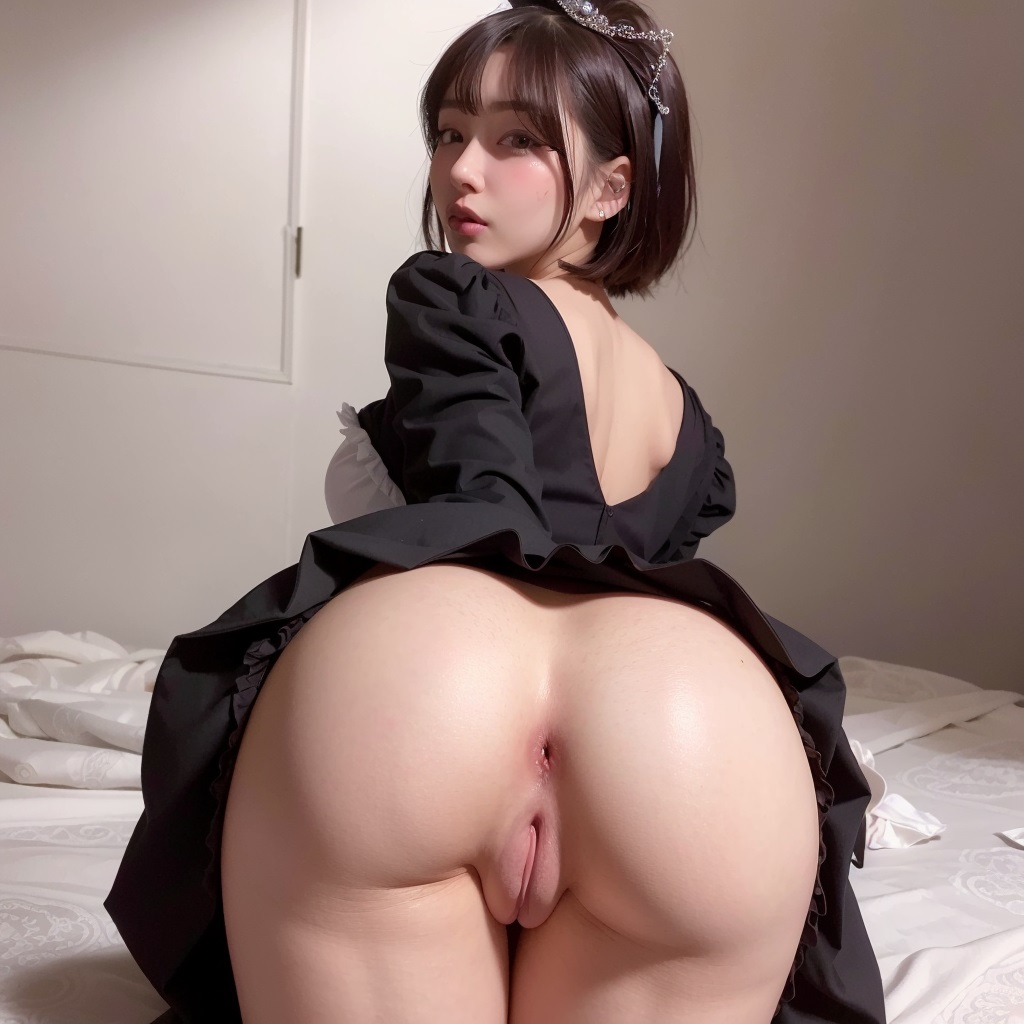
Hi, thank you!!
Prompt:a young beautiful woman,best quality, ultra high res, (photorealistic:1.4), POV, (grab her ass:1.4), hetero, large penis, vaginal insertion, black shorthair, blunt bangs, (ulzzang-6500:0.8), <hypernet:haseul_V05:0.6>, (maid:1.4), shorthair, (vast semen on face:1.2), pubic hair, side light
Negative prompt: paintings, sketches, (worst quality:2), (low quality:2), (normal quality:2), lowres, normal quality, ((monochrome)), ((grayscale)), skin spots, acnes, skin blemishes, age spot, (outdoor:1.6), glans,anime
Steps: 20, Sampler: DPM++ 2M Karras, CFG scale: 7, Seed: 793048344, Size: 512x512, Model hash: a757fe8b3d, Denoising strength: 0.5, Hires upscale: 2, Hires steps: 20, Hires upscaler: Latent (bicubic antialiased)
Really fantastic work ! Is it possible to reduce memory requirement? I failed to load the checkpoint because of the memory issue... It's ok for me to use the other checkpoints from CIVITAI.
Hi, thanks for your impression!!
Well, I dont know actual good way.But, how about trying to reduce "Upscale by"?
Ideal scale is "2" but "1.8-1.95" are not bad.
P9 is so beautiful,May I have a hint
Here you are!!
Prompt:a young beautiful woman,best quality, ultra high res, (photorealistic:1.4), POV, (grab her ass:1.4), hetero, large penis, vaginal insertion, black shorthair, blunt bangs, (ulzzang-6500:0.8), <hypernet:haseul_V05:0.6>, (maid:1.4), shorthair, (vast semen on face:1.2), pubic hair, side light
Negative prompt: paintings, sketches, (worst quality:2), (low quality:2), (normal quality:2), lowres, normal quality, ((monochrome)), ((grayscale)), skin spots, acnes, skin blemishes, age spot, (outdoor:1.6), glans,anime
Steps: 20, Sampler: DPM++ 2M Karras, CFG scale: 7, Seed: 793048344, Size: 512x512, Model hash: a757fe8b3d, Denoising strength: 0.5, Hires upscale: 2, Hires steps: 20, Hires upscaler: Latent (bicubic antialiased)
@tasuku ty!!
Why nobody asking for P8? It is very attractive! May I ask for the hint
Here you are!!
Prompt:
best quality, ultra high res, (photorealistic:1.4), 1 white child, (ulzzang-6500:1.0)
Negative prompt:
paintings, sketches, (worst quality:2), (low quality:2), (normal quality:2), lowres, normal quality, ((monochrome)), ((grayscale)), skin spots, acnes, skin blemishes, age spot, (outdoor:1.6), bad anatomy, large breast
Steps: 20, Sampler: DPM++ SDE Karras, CFG scale: 7, Seed: 3796241224, Size: 512x512, Model hash: a757fe8b3d, Denoising strength: 0.5, Hires upscale: 2, Hires steps: 20, Hires upscaler: Latent (bicubic antialiased)
what prompt on
https://imagecache.civitai.com/xG1nkqKTMzGDvpLrqFT7WA/af0150ca-eab3-43ee-0ff8-e86557c44900/width=944
I'm sorry but I forgot it.Sorry.................
"Chubby" made that body.
This model is gorgeous but there is a bit of an eye issue, anyone know if it can be fixed? The eye on the left of the picture is always a bit off haha.
Oh, really? I've never heard that.
Show me your setting and picture.
Hmm i dont think its my settings, you can see it in a lot of other people's results too. Check out arholic's blond beach girl for example: https://imagecache.civitai.com/xG1nkqKTMzGDvpLrqFT7WA/2e46be69-0257-400d-bbc1-9f18ee95e200/width=1024
The iris on the right looks bigger and kind of lifeless compared to the one on the left, also how do I post images anyways?
@Freelancer604 I see.But,you know there are never synmetrical face in real world.
This merge is a real model.
Or could be perspective effects.
How about put synmetrical face on prompt?But, I dont know that work or not.
Hey can someone help me setup this model? I am new.
I use this:
best quality, ultra high res, (photorealistic:1.4), kneeing, 1 girl, (ulzzang-6500:1.0), (intricate maid crothes:1.4), dark hair, intricate earrings
Negative prompt: paintings, sketches, (worst quality:2), (low quality:2), (normal quality:2), lowres, normal quality, ((monochrome)), ((grayscale)), skin spots, acnes, skin blemishes, age spot, (outdoor:1.6), glans
Steps: 20, Sampler: DPM++ SDE Karras, CFG scale: 7, Seed: 2281759346, Size: 512x512, Model hash: 28da698f, Denoising strength: 0.5, First pass size: 0x0
To try to imitate the first picture/cover picture from the chilloutmix model but I can't get it similar its completely foggy, and different face etc. I followed the SD VAE steps but it still doesnt work.
Didnt you forget to push apply settings?
@tasuku I did press apply on top of the screen.
@tasuku but I am also not sure if I did it correctly. When I go to the webui -> settings -> stable diffusion -> SD i can only choose 2 options from the topdown menu : auto or none. Am I suppose to see the vae-ft option? Or is auto good enough?
@itsjasonlin1478998 That is point.Did you put VAE on correct foldier?
Or, restart app.
@tasuku I can only use upscaler setting in the img2img tab not in the img2text tab. I also don't have the options that you use for the upscaler.
@tasuku oh okay I see I might did something wrong. I think I am certain I did the map correctly stable diffusion -> models -> VAE where it says place VAE here. But maybe I didnt refresh right? I will try it later. But thanks for helping!
@itsjasonlin1478998 Thats in hires fix on main.
@itsjasonlin1478998 Try it!!
If it work, post on your favorite pic from this merge on another comment!!
I got the same problem, did you fix it? the pic I got is blur, like hand painted.
and I saw you guy talking about vae files, Which vae file should I use to got the same beautiful pic? Now I have vae-ft-mse-840000-ema-pruned
@ecccc I think it is because of VAE.
Read explain on this model.
Or try the latest version.I updated today.
You dont need to use VAE with latest version.
@tasuku OK thanks ~~~
Do you have ulzzang-6500.pt in your embeddings folder? sd automatic root folder/embeddings
Mate can you make tutorial from the begin? i am newbie. its hard to understand
can i contact with you by messenger or any? pls teach me mate
@GreatSun i can teach u
@terankanna Can you teach me? Thank you very much
Details
Files
chilloutmix.safetensors
Mirrors
Chilloutmix.safetensors
chilloutmix_.safetensors
chilloutmix_.safetensors
chilloutmix_.safetensors
chilloutmix_.safetensors
chilloutmix_.safetensors
Chilloutmix.safetensors
Chilloutmix.safetensors
Chilloutmix.safetensors
chilloutmix.safetensors
chilloutmix_.safetensors
chilloutmix.safetensors
Chilloutmix.safetensors
Chilloutmix.safetensors
Chilloutmix.safetensors
chilloutmix_.safetensors
chilloutmix_.safetensors
Chilloutmix.safetensors
chilloutmix_.safetensors
chilloutmix_.safetensors
chilloutmix_.safetensors
chilloutmix_.safetensors
Chilloutmix.safetensors
Chilloutmix.safetensors
chilloutmix_.safetensors
Chilloutmix.safetensors
ChilloutMix.safetensors
Chilloutmix.safetensors
Chilloutmix.safetensors
Chilloutmix.safetensors
ChilloutMix.safetensors