

Hello ♥
for whatever reason you want to show me appreciation, you can: ❤️Ko-Fi❤️
___________________
Please Check out Blackforestlabs
these guys are absolt amazing. Thank you so much for creating this stunning masterpiece ♥
Since there is no place yet where I upload my flux images here on Civit, here is the simple workflow to create FLUX images using text prompts.
You can use the fp8 or fp16 variant.
In the future I will extend this workflow. (upscaling, ...)
Please read the original documentation
https://huggingface.co/black-forest-labs/FLUX.1-dev
Please load the workflow and

in the notes, you will find all links to download the models and the right path.
You can use this as help too
https://comfyanonymous.github.io/ComfyUI_examples/flux/
Settings for FP8
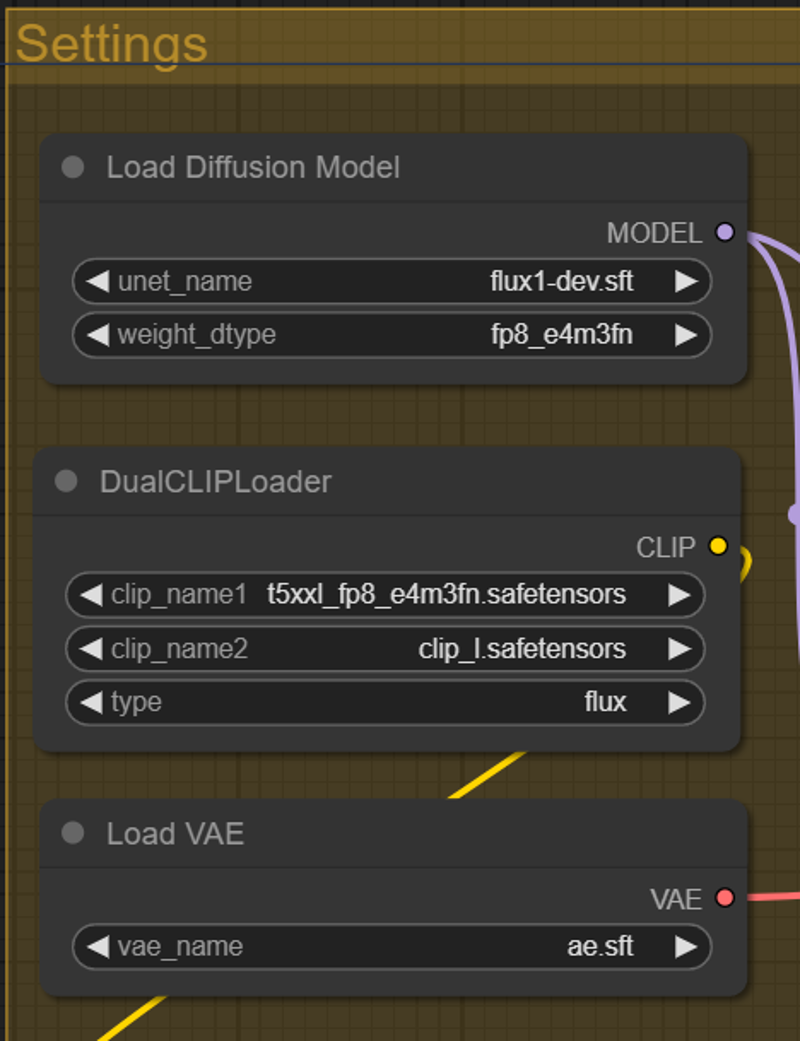
Settings for FP 16
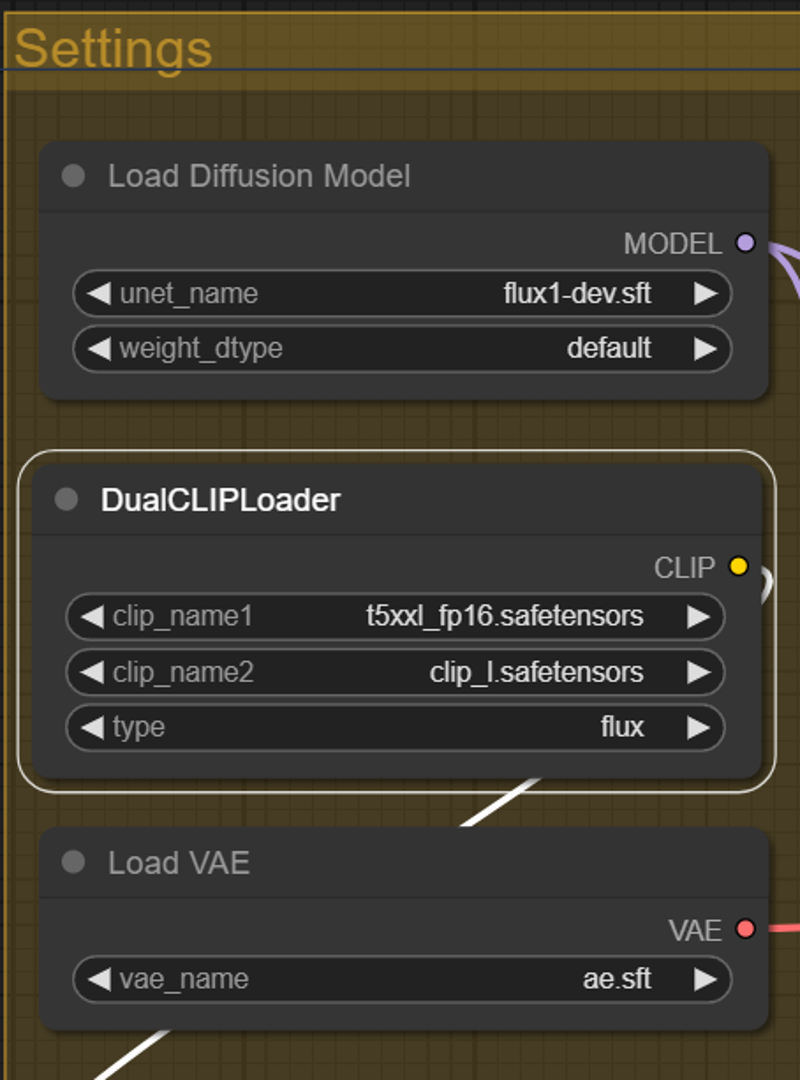
Hope you get a lot of beautiful results ♥
Description
fixed a noodle bug
added 2nd Lora support
optimized image save
some small fixes
FAQ
Comments (34)
Write your gpu ram and framework and iteration time. Let's not waste each other's time. 4060Ti 8gb VRAM/32 gb ram ComfyUI 40it/sec
The new version is missing the image preview. I ended up adding it back in myself and you may have removed it intentionally, but I thought I'd let you know. Great work on the optimizing. One other thing I noticed is that the images no longer generate in order from least to most insanity. Not sure why. It looks like they ultimately are in the right order they just generate completely out of order. For me it goes 4, 5, 6, 1, 2, 7 and then 3.
Thank you ♥ For me there is the preview image, see the preview model Image. Maybe you have to update a node?
@_degenerativeai_ I have the same problem and every time I restart the pc I have a different order.
If anyone has an idea how to fix this 🫠
@AIDigitalMediaAgency It might be because I did update to the latest Comfy that has the updated UI?
@_degenerativeai_ i use the old UI too
@AIDigitalMediaAgency So odd, because your earlier versions didn't do it. It must've been a comfy or custom node change.
please try the example path without change, maybe that can fix the preview?
@AIDigitalMediaAgency I'll try it. I did change the path to match my image out location. Testing now.
@AIDigitalMediaAgencyYeah adding a path kills the preview.
@_degenerativeai_ okay, had the same in some runs.
Hi, thanks for brilliant workflow, I'm curious, can it be modified to img2img? TIA
It's awwsome! Could you please add Flux lora and cfg into this workflow too? Would be a bless for the humanity 😄
Unfortunately, this is a problem that cannot be solved at the moment. You can only see all loras if you use the on-site generator. As soon as there is a solution, I will be the first to change it. It bothers me a lot too.
You just can set the cfg and steps manually in the workflow.
well, I tried with adding lora and cfg node and workflow seems to work but the generations are not coming as expected. I was trying out yout Flux nsfw unlock lora at a strength of 1 and the results are coming up in anime or cartoon like look. Even though the prompts and seed were copied from realistic generation but I'm not getting anything realistic out of it? What I could be doing wrong or need to modify?
trying to make like this:
but coming out as this:
@JoshBMX this is weird. do you used the right trigger? and there is a pony nsfw version too, please check the right version.
@AIDigitalMediaAgency I'm sure I got the right one for flux because it has it in it's name. this one here https://civitai.com/models/674027/flux-nsfw-unlock
you can just drag n drop my generation and you'll see whole workflow
@JoshBMX In your workflow is no "FluxGuidance" and "ModelSamplingFlux" Node
@AIDigitalMediaAgency Well, tbh I'm kinda new to comfyui so can you please share me an example of how it looks? If not a hard thing to do for you 😅
@JoshBMX you can just use my original workflow. download the latest version top right.
@AIDigitalMediaAgency I was trying out your simpletext2img workflow and that didn't include these. Are you referring to that one or a different one?
@JoshBMX please use the V3.1 with lora support
Ok I found those in your complex workflows I'm trying to get the idea
@AIDigitalMediaAgency I have added the node and don't know what's going on.. same result: https://ibb.co/5YRcJjB
@JoshBMX don´t know. maybe try some of my prompts with seeds. never got an anime image with that lora.
@AIDigitalMediaAgency can you try generating one with your simple workflow? As I'm a beginner I'm not quite comfortable with the complex workflow yet. I'm sorry for asking too much maybe but I really wanted to try out😥
V3.1 workflow taking too much time for me. I'm running with RTX 3070ti 8gb and usually a generation taking me 10+ minutes to generate a single image. Not sure how to shorten the time.
@JoshBMX Do you made lastest comfyui updates that released some days ago?
@AIDigitalMediaAgency I think so. I always update it from the comfyui manager
Bravo !
It's funny to see the differences between the original message and the others. I feel like I'm going to play with it a lot just to see what crazy things he'll come up with.
What does he use to vary the message?
For example,
From: Manga style full body. The image is a digital illustration of a brunette female knight, in full black and gold metal armor: helmet to boots, red cape, holding a polearm in one hand and a shield in the other, dynamic and aggressive pose, dynamic angle.
To: Manga style full body. The image is a digital screen capture of Anime of a Black Lucy Hale villain, in full neon yellow metal cap and Amaranth: from skinny jeans to boots, neon blue [Formal Uniform: Hunting Clothes: 16], holding a rocket in one hand and a kebab in the other, HDR and silly pose, cinematic angle.
But... WT..?! Pure madness! I don't know what mushroom ate this thing but it must be strong lol
it doesn't work, seems broken:
- Failed to convert an input value to a INT value: clip_skip, %Y-%m-%d-%H%M%S, invalid literal for int() with base 10: '%Y-%m-%d-%H%M%S'
Output will be ignored
in the Image Saver nodes on the top right, the bottom have has a "clip_skip" property that is set to a date prompt. change them all to unique numbers.