


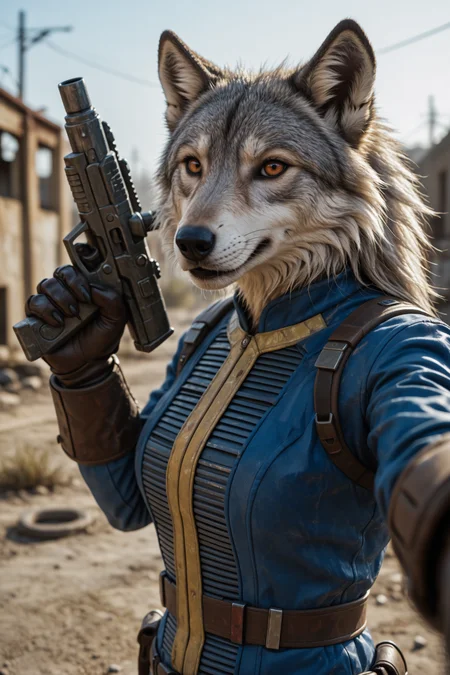


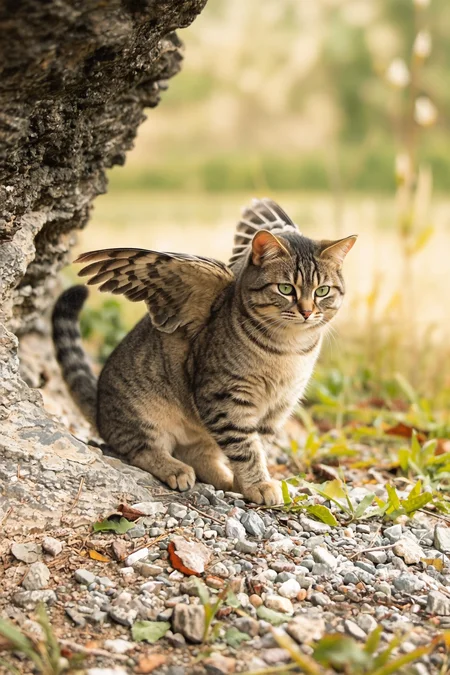
In Norse mythology, Ratatoskr (Old Norse, generally considered to mean "drill-tooth" or "bore-tooth") is a squirrel who runs up and down the world tree Yggdrasil to carry messages between the eagle perched atop Yggdrasil and to the roots of the tree to Nidhogg.
This model is Fine-tuned for Animals/ Creatures and Anthro and Furrys but can do way more and can be used as an general use model in general use:
This model can do:
Photorealistic
Digital Art
Anime
Comic
Vector Graphics
Line art
Stickers
can write short text
etc
This is The Krea2 Version of the model series all credit goes to them and if you wanna know how the model works and function its really interesting to check the site out.
for that great base model
please be aware to follow there Acceptable Use Policy and licenses! when using the model.
This is a high rank finetuned Version of Krea2 Raw its trained on my own Ratatoskr Database and the Furry Enhancer Database that is synthetic that does not contain any real pictures or celeb people pictures, the database is focused on anthro , furry and fantasy creatures.
For training i used an B200 gpu for almost a week. i also modified the model that it can run faster and more coherent than the base Krea Raw model.
if you wanna support me please give a like
For Settings:
this model is dialed in at 25 Steps / Euler/ Simple works also with other settings but this is at what i have calibrated the model.
i also have added the used workflow here: Workflow for Ratatoskr Krea2
Important: not all lora working with ratatoskr because of the difference between the original krea2 and Ratatoskr I will provide soon a way to train on the model.
Changelog:
V1.76
First release version
this is the first public release version its basically the polished finetune version of V1 that was slow like the raw base model and no one wanna an behemoth that need 50 steps+ ;-)
Description
First Public Release variant:
Important this is not an usual Turbo or RAW model its an Finetuned Custom Model that differs alot from any standard krea2 model and need 25 steps! please read model details!
FAQ
Comments (16)
Great work!. As someone else who wants to attempt a fine tune of Krea, would you be able to offer any pointers toward a training program or settings. Thanks for doing a Krea version
hi what i did was done an high rank lora injected with block merging (512 and for the last 10k steps an even higher rank) i did using run pod and https://github.com/ostris/ai-toolkit training was done on a single b200 gpu then i did some specific block merging trained on 1536x1536 resolution you need way over 100gb vram
@freek22 . Amazing work! Any chance you could share the merge recipe/workflow?
@everylight this is not a merge model at least in that what people think of an classic merge... This is a trained model. An 512 Lora is not far away of an actual full fine-tune. And no this is not made with just one simple step merge or workflow it's way more complex. It contains custom nodes made before and after training.
Infact the model difference from base raw krea2 is almost a new model branch
For Online Generation you can use:
I'm wondering how realistic the generated portraits will be; I hope you can provide some sample images.
In what genre? This is really important to know that differs by category. For example humans not trained with real people or celebrities on porpoise to avoid any deepfakes.
Real landscapes, and backgrounds are trained on my own photo database so they actual photoreal
@freek22 Can you please make this unapproved? Also, you should post some personal, realistic photos.
how does this work cuz its not a "normal" check point and the krea 2 nodes don't have an option for stuff like samplers cfg and the like so... what am i missing here?
You can use the provided workflow or simply set the step on 25 steps in the krea2 workflow just open the task for the full workflow and change there the step count
So, some thoughts;
I managed to get a good result eventually, but it took quite a bit more work than a regular Krea 2 checkpoint.
Notably, and I don't think it's mentioned anywhere in your description, is that 25 steps doesn't really work without the turbo distill LoRA, which needs to be acquired from https://huggingface.co/TheDivergentAI/krea2-turbo-distill-lora
I had the most success with the LoRA at 0.3 strength and clip.
Now, it's not a Turbo model, and that 25 step requirement is a hefty barrier versus most popular models on civitai, especially as generating below 1440p seemed to mean fur and text details were clumpy.
The real killer is that I can gen something with better fur/furry detail at 9 steps, using one of the turbo models - SickOllie, Moody, Neutrino all tested - by simply using Furry Enhancer - which is your LoRA trained mostly on your previous models!
This is a good first release candidate, but there's some work to be done. Thank you for your work, and I look forward to the future revisions :)
Well it's working also fine with provided workflow are you sure setting it to 25 steps?
never used any Turbo Lora but it's interesting to know it works that way too and it's true the model likes a higher resolution are you really changed the steps to 25 that is not on the frontend of standard you need to open it fully and change there it seems I need to give a bigger description how to Dial the model in when not using the provided workflow
@freek22 I only knew to use a Turbo LoRA because it's in the workflow for your second preview image - the white tiger girl, which I found by unpacking the subgraph :)
And yes, I use my own fully exposed workflow and set it to 25 steps myself.
@Balwick And yes this is still release variant the step count will be reduced in next update if I get the same quality
@freek22 Sounds good! I look forward to the future models.