

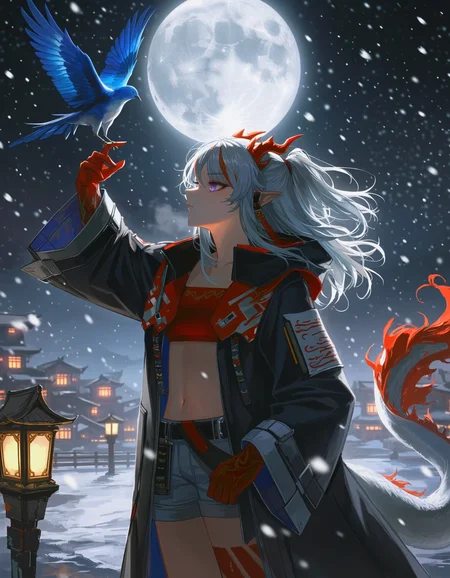


(9/26/2026): Distilled ckpt will not be updated. Use the new standalone acc LoRA here. After v2.4. All versions will be the "base" version (not distilled).
Update log and version info: link.
RDBT [Anima]
A general finetuned base model, better overall quality, better prompt adherence, less artifacts and errors.
Dataset contains ~10k images, handpicked by professional amateur artists, captioned by latest LLM. Accurate body/hands anatomy. Complete background.
Some cover images look ridiculous; they're just for demonstration purposes for corner cases.
There is no overfitted default style. Because the dataset is big enough. It's a feature not a bug. You must specify @style in prompt, or use a style LoRA. Otherwise, you will get random/mixed style.
If you're not good at mixing LoRAs for a pretrained model, I also released a ckpt that merged many useful things, here. Out-of-the-box high quality, 16-step fast generation.
If you're an advanced user and want to minimax everything: RDBT is trained as LoRA natively: link.
16-step Acc LoRA: link.
Usage:
Settings:
Base version: has a suffix "base". CFG 4 and steps 24+ is recommended.
Distilled version (discontinued): CFG: 1. Steps: 16+.
Sampler: Euler (best diversity), Euler a/er_sde etc. (better stability)
Res: 1MP
Prompt:
Always specify @style in prompt, or use a style LoRA. Otherwise, you will get random/mixed style.
Quality tags:
Omit ALL quality tags. The fine-tuning dataset has higher quality than "masterpiece". Thus quality tags don't have effects. Omitting those redundant tokens allows LLM to pay more attention on other words.
FAQ:
Why I won't bake a default style:
If a model has a "default" style (ignores prompt and is always active). We call it "overfitted". Technically, it's not a feature, it's a bug. This means the training dataset is not big enough, and the model has lost its ability to generate other styles.
The goal of RDBT model is to "perfectly" reproduce styles. As some of you know, I use this model to aid in drawing. I need unique textures and details, instead of uniformed 2.5D AI slop style.
This model has excellent compatibility. You can stack any type of Lora on it. After all, it's you who decide what style you want, not me.
RDBT can't remove nor resist overwhelming Al slop effects
Too long, see: link.
My homemade distillation vs Anima official turbo model:
Official turbo: 8 steps. High stability, low entropy. Adds a strong 2D anime filter that will overwrite style and cause style shifting.
My homemade distillation: 16 steps. High diversity, low stability. Minimal style shifting.
Sharing merges using this model is not allowed.
This mode is a free and it will always be free. This "restriction" won't affect anyone. It's only aimed at those who steal others' models to sell.
Known model thieves: NukeA.I (selling this model behind paywall on tensorart).
Because he is such a jerk I wrote a story about it. Also contains a guide for trainers about "how to bake special trigger word into your model".
Description
FAQ
Comments (15)
Thank you, I was waiting for this update.
One thing I've noticed with Anima Base, in this and other models, is that the number of available characters within the model has decreased significantly.
In Usage, what does "Shift 3 or 1." mean?
Comfyui "ModelSamplingAuraFlow".
Doesn't required anymore in v0.35. Page updated.
peak
Hey boss, the v0.35 does a good job of stabilizing the base model, the anatomy is much better mostly. Though there seems to be some downgrades, even though you skipped step distillation, I couldn't find much considerable difference in prompt adherence or creativity from v0.34b. Your previous model made the images much shaper compared to the p3, especially for 3d styles. The v0.35 model looses the sharpening and clarity compared to the base v1 model.
I was using your previous models with CFG 2 with 24 steps, even though they were distilled and It made 3d images perfect with a loss of some prompt adherence, this model too from how much I have tested, works best with CFG 2 and 24 steps. With these settings, its the best anima checkpoint for 3d currently. Don't know if it means anything but I just thought, I'd share.
Great work though boss ♥, your models are still very good compared to all available on Civitai.
Also it has a bias of female pov
yeap. v0.35 I was trying to avoid the bias of always containing human characters in the middle of the image, so I added some pov images and weighted it to ~3% of the training dataset. Seems to be too high, and becoming a new bias. lmao
although in my prompt adding something like "male pov" can fix the issue.
From my initial testings it still seems to strongly favor some particular compositions, with squiggly, thick strokes and a certain style of soft shading with lines, no matter the style prompt. The raw Anima base does know and adapts to the prompted styles decently well.
prompt adherence is worst. i even add the weight to 1.5, e.g (lying, on side:1.5), the subject did not lying. while the base it self can do without need to add weight
Try natural language "subjectname is lying on their side on the couch with their head resting on their hand propped up with their elbow" for example. Quick edit to say do also describe your subject before that example, just use that as the "action" for the image, describe the rest of the scene details after if you don't like what its giving you
Since the model is based on Anima 1.0, weights can go up to 5. I usually set like (fishnets:2) and got better prompt adherence. Alternatively, using natural language and explain can increase prompt adherence.
v0.35 + turbo lora (I prefer 0.8 weight) + 16 steps seems to work really well for me. If you don't want to use turbo then raising CFG to 2-3 seems alright too but it is slower of course. CFG 1 no lora works but it makes the model not adhere to styles and character designs all that well.
I actually found this model to be BETTER at prompt understanding, especially natural language, than base 1.0. Some compositions I prompted it got right over 80% of the time while base only succeeded about 10~20% of the time.
The only odd part is sometimes the image will come out black and white or monochrome and changing the seed does not help even though nothing in the prompt suggests the image should be black and white (only has artists and characters that use color by default). But fixing it is pretty easy, just describe some stuff like character hair color and eye color and it should color in the rest of the image too.
file not found trying to download
It's incredible how you managed to create a high-quality model with generation times that are absolutely insane! 🤯⚡ Simply wowww... 🤩 I'm really looking forward to seeing more of your work. 👀🔥 It works wonderfully with my LoRAs! ✨ It's just a shame that on-site generation isn't enabled for it on Civitai yet 😔... they have no idea what they're missing out on hehe. 😏🚀