




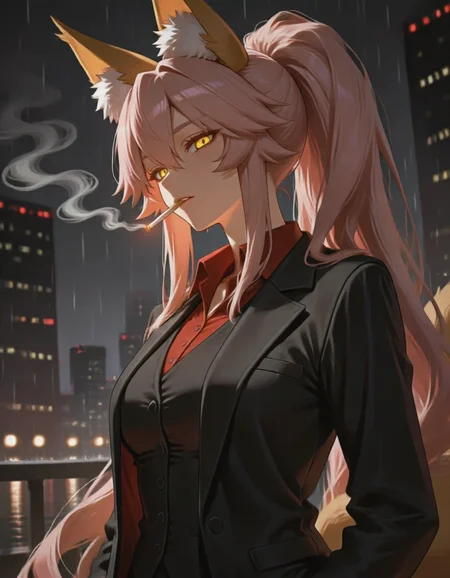




(9/26/2026): Distilled ckpt will not be updated. Use the new standalone acc LoRA here. After v2.4. All versions will be the "base" version (not distilled).
Update log and version info: link.
RDBT [Anima]
A general finetuned base model, better overall quality, better prompt adherence, less artifacts and errors.
Dataset contains ~10k images, handpicked by professional amateur artists, captioned by latest LLM. Accurate body/hands anatomy. Complete background.
Some cover images look ridiculous; they're just for demonstration purposes for corner cases.
There is no overfitted default style. Because the dataset is big enough. It's a feature not a bug. You must specify @style in prompt, or use a style LoRA. Otherwise, you will get random/mixed style.
If you're not good at mixing LoRAs for a pretrained model, I also released a ckpt that merged many useful things, here. Out-of-the-box high quality, 16-step fast generation.
If you're an advanced user and want to minimax everything: RDBT is trained as LoRA natively: link.
16-step Acc LoRA: link.
Usage:
Settings:
Base version: has a suffix "base". CFG 4 and steps 24+ is recommended.
Distilled version (discontinued): CFG: 1. Steps: 16+.
Sampler: Euler (best diversity), Euler a/er_sde etc. (better stability)
Res: 1MP
Prompt:
Always specify @style in prompt, or use a style LoRA. Otherwise, you will get random/mixed style.
Quality tags:
Omit ALL quality tags. The fine-tuning dataset has higher quality than "masterpiece". Thus quality tags don't have effects. Omitting those redundant tokens allows LLM to pay more attention on other words.
FAQ:
Why I won't bake a default style:
If a model has a "default" style (ignores prompt and is always active). We call it "overfitted". Technically, it's not a feature, it's a bug. This means the training dataset is not big enough, and the model has lost its ability to generate other styles.
The goal of RDBT model is to "perfectly" reproduce styles. As some of you know, I use this model to aid in drawing. I need unique textures and details, instead of uniformed 2.5D AI slop style.
This model has excellent compatibility. You can stack any type of Lora on it. After all, it's you who decide what style you want, not me.
RDBT can't remove nor resist overwhelming Al slop effects
Too long, see: link.
My homemade distillation vs Anima official turbo model:
Official turbo: 8 steps. High stability, low entropy. Adds a strong 2D anime filter that will overwrite style and cause style shifting.
My homemade distillation: 16 steps. High diversity, low stability. Minimal style shifting.
Sharing merges using this model is not allowed.
This mode is a free and it will always be free. This "restriction" won't affect anyone. It's only aimed at those who steal others' models to sell.
Known model thieves: NukeA.I (selling this model behind paywall on tensorart).
Because he is such a jerk I wrote a story about it. Also contains a guide for trainers about "how to bake special trigger word into your model".
Description
Turbo (4-step dmd2)
Fast as f*** boiiiii
4-step dmd2, distilled on top of RDBT finetuned model. See the link above.
Settings:
Sampler: "euler_a" or "euler".
CFG scale: 1.
Steps: 4, 8, or 16. Scheduler: simple. Important: training timestamps are fixed. Other inference timestamps might not work.
FYI: N-step dmd2 means the model can output an image without noise after N steps. It's not a mandatory fixed setting. It's the lower limit. Lower N = stronger distillation.
This is a prove-of-concept version, to see what a 4-step dmd2 anime model looks like.
First time doing 4-step dmd2, also first 4-step dmd2 anima model. I don't know what I'm doing and what to expect.
Huge stability improvement, it even can render long text in 4 steps.
If you want to compare, I've trained:
8-step dmd2 https://civitai.red/models/2364703?modelVersionId=2832699
16-step dmd2 https://civitai.red/models/2364703?modelVersionId=2860424
FAQ
Comments (15)
Damn the new version is really fast af!
Context on why this version was bugged/broken?
great stuff
I don't care if it's fast or not It only takes me 7 seconds or Not realistic you guys are crazy 😭
in SDXL land, running a 4-step DMD2 lora at 1.25x strength with a -0.25x CFG distillation on top while raising the steps to 12 instead of 4, would drastically improve the concept LoRA compatibility while keeping most of the benefits (no garbled outputs, cfg 1.0 sampling speed)
The sacrifice would, as always, be the distribution of valid outputs.
on that topic there's this thingymabob:
https://huggingface.co/F16/z-image-turbo-sda
however, the training data used to achieve un-compressing the distribution is non-public
you have no idea, how fast my 4060 is, it's fast af boi,
728x728 image with loras in 26 seconds (4step), can't do text (my bad, i did not noticed i had one lora enabled, it was the issue) at cfg 1.0 (nor at cfg 4.0 frankly +step30) but this is massive! <3 this reminds me of TurboAutismMix4-step please keep working on this! :)
Fuuiioh so good! 60% faster than regular Anima, totally works on cfg1! and will do well on lower steps, no need for 100 steps, 32 steps and it cooks, instead of 25minutes per image 7 minutes soo good
Man, be there when P4 or full release drops, your RDBT is MUST have! ❤️
You never needed 100 steps in the first place lmao. Going above basically 20 steps for any model has extremely diminishing returns. What most model creators recommend are extremely overkill and on anima they recommend 30-50, not 100. I dunno if it's a thing anymore, but in the past, having more steps could actually hurt the quality of the output.
But also, why are you using 32 steps on a finetune made for 4 steps? You might aswell just use the normal model and maybe cfg distillation LoRA then.
Btw your image posts are extremely misleading, you have text on them that says 1MP, but they're 2736x1536, that's upscaled to 4.2 megapixels. 1MP would be 1024x1024 as that is roughly 1 million pixels. For your aspect ratio, it would be closer to something like 1368x768
@upscaleanon537 100 steps was method with "hires" fix, on original anima preview, if you connect sampler to sampler and latent from one to other, with different seed, and denoise 0.5 you can fix broken text or small details (but it has to be same resolution, so fake hires fix + same step count as on 1st pass = because nothing else will work on Anima, unfortunately, (altho some people use ControlNet with canny/lineart and other SDXL model - but i had not tried that myself yet)
more steps is always better to some point, this model unlike other models can work on CFG 1 without artifacts, but i see no reason why i should use just 4 steps and GREATLY diminish detail quality. Just because RDBT is so good at being turbo model that it can do good result in 4 steps does not mean i have to limit myself and use just 4 steps.
All images generated are of 1MP done with "resolution selector node" so no errors here + i used up-scaling model for all but one picture (ig i forgot to mention that, all upscaled with 4xUltraSharpV2 kinda dont remember if 2x or 1.5x for some)
And since it is 4 step model that is exactly why i used 32 steps, as it's multiple of 4. (is this scientific or smt? maybe, i just do as i do basing on tests that i did in past with other models ¯\_(ツ)_/¯)
Also "going above 20 steps for any model has extremely diminishing returns"? genuinely what are you talking about, you must be very new to this, there is typically at least 3 mayor structure changes to picture generated based on amount of steps taken, normally 20 steps is laughable amount. (for non turbo model)
And you can even do something as silly as 320 steps (tested in anima-p2), you know, and it will have effect, positive one. Those are not times of SD1.5 anymore, besides, how you set things up = results that you will get, i remember testing sd1.5 model (cetusmixv4 probably it was) with 150-300-450 steps and quality was not exactly diminishing and 300 steps was better looking than 150 steps. Were there grate gains? No, bigger gains kinda end somewhere between 60-70-80 steps, but difference between 20 and 40 will be day and night difference. (unless idk, you prompts are this short or bare bones? mine go over 2000 (ik since it lags text node, eh) characters, often, maybe that's the reason i benefit more than you from high steps counts, idk.)
But genuinely if you really will go for so low steps you will never get half of the details and forget about backgrounds, unless you will go for "flat coloring" or "gradient color blocks" + "sketch", "simplified" (aka very bare bones styles where less steps can acc improve the vision you went for.)
CFG1, thats the trick, using CFG1 that does not analyze nor look for negative prompt speeds things up by 60% on any model. And more steps is always better choice to take than higher cfg, at least for looks that i like to go for. High CFG apart from trying to hammer in prompt better will also saturate colors, and i'm not a huge fan of that. (Safe value for that to not happen is cfg 1.5 but little does it fix things if something already looks broken while making generation over 2 times slower. )
But that ofc on 1st pass, on higres fix (or in detailer) you have to use CFG of at least 2-2.5 (noticeable better results), however you can limit its work to every second step to improve speed by 30% and get just as good results (SDXL models). If you set denoise low 0.15-0.25, you will getaway with less steps on hires/detailer, but if you set denoise higher, 0.35+ then so should your step count go up if you have in mind best quality, and not quantity.
@AltairTheArc Holy shit that's a lot of COPE lmao. If you want to gen at such ridiculous steps, go ahead, but it really doesn't benefit any significant amount from it. There are PLENTY of images around on civitai that has around 20-30 steps that are just as good as your posts, if not even better lmao. And that's on non turbo models.
Where did you even get the idea of 4 step model meaning it's meant to be used in multiples of 4? That's not what it is... It literally says 4 step, not 4 step multiples, it's designed to be good at 4 steps, just like 12 step model is designed to be good at 12 steps.
"SD1.5" Why do you even bring this shitty model up? What might have been true for that shitty model back then is not true now. If you're using as ridiculous amount of steps as 300 and think it outputs better than something at 150, then you're delusional.
There is no "night and day" difference between 20 steps and 40. There's some quality uplift, but it's definitely not worth taking 2x longer for maybe a 5% uplift in quality.
It doesn't matter if a prompt is "barebones" or complex.
Even IF it did something, you're much better of doing img2img for higher res to refine some details or using adetailer than increasing your gen times an insane amount.
2000? 2000 what, characters in your prompt? Looking at your posts, I'd expect better honestly from such detailed prompts lmao. Having some insane word slop just creates more work for you and potentially hurts the output.
No matter how you put it, there is absolutely no reason to go for 100 steps or higher. Even 50 is somewhat overkill.
I've been using your p3 v0.24f dmd2 b checkpoint and it's absolutely incredible especially with prompt adherence and stability and even works with style LORAs especially if I use just one or put it at half strength. I've also found using the ClownsharKSampler with exponential/res_2s and beta57 with the eta at 0.50 or 0.75 works really well especially for style LORAs. I've tried FlowMatchEulerDiscreteScheduler but I don't think anima is compatible with that. CFGZeroStar works well tho. I'm yet to try NAG and PAG tho I've used them with Z image turbo and it works well. It also beats the Cosmos-Predict2.5-2B base distilled extracted DMD2 LoRA too.
To be honest your LORA is near perfect especially for quality and prompt adherence. Well done as always. Your a legend. 👍🙏
I've also come across threhttps://github.com/AdamNizol/ComfyUI-Anima-Enhancer great custom nodes too:
https://github.com/AdamNizol/ComfyUI-Anima-Enhancer
This one is good As it allows you to tweak the layers of the Lora this is especially good if you want to use another one that may be conflicting with another or to turn down certain parts LORA during generation stuff like that.
I can confirm the ~30% speed up. It works quite well. That being said, the replay function for added detail / consistency isn't really working for me + it washes out colors. Illustrations end up looking quite desaturated.
If you're wondering where v0.25 is, it's obvious that Civitai's database isn't synchronized at all. Potato server.
still not here and is there any upgrade on prompt adherence on v25 ?
Details
Available On (1 platform)
Same model published on other platforms. May have additional downloads or version variants.