








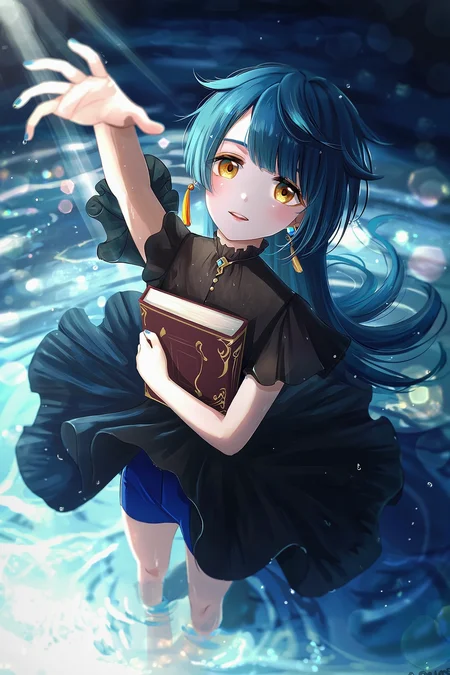





I. Introduction
NetaYume Lumina is a text-to-image model fine-tuned from Neta Lumina, a high-quality anime-style image generation model developed by Neta.art Lab. It builds upon Lumina-Image-2.0, an open-source base model released by the Alpha-VLLM team at Shanghai AI Laboratory.
Key Features:
High-Quality Anime Generation: Generates detailed anime-style images with sharp outlines, vibrant colors, and smooth shading.
Improved Character Understanding: Better captures characters, especially those from the Danbooru dataset, resulting in more coherent and accurate character representations.
Enhanced Fine Details: Accurately generates accessories, clothing textures, hairstyles, and background elements with greater clarity.
II. Information
For version 1.0:
This model was fine-tuned from the NetaLumina model, version
neta-lumina-beta-0624-raw, using a custom dataset consisting of approximately 10 million images. Training was conducted over a period of 3 weeks on 8× NVIDIA B200 GPUs.
For version 2.0:
This version has 2 versions:
Version 2.0:
I switched the base model to Neta Lumina v1 and trained this model on my custom dataset, which consists of images sourced from both e621 and Danbooru. The dataset is annotated with a mix of languages: 30% of the images are labeled in Japanese, 30% in Chinese (50% using Danbooru-style tags and 50% in natural language), and the remaining 40% in natural English descriptions.
For annotations, I used ChatGPT along with other models capable of prompt refinement to improve tag quality. Additionally, instead of training at a fixed resolution of 1024, I modified the code to support multiscale training, dynamically resizing images between 768 and 1536 during training.
Notes: Currently, I've only evaluated this model using benchmark tests, so its full capabilities are still uncertain. However, based on my initial testing, the model performs quite well when generating images at a resolution of 1312x2048 (as shown in the sample images I provided).
Moreover, this version the model generates images with the size up to 2048x2048 based on my testing.
Version 2.0 plus:
This model is fine-tuned from version 2.0, which had been trained on a dataset of higher-quality images. In this dataset, each image is annotated with both natural language descriptions and Danbooru-style tags.
The training procedure follows the same overall design as version 2, but is divided into three stages.
In the first two stages, the top 10 layers are frozen, and training is performed separately on the Danbooru-labeled subset and the natural language-labeled subset.
In the final stage, all layers are unfrozen and optimized jointly on the full dataset, which incorporates both Danbooru and natural language annotations.
This version reduces the issue of generated images exhibiting an artificial or 'AI-like' appearance, while also improving spatial understanding. For instance, the model is able to generate images in which a character is positioned on the left or right side of the images according to the prompt (as illustrated in the example). In addition, it provides modest improvements in rendering artist-specific styles.
You can find gguf quantization at here: https://huggingface.co/Immac/NetaYume-Lumina-Image-2.0-GGUF
Version 3.0:
This version introduces new character knowledge and also improves some existing characters that could not previously be generated (I will provide a list of the improved characters later). However, please note that not all characters in the list may be generated, since I aim to preserve the old knowledge while also enhancing aspects like text rendering, anatomy (when using artist styles, the model may sometimes produce inaccurate or imperfect anatomy), model stability, and some additional secret improvements.
For generating text within the images, I recommend using this system prompt: "You are an image generation assistant if the prompt includes quoted or labeled on image text render it verbatim preserving spelling punctuation and case. <Prompt Start>", it may help you achieve better results.
Here is a link to a gallery of example images generated in an artistic style using this version: Artist Style Gallery. Thank @LyloGummy for contributing.
For version 3.5 (pre-trained model):
This version is a pre-trained model (I’m not sure what to call it, but it’s basically a continuation of the previous work by the Neta team, using the Neta Lumina v1.0 model). To clarify further, versions 2.0 Plus and 3.0 were fine-tuned from this pre-trained model. My workflow involves using the best checkpoint from this pre-trained model at that time and fine-tuning it.
In this version, I also updated my dataset (only the Danbooru dataset, up to date at 12:00 a.m. on September 3). The new dataset only contains tags, since I don’t have anyone to help me validate natural prompts.
Basically, I didn’t change the dataset too much I just updated it with the latest data, using a part of dataset from neta team and merged it with the previous one. So, the model still generates images that look quite similar. However, if you use the correct trigger prompts, the outputs will differ. The good news is that it still retains all of its previous knowledge accurately (some antistyle has been improved).
In addition, the default style of model currently is stable, the anatomy and text generation seems better than previous.
Lastly, this model is different from the test version I released on Hugging Face.
Here is the diffusers format for this version: duongve/NetaYume-Lumina-Image-2.0-Diffusers-v35-pretrained · Hugging Face
For version 4.0:
In this version, I changed the way I annotate the dataset. Instead of using only tags and natural language, I now use both unstructured and structured annotations for each image. In addition to tags and natural-language descriptions, I added JSON and XML formats. For the tag, JSON, and XML formats (in natural and tag format), I also shuffle the annotations. For example, in the XML format similar to JSON when formatted as tags:
<tags>
    <characters>kubo nagisa</characters>
    <general>long hair, purple hair, purple eyes</general>
</tags>
During preprocessing for each epoch, when this XML annotation is encountered, I randomly drop individual tags such as “purple hair” or other character-related attributes with some probability. I also shuffle the fields, so for example, the
<general>field may appear before the<characters>field.In this version, I also updated my dataset. It now includes the Danbooru dataset up to October 10, 2025. However, ten days ago, I also made an additional update by adding a small dataset during the period when I had paused the training process.
In this version, I reduced AI artifacts and improved the character anatomy. It’s still not perfect, but when you use natural language in the prompt combined with a suitable negative prompt, the results are noticeably better.
Note: All previous knowledge is still retained, you just need to use the correct trigger tags or prompts. Additionally, the current default style is set to anime for greater stability.
III. Model Components:
Text Encoder: Pretrained Gemma-2-2B
VAE: From Flux.1 dev's VAE
Image Backbone: Fine-tuned version of NetaLumina's backbone
IV. File Information
This all-in-one file includes weights for VAE, text encoder, and image backbone. Fully compatible with ComfyUI and other systems supporting custom pipelines.
If you only want to download the image backbone, feel free to visit my Hugging Face page, it includes the separated files along with the
.pthfiles in case you want to use them for fine-tuning.
V. Suggestion Settings
For more details and to achieve better results, please refer to the Neta Lumina Prompt Book.
VI. Notes & Feedback
This is an early experimental fine-tuned release, and I’m actively working on improving it in future versions.
Your feedback, suggestions, and creative prompt ideas are always welcome — every contribution helps make this model even better!
VII. How to Run the Model on Another Platform
You can use it through the tensor.art platform. Here is the model link: https://tensor.art/models/898410886899707191
However, to run the model in an optimized way, I recommend using Comfyflow from tensor.art (because its default runner lacks configuration, which makes the model run suboptimally). Here is an example flow you can use on the platform: https://huggingface.co/duongve/NetaYume-Lumina-Image-2.0/blob/main/Lumina_image_v2_tensorart_workflow.json
VIII. Acknowledgments
Big thanks to narugo1992 for the dataset contributions.
Credit to Alpha-VLLM and Neta.art Lab for the fantastic base model architecture.
If you'd like to support my work, you can do so through Ko-fi!
Description
FAQ
Comments (164)
I'm still not sure I really understand what 3.5 is at all, in the sense of like, is it less trained than your previous versions were in direct comparison to Neta Lumina 1.0, or not? And is it specifically supposed to perform better than 2.0 Plus / 3, or not?
Depends how you define "better".
Pretrained model just means there is no finetuning at the end of the training.
finetuning means training on a small highest quality dataset to stabilize styles, at the cost of losing creativity (if something not in the final dataset, the model may forget it).
Pretrained model has better creativity, but harder to use, usually needs long prompt.
e.g. notice that finetuned versions do look better but there are style shifting towards a same universal style
@reakaakasky Interesting. I've been doing some testing at at least for the prompts I use (which don't really tend to use specific artist tags that much) I still feel like 3.5 is a bit more coherent than 3.0, with better details / proportions generally. So I'll continue to use it I guess.
Hi! For anyone who hasn’t read the description of this model: to clarify, versions v2 plus and v3 are fine-tuned variants based on the best-performing checkpoint of the model (v3.5 pretrained) at that time. This version can be considered the pretrained or 'raw' model, by I continued train NetaLumina v1.0 and create this model. Moreover, I’ve added a new dataset that includes tags caption only in this version, so you’ll notice significant improvements when you use the correct trigger prompts as shown in my gallery.
naiceeee keep it up👍
3.5 looks amazing, but I feel like the example images don't showcase the models real potential
I think this is the best model when it comes to painterly style
Should I use the finetuned or pretrained version?
Hi, i think at the moment pre-trained is better because fine-tune version may loose knownledge. Moreover, the quality between pre-trained and fine-tune is not too much different now.
What is the knowledge cutoff?
I used the Danbooru dataset, up to date at 12:00 a.m. on September 3, 2025 and some part of dataset provided from neta team
@duongve13112002 For v3.0 or v3.5?
@yamatazen it is for v3.5
Patreon watermarks won't stop appearing when using western artists artstyle (cutesexyrobutts, shexyo) also I wish the model knew Komano Manato and Floox artstyle 😩
Hi, about the problem related to the Patreon watermarks, have you tried adding ‘patreon logo, patreon username’ to the negative prompt yet (this problem related to the dataset on danbooru most of them contains this watermark) ?
As for Floox’s art style, I checked on Danbooru and found only about 15 images available, so I think that’s not enough data for the model to really learn or understand the style.
@duongve13112002 yes I tried those prompts, even more but the watermark keeps appearing
Have you seen the new Lumina-DiMOO model?
Yes, I know, but this base model is too large. If I were to fine-tune it, it would take a lot of time. Moreover, currently, users' resources can run this model smoothly.
@duongve13112002 I think model with editing, or ability of understanding references, has so much potential.
In theory, we don't need a full finetune. We simply need to teach the model to better understand different anime styles and characters and how to "edit" them. This way, we only have to give model the character and style reference images, the model can generate any combination. I think that would be a "small" finetune, maybe only need 10k images. but the problem is, how to prepare the dataset with image pairs...
@reakaakasky i will try later :D
@reakaakasky https://thinkingmachines.ai/blog/lora/
lora is all you need
It's really hard to sum up this model in just a few words.
The fact that you can use both natural language and Danbooru tags together is awesome.
On the other hand, it's super difficult to control the art style and quality unless you use a LoRA that's compatible with Lumina.
But I still want to give this model high praise. That's because I think when new models like this—ones that aren't Illustrious or Pony—get some recognition, it really helps liven up the local AI art scene.
Hi! Currently, I’m the only one working on this architecture.
If the model can be adopted more widely by the community, I believe it could become as popular as Illustrious or Pony.
I know the progress will be slow since I need both time and money to continue the training and testing process and I don’t have any support at the moment :v.
@duongve13112002 Thanks for getting back to me.
I really appreciate you developing this all by yourself.
I don't mean to rush you, and I'm not looking for some super-polished final product, so please just take it easy.
By the way, I don't have any model development skills or a super high-end GPU, but I just created a Ko-fi account.
I'm rooting for you.
I have an error based on workflow given by you and on lumina's workflow too( there I didn't get any errors but it says press any key to continue and then command line closes ). Model from hugginfaces with workflow given by you on huggingface : NetaYumev35_pretrained_unet.safetensors
what should I do and can you give me any advices to make it work ( My setup : Windows 11, Gpu : gtx 1650 mobile, 8gb ram cpu : intel i5 10300H )
ERROR: clip input is invalid: None If the clip is from a checkpoint loader node your checkpoint does not contain a valid clip or text encoder model.
Original neta lumine v1 works fine for me without giving any errors
Hi, this file which you downloaded contains only the image encoder (UNet). To run the model, you’ll also need to download the VAE and text encoder in my repo on huggingface. However, for easier use similar to XL you can download the all-in-one file instead.
gtx 1650 mobile, 8gb ram
you have to use the q8 model
swapping layers on gpu and swapping memory on cpu in the same time sounds horrifying...
@duongve13112002 thank you! Now it works. Sadly I didn't manage to run all-in-one model but it still creates better images than original Neta Lumina. You created good model which gives impressive results
I found that the best way to use this model is to pass the resulting images through an SDXL model to refine them further.
It has a great understanding of language and tags and it will almost allways give you something close to what you want, but the style and finer details are generally worse than something like Illustrious.
If you use this method you end up with the best of both worlds.
Hi, the model still needs improvement. I’ll do my best to make it better, but I need some time to test and experiment since tuning the model is difficult unlike with XL architecture.
@Liviel I personally disagree, the much worse VAE of SDXL is noticeable. I recommend just doing normal hi-res-fix style two-pass upscaling with denoising in ComfyUI.
The original Neta Lumina has a resolution of 1024x1024. May I ask how you achieved 2048x2048?
By simply adjusting the image sizes with code to 2048 and adding them to the database? And it started adjusting the rest of the data to this size?
Hi, not really. Currently, I only train by choosing a random size within the range of 768 to 1536 for each batch. I think this could be the reason why the model can generate images at 2048×2048.
The original Neta Lumina was higher than 1024x1024 TBG
Good to see something new. I would like to try it in Forge.
Tell one of the Forge variants maintainers to add Lumina 2.0 support then lol. Or use SD Next if you don't like Comfy, it already has Lumina support also.
A really nice model I can't praise it in only few words. But how to remove the censor?
It's not clear what you mean by "the censor"
@ZootAllures9111 When I use the prompt like "spreading pussy", it always generates a blurred image.
@jianbijiajia872 During the training process, I contains various the NSFW images, but this problem is related to the text encoder (Gemma2). I think the solution to handle this is to fine-tune it, but some issues may occur.
I;m guessing he means "pixelization" on xxx rated contents.
It's almost impossible to remove such censor because those contents are not allowed on the normal Internet. So does the open dataset. There are tons of pixelized images.
Unless someone want to do a some kind of "nsfw master" finetune with a clean dataset...
@duongve13112002 no, not the gemma, TE only needs to "distinguish" your text input. So DiT can generate different images later.
Censorship on TE does not matter. Fun fact, in order to let LLM reject harmful content accurately, it needs to become a harmful content master (knows every kinds of content), to reject your query later.
@reakaakasky I am not sure because my dataset contains variousN S F W data from multiple sources. This makes up 40% of my dataset.
@duongve13112002 😱 turns out it is already a ns fwmaster. No wander it's so good at those concepts.
I mean sometimes there are censors on xxx content. Might because the dataset itself has lots of censors, e.g. >20%.
Might be a nerd question. Did v3.5 trained with some kind of noise amplifier? Like "noise offset"?
Follow up nerd question. if it did. what's the offset ratio.
Noise schedule in LoRA needs to be aligned with the base model. otherwise it would be a big problem when stacking LoRAs. Cause every LoRA is gonna try to "cancel" the offset and modify the noise schedule, towards same direction.
@reakaakasky yub i used it but it is a dynamic value from 0-0.075
oh..sh*t, that's a horrible news...for LoRA...
Did precious versions also had noise offset? I kind of want to do some comparing tests.
@reakaakasky The previous i didnt use
@duongve13112002 Thanks for the confirmation.
Actually this question first came to my mind because I noticed when I stacking 2 v3.5 LoRAs (trained without offset), the image feels like washed out. v3 didn't not have such problem.
I've seen this effects in SDXL, when the base model was trained with noise offset, but the LoRA wasn't. It becomes a problem when stacking more than one LoRAs.
Illustrious LoRAs don't have such problem and you can stack tons of it's LoRAs because illustrious v0.1 did not use noise offset. So the LoRA won't modify the noise schedule by default. Even you apply it on a noise offset base model.
But most of later finetunes used noise offset, so the compatibility of their LoRAs is noticably worse.
bad news +1
diffusers-pipe doesn't support noise offset. only sd-scripts does doesn't support.
Did some searching. feel like it's an old trick only for old SD models. do we really need noise offset in newer model? 🤔
@reakaakasky Oh i chose this because i think it is a regulazation for model
update: I checked sd-scripts code, and there is no noise offset in Lumina 2.
The argument is for old SD models.
@duongve13112002
"regulazation for model"
I think that's the "input perturbing noise".🤔
@reakaakasky Basically, I want to prevent the model from overfitting. Moreover, I am training the model using my custom training script.
@duongve13112002 Are you talking about an actual noise offset or timestep shift?
@Jigen I’m talking about the noise offset. @reakaakasky I’ll try turning it off and on to see if there’s any difference in the next version.
When stacking LoRAs, not big difference, but noticeable enough for me to guess and bring up the question. Because I've tested and seen this on SDXL before.
here are my personal thoughts from LoRA, I've never do huge finetune so those might be completely nonsense for the model.
- i don't know if noise offset can make images better, because I've never used it. I do know it is a hard to notice problem for LoRA, if you can't align the noise schedule.
- So far non of the training tool supports the notice offset. So no LoRA can align the noise schedule (unless added 2 lines code). Other question is, is the noise offset still useful for newer model.
- iirc the model can learn and modify the noise offset very quickly (<1K steps), even when training a LoRA. It's just a noise factor. So maybe serval thousands steps on v3.5 without noise offset, the model will completely forget about it. (?)
@reakaakasky I agree with you to some extent. When I fine-tune using it, the model seems more stable compared to when I don’t use it (though I’m not sure why).
Found an example LoRA in SDXL repo to "enable" noise offset. Metadata said it was trained with 7k image and 7k steps.
https://huggingface.co/stabilityai/stable-diffusion-xl-base-1.0/tree/main
idea: do this as well? Then we have both noise offset (maybe even better, it is adjustable) and a standard noise schedule in base model, so no more LoRA compatibility issues.
"This is an example LoRA for SDXL 1.0 (Base) that adds Offset Noise to the model, trained by KaliYuga for StabilityAI. When applied, it will extend the image's contrast (range of brightness to darkness), which is particularly popular for producing very dark or nighttime images. At low percentages, it improves contrast and perceived image quality; at higher percentages it can be a powerful tool to produce perfect inky black. This small file (50 megabytes) demonstrates the power of LoRA on SDXL and produces a clear visual upgrade to the base model without needing to replace the 6.5 gigabyte full model. The LoRA was heavily trained with the keyword contrasts, which can be used alter the high-contrast effect of offset noise.
Recommended strength: 50% (0.5). The keyword contrasts may alter the effect."
@reakaakasky ok 👌
Great model, being able to have a choice or combination between natural language and danbooru tags is awesome, surprised no one has made this yet, given enough time and some marketing this could go mainstream.
But i have a question, would SDXL based loras work? (Illustrious, Pony, Base SDXL, etc.)?
Hi the loras trained on these base models can not be used on lumina image v2. Because they have different architecture
I want to try to use your base model to train a character Lora. Are the tags used in the training compatible with the previous SDxL anime model? Or do I need to manually organize the tags again? Are there any good references? I have been using the noob vpred SDL model before.
Hi, you can use tag captions to train the LoRA character for this model. However, I recommend training LoRAs using both tags and natural language captions for each image, for example, during each epoch, you can randomly choose between a tag caption and a natural language caption.
How can i use controlnet in comfyui with this model?
Hi, at the moment this architecture havent supported controlnet yet
I decided to try training the LoRa model on your checkpoint, but I ran into the following problem. I'm using the OSTRIS AI-Toolkit. It's supposedly better tuned than the standard Kohh and learns well (using the stock Lumina-Image-2.0 model), but the style is, to put it mildly, far from the desired result on intermediate samples.
I can't use your model directly for training because it requires a full folder like Alpha-VLLM\Lumina-Image-2.0 with all the attachments like VAE, etc. Slipping in boring VAEs and endors isn't a problem, but model_index.json is a problem; it clearly shouldn't be stock, just like the configs in other folders that match your checkpoint.
Is there any way I can contact you to put together a similar folder and try teaching directly on your Chepoint, rather than on a bare Lumin?
Hi, you can use this repo to train lora (this is a diffusers format of my model): duongve/NetaYume-Lumina-Image-2.0 · Hugging Face
@duongve13112002 That's not what I asked about. I don't need an All-in-One file or just separate VAEs, encoders, etc. They won't run without a JSON config, like model_index.json and other config files in that repository. Yours doesn't have those.
@duongve13112002 wrong link 😏
https://huggingface.co/duongve/NetaYume-Lumina-Image-2.0-Diffusers-v35-pretrained
@reakaakasky Thank you)
@reakaakasky oops my bad ...
iirc, last time I tried AI-Toolkit, comfyui does not support its lora, it's also in "diffusers" format. Need to be converted first.
I end up using diffusion-pipe, supports both comfyui format safetensors in and out, so life is easier...
@reakaakasky Comfi accepted my LoRa model after using AI-Toolkit, but the diffusion folder is something new for me.
I'm used to the regular kohh script, but it can't train a LoRa model for Lumen (I don't know why, but I don't have any points that even hint at its support). I decided to test this new thing after NoobAI and Illustrious. They're good, but if I want to add a lot of detail (and I really do, and often :) ), then output is a mess/artifacts. I understand the problem is the SDXL-based models' 75-token limit, which I often overflowed and couldn't fit everything I wanted.
@reakaakasky You were right... Comfi doesn't accept lore from the AI Toolkit. I didn't think to disable it and see what would happen without the dummy lore. Can you tell me what this pipeline is?
"Can you tell me what this pipeline is?"
You mean "diffusion-pipe"? just another training tool.
@Sansenskiy Lumina 2.0 support is in the "SD3" branch of Kohya. You'd also want to use this PR: https://github.com/kohya-ss/sd-scripts/pull/2225
I want to train a LoRA for this model, but I have no idea what to use. I've only done 3 SDXL LoRAs. So I know basically nothing, so what do I need?
Hi, there isn’t any difference between training LoRA on Lumina and XL. The main difference is that you should use a higher learning rate, and your training dataset should include both natural language and corresponding tags to make it easier for the model to learn.
12gb Nvidia gpu
diffusion-pipe
I use same training settings (lr, steps, batch size...) as SDXL
@duongve13112002 dose Kohya work?
@reakaakasky can you send your config with paths? I can't get it to work, and I think I'm doing paths wrong or something. I don't know.
@Shuffle_V2 Yes it work or you can use aitoolkit or simple tunner
I was so glad that I found this model. it's ... insanely good. How can such a model be hidden away and still not popular???
It should be pinned on the main homepage!
为什么出现六根手指的概率很高呢?
你好,这个问题我觉得一部分是由于 image encoder 的架构,另一部分是因为我还没有充分训练,所以这个问题可能会出现。我会尽力把它改善到最好。你可以尝试使用 negative prompt 来减少这个问题。
Needs a "hand" dataset. I'm on it.
It's good. Especially with the instructions here I was able to create an exact image I had in mind with all 5 fingers intact. You gotta be descriptive and it's quite good. Pony V7 didn't work out for me with styling. But this looks good so far. Also use https://gumgum10.github.io/gumgum.github.io/
to get a style of an artist. I picked decent ones. Good so far.
Hi, at the moment forgeui supports lumina Image v2 base model. Here is the repo: Haoming02/sd-webui-forge-classic: The "classic" version of the Forge WebUI
When using this all in one model (v3.5 pretrained) in comfyUI, I can see the preview of the image as it's generated but the resulting image is always completely black. Does anyone have any ideas on how to fix this? This happens even when using a tiled VAE decode, so I'm fairly certain it's not a memory issue (although likely related to the VAE in some way). Using an NVIDIA RTX 4070 with 12gb vram and 32gb system ram.
The standard lumina model also worked for me, just not the all in one.
If you have Sage Attention enabled, that's the likely cause.
@munchkin Seems this was the case. Is sage attention just not compatible?
@ReignShad0 Did you use --use-sage-attention? Right now I tested with a patch from KJNodes and it seems to work. I think Qwen Image also has an issue with this, but that patch didn't help.
@munchkin Yes I tried launching without sage attention and it worked just fine. It's just curious that Sage attention isn't compatible with this model in particular on my machine at the very least. I was able to run the default lumina just fine with sage attention.
@ReignShad0 That's what I am saying. I had issue with --use-sage-attention specifically too. But now I tested it with the specific node "Patch Sage Attention KJ" and it worked.
it's really quite impressive, way better prompt adherance than sdxl/illustrious/pony, but it's not quite there yet, feels just slightly off, be it contrast / finer details like jewelry / clothing / hands / eyes.
Sorry, I might be stupid but how do I use that all in one model? You said it has the necessary weights for the VAE, text encoder, and image backbone. Do i just load this model in the load vae, load clip and load diffusion model nodes?
Oh, got it. It's the workflow from your hugging face profile and not from the example images here.
Using the stabilizer and lowering the shift increases image quality like crazy, the model can actually compete with illustrious, I dare say I like some of the generations more.
Mmm, seems like a really interesting model. Too bad it doesn’t work on Forge 😭
Hi, there is a forgeui support supports it. Here is the link of this repo : Haoming02/sd-webui-forge-classic: The "classic" version of the Forge WebUI
@duongve13112002 Oh, I didn’t know that! Thank you so much — I’m really glad to try out your work!
@duongve13112002 How? I can't get it to work.
@kou_123 Hi according to this: https://github.com/Haoming02/sd-webui-forge-classic/pull/321 Currently forgeui havent support AIO model, so you need to download seperate part of this model instead.
@duongve13112002 No it should work with the AIO version too, it's what I used.
@kou_123 Not sure if 100% necessary but what I had to do to get it to work was install the forge Neo fresh, just doing a git pull didn't work.
Hi, my current workflow has completed 60% of the dataset annotation using natural language. In this version, I’ll use both structured and unstructured caption formats for the entire dataset. I’ve also finished implementing a new timestep method, which helps the model achieve better coverage, along with several methods to handle Lumina’s unwanted shifts. The new version will take longer to complete.
so if i want to train a lora, i caption the images with only natural language? (with say joycaption) or mix with booru tags?
@TOTALANTIWOKE Yes, moreover, with lumina i suggest you a higher learning rate
Will there be more character knowledge for the new version? The model doesn't recognize many gacha games new characters
@Shinwoh Yes I will add some new characters in my dataset, but i am not sure it can learn everything. I hope the new trainscript can help model learn better
its really nice to see youre still working on this model. i really appreciate all the documentation and how open you are about the process, which is something other authors seem to neglect. i am eager to try this new version when its released!
伟大
This is turning out to be quite the promising model. I just have a few questions, is v3.5 supposed to be the one in "continuous/ongoing" training, with the other versions being trained on snapshots of it? If so, does 3.5 have e621 data in it's training, or is that only for the other versions?
Yes, this version was trained on both e621 and danbooru
Is there a way to run this model in fp16 mode for older GPU cards that can't do bf16?
Hi, you can use the image encoder with dtype FP8, which can be used on older GPUs. Here is the link for this: https://civitai.com/models/2023440/neta-lumina-fp8-scaled
emmm... I don't think fp8 model gonna help. The fast way to fix this is using fp32 mm. Comfyui has a node "ModelComputeDtype" for this. Although it is really slow.
Seems activation values overflowed. I noticed this when I making the fp8 model and forcing it using full fp8 mm. So my fp8 model is just a weight storage file, no real fp8 mm involved.
It's strange that it's still overflow (must be alot) in fp16, to a point that the whole model collapsed. Does the original Lumina 2 have this issue too?
@reakaakasky Yes, the original lumina model meets this problem too. i havent tested on the low gpus but quatalization like nf4 or nf8 can solve this problem?
Don't think so. It's the activations overflowed. Not the accuracy of the weights.
I'm trying to find where the overflow happened. Seems a very early layer. It overflowed before reaching the main 27 Transformer layers.
gave up...I thought it might be a embedding layer or something. Noop. The original Lumina 2 model was trained using bf16. Overflows are everywhere, if using fp16...
Overflows are everywhere
Ok, not everywhere, worse cases are ~10 linear layers. Activation values overflowed in fp16.
@duongve13112002 there is a quick dirty fix: check the output of the JointTransformerBlock, because the output is normalized so unlikely overflow. If there is nan in output then recompute the block in fp32 autocast mode. worse cases, recompute 10 blocks in fp32, but still 3x faster than full fp32.
comfy/ldm/lumina/model.py
I changed the JointTransformerBlock.forword() to this.
_forword() is the original forward func.
```txt
def forward(
self,
x: torch.Tensor,
x_mask: torch.Tensor,
freqs_cis: torch.Tensor,
adaln_input: Optional[torch.Tensor] = None,
transformer_options={},
):
dtype = x.dtype
out = self._forward(x, x_mask, freqs_cis, adaln_input, transformer_options)
isinf,isnan = out.isinf().any(),out.isnan().any()
if isinf or isnan:
print(f"inf {isinf}, nan {isnan}")
with torch.amp.autocast_mode.autocast("cuda", torch.float):
out = self._forward(
x, x_mask, freqs_cis, adaln_input, transformer_options
)
print(f"fixed out: dtype {out.dtype}, max {out.abs().max().item()}")
out = out.to(dtype).nan_to_num()
return out
```
I think a comfyui node can hot patch this. I don't know much about comfyui node...If you want to have a try
@reakaakasky Thanks i will try later
Lightning LoRA for v3.5. 2x faster
Whoa, I was planning to do that when I finished the next version, but you’ve already done it! Thank you
How to prompt to draw for with specific artist style from https://gumgum10.github.io/gumgum.github.io/ or merging several styles?
@artistname usually does the trick, the model is also smart enough to use by artist name and also just straight up the artist name.
@chimpedout Thank you.
Thank you for the efforts. As a pure Japanese anime model, this is probably the best as open source. The only thing it lacks is community supports, like controlnet models.
this is definitely a step in the right direction, its ease of prompting , styles knowlage , and memory budget .. I love it all 💚 cant wait to see what this will end up like after community fin-tuning
实话说这个模型真的是太棒了,给我的感觉甚至超越了nai4.5,我想使用这个模型训练lora但是我找不到相关的教程。你可以告诉一些关系这个模型lora相关的教程吗?我知道很希望这个模型能热门起来,它完全有这个实力和资格。
就是肢体太容易出错了
青龙大佬的训练脚本应该是目前最方便获取的了,然而效果并不是一般人能轻松驾驭的,并且训练所需要耗费的时间很长,也许是sdxl模型的几倍
I prefer simpletuner, or diffuser-pipe. sd-scripts is, in fact, deprecated.
As for training time, lumina 2 takes 3.5x time than sdxl with proper optimizations applied. (torch.compile, etc.), and sd-scripts does not officially support those optimizations and is ~70% slower.
@duongve13112002 可以在civitai上面训练吗
Once you get how prompt work
https://nieta-art.feishu.cn/wiki/RY3GwpT59icIQlkWXEfcCqIMnQd
it definitely work quit well. But if somebody can make sense of style reference documentation...
I mean if you search elsewhere the name listed you will see very different art form what you get in that website. my guess is that they are trying to put random mismatched name on another artist name to avoid liability/copyright issue ?
The gallery of styles that is for NetaYume is far more comprehensive than the official one:
https://gumgum10.github.io/gumgum.github.io/
Compatible my sampler, it improves aesthetically
How do we use it?
@nanalaya if you use ComfyUI, add in /comfy/samplers.py
@IRedDragonICY Wait... So overwrite samplers.py with your .py file?
This is an insane newfound.
Hi everyone! The next version of this model will be released next week. After that release, I will pause updates on this model and focus my time and budget on a new architecture called the Z-Image series, created by Alibaba Group.
From what I’ve heard, this model is very promising, it’s rumored to use the same architecture as the Lumina model, but with more hyperparameters while still running faster. It also reportedly solves many issues, such as generating both anime-style and realistic images, producing accurate text within images, and being easier to train.
I hope you’ll continue to support me as I work on this new architecture! :D
I'm waiting for the editing version. always want to train a editing model to be good at art style transferring. But qwen editing is so fkn big...
Also prepping Z-Image, though the main focus right now is on photorealistic styles (internal use only, won't be posted here). I plan to rush the NSFW fine-tuning early next month. I'm trying to nail down the nudity and anatomy details—not to make a porn model per se, but for commercial utility.
I need the fine-tuning to go well to unlock more funding. I’ve been dying to try full fine-tuning, but I'm not allowed to until I show some results. I've moved from Qwen3-VL 235BA22B to Grok 4.1 for instructions and reasoning, using scripts and manual tweaks to improve the prompts.
In a commercial context, NSFW usually just means stripping or partial nudity (like nipples); anything explicit like penetration is totally unnecessary...
Honestly, I don't even know what I'm doing...
@reakaakasky If i have enough resource i will train on edit version too. However, i will tune on base model after that i will distill on turbo :v
@hentai_Researcher_blue Hi if you want to train/ tune it i sugeest you have a good quality dataset both images and annotation. Basically, it has the similar architecture of lumina so this is very important
Wich Z-Image model are you going to finetune?
@Shinwoh May be i will try on base first. But i have heard about alibaba has a plan for finetune z-image for anime
z-image + NoobAI, o m g...
@reakaakasky I am not sure but on X, some users asked one of their developer tune it on anime and they not sure about that and mentioned "the anime dataset should be used for training variants or LoRA."
@duongve13112002 Z-Image base is finally out :D
@Shinwoh Yeah i know it, i am training it but the results are not good as i expected :<
@duongve13112002 As I expected, Qwen-Image anime-style gens were also not great :( just like it happens with Flux
The best model for anime-style gens is probably Lumina-DiMOO
请问是因为模型架构问题吗?为什么iPad上的draw things软件无法导入这个模型呢?
我去,经典draw things,很久没玩这个app了,自从有了电脑之后
Is it possible to upload this model on PixAI?
不知道为啥,更新comfy新版本后,不能生成色色的东西了
My favorite model on the whole site so far, it can do really complicated prompts and didnt find anything it'd struggle with outside VERY specific character-exclusive things.
Once you understand how to prompt it feels like you can pretty much generate anything.
It does come at cost of being really wonky when it comes to short prompts.
For anyone starting with this model natural language goes a long way in this one so i'd say start with that.