


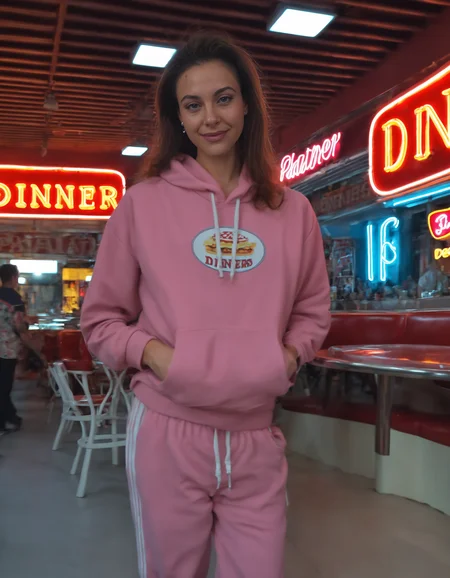
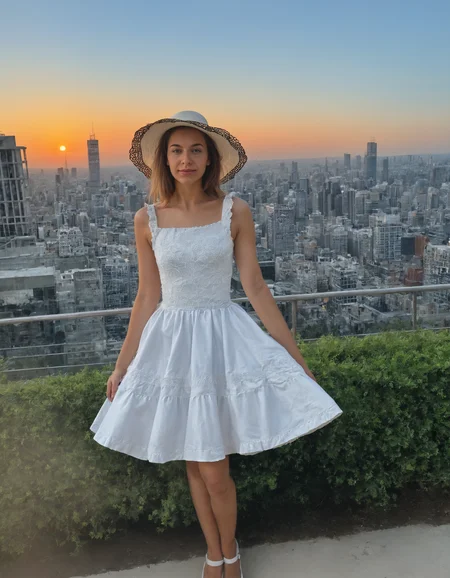
Pro Version of Realism Pony V4-V5-V6 now. Get the Pro version of my models here
Onsite generations are permanently available on these models:
👉 Realism_By_Stable_Yogi V3: https://civarchive.com/models/166609?modelVersionId=992946
Realism by Stable Yogi Pony V6.5
V6.5 is here — and you all helped build it.
Real thank-you to everyone who pushed V6 hard, sent feedback, and posted the broken hands. V6.5's fix list literally came from you. Anatomy, hand grips, expressions, twin-tails, full-body proportions, isolated objects, painterly style separation, hair color consistency — all worked on this round.
Trigger Word
99rbsy99 — add this to every prompt for the V6.5 realism style. Place it at the END of your tag list for soft activation, or earlier for stronger effect.
Compatible with my character LoRAs (which use 99bsy99) — they stack cleanly without conflict. Use both together for a character rendered in V6.5 realism.
All Variants in This Release
Seven variants ship today, covering everything from 4 GB CPU setups to 24 GB workstations.
FP32 (safetensors, around 13 GB)
Maximum precision. Research and production work. Best for 24 GB+ cards.
FP16 (safetensors, around 6.5 GB)
The default. Best quality and speed balance for most users.
BF16 (safetensors, around 6.5 GB)
Same size as FP16, slightly faster on RTX 3000+ with native BF16 support.
FP8 Scaled (safetensors, around 3.2 GB)
Near-FP16 quality at half the VRAM. Native in Forge and ComfyUI. Great for 8 GB cards.
DMD2 Merge (safetensors, around 6.5 GB)
FP16 with DMD2 distillation LoRA pre-merged. 4-step generation. LCM sampler, CFG 1.2. Fastest path for any card.
Q8_0 GGUF (around 3.9 GB)
8-bit quantized. Near-FP16 quality. For 12+ GB cards in GGUF workflows.
Q4_0 GGUF (around 2.7 GB)
4-bit quantized. Smallest file. Makes SDXL actually run on 6–8 GB entry-level cards.
Quick Pick by Your VRAM
24 GB+ (3090, 4090, 5090, A6000) — FP16 or BF16. No reason to compress.
12–16 GB (3060 12GB, 4070, 4080) — FP8 Scaled or Q8_0 GGUF. Near-FP16 quality with headroom for LoRAs.
8–12 GB (3060, 4060 Ti, 2080) — FP8 Scaled or Q8_0 GGUF. Solid quality, comfortable VRAM use.
6–8 GB (3050, 2060, 1660) — Q4_0 GGUF. Smallest file, makes SDXL actually work on entry-level cards.
CPU only or 4 GB cards — Q4_0 GGUF in ComfyUI-GGUF. Slow but functional.
DMD2_Fp16 variant. 4 steps instead of 25–30.
Recommended Settings
For FP32, FP16, BF16, FP8 Scaled, and GGUF variants:
Sampler — DPM++ 2M Karras, Euler a, or Restart
Steps — 25 to 30
CFG — 4 to 7
Resolution — Native SDXL (1024×1024 or aspect-ratio buckets)
For DMD2 specifically:
Sampler — LCM
Steps — 4 (not 25+)
CFG — 1.2 (not 7)
Result — Comparable quality to a 25-step generation in roughly 1/6 the time
Quants Explained — Which File Do I Pick?
If you've ever seen FP16, BF16, FP8, Q4, Q8 and just downloaded the biggest one, this section is for you.
What's a quant
? Same model, smaller file. Weights are compressed so they fit on less VRAM. Some quality loss vs FP16, but smart compression (Q8_0) is so close you won't see a difference in normal use.
Quality Ladder
FP16 ≈ BF16 ≈ Q8_0 > FP8 > Q4_0. Above Q4_0 the differences are basically invisible in normal generation.
About Speed
Smaller quants are NOT always faster. Generation speed is mostly compute-bound on most cards — quants help with VRAM fit, not raw iterations per second. Where they DO help speed: avoiding system-RAM offload, which is what kills speed on small cards when the model doesn't fit.
Three Reasons to Use a Quant
VRAM fit. A 6 GB card cannot load a 6.5 GB FP16 SDXL — your UI will try to offload to system RAM and generation crawls to under 0.1 iterations per second. A Q4_0 fits with room to spare.
Speed via avoiding offload. Once a model fits in VRAM, speed depends on your card's compute, not file size. But the second it doesn't fit, speed drops 10 to 100 times. Quants are insurance against that cliff.
More room for LoRAs, ControlNet, hires fix. Even if FP16 technically fits, loading a couple of LoRAs and a ControlNet on top can push you over. Q8_0 leaves you 2–3 GB of headroom for the rest of your stack.
How to Load GGUF Files
GGUFs need a loader, since most UIs don't natively support them yet.
For ComfyUI — install the ComfyUI-GGUF custom node:
https://github.com/city96/ComfyUI-GGUF
For Forge or Forge Neo — install my Forge SDXL GGUF extension:
https://github.com/brandulateai/sd-forge-sdxl-gguf-brandulateai
After installing, GGUFs load straight from the standard checkpoint dropdown. No external module picker, no extra setup.
All my GGUFs are bundled (UNet + CLIP-L + CLIP-G + VAE in one file) so they load without picking separate components.
Pro Version Available
This is the standard version of V6.5. The Pro version is trained on more data for longer, producing a more polished and refined output. Get the Pro version of my models here
Found Anything Off?
Drop it in the comments or on Discord. V7's fix list starts now.
Want to contribute to checkpoint feedback, signup here Studio.Brandulate
Loving this model? Get the Pro version of my models here for exclusive perks and early access to unique resources.
To discuss custom LoRa's or models, feel free to connect on Discord.
👍 Like this model to keep me motivated and inspired to create more!
💬 Drop a comment and let me know what you'd love to see next.
🌟 Review this model to help me improve and make even better creations.
🔔 Hit that notification bell to stay updated with my latest models and updates!
Important Usage Tips
Add Stable_Yogis_PDXL_Positives at the beginning of your prompt section.
Add Stable_Yogis_PDXL_Negatives-neg at the beginning of your negative prompt section.
Description
REALISM_PONY_V4_VAE_BY_STABLE_YOGI.
Get the Pro version of my models here
Better with Realism, Skin Details, Lighting, dynamic poses, diverse faces. Please test and Share feedback.
Sampler Euler a, DPM2 a, DPM++ SDE, DPM++ SDE Karras, DPM++ 2M SDE-- SGM Uniform,
CFG Minimum 4+ maximum upto 7
Steps Minimum 18 , Recommended Steps 27
Resolutions: All SDXL Resolutions
Adetailer (Required)
High res Fix (Optional)
Denoise - 0.30
Minimum hires steps 5+
Minimum Upscale 1.5
Upscaler 4x-UltraSharp
Keep the VAE at Auto ( VAE Included )
Negative Prompts
(Download this negative embedding for best results) Stable_Yogis_PDXL_Negatives
Positive Prompts
(Download this positive embedding for best results) Stable_Yogis_PDXL_Positives
FAQ
Comments (32)
Sweet baby Jesus! The inpainting power on this thing is insane. Definitely an advance from V3
Really appreciate your feedback.
How do you do inpainting with non-inpaint checkpoints? It always fails for me
@GraphX I use auto1111 and use these basic settings every time: Only masked; Only masked padding pixels 12; sampling steps 45-49; Batch count 3-5; Denoising strength 3.2-3.7. Those settings always work for me. I hope it helps.
This checkpoint can handle in-paint.
@_Soda_ my denoising strength slider cant go to 3 it stops at 1 for me
with the latesy pony version, I often get bad nipples when i2i, no idea why
@Stable_Yogi And here I was using the old inpaint versions like a chump
The images this model creates are outstanding, but i cant help to notice that any time i want the head to be facing a diferent direction is kinda dificult to have it that way, it always has this slight tilt to some side, have any of you notice this before and is there any way to solve this?
I use v1,v2, v3 regularly, they are good for different things.
The biggest improvement with v4 is skin texture, there's definitely a lot more realism with v4!
Thanks for the feedback !
Any possibility of a version of this realism model for the NoobAI base model? 🙏
Sorry, Nothing planned for NoobAi yet.
i liked your v4_Fp16, why can't we use it in the generator anymore?
Which version ?
Currently V3 is setup for Image generations.
The v4_Fp16 version, before the v3 was the only one version to generate images in civitai.
@mrfeet will make it available in next weeks bidding.
@Stable_Yogi Thank you!
If there’s another model you’d like to generate images with, just place a bid here and I’ll make it available for onsite generation:
https://civitai.com/auctions/featured-checkpoints
@Stable_Yogi the v4_Fp16 version is perfect, ty
If there’s another model/version you’d like to generate images with, just place a bid here and I’ll make it available for onsite generation:
https://civitai.com/auctions/featured-checkpoints
What is dmd2 and fp16? what is the difference?
I think fp16 is floating pointer accuracy, where dmd2 is double floating pointer accuracy... even though I have a hart time noticing any differences...
dmd2 is a Lora, merged for faster image generation. Like 4 steps.
Its a Lightening Version.
It produces tremendous high contrast NSFW images (using Fooocus). However, it doesn't seem to like Outpainting (even on images it has created itself).
The additions it outpaints are all pixelly and grainy.
Is there a Fooocus setting in debug I need to change to stop this happening.
I am not sure about the settings. I don't use focus much. This works perfect with A1111 and Comfy. Every UI has its own perks and issues.
do you mean standard or DMD2 version ?
@mariedoll123 The filename is realismByStableYogi_v5XLFP16
@JohnnyWu22 try changing the sampler to Eular ancestral / normal , can give a softer result
Beyond awesome
Absolutely love this lora
Thanks for the feedback.
Details
Files
realismByStableYogi_v40FP16.safetensors
Mirrors
oppathebear_v10.safetensors
realismByStableYogi_v40FP16.safetensors
realismByStableYogi_v40FP16.safetensors
realismByStableYogi_v40FP16.safetensors
realismByStableYogi_v40FP16.safetensors
realismByStableYogi_v40FP16.safetensors
realismByStableYogi_v40FP16.safetensors
realismByStableYogi_v40FP16.safetensors
realismByStableYogi_v40FP16.safetensors
realismByStableYogi_v40FP16.safetensors
realismByStableYogi_v40FP16.safetensors
realismByStableYogi_v40FP16.safetensors
realismByStableYogi_v40FP16.safetensors
realismByStableYogi_v40FP16.safetensors
realismByStableYogi_v40FP16.safetensors
realismByStableYogi_v40FP16.safetensors
Available On (1 platform)
Same model published on other platforms. May have additional downloads or version variants.