
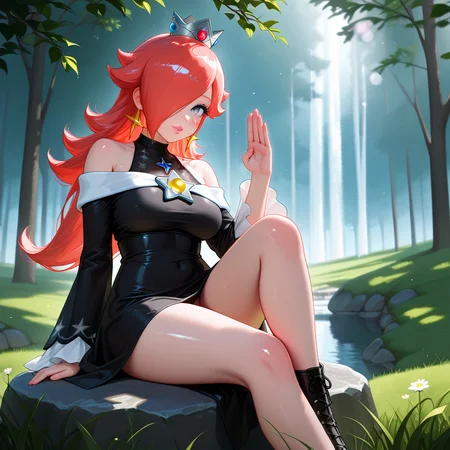
Checkpoint // MIDNIGHT Illustrious
PROMPT FORMAT:
(not required)
realistic, photorealistic, very aesthetic, best quality, absurdres, masterpiece, best quality, amazing quality, newest, scenery, depth of field, high-resolution, high definition, visually intense anaglyphic experience, hallucinations, editorial photography, journalistic style, candid,

// YO PROMPT HERE //

realistic, photorealistic, very aesthetic, best quality, absurdres, masterpiece, best quality, amazing quality, newest, scenery, depth of field
NEG:
(not required)
bad hands, extra digits, (multiple views:1.1), (bad:1.05), fewer, extra, missing, worst quality, jpeg artifacts, bad quality, watermark, unfinished, displeasing, sepia, sketch, flat color, signature, artistic error, username, scan, (blurry, lowres, worst quality, (low quality:1.1), ugly, (bad anatomy:1.05), artist name, (patreon username:1.2)Sampling method
Euler A (Euler ancestral)
DPM++ 2M Karras
DPM++ 2M SDE Karras
DPM++ 3M SDE Exponential
Sampling Steps
25-45CFG Scale: 7
Clip Skip 1Availability on Hugging Face
This model is also available on Hugging Face for ease of access and verification of its original source. You can find it here:
🔗 Hugging Face - MidnightRunner/MDNT_Illus
2025 © Midnight1111 - CC BY-NC 4.0
Description
V5 Merged Checkpoints
FAQ
Comments (13)
am i doing something wrong? when i try to generate, the image is grey and has some artifacts. no matter what i try i cant seem to get it to work properly.
I gave you a fish rod. You have to figure out how to catch the fish. It sounds like a VAE or negative prompt may be needed to achieve your goals. You didn't provide the prompt or any clues here.
Same thing happens for me with this model. The images are very washed out. I tried changing the VAE, clip skip, etc. and nothing seemed to fix it.
same thing. no matter what adjustments made
@ebony3d , @ajajajajaj22 , @bscientist , try downloading this VAE and putting it in the following path. Sorry if you've already tried this.
Note: if you're using something other than Forge the folder path may differ.
...\forge\stable-diffusion-webui-forge\models\VAE
https://huggingface.co/stabilityai/sdxl-vae/blob/main/sdxl_vae.safetensors
@StereoAM Thank you for sharing. For ComfyUI, the files should be in a similar root folder: "models\vae." I usually use xlVAEC_g9
Same issue, can't get it to work even with the sdxl vae
@ebony3d , @ajajajajaj22 , @bscientist , @physis maybe considering try SDXL-VAE-FP16-Fix because the models were primarily trained using FP16 (half-precision).
@midnight1111 haha, fish rod is broken
@210881175 Not my rod—still reeling ‘em in like a champ. It's their problem.
Solved it in comfyui for me. Don't use the vae value from the model, load it separately from another vae model (sdx_vae) and use a load vae node, it added the color back, you might have a merge vae node somewhere that still makes it grayish. https://huggingface.co/stabilityai/sdxl-vae/blob/main/sdxl_vae.safetensors works great do add the color.
@Healing_Through_Laughter It is no baked VAE model. So, yes, you will need to use any VAE for it.
@bscientist @ebony3d @StereoAM @physis @210881175 @ajajajajaj22 For those who don’t use a VAE models, here’s the newly released MDNT_Illus_BakedVAE V18, which comes with a baked-in VAE so you won’t have to worry about any VAE-related issues.
Details
Available On (1 platform)
Same model published on other platforms. May have additional downloads or version variants.