


Ultimate Wardrobe Pro – The Best Outfit Customizer
Introduction
Ultimate Wardrobe Pro by EKKIVOK is the ultimate tool for seamless, professional-grade clothing transformations. This workflow is designed to provide hyper-realistic outfit swaps and customizations with unparalleled precision, making it perfect for digital artists, fashion designers, and creators who need professional results.
What It Does
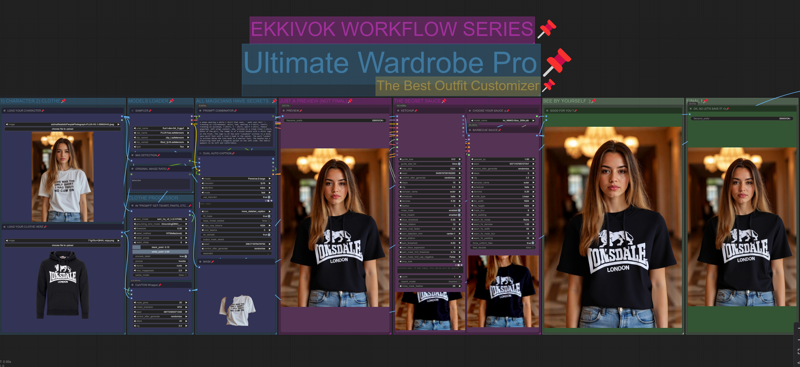
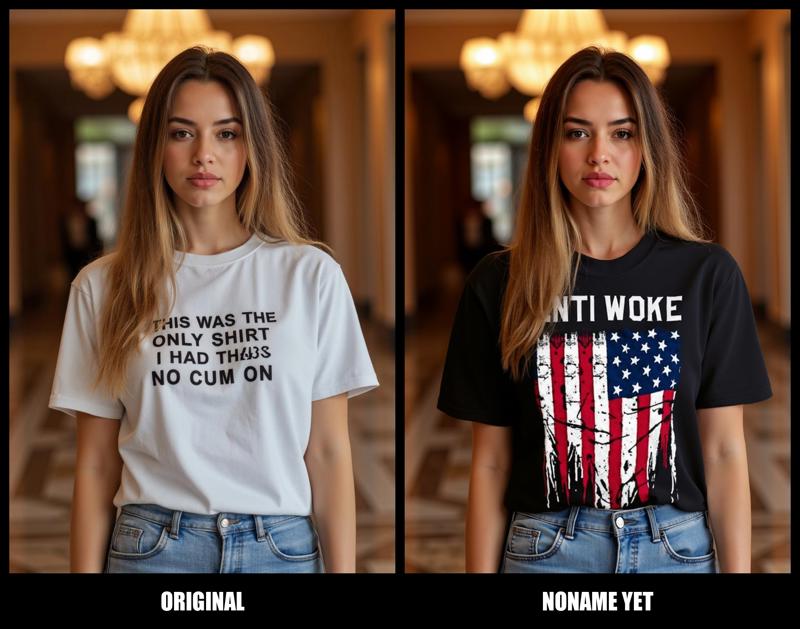
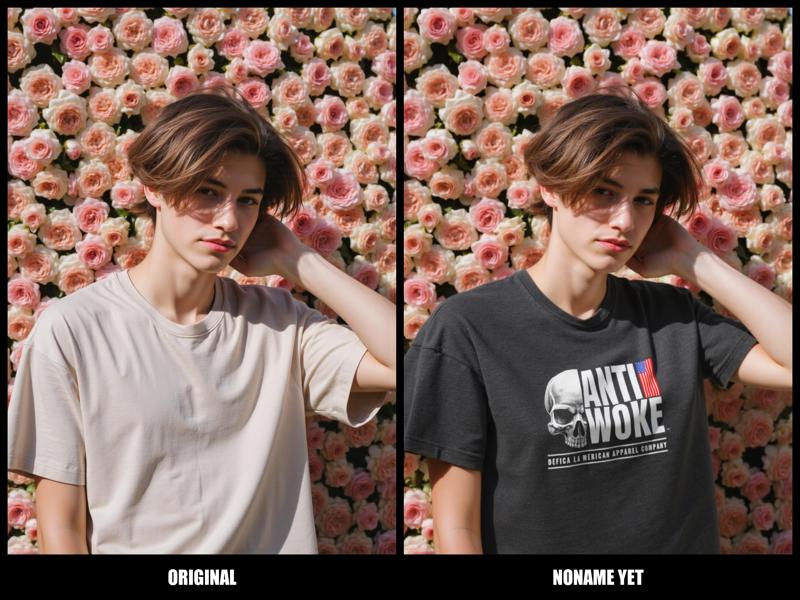
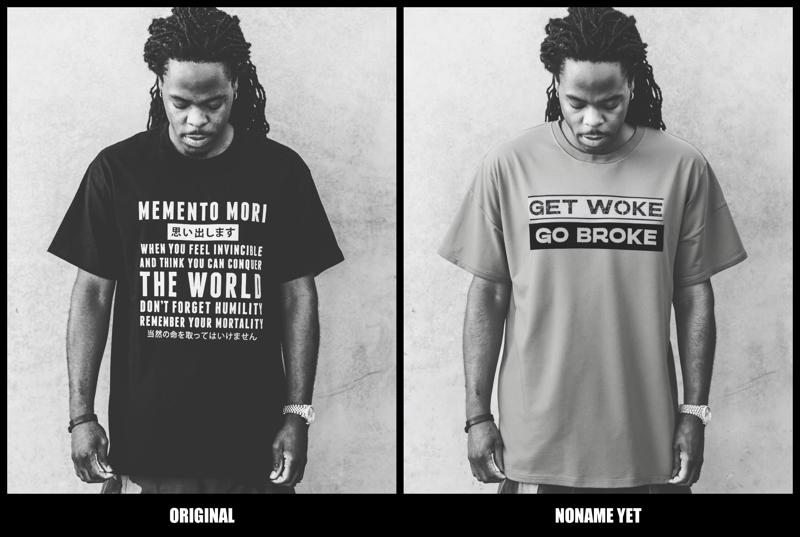
Ultimate Wardrobe Pro takes any character image and allows you to transform their clothing with ease. Using advanced segmentation, masking, and detail-enhancing nodes, this workflow preserves the integrity of the original image while adding new, stylish outfits. The process is smooth and realistic, with tools like SegmentAnythingUltra V2 and CatVTONWrapper ensuring that clothing textures, lighting, and fit look natural and well-integrated.
How It Works
Ultimate Wardrobe Pro relies on a powerful combination of nodes:
LoadImage Nodes: Upload both the character and the desired clothing image to begin.
UltralyticsDetectorProvider: Detects and segments specific clothing areas, allowing for precise customization.
LayerMask: SegmentAnythingUltra V2: Masks the clothing area with accuracy, preserving other elements in the image.
CatVTONWrapper: Warps the new clothing to fit the character perfectly, accounting for body proportions and poses.
UltimateSDUpscale and Detail Enhancement: Ensures high-resolution output, using 4x_NMKD-Siax_200k.pth to upscale and add texture depth.
Purpose
Ultimate Wardrobe Pro is crafted for professionals and creatives who want realistic, high-quality clothing transformations on existing images. It enables endless creativity and practicality, from virtual fashion fittings to enhancing characters in digital art.
Why It’s the Best
This workflow stands out as the best outfit customizer due to its exceptional attention to detail, blending seamlessly with the original image and retaining natural textures and lighting. Ultimate Wardrobe Pro offers a high level of adaptability, producing results that are lifelike and well-suited for professional applications.
Thanks to My Supporters
Thank you to everyone following and supporting my work! Your encouragement drives me to create high-quality tools like Ultimate Wardrobe Pro. Follow me on Instagram for updates and exclusive content: @ekkiv0k.
Disclaimer
Please respect the hard work that goes into developing workflows like Ultimate Wardrobe Pro. Unauthorized use or distribution is prohibited.
Description
FAQ
Comments (20)
Looks very good, but can't seem to get the dual auto caption to load. Which one did you use?
FLorence 2 with Florence2Run :) install comfyui manager to get the missing nodes :)
I use manager; it must be a conflict on my end. The install missing modules don't report any missing modules, and I get "workflowDUAL AUTO CAPTION" missing. I will debug more. Thanks for the prompt reply and support.
@veets639 No problem i'm here to help :)
@veets639 wuick tip for you, in Dual Auto Caption -> right Click -> Properties panel, and you will get the original node information -> Node name for S&R -> Name of the original Node :)
@EKKIVOK got it worked out, it was actually a cache issue in the UI :( - another great workflow
@veets639 thanks a lot mate :) glad you like it, drop a advice on my workflows <3 it help a lot !
For your cache problem you can wip that on comfyui it wip memory of your RAM & GPU / CPU :)
UltralyticsDetectorProvider 209:
- Value not in list: model_name: 'segm/Clothes.pt' not in (list of length 27),help me?thanks
You will find all the models here, the one you searching is "Deep Fashion" :)
@EKKIVOK thanks
Those who have the process interrupted after the DUAL AUTO CAPTION node and the process does not start in the KETCHUP node need to download the file deepfashion2_yolov8s-seg.pt from the address https://huggingface.co/Bingsu/adetailer/tree/main and put it in the path ComfyUI_portable12.4-cp3.12.7\ComfyUI\models\ultralytics\segm renaming it to Clothes.pt
For those who see the error torch.OutOfMemoryError: Allocation on device when the process reaches the CatVTON Wrapper node, you need to change mixed_precision to fp16 in this node
If someone does not load the DUAL AUTO CAPTION node, try deleting the folders ComfyUI-Florence2, SeargeSDXL, ComfyUI-Easy-Use along the path ComfyUI_portable12.4\ComfyUI\custom_nodes and reinstalling these nodes
Those who have the process interrupted after the DUAL AUTO CAPTION node and the process does not start in the KETCHUP node need to download the file deepfashion2_yolov8s-seg.pt from the address https://huggingface.co/Bingsu/adetailer/tree/main and put it in the path ComfyUI_portable12.4-cp3.12.7\ComfyUI\models\ultralytics\segm renaming it to Clothes.pt
Hi, can i have support on this?
We couldn't connect to 'https://huggingface.co' to load this model, couldn't find it in the cached files and it looks like D:\comfyUI\new_ComfyUI_windows_portable_nvidia_cu121_or_cpu\ComfyUI_windows_portable\ComfyUI\models\CatVTON\stable-diffusion-inpainting is not the path to a directory containing a scheduler_config.json file. Checkout your internet connection or see how to run the library in offline mode at 'https://huggingface.co/docs/diffusers/installation#offline-mode'.
hi please do ""Git lfs install" (on (models directory).
And in models directory !
"git clone https://huggingface.co/stabilityai/stable-diffusion-2-inpainting/tree/main"
Happy new year !
hi, dual auto caption and image size to string are missing and not downloadable!
please replace those node with any other VLM like florence or lama 3.1 vision^^
Finally, I start and like many I have the same problem with DUAL AUTO CAPTION and Image size to string.
When I restart everything I have the message that it is missing but it does not appear in manager.
I wanted to uninstall some nodes and do it again except that I have this message:
Installation Error:
BizyAir uninstall failed: 500 Internal Server Error
Server got itself in trouble.
Need help please ;-)
replace that dual auto caption by florence node :) florence model loader and use florence traditional node to replace byt the dual auto caption (dual mean) 2 loader connected to each image node :)