


FACELAB PRO by EKKIVOK is the ultimate tool for high-quality, seamless face swapping. This workflow stands out for its precise detailing, advanced upscale capabilities, and the ability to maintain original image elements, making it ideal for anyone needing hyper-realistic results in face-swapping projects.
What It Does
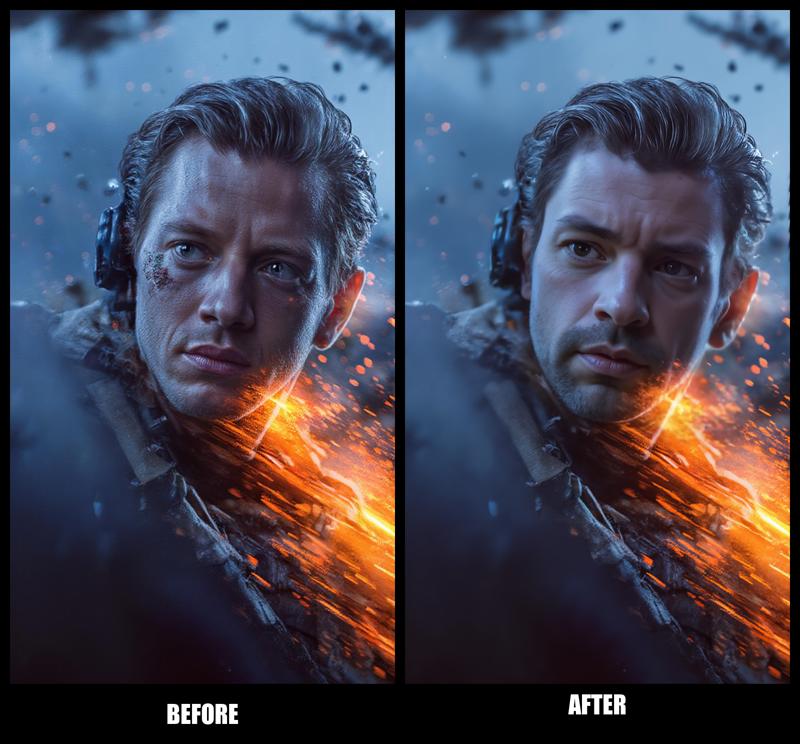
FACELAB PRO is designed to extract and transfer facial details from one image to another, enhancing each pixel for maximum accuracy while preserving background and non-facial details. Using advanced detection and face segmentation models, it identifies facial features and flawlessly overlays them onto the target image. It also includes a powerful upscaler to refine the final output, ensuring all textures are sharp and lifelike.
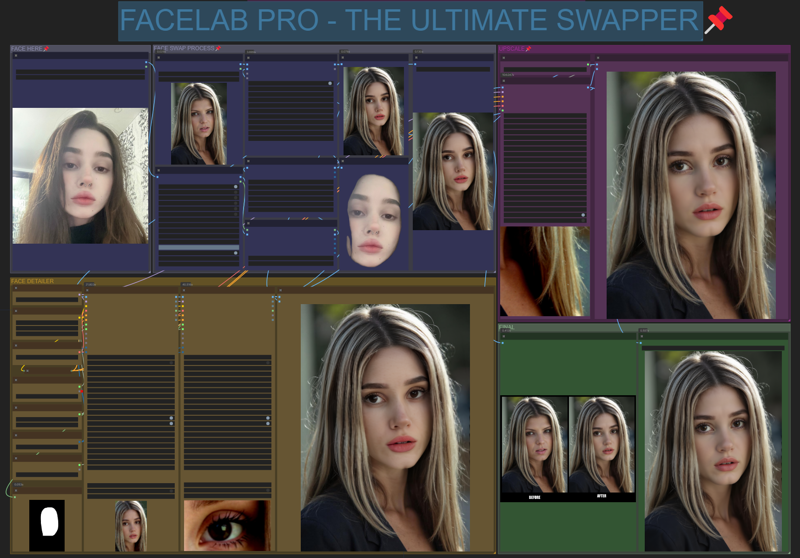
EXPECTED RESULT :
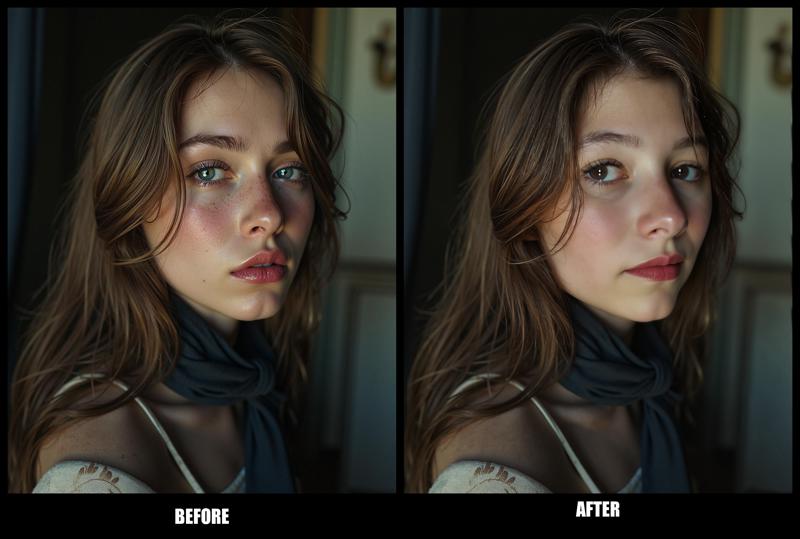
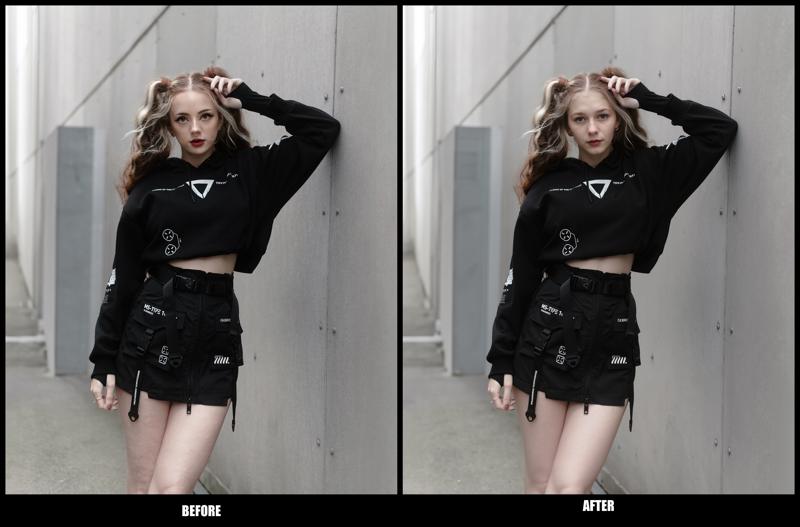
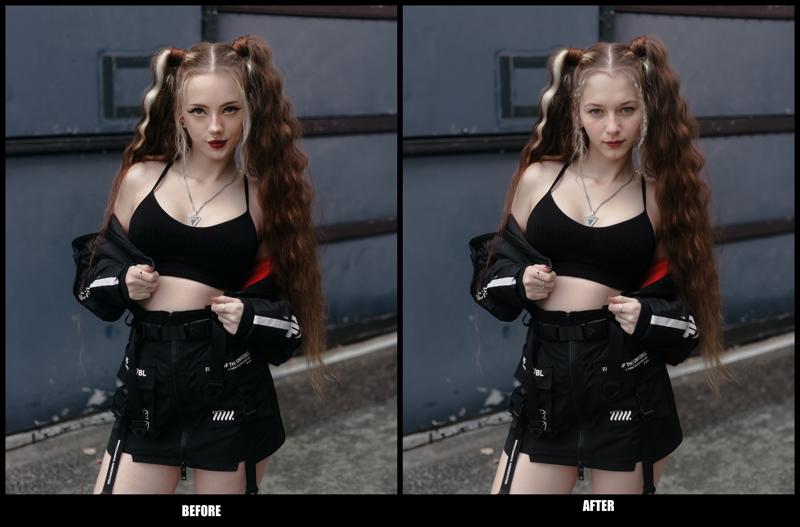
How It Works
The workflow leverages a series of specialized nodes:
Face Detection and Masking: Identifies and isolates facial features using Ultralytics and SAM models.
Image Resizing and Upscaling: Enhances resolution with 4x_NMKD-Siax_200k.pth for high-quality final images.
Face Swapping Process: The ReActorFaceSwap node performs the main face-swapping function, with seamless blending between source and target images.
Detailing and Comparison: Fine-tunes the face with dedicated detailer nodes, ensuring that skin texture and other subtleties are preserved.
Purpose
FACELAB PRO is crafted for artists, designers, and creators who demand precision in face-swapping. Whether for professional projects, portfolio pieces, or creative experiments, this workflow provides unmatched detail and realism.
Why It's the Best
FACELAB PRO enhances image details without altering the original background or other elements. Its use of advanced face detection and upscaling models ensures that even the finest textures are refined, making it the ideal choice for anyone seeking lifelike, high-resolution face swaps.
Thanks to My Supporters
Thank you to everyone following and supporting my work! Your encouragement fuels my drive to create workflows like FACELAB PRO. Follow me on Instagram for updates and exclusive content: @ekkiv0k.
Disclaimer
Please respect the effort behind FACELAB PRO. Unauthorized use or sharing of this work without permission is prohibited.
Description
Final Version.
FAQ
Comments (23)
How to convert nodes to english?
Right click --> Fix Node
You'll need to resize, re-color, and re-pin the nodes that you fix... but that's optional. It shouldn't take too long to restore everything back to English.
Jusdt right click and RELOAD node. Goes back to english. I just had the same problem.
Fails to load yolov9:.
2024-11-30T09:24:20.477689 - WARNING ⚠️ Z:\ComfyUI\models\ultralytics\segm\yolov9c.pt appears to require 'models.yolo', which is not in Ultralytics requirements. AutoInstall will run now for 'models.yolo' but this feature will be removed in the future. Recommend fixes are to train a new model using the latest 'ultralytics' package or to run a command with an official Ultralytics model, i.e. 'yolo predict model=yolov8n.pt'Unfortunately, there are just so many errors with this workflow, its unusable. Looks fun though.
@singularity42 for you unfortunately, but not for all tested it :/ the "errors" you mentioned its a " missing model" ... and the link are in the workflow....
@EKKIVOK I see no links to any models in the work flow. Just call out for using yolo9c
Was finally able to find the right model. https://huggingface.co/Bingsu/adetailer/blob/main/face_yolov9c.pt The other models out there were compiled and trained with models.yolo, so that is what it was looking for.
Hello friend, YOur workflows look very promising, but there is 1 node causing difficulties: "IMAGE SIZE TO STRING" on some workflows you have renamed it to: "Image detection". Any idea where can I locate it? Thanks for your hard work.
+++
Same here..Has anyone solved this?
Still no solution. I gave up, downloaded Pinokio and I'm using Face Fusion3 which is great and open source.
install this from node manager: Hakkun-ComfyUI-nodes
@sl1d123123301 Hi: I got this: [Installation Errors] 'Hakkun-ComfyUI-nodes': With the current security level configuration, only custom nodes from the "default channel" can be installed.
@jonvaruk797 i did change my security level to "weak", you can google how to change it if you want.
@sl1d123123301 Thanks, it worked
Not working because comfyui-reactor-node is missing. But when i go to https://github.com/Gourieff/comfyui-reactor-node then i can see:
This repository has been disabled.
Access to this repository has been disabled by GitHub Staff due to a violation of GitHub's terms of service. If you are the owner of the repository, you may reach out to GitHub Support for more information.
Doesn't work - got the workflow to run without errors and downloaded all the models and basically touched no settings - no face swap at all.
what is the best base model to use in this workflow in Oct 25?
Any good SDXL model. There are tons of them on here...
choose SDXL workflow - need FLUX lol