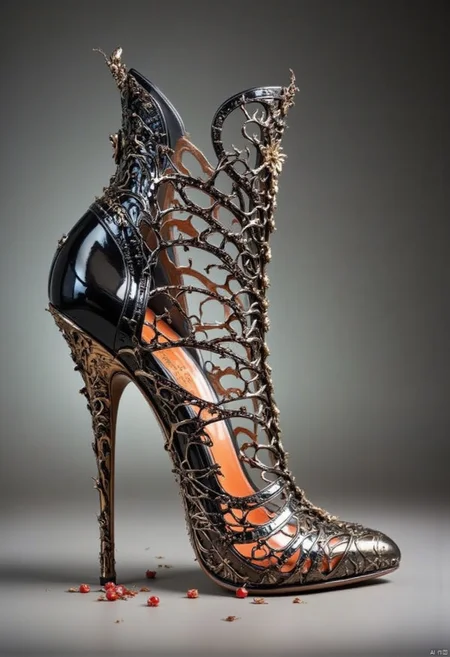

Introduction: High heels design
I've put more pictures in the return area.
I hope you have fun, and I hope you will explore more scenarios.
I hope you will return more pictures! Online reply may not be timely you can add my group for feedback: 828013617
Business cooperation can contact V: sc1256206460-30
If you want to sponsor me: https://www.patreon.com/intelligentgenerator或.
My personal website: https: //szqs.site/
Featured word: Heel design
---------- ---------- ---------- --------
Model Use Statement:
1. Please do not host this model and its derivative versions (e.g. fusion model versions) on websites or applications that are intended for profit or fundraising. If you want to use this model and its derivative versions for commercial purposes (e.g. generative services, image sales, posting articles on short video platforms or using images in publications, etc.), please contact the original authors for authorization.
2. Do not directly sell the images generated by this model without sufficient manual modification to make it an independent work.
3. Do not use the model to intentionally create or distribute illegal or harmful content. Please ensure that the model is used for positive and active purposes and in accordance with legal and ethical guidelines. 4.
4. The model and the generated images are intended for personal entertainment, scientific research and hobby exchange only, and commercial use is prohibited.
The user is solely responsible for any legal consequences and the original author is not liable.
This statement applies to all versions, and please credit the original author when using the fusion model. Thank you for your respect and understanding of the modeler.
Description
FAQ
Comments (8)
Sadly, getting blurry or pixelated results :( Do you have any further guidance to get sharp and not pixelated generations?
Thank you.
I uploaded a few that were a bit better... I had to use a very low strength... around .15%
Will keep testing.
You try trying to fix it by trying to increase the pixels of the image or using the zoom algorithm, as I usually have slightly larger pixels when I test it.
@Toki_no_Chanshi I am using ComfyUI.
So, I am not sure of your exact settings... I assume you mean you use A1111 or Forge? I am generating at 896x1152 and tried other resolutions. What do you suggest I set it to?
I have to go down to .20, .30 strength to get somewhat decent results.
Thanks for your help.
I'm using ComfyUI as well, and my dimensions should be around 1024*1520.
@Toki_no_Chanshi Thank you... let me play some more.
OK tried that too. The images come out very very noisy at 1.0 strength.
Thanks for the help. If you have an actual example workflow with a good result, sharp and not noisy, I'd appreciate it. Until then, I will wait for version 2 ;)
Cheers and thank you.
@gonzalu In fact I'm usually 0.8 strength, I'll test it later and see
Details
Files
Available On (1 platform)
Same model published on other platforms. May have additional downloads or version variants.