













Hello there and thanks for checking out this workflow!
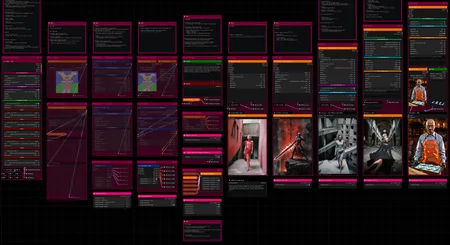
What's new in v11? : Major Changes; rework of the entire workflow to utilize SubGraphs!
—Purpose—
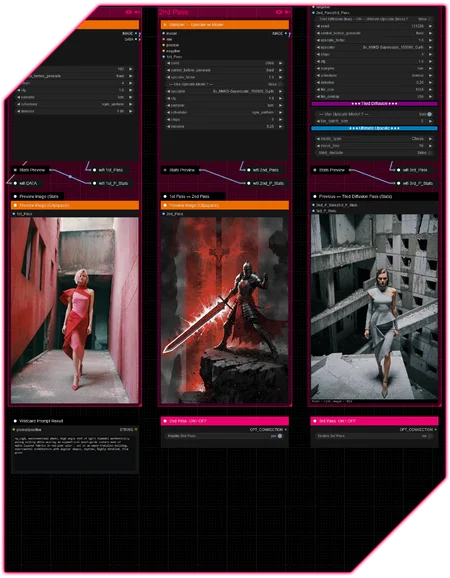
Built to provide a versatile and modular all-in-one workflow for SDXL/Pony/llustrious and SD15 streamlining the most useful features focused on efficiency and structure.
—Features—
Full metadata; recognized by CivitAI
LoRA loaders
Wildcard prompting
ControlNet
IPAdapter + FaceID
Installation and download guide for models and nodes
Multiple passes with optional upscales
— 1st : Detail Daemon Sampling + Variation Seed
— 2nd : Detail Daemon + PAG + Tiled Diffusion or UltimateSDUpscale
— ADetailer
— Inpainting
—Custom Nodes—
All of which can be installed through the ComfyUI-Manager
—Troubleshooting—
If nodes show up red (failing to load), check the 'Install Missing Custom Nodes' tab of the ComfyUI Manager for the missing node packs and install them.
Please check if all custom node packs load properly after installing, i.e. no
(IMPORT FAILED)messages next to any of them in the console upon ComfyUI startup.Always reload/drag'n'drop the original, downloaded workflow file into ComfyUI to reload an intact version of the workflow.
→ The last opened workflow that appears on startup only shows a cached version.
—Thanks—
The workflow would not be possible as is without these custom node packs. If you want to support the custom node creators, give them a ⭐ on their github repos! Thank you!
Feel free to ask any questions, share improvements or suggestions in the comment section!
Also let me know if you encounter any confusing points I can elaborate on and focus on improving for the next update!
Description
v2
— merged Tiled Diffusion and Ultimate Upscale
— split conditioning to make wildcard processing optional
— lots of smaller qol changes
v2.1
— hotfix for updated ComfyUI-Image-Saver
FAQ
Comments (2)
I have all the required nodes, but am getting the error:
Warning: Missing Node Types
When loading the graph, the following node types were not found:
workflowSave — Pass II
workflowStats Preview II
workflowThumbnail Label Settings III
workflowLoad Images — Directory
workflowConditioning — Default
workflowIPAdapter FaceID — AIO
workflowIPAdapter ClipVision Enhancer — AIO II
workflowLoRA Signal III
workflowLoader — AIO V
workflowInpainting — AIO
workflowADetailer — AIO
workflowSampler — Tiled Diffusion —OR— Ultimate Upscale III
workflowSampler — Meta
workflowSampler — Upscale w/ Model
workflowConditioning — Wildcard
workflowLoader — AIO VII
workflowControlNet Control
workflowIPAdapter Control
Hey there, it looks like only the group nodes are affected.
1. Is your ComfyUI on the newest update?
2. Do all node packs load correctly when you start up ComfyUI? No (IMPORT FAILED) messages next to any custom node pack.
→ This node pack especially is instrumental and easy to miss when only installing the missing custom node packs, due to the channel inconvenience.
► In case of "execution-inversion-demo-comfyui" you need to set the "Channel" setting to "Channel: dev". (Found in the top left of the ComfyUI Manager Menu)
→ Do not forget to turn the channel setting back to default again afterwards
3. Did you drag the original workflow file into Comfy after updating and got the error?
4. Can you provide a screenshot of the error and the Comfy log?
→ You can just https://wormhole.app/ it