


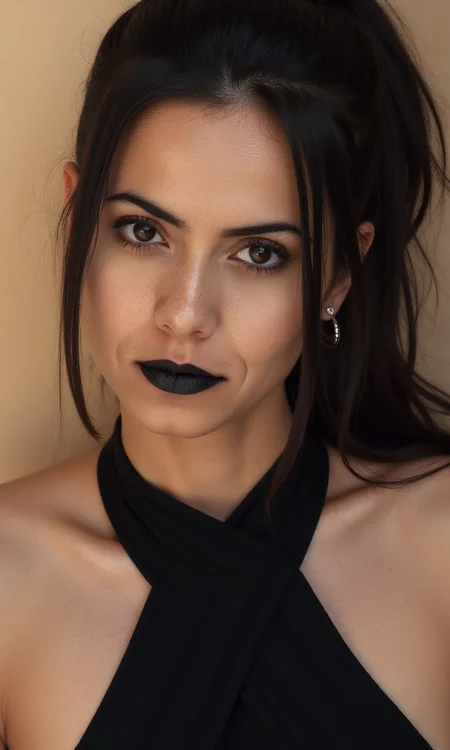
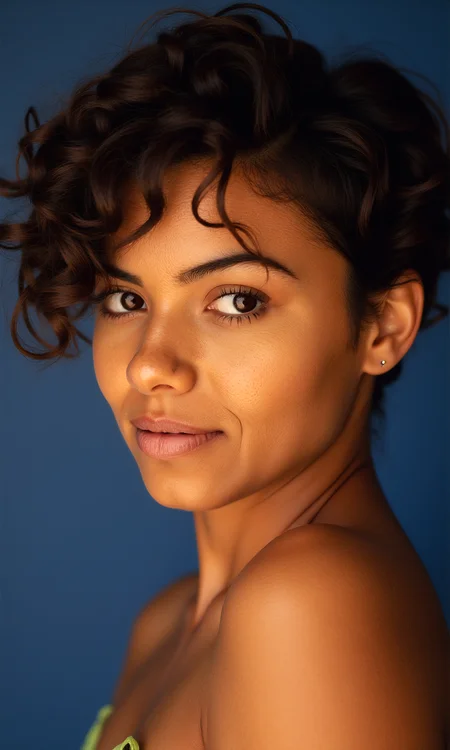
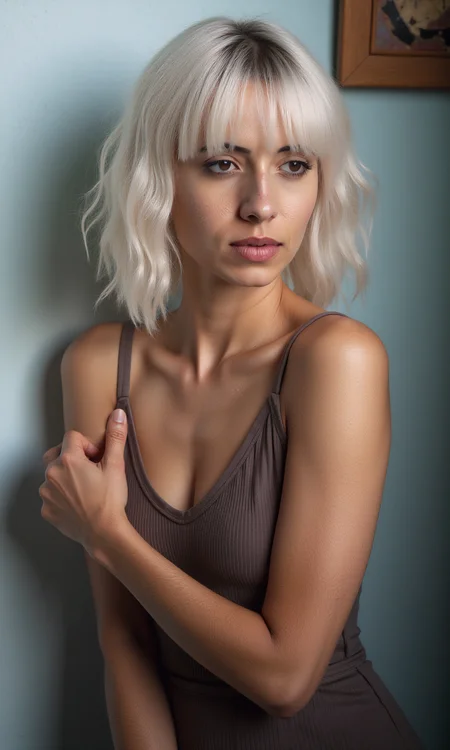
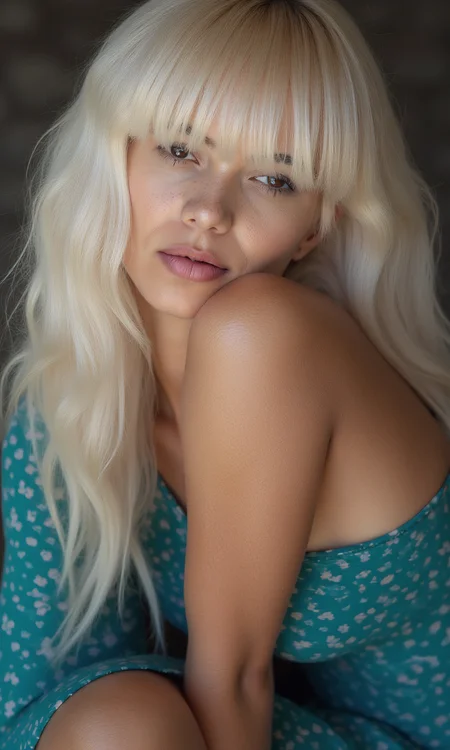
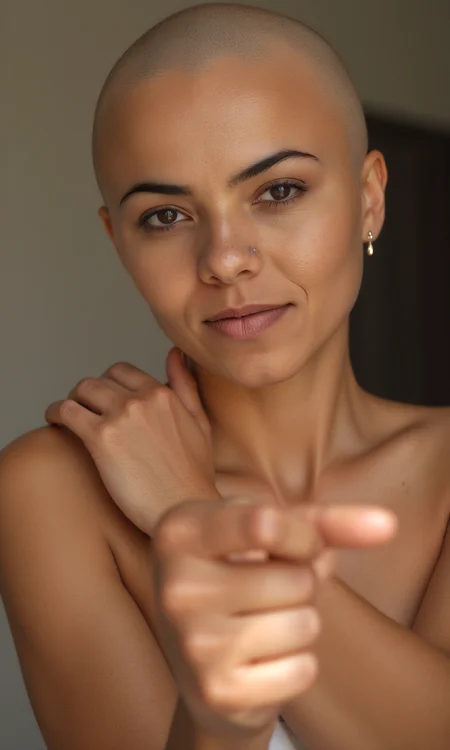

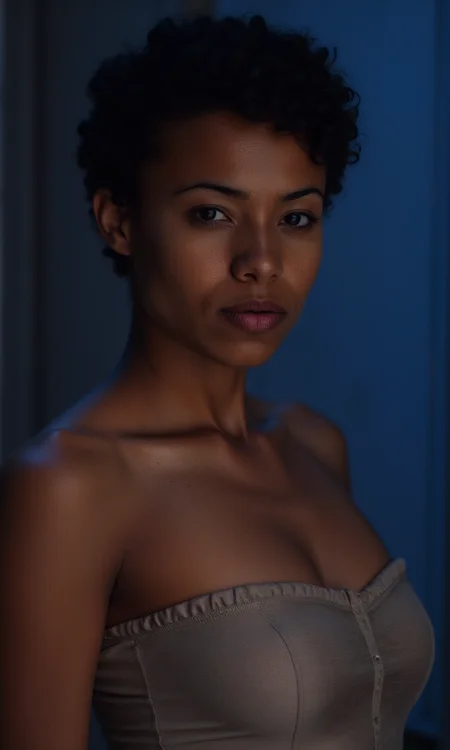
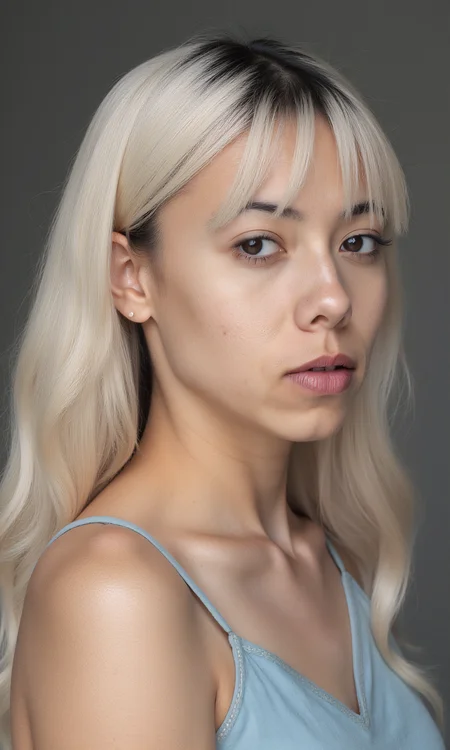

Realistic skin textures, using prompts like dark brown skin or medium pale skin etc...
Description
Better textures and realism. Enhanced Training
FAQ
Comments (22)
it works ... okay !
for webui users a weight of 0.5 is still a lot
Yeai i will upload a Workflow with the best settings for ComfyUI
I get errors the whole time...
Make sure you are on Default in the Weight_dtype
Does it work on non-human skin tones
No it was trained specifically for human skin tones
Depends what you mean by non-human. I've used it on the She-Hulk lora and it works very well, but it doesn't work on Asari from Mass Effect..
Great lora...can we expect a new version? This version is only trained on 1500 steps. I think a bit undertrained
yeah working on a new version with specific layer training and high quality skin textures that i am photographing myself
Definitely adds some better texture, but every person now has the same face. It has a very strong influence on that.
It was trained on skin textures only. no faces so might be the model you are using?
@DreamScapesUnleashed but looking at your sample images they all have the same exact face
@Veesyr Yeah that was the model i used and the same prompt with different color skins, i was only demoing the texture.
how can I train this model with my own face to have my own lora?
You would have to use the lora in all the images of yourself and then train with those images
@DreamScapesUnleashed Thanks, how can I select this lora to train with my own images? when I go to train lora section, only base flux is available to choose
@devhe4d898 What do you use to train your loras?
@DreamScapesUnleashed ComfyUI or CivitAI
It has great potential but my vram explode when using it and also it creates horizontal line artefacts when upscaling... :/ I'll wait for an update in case it's fixing it!
First time i have any comment about lines, and i use it every day and have no problem. Try lowering the strength between 0.70 to 0.85
@DreamScapesUnleashed I've actually discovered that it's an artefact from Flux model and not directly from this Lora, so don't mind me! Thank you for answering though I appreciate it!
There are workarounds for those lines... it started from the first flux model and it's caused by certain loras (not all). You need to uses at least below 2048 for upscale and if you're upscaling further you need to tile your upscale so the tiles are below 2048 resolution. With that, you will never see them.
Details
Files
fluxRealSkin-V2.safetensors
Mirrors
fluxRealSkin-V2.safetensors
fluxRealSkin-V2.safetensors
fluxRealSkin-V2.safetensors
fluxRealSkin-V2.safetensors
fluxRealSkin-V2.safetensors
114-fluxRealSkin.safetensors
fluxRealSkin-V2.safetensors
FluxRealSkin V2 Texture.safetensors
fluxRealSkin-V2.safetensors
fluxRealSkin-V2.safetensors
fluxRealSkin-V2.safetensors
fluxRealSkin-V2.safetensors
fluxRealSkin-V2.safetensors
fluxRealSkin-V2.safetensors
Flux_Real_Skin.safetensors
fluxRealSkin-V2.safetensors
fluxRealSkin-V2.safetensors
flux_skin_texture_v2.safetensors
flux-skin-texture.safetensors
fluxRealSkin-V2.safetensors
Real_Skin_FLUX_V20_[DreamScapesUnleashed].safetensors
Available On (3 platforms)
Same model published on other platforms. May have additional downloads or version variants.