
ABOUT
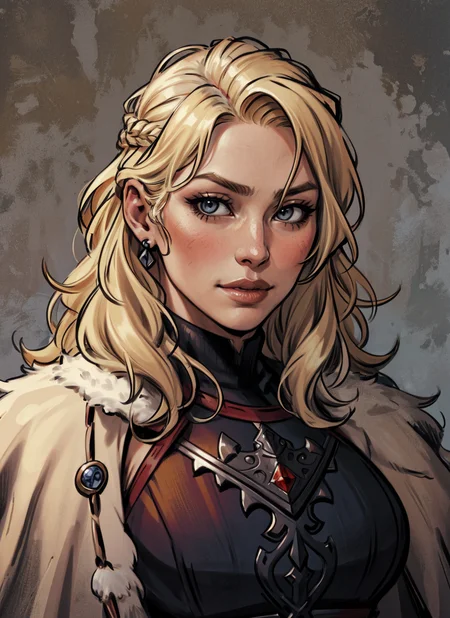
This is an attempt to create a more "western" character look, as I've grown a little tired of seeing the same anime faces. Still very much a NSFW-prone female focused model.
Does not require complex prompting - your mileage may vary prompting like you would for a more traditional anime model. Try building prompts from the ground up on this one. I've found its fairly compatible with most (non-style) LoRAs.
V3 is a mostly an aesthetic refinement - bringing the 'style' of the model closer to my preferences - along with some minor coherency improvements.
Hope you enjoy the model, and I would love to see what you are able to create with it!
USAGE TIPS
All images generated using HiRes Fix with a denoising strength of 0.35, a scale factor of 2, and 4x UltraSharp as the upscaler.
A CLIP skip of 2 was used for all V3 and V2 gens
Would STRONGLY recommend EasyNegative and (worst quality:1.4), (low quality:1.4) in the negative prompt.
USE A VAE!!!!
Seriously - if your generations are coming out with muted colors and purple splotches, you need a VAE
************************
Additionally, as V3 was trained on custom data with V2 as a base I will be changing the designation of the model to 'trained' instead of 'merge.' The name will stay the same, however.
Description
FAQ
Comments (20)
When you say "somewhat unstable", do you mean it is prone to deformed anatomy or what are you referring to? If you don't mind my asking.
Good question! Essentially what I mean in this case is that the "style" of the model isn't always consistent across various prompts. Additionally, men tend to come out 'weird' in this model. This is not always the case, but definitely more so than for women. Anatomy deformation seems to be within the standard range of most SD models. Hope this explanation makes sense!
@SpicyTree Thanks. I'll try it out next time I can sit down with SD for a couple hours. Men looking weird don't bother me since I mostly generate women anyway (I'm simple minded like that, if I gotta wait for a computer to spit out images for me, it might as well be something I actually enjoy looking at).
@SpicyTree I have a model where I'm trying to accomplish similar things (i.e. an specific art style with the ability to create consistent portraits with simple prompts). For the most part, it does good - like yours seems to. (I haven't tried yours yet, but I'm going to grab it later today and kick the tires a bit).
No matter what I do - there is some variance happening. I think it's less our fault and more just the fault of the source images in the main training of concepts. For example, "Farrah Fawcett" always comes out a bit darker and blurrier than most. I've come to the conclusion that it's simply because the photos sourced for the way she looked in her prime are likely to be faded photos then scanned and digitized - while a more modern person would have crisp and clear digital photos taken in the first place.
In my last version, I tried merging in the "detail tweaker" at around .4 weight (which now seems like it might be a smidge heavy, but I'm not sure yet). That adds detail no matter what, but you can also control it by putting "add_detail" into your prompt (or [add_detail:0.5] backs down the detail picking a bit). It's not perfect, but it does seem to do a fairly good job of letting me easily nudge the look toward what I want to do. (You can try it on yours without merging it - just play with the weight in the LoRa statement itself). It might work for your model as it has for mine.
Good luck. And I'll report back later this weekend once I've had a chance to download and play with your model a bit!
This works great, and it is refreshing to see another model for a more westernized look
It looks great! what VAE do you use?
Thanks! I use kl-f8-anime2
Great works.
So nice to see more comic and illustration models - Amazing work!
So glad to find this here, it's really giving some great results.
Great model,
why all my pictures' colors are stale and pale?
during the process of generating images the pictures seem fine but once it reach 100% the colors change to pale colors even if I take the prompts from some of your examples along with their seed , any advice?
Are you using a VAE?
@SpicyTree Sorry don't know what is that??!!
@thelordoragon510 A VAE is a variational autoencoder. Not using one is probably why your gens are looking washed out. Check your settings (should be under the Stable Diffusion tab in settings), do you have a VAE selected?
So that the images do not come out opaque, settings stable diffusion clip skip in 2, the vae recommended by the creator in post
@mr_noob_saibot I know it's a late post, but what VAE do you recommend for this model?
@easyspace you can see it in the description in the top right
This became my favourite model quickly! However, it generates magenta spots/blots on pictures quite often for some reason. Could be just my problem.
Glad you like the model! If you are getting purple splotches, then you are most likely not using a VAE. Go ahead and follow the link below and download the safetensors file and place it in the same folder as your other SD models. Then go into your SD settings and find where you can select your VAE. Then select the file name of what you just downloaded and click apply settings. You should be good to go after that, and be generating images not only without purple splotches, but with more vibrant colors as well! Hope this helps, and feel free to let me know if you have any other questions!
Link to VAE download: stabilityai/sd-vae-ft-mse-original at main (huggingface.co)
@SpicyTree Thank you. Enabling VAE helped. Congratulations on making the best model!
Details
Available On (1 platform)
Same model published on other platforms. May have additional downloads or version variants.