
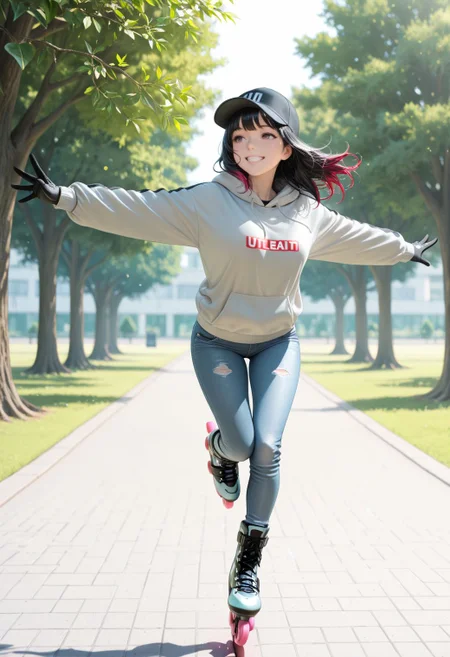


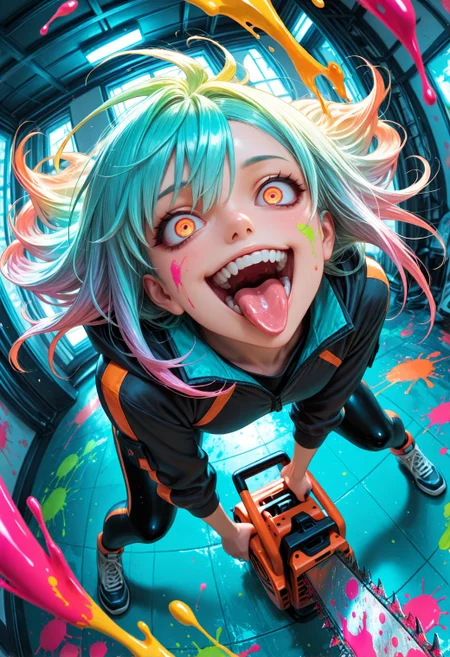


Make sure to leave a bid on your favorite version: https://civarchive.com/auctions
Every bit of buzz counts!
=============================================
UPDATE: SmoothMix Illustrious 2XL +NoobAI v2
Can now reliably create very high quality images with low as 15 steps and 1.5 weights! Check the showcase for the images steps and weight used.
The Showcase have images created using Stable Diffusion Forge and ComfyUI, using both of my workflows.
Addressed a few of the issues learned from feedback. (Thank you again. These helps alot!)
Main issues:
Men are hard to make - Ok, so, since my focus in on the lovely ladies I must confess I neglected to check if men were actually possible to make lol. It should be much easier now.
The night and dark places are not dark enough - I'm trying to avoid the issue of oversaturation but I guess I went a little to far. Prompts that affect low ilumination like dark room, low light, dim light, should have stronger effects now. Increase their weight if you find it necessary: (dark room:1.5) like so.
Smooth Worksflow creates images that look very different from CivitAI with same prompt - This is addressed on a new Workflow version. Go check it out!
=============================================
SmoothMix Illustrious 2XL +NoobAI
Merge of Smooth Mix NoobAI with the new Illustrious 2 XL.
Very versatile and allows for a wide variety of styles!
More poses were added! Try to be as creative as possible!
Higher quality on faces without Adetailer!
Both Smooth Embeddings for NoobAI or Illustrious work well! Use your favorite!
=============================================
Smooth Mix is also available on Tensor.art: https://tensor.art/u/836729543011162095
=============================================
SmoothMix!!
All my Illustrious Loras/Embeddings are compatible with NoobAI Checkpoints! Make sure to change your settings if you are using the CivitAI Site Generation!
When selecting Loras/Embeddings, go to this option:
 And change it to Advanced Mode!

Recommended settings:
Steps: 15 ~ 30 - (Euler a/DPM++ 2M) - CFG: 1.5 ~ 3.5
Steps: 25 ~ 40 - (Euler a/DPM++ 2M) - CFG: 2.5 ~ 5
Adetailer
Hires. fix: Remacri
Use the set of Smooth Embeddings! The Positive and Negative Embedding will ensure a high quality image! No multiple quality prompts necessary!
Use Smooth Detailer Booster for better effects and details.
Use Smooth Lighting Enhancer for better lighting effects!
Now go and have fun!
Description
FAQ
Comments (12)
New version added! Trust me when I say this one can do a lot. It's getting kinda crazy. xD
Have fun!
💖 Thanks for sharing your hard work, mate! This merge seems pretty versatile and easy to work with so far.
- The contrast, saturation, and vibrance are pretty balanced, good for manual color and gamma corrections.
- Looks like, it is also more stable with complex poses and angles than the previous NoobAI v2.
- And yes, I can agree that faces are better now; in some cases, you can skip aDetailer.
- Can output complex characters and detailed backgrounds without inpainting.
- Inpainting works very fine too, allowing adding details that the model will not output by default, like biopunky armblades.
🎖️Very solid, very fancy :D
Weak sides that I noticed:
- Not very versatile with styles: something crazy stylized, traditional, flat shaded, with limited palette, or painterly is hard to make, even with LORAs, the default style will override everything during upscaling; not sure that the dataset has something like Vallejo or Frazetta... also not sure that it must include such stuff, but it would be lovely to see more painterly potential. <3
- Portraits: the model will elongate and distort faces during img2img upscaling, even with x1.5 size and low denoise; the same problem as with NoobAI, sometimes very comical: example 1, example 2.
- Males are extremely feminine (but at least they are not females with bears, like it was with NoobAI); can be fixed with this Bara LORA to add masculinity.
- Teeth, this is a "sharp" checkpoint, but teeth are still all over the place :D
- Additional VFX like heavy bloom, distortions, volumetric light, chromatic aberration, glow, etc., are pretty mild or absent.
- See-through body (translucent skin) + Skeleton will output a bodysuit with a skeleton print :D
- There is also a persistent weird noise line in the right corner... maybe this is a bug with Forge, or my dimensions, but this happens only with your NoobAI and this one.
- Big tattoos (full body, arm sleeve, full leg/thigh, irezumi (aka Yakuza tattoo), full front/back) are lacking; the model tends to generate multiple small spots, but it can be sketched and inpainted.
- Female bottom anatomy is... weird; even with upscaling (512–1024), the model produces a Cthulhu instead of something delicate.
P.S. I understand that there is no one-fit-all solution, just stated what I noticed.

Your image gallery for the new model is really good. The model looks flexible.
Loving your checkpoints, so far liking the early testing with the new combind noob and IL. Look forward to seeing where this takes me. Cheers for your efforts.
Always the best of the best! Love it all!
https://civitai.com/posts/16737593
Hello, while I've used your embedding many times, this is my first time to try your checkpoint, let me share my results.
Many thanks, you made this possible.
You pick Illustrious, Noob, Pony or Rouwei because they're the bases. You pick Wei because those models are a lot easier to get good images out of. But Smooth? Smooth you pick because of the shiny, shiny, oh so very shiny default style Qvoheu imbued in this model. Smooth, proving Niji isn't the only way.
Can this model be used commercially? As per the license it seems like it.
This is a great model. Try it with uni_pc_bh2 and sgm_uniform. CFG 1.5 and 10 steps. Also, you can use wavespeed (Apply First Block Cache Node) to speed up generation by about 10-15%
Greetings! Could you please comment on the base measurements for this model? Is it the same as the one in the examples? 1040 x 1520
I used measurements based on multiples of 832x1216 since that's the scale CivitAI uses for portrait and landscape.
So when I upscale an image 832x1216 by 1,25 with Highres.Fix the result is 1040x1520. If you upscale by 1,5 you get 1248x1824, and so on.
@Qvoheu Thank you very much for answering, it is one of the best models I have been able to try.