











Introduction
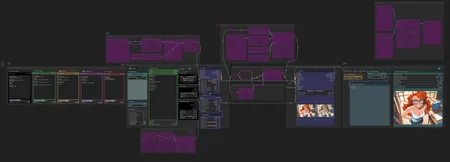
Here's my compact ComfyUI workflow. I try to keep it as intuitive as possible. Like prompting: less is more. It should be straightforward and simple. I build it with a left-to-right logical flow in mind, that you should easily read and understand.
Features
Prompt Composer
Img2img with mask
Integrated Painting editor
Unified ControlNet
IP-Adapter
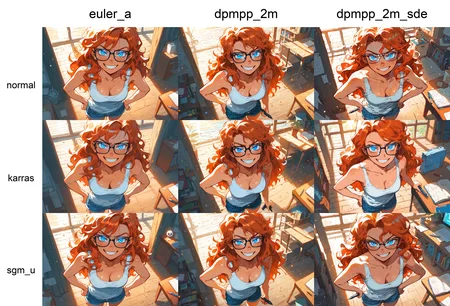
XY Plots
HighRes-Fix (2nd Pass)
Upscaling
Image Comparer
CivitAI metadatas output
Nodes
Description
Added Features:
Prompt composing
Unified ControlNet
Image Comparer
FAQ
Comments (13)
Thanks for continuing to update and share your workflows!
This is excellent, thank you for sharing!
Hi, I've keep getting error with the HiRes node:
* HighRes-Fix Script 1275:
- Required input is missing: control_net_name
- Value -1 smaller than min of 0: seed
Any clue??
Thank you.
Since it seems to concern the ControlNet, do you still have this error if you disable the associated group nodes?
@taches No, I'm using ByPass in the group.
I'm running into the same "Value -1 smaller than min of 0: seed" error.
@theprogamer3757310, @ChaosExperience, I'm working on an update of the workflow. I should publish it soon. Hope it will fix your problem
@ChaosExperience @theprogamer3757310 new version is available. Try to define a manual positive seed value to the highres node, it should work.
@taches I'll try, thank you.
I ran into the same issue. You just have to enable the "controlnet" option in the Hi Res Panel and change the controlnet model to a random one you have so it updates the file path. I guess Comfy thinks it's enabled. Maybe setting that option to None will fix it on future releases.
@ShencilLizard It didn't work for me. :/
Hi @Pandebilus! Try the following:
- Right click > Fix the node
- Disable "use_same_seed"
- Put a positive value in "seed"
- Load a ControlNet and upscaler model, even if you disable "use_controlnet"
Hope it will help!
Doesn't work for me still @taches S@taches