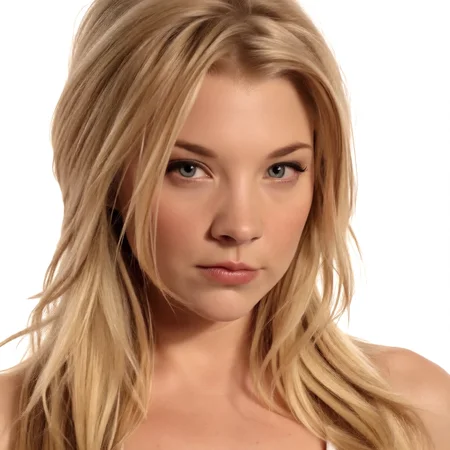
HUNYUAN v1.0 :
Trained on Hunyuan Video fp8 with 512x512 px with 68 photos of Natalie Dormer with detailed GPT-4 captions. Tested on Hunyuan Video fp8 and Fast Hunyuan Video fp8 ! No keywords needed. Use around Lora strength=1.1.embedded_guidance_scale= 5.0-8.0 and flow_shift=7.0-12.0:
Positive : {Short summary of the scene e.g. Professional video of a blonde woman giving and interview on the red carpet}, {more detailed scene and background description}, {lighting description}, {camera direction e.g. panning in, panning out, zoom in etc.},<lora:natdormer_hunyuan_epoch42:1.1>
FLUX v1.0 :
Please Donate Buzz for FLUX Lora Training !
Trained on FLUX.1 [dev] with 196 photos of Natalie Dormer. Tested on FLUX 1.D (full) and FLUX fp8 and FLUX nf4 ! Use around strength 0.8-1.2. No keywords needed! Distilled CFG around 1-4 and CFG 1.0 (without negative prompt). Clipskip 1. Can be used for example as follows:
Positive : {Artstyle, Character and scene description in usual FLUX fashion}, <lora:Natalie_Dormer_FLUX_v1_r1-000016:1>
SDXL v3.0 :
Trained on Juggernaut X with 196 photos of Natalie Dormer . Tested on Juggernaut X, Juggernaut v7, RealismEngine 2, RealVisXL3, AlbedoBaseV2! Use with keyword : "natxdormer" . Use around strength 1.0. CFG 5.0-7.0. Clipskip 1. Can be used for example as follows:
Positive : {Artstyle}, {Character and scene description}, natxdormer, <lora:natdormer_juggerX_xl_1_wocap_merger_62_136_03_07-natxdormer:1>
Negative : ugly, deformed, airbrushed, photoshop, rendered, (multiple people), child
SDXL v2.0 80mb :
Retrained on 115 images of Natalie Dormer with a new Lora setting for one-fourth the size while maintaining likeness. Use with keyword : "natxdormer". Lora strength with keyword should be around 0.8-1.2.
SDXL v1.0 :
Lora trained on 196 high quality photos of Natalie Dormer on the SDXL 1.0 base model. The recommended Lora strength for most use cases is between 0.8-1.2.
Description
HUNYUAN v1.0 :
Trained on Hunyuan Video fp8 with 512x512 px with 68 photos of Natalie Dormer with detailed GPT-4 captions. Tested on Hunyuan Video fp8 and Fast Hunyuan Video fp8 ! No keywords needed. Use around Lora strength=1.1.embedded_guidance_scale= 5.0-8.0 and flow_shift=7.0-12.0:
Positive : {Short summary of the scene e.g. Professional video of a blonde woman giving and interview on the red carpet}, {more detailed scene and background description}, {lighting description}, {camera direction e.g. panning in, panning out, zoom in etc.},<lora:natdormer_hunyuan_epoch42:1.1>
FAQ
Comments (22)
Seems well done. Possible to share the training data?
Thank you for the image set. Do you not have to crop all the pics to 512 before running through the model?
Bucketing works fairly well
@steffangund I guess that's what I was wondering about. Your example sizes are all over the place. What buckets did you use in your toml if I may ask?
@passhornet5266570 My examples are all square 800 or 512 with upscaling
@steffangund Can you tell me what upscaler you use?
@steffangund Got it. To be clear, your dataset that you included here isn't what you used for training? You're sending those through something like Birme and Topaz. 800 for larger and 512 for headshots or something like that.
@passhornet5266570 No I used the exact dataset I uploaded
@Clocksmith Just pull the still image from this gallery into comyfui and you should see the workflow I used
@steffangund So just let the diffusion model resize them during training depending on the buckets used? IE: [512,800] in the dataset toml
@passhornet5266570 no only [512] in the dataset toml
@steffangund That's where my confusion is. The dataset you have uploaded has image dims ranging from 667x1000 to 1850x1994. Apologies for the questions, but every resource I've seen had the image dims = the toml bucket. I'm wondering if by resizing images to whatever is in the toml (ie [512]), I've been wasting my time.
@passhornet5266570 Maybe I should also do that LOL. I just never did because for FLUX is seemed to work fine without perfect resizing.
@steffangund Yeah, Every tutorial I see says it's better to crop the photos with something like Birme. It supposedly can shave a lot of time off of training.
@passhornet5266570 Interesting. I did not know this. Thanks!
@steffangund I meant the upscaler you used for your training images. Are you saying you used ComfyUI to upscale your 800 / 512 square training images to their current size?
@Clocksmith I just cropped some of them to nearly square and called it a day and then bucketed all of them to 512. During inference I used a ComfyUi workflow to create 512 px videos and then upscaled them. Nothing much about it.
@steffangund I hope I'm not annoying you but I feel like you aren't understanding my question. Earlier in the conversation, you said:
"My examples are all square 800 or 512 with upscaling"
From this, I thought you meant your training images were all 800 or 512 square and then you used an upscaler to get the images to the sizes of 667x1000, 1000x1000, 1200x1147, etc.
Am I misunderstanding you? Did you not use an upscaler? Were these actually the base image sizes?
And if you did use an upscaler, please tell me what that upscaler was.
@Clocksmith Bro. I did not touch the training images. What I uploaded is what I used.
Please add a keyword otherwise it is impossible to pair with another character
Hello, how can I train my model?