
Pre Training
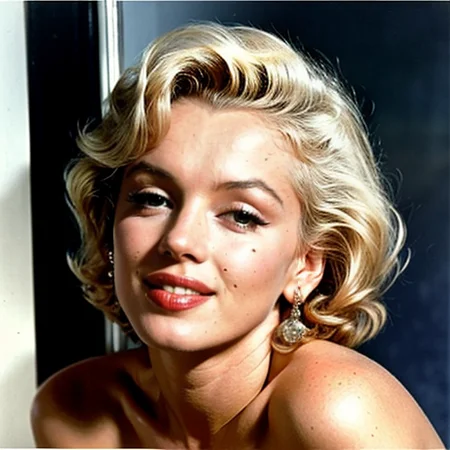
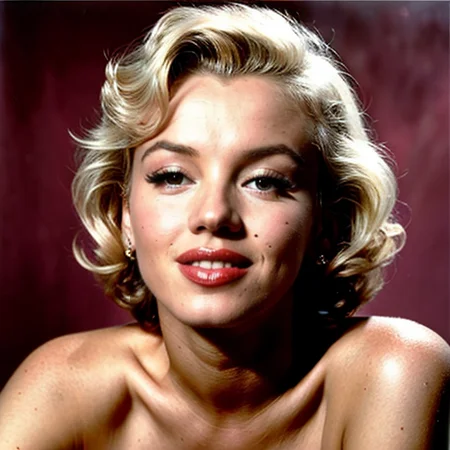
I gathered 26 Colored HD images of Marylin Monroe. I am only using Birme to crop the HD photos instead of using Faceswap to align the faces. Some of the images were full body as I wanted to retain her face even when zoomed out. I also flipped the images horizontally to increase the number of images to train on. This should increase variety. These are 512x512 images instead of 1024x1024 images because I don’t have the specs to train a 1024x1024 model. I used Blip captioning to generate the filewords and edited each individually to reduce potential hallucinations.
Training
I used 0.005:100,0.0025:250,0.001:500,0.0005 for my learning rate. I am going for 10K training steps total. I am using a batch size of 1 with Gradient Accumulation Steps set to 3. I am running locally on a RTX 4090. I am using 12.5 out of 24 GB. The estimated time of completion is 2 hours. For the embedding I am using 4 vectors per token. I switched to SD 1.5 EMA Only model for training.
Things that I could have done better
I could have upscaled the images before extracting the faces so I could reduce blur.
Description
FAQ
Comments (13)
A1111 doesn't seem to recognize either this nor the PH TI, can anyone confirm if they work in ComfyUI?
I used a1111 to train the embedding and generate the preview images. Are you getting any errors?
@iolmstead23 No errors, just not showing up in the list of embeddings. I've checked the other pickle files I have already put inside the embeddings folder and they showed up.
I also tried changing the model to a SDXL one and refresh the list and still not showing up
Turns out A1111 spilled out error when trying to load the TI
"*** Error loading embedding Marilyn_Monroe_TI.pt
Traceback (most recent call last):
File "E:\Tools\stable-diffusion-webui\modules\textual_inversion\textual_inversion.py", line 203, in load_from_dir
self.load_from_file(fullfn, fn)
File "E:\Tools\stable-diffusion-webui\modules\textual_inversion\textual_inversion.py", line 184, in load_from_file
embedding = create_embedding_from_data(data, name, filename=filename, filepath=path)
File "E:\Tools\stable-diffusion-webui\modules\textual_inversion\textual_inversion.py", line 284, in create_embedding_from_data
if 'string_to_param' in data: # textual inversion embeddings
TypeError: argument of type 'NoneType' is not iterable"
So data is literally null, perhaps the file hosted on civitai is corrupted? Can you download it from the site and try it on your end? I've re-downloaded three times and this problem still persistented
It's not showing on the embeddings list. I tried to download it again and the problem persists.
@cliang96844 excuse my ignorance but what is TI? I trained using a cloud instance and I think there is a fault in the settings of A1111 I am using. The issue is being explored. Thank you for bringing this to my attention. I am tracking the issue here. Can you give me more information such as which version of software you are using? Did you have any extensions active?
https://github.com/ai-dock/stable-diffusion-webui/issues/10
@iolmstead23 A texture inversion is also called an embedding -- as for I use, I runn Automatic1111 on my native environment -- so it's not AI-Dock's version. According to the exception message, it should be cause by an error with the embedding itself since the script tried to open the file, but got "None" -- empty, instead
@cliang96844 I opened the file using 7zip and it does indeed show files in them. Data is showing as None which must be a script error or maybe it is reading the file incorrectly? I need to do some more exploring.
I redownloaded the TI from the website and deleted mine locally to verify if it was being corrupted and it works fine. I used ---disable-safe-unpickle and it didn't give me an error.
@iolmstead23 Can you try converting the pickle file to safetensor then? It can be a problem with the version of the pickle format
@cliang96844 I figured it out. There were extra files byteorder and .data/serialization that was being added. I deleted those files and tested it. It works! I uploaded the fixed model in version 1.1 let me know if it works!
Never flip images if you are training on a person and make sure every image is in correct orientation. Often times sources are flipped to evade AI detection. By flipping images of a person you muddy the image by meshing the mirror. You do not look the same to yourself as you do to everyone else. The only time you see yourself as others do is in a picture (that has not been flipped.)
I have never been told that, but it makes sense. I figured it was adding variety to the training by showing both sides (horizontally). Thank you!
Details
Available On (1 platform)
Same model published on other platforms. May have additional downloads or version variants.