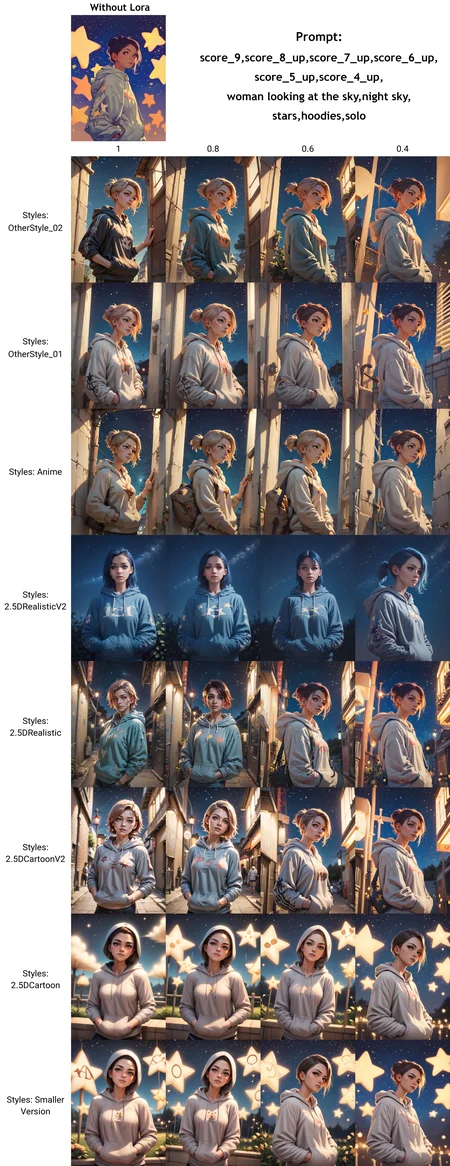
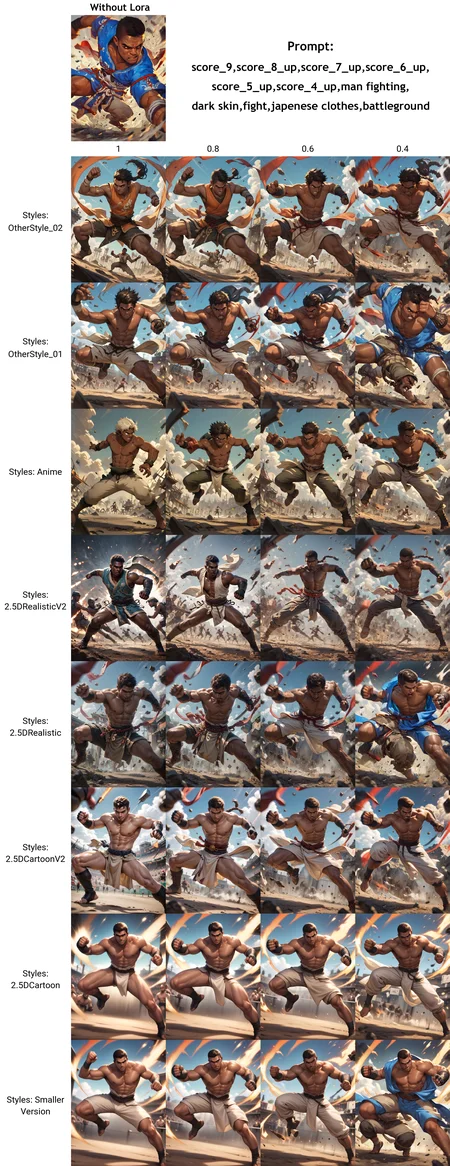
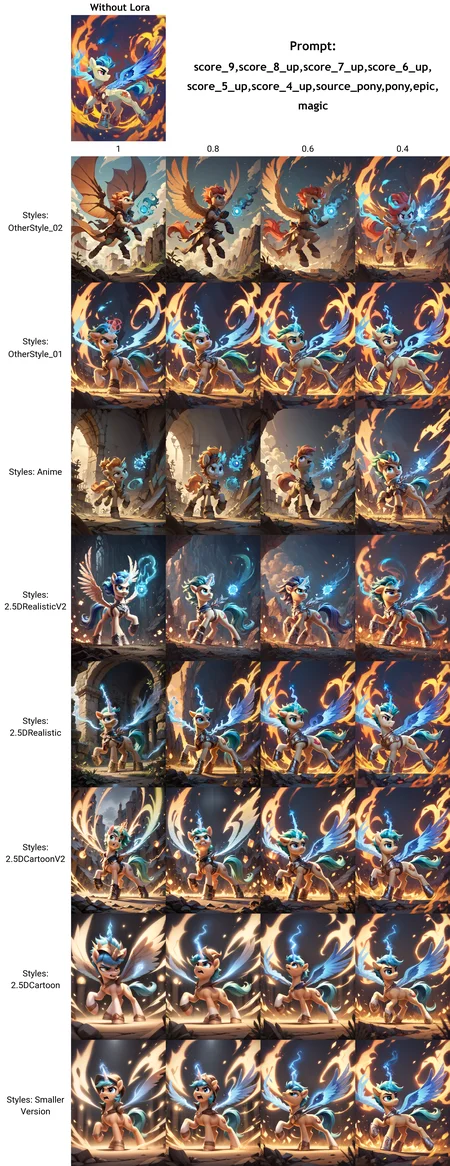
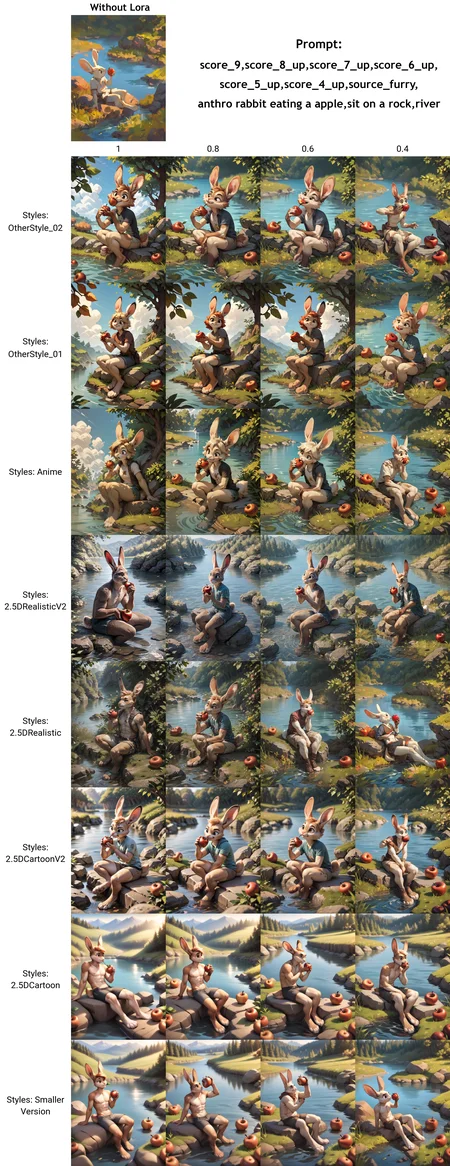
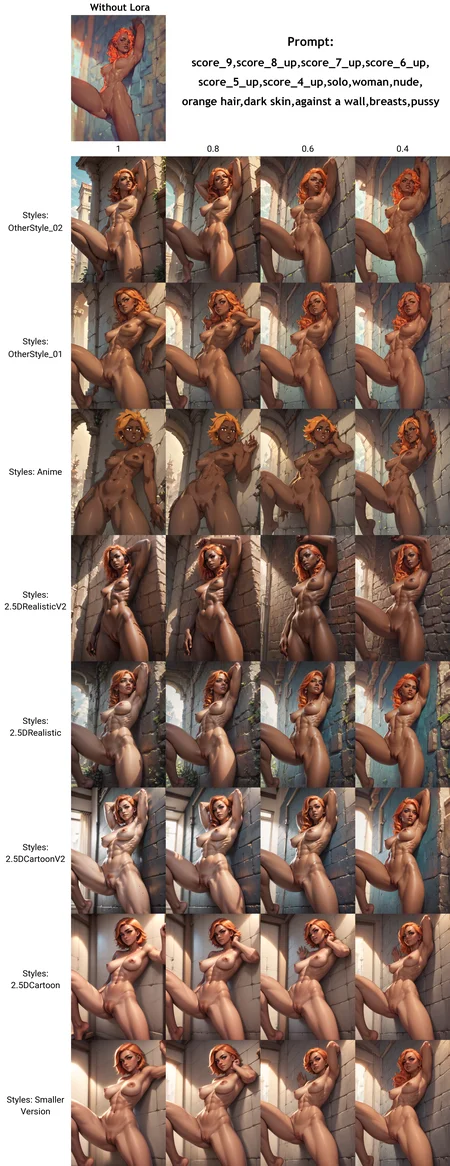
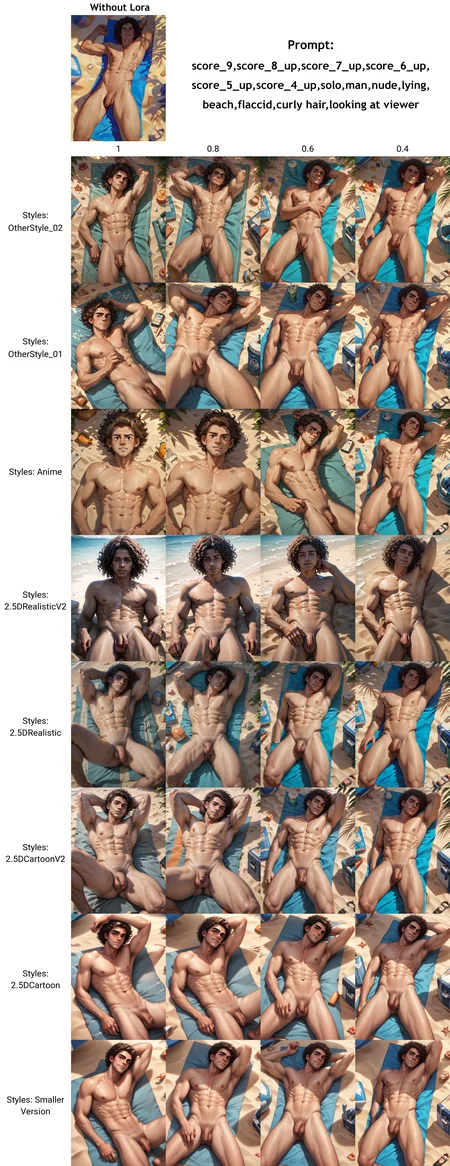
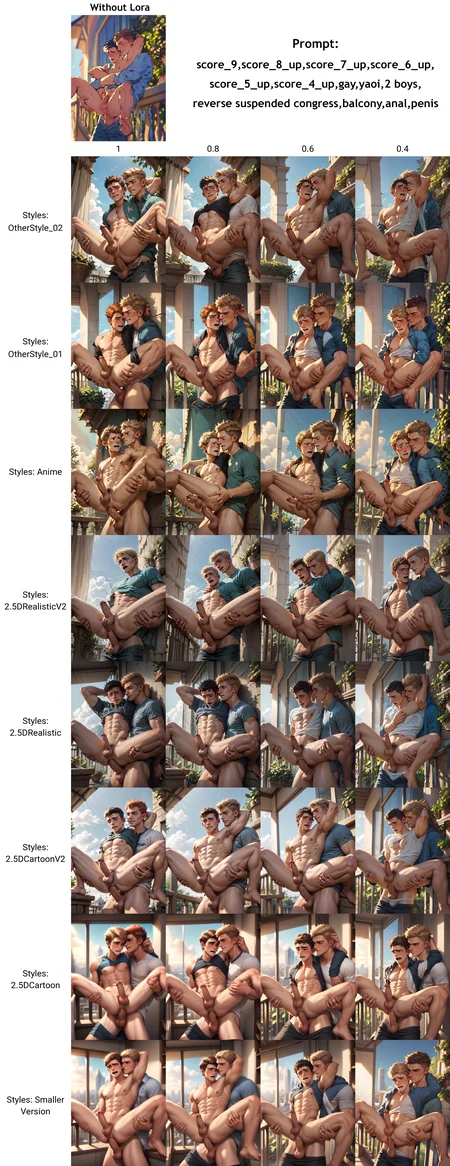
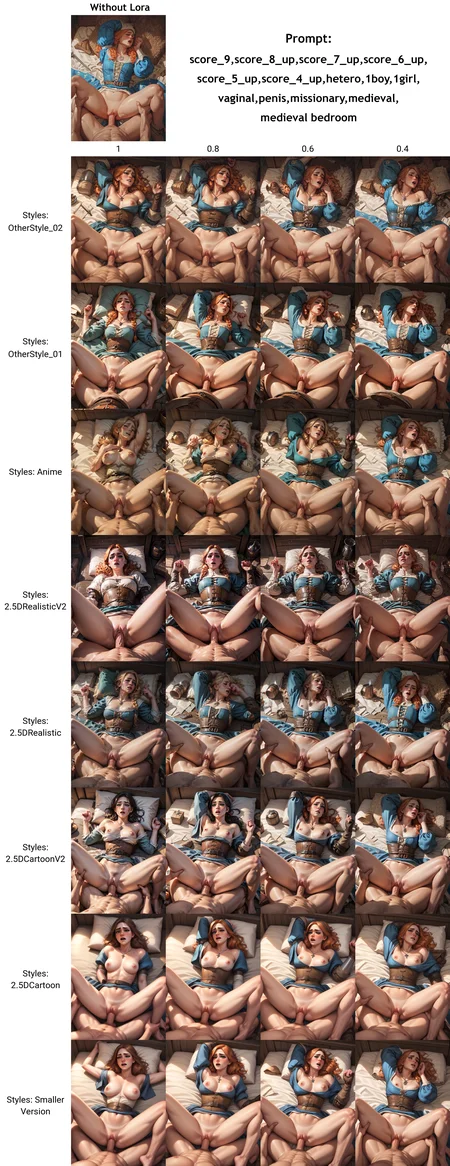
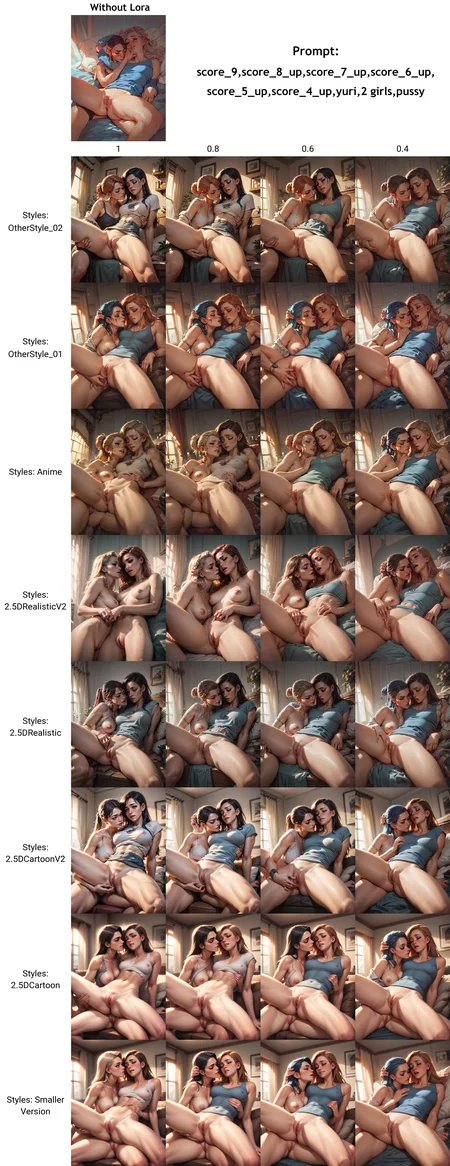
All the preview images are raw outputs (no Adetailler/HiresFix)
Follow me on X if you want to be informed when a new model is published: https://x.com/AeremAi
It can produce nsfw/sfw content but you may need to use the correct tag in order to get sfw content without one of your character going around naked :p
Non exhaustive list of characters available with pony diffusion V6 XL:
https://docs.google.com/spreadsheets/d/1m2W-pZEvHuEpfHcNHrxCSr-Aw1mgtUUYho6sz9LChEA/edit#gid=0
(Spreadsheet by Marusame)
Description
Simply here to help you choose the style that fit your need. I'll try to keep it update.
FAQ
Comments (60)
This lora style is amazing, thanks ! I'm using it at 0.55 to have less light brightness effect.
Can someone explain what to do with this zip file full of png files? This page says it is a Lora, but it appears not to be(?). I'm newish, so could be missing something to get Styles out of this.
Hello, this is only a comparison of styles, so you can choose to download the ones that suit you. If you wish to download one of the styles, you must select it above the preview images.
I heard that the Files got renamed, which of the Files was Realistic000003_1_2.5DAnime_0.05_Merge1?
It's "2.5DRealistic"
OtherStyle_02's metadata lacks some information. So, I cannot see it under LoRA tab in Automatic1111 unless I check the "Always show all networks on the LoRA page" box in Settings/ExtraNetworks.
I'm just gonna post both metadatas of OtherStyle_01 and OtherStyle_02. You'll understand.
---OtherStyle_01's metadata---
ss_base_model_version sdxl_base_v1-0
ss_mixed_precision fp16
ss_network_alpha 32
ss_network_dim 32
ss_network_module networks.lora
ss_output_name OtherStyle_01
ss_sd_model_name ponyDiffusionV6XL_v6StartWithThisOne.safetensors
ss_v2 False
sshs_legacy_hash 961b6006
sshs_model_hash 698b9...
---OtherStyle_02's metadata---
ss_mixed_precision fp16
ss_output_name OtherStyle_02
sshs_legacy_hash b7274a2b
sshs_model_hash d6538a7....
Thanks for the report! The problem is normally solved.
I use a1111 with unchecking that option box. Because I don't always remember what's compatible with what. So I need to add OtherStyle_02 by typing myself. It would be super cool if you fix metadata for the next upload. Great work btw. Thanks much!
All I had to do is to change "sd version" to "SDXL" in models/Lora/OtherStyle_02.json file. I've just figured it out. Now it shows on Lora tab.
I find that the 2.5DrealisticV2 is much stronger than the V1 but it also makes the images much darker and have a lot more shadows.
awesome style
I am new to this AI, do I need to add some other resource to obtain images like the sample ones? Or am I using the wrong prompts?
Hello, all you need as resources is Pony Diffusion V6 as model/checkpoint and the loras you want to use to obtain images like the sample. Maybe it's your prompts, maybe it's because you used other loras, maybe you need to change the lora strengh... Without more details on your problem and a exemple that all I can tell, sorry :/
click on the photo you want to imitate. it will probably list all the resources and prompts you need
It´s a beutyful Lora.
I´m using it many times on stable diffusion :)
Thank you so much! <3
Thank you for showing how your LoRA handles darker skin, legit made an account to thank you for that.
Struggled to find the perfect style for my wild mix 😝, but this one totally nails it—huge thanks! 😘
I highly recommend OtherStyle_ 03 for pony. Love using it at 0.8 strength.
Where do you put the dataset?
What do you mean? To use the lora? If so, then you don't need the dataset, just the .safetensor file.
Any idea why its not showing up in my loras, it is in there and it only shows up when i set it to always show loras, it seems to be incompatible but im running the pruned ponyxl v6?
Which UI do you use? (Comfuy, forge, automatic1111...)
Which loras did you download ?
Automatic1111, Otherstyle_01 Styles For Pony Diffusion V6 XL for ponyxl
@normalfella I don't really know why it does that, I don't have that problem personally but try changing the stable diffusion version of the lora. To do this, in Automatic1111 move your mouse over the Lora and you should see a hammer and wrench in the top right-hand corner.
@Aerem I'll try it out
What is this Laura doing? What's that for? I see a few screenshots of a different Lora ltogether.
You mean the "style comparison" ?
@Aerem What's that even for? I see it in some works, and there are numbers from 0.1 to 0.6. What does it do?
@Twostep The goal was to help people choose the style that best suited them by showing in one place how each available lora affected the style of the image. The 0.4/1 corresponds to the strength of each lora.
But I must admit I don't really have the time to update it, and I'm a bit lazy too ^^'
@Aerem So basically, what does it do? I can see that it's changing in the examples. But the purpose of this program is to do what?
@Twostep It's not a lora, just a bunch of pictures
@Twostep Bro.. it's the 'weighting'
in <FakeLoraExample:1> see that 1? you can change it!
What does it do? The Vixon's work, each model has its own style, then what do these Lora do?
They provide different styles, with their own strengths and weaknesses. Some work “better” in certain cases, depending on the type of image required or the subject of the image (nsfw/sfw, human/furry/landscape).
@Aerem Let's try again - what is its role? What does it do? What I see on the screenshots happens in any generation when parameters are changed.
So what does it affect?
@loporopo10 These are loras styles, which change the style of the images generated. In other words, they modify colors, shading, character shapes, etc.
If when you use it and change the generation parameters nothing changes, there's a problem somewhere. Which of these Loras do you use? What do you use to generate your images? CivitAI, Automatic1111, Forge...?
@Aerem Let me get this straight:
I use Forge, Civitai, Comfy. I'm trying to figure out what kind of Lora this is. I'm looking at your screenshots with examples and I don't understand exactly what it does. If it changes the style, it's noticeable, but not enough to understand which way the style changes. Do the pictures change depending on the strength? Yes. But in our generation the images change with any parameters. I didn't understand from the description and screenshots what I should expect from adding this (or similar) Lorа to my work
If I take any other Lorа, it adds - poses, details, character, style (Anime, Paint, Pencil, Realism). But what does your Lorа add?
I understand I have the same question as the previous commenter.
@loporopo10 These loras change the overall style of the images generated. They have the same characteristics and role as other loras of the same kind.
Depending on the checkpoints you use and the settings, the lora's impact may be lessened. But overall, what you should expect from these loras is that your images tend towards the style of the lora presentation images you've chosen.
For example, if I take “OtherStyle_08”:
- More colorful images
- A more “anime” overall aesthetic
- Character aesthetics like those of the presentation images (in terms of face shapes, body morphology, eye shape...)
and so on.
@loporopo10 Wait... when you say “I understand I have the same question as the previous commenter”, you mean you're also talking about the “Styles comparison”? If so, it's not a lora. It does nothing.
@Aerem Now it makes sense to me. Thank you for the detailed answer.
I think the misunderstanding was because I only looked at OtherStyles 3-8 and didn't realize what the specific difference was. It's only now that I got to the down of the list and saw Anime, Realism.
ps: if I understood the last commenter correctly, he was also asking why this Lora. At least that's how I understood it from his comments. Twostep if that's what you were asking, here is the full answer.
Cool stuff, thanks for the detailed comparison imgs especially.
I'm fairly new to all this and struggling to figure out to what extent loras like this just include a style (as in the overall look of stuff in the scene, like colors and lighting), and to what extent they include compositional elements (as in the actual stuff in the scene, features like poses, clothing types etc.,).
It's hard to article this stuff but you've seemed quite friendly and communicative here, any insight would be appreciated!
Unless I'm misunderstanding it seems like some 'style' loras also have a tendency to include specific poses and details like clothing types that can kind of override other loras. Especially when it comes to styles based on particular artists, it seems to draw heavily from the composition of their artworks so you end up getting the same poses and the like, rather than more just the way the lighting or lines look.
So if you were to break down this lora into how it affects style vs composition would be something like 75% style elements and 25% composition elements? ...or am I totally misunderstanding this stuff?
No, you understood correctly. When you train a Lora, whether it's a style or anything else, there are always “parasitic” elements that the AI will take into account. To try and limit the impact of these elements, and ensure that the Lora concentrates as much as possible on the elements you want to train, you use tags to designate the elements you don't want/want to be replaceable. For example, for a Lora style, to avoid all characters having the same haircut or pose, you need to tag them. This could be something like: hair color(s), hair style, overall position, arm positions, leg positions, hands...
The problem is that even so, the AI will take some of these elements into account. And obviously, the more you train a Lora, the more these “parasitic” elements are taken into account. And the further you move away from the basic model on which you're training the Lora, the more training you'll need to get what you want. That's why, generally speaking, the more the style is different from the basic style (in this case, Pony Diffusion V6), the more it will modify the composition. The same goes for a pose: the more complicated it is for the AI to learn, the more training it needs, and the more the style of the images used becomes imprinted on the Lora.
Or maybe I'm just talking nonsense and someone more knowledgeable on the subject will come along and teach us something :p
But in any case, from what I've read on the subject and from my own experience, that's how I understand it.
@Aerem Awesome, thanks heaps for the detailed reply!
As for tagging elements that should only go to particular characters is there a best way of doing that?
I've seen users do the:
BREAK [first character gender or character type etc], [first detail for first character here], [second detail for first character here], and so on
BREAK [second character], [first detail for second character here] and so on
thing but does that actually work? I've tried it and still had characters sharing stuff I didn't want.
Let's say the scene has two males, one on the left and one on the right. Firstly how do I refer to them in a way the AI can (hopefully) understand? If I call them [male 1] and [male 2] then state, [male 1 has black hair], [male 2 has blonde hair] will it actually get that, or would [male on left] and [male on right] work better? ...or something else?
Further does it matter if details are described with short phrases ie, 'black hair, ear piercings, snarling' or more like 'the man standing on the left has black hair ear piercings and a snarling expression'?
@onelongwinter0451859 You're welcome !
For your first question, the short answer is “not really”. For the moment, the best solution is to generate two characters (or more) and then inpaint the characters using the tags that suit them.
There are also extensions like Regional Prompter for Automatic1111 and Stable Diffusion Web UI Forge, but in most cases you'll have to go through the inpaint process.
Well, at least for Stable Diffusion (1.5,XL, derivative models such as Pony V6 etc.). But I couldn't tell you how more recent models such as Flux or AuraFlow, to name but a few, perform in this aspect.
For your second question: It depends on the model you're using. Generally speaking, “realistic” models work best with phrases, and stylized models with tags. But it very much depends on how the model has been trained. In the vast majority of cases, this is specified in the model description. If not, you can always rely on the prompts used for the model presentation images.
@Aerem Thanks for the info, sounds great you rock
Feeling I might wear out this LoRA.
amazing loRa! Thanks for the great work :)
Why is this tagged for gay and hetero? Its a style I don't understand. I lose out on so much more than PPs on my screen for blocking the 'gay' tag. Why?? It should be the only thing I miss out on! No wonder some LoRas vanished from my search
Sorry for that :/
Normally, it's to increase the visibility of the LoRA by adding as many tags as possible representing the images used in the preview and the possibilities of the LoRA. This way, if people search for a LoRA style with a tag, they can find this one (because without the right tag, the LoRA wouldn't appear). The second reason is that when I published this LoRA, Pony was still recent, and my only experience with AI models until then was with SD 1.5, which natively handles male nudity and homosexual relationships very poorly. So, it was a way of saying 'hey, with this style you can also generate male bodies without difficulty.' Knowing that, yes, initially, the styles offered here were rather focused on generating NSFW images, and more specifically NSFW gay images. Then, very quickly, I thought it would be stupid not to make the LoRAs as versatile as possible so that everyone can benefit from them. I hope I have answered your question.
@Aerem I understand, I thought of 'NSFW' tag and 'gay + hetero' tag to be very redundant. Now I wish there was a way to block tags just for general site browsing and not for model searches while generating
can you make 2.5DCartoonV2 for Illustrious
I'm already working on it :)
I'm quite happy with the results so far, so it should be available soon!
@Aerem oh that's good to hear :)
@zefexi Here we go: https://civitai.com/models/1423685?modelVersionId=1609181
Not exactly the same, it's more like a V3 but I hope the people which use the 2.5DCartoonV2 style on Pony will like it too
This, combined with Vixon's Classic Art Styles - detailed painting has produced fantastic results. I love the art style. Thanks mate!
Looking for some help, 2.5d cartoon is coming out more like 2d with watercolors than 2.5d lately and looking slightly more disfigured, any ideas why I might be encountering this issue? I'm remixing older images and getting completely different results style wise.
When you say "watercolors", you mean the tag or did you use a LoRa? Any change to your hardware or your generation parameters ?
@Aerem I mean "watercolors" as a way to describe the shoddy way the outputs are coming out. hardware is through civitai generation, parameters are the same. I'm remixing the first example of the woman masturbating just to test and the output is grossly different in style.
Sorry if this is coming across as tech support, if the issue is somewhere on my end, I'll work to sort it out, I was just concerned the lora was broken.
I'm also having the same problems. Colors suddenly become ugly and watercolor like?
I'm remixing old prompts and they're completely different
@BioHazardXP Did you use CivitAI generator too ?
It's only happening with this LoRa ? If not, then it's probably a "issue" on CivitAI side. They may have changed their hardware or something else which impact the generations.
Looks like we don't have an active mirror for this file right now.
CivArchive is a community-maintained index — we catalog mirrors that volunteers upload to HuggingFace, torrents, and other public hosts. Looks like no one has uploaded a copy of this file yet.
Some files do get recovered over time through contributions. If you're looking for this one, feel free to ask in Discord, or help preserve it if you have a copy.