


鋼鉄の神話は新たなる時代へ昇華する。
The myth of steel rises into a new era.
概要
アニメに出てきそうなロボットやメカを生成するLora「Super robot diffusion」の機能をSDXL向けチェックポイントに移植した物です。外部のLoraを必要とせず、ヒロイックなデザインのスーパーロボットから、スタイリッシュなリアルロボ、地に足のついたミリタリーロボットまで、様々なデザインの描き分けに対応しております。
なお、このLoraは特定の機種を出すためのものではございません。あくまでそれっぽいデザインのロボットを出すものです。
about
This is a port of the functionality of Lora 'Super robot diffusion', which generates robots and mecha that look like they could appear in an anime, to Checkpoint for SDXL. It does not require an external Lora and can be used to draw a variety of designs, from super robots with heroic designs, to stylish real robots and down-to-earth military robots.
In addition, this Lora is not intended to output any particular well-known robot.
推奨設定
サンプラー:DPM++ SDE Karras (Personal preference)
CFG Scale: 10~15
サンプリングステップ: 30~50
高解像度時のアップスケーラー:R-ESRGAN 4x+ Anime6B
Recommended Setting
Sampler: DPM++ SDE Karras (Personal preference)
CFG Scale: 10~15
Sampling steps: 30~50
Upscaler for high resolution: R-ESRGAN 4x+ Anime6B
スタイル説明
複数スタイルの描き分けが可能となっており、プロンプトにトリガーワードを入れることによってスタイルを適用することが可能です。
Style Description
Multiple styles can be drawn, and styles can be applied by putting trigger words in prompts.
・スーパーロボットスタイル Super Robot Style (SRS)
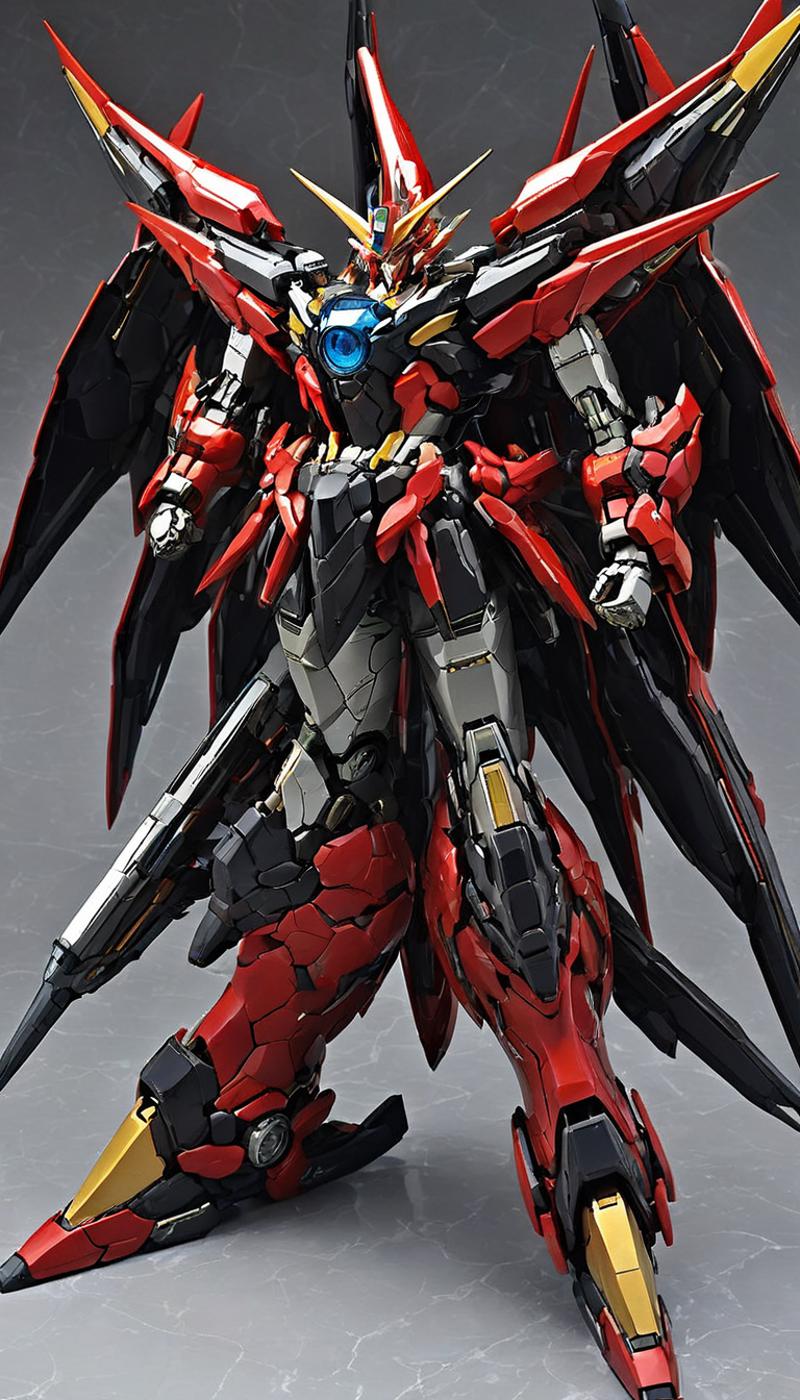
みんな大好きスーパーロボット。ヒロイックな装飾が盛り込まれており、ゴテゴテな飾りがついているロボットスタイルです。
とにかく理屈抜きでカッコいいロボットが欲しい方はこちらを使用してください。
This is a robot genre with mainly fancy decorations and heroic designs.
They are decorated with crystals on their chests, horns on their heads, etc.
I just want a robot with a cool design! Use this one if you want a robot with a cool design.
サンプルプロンプト
sample prompt
(SRS), (a ((super robot)) with sleek and menacing design:1.2), (large head:1.8),(full armor:1.5), (full body),(heroick parts), glowing eyes, full body, highly detailed・ミリタリーロボットスタイル Military Robot Style (MRS)
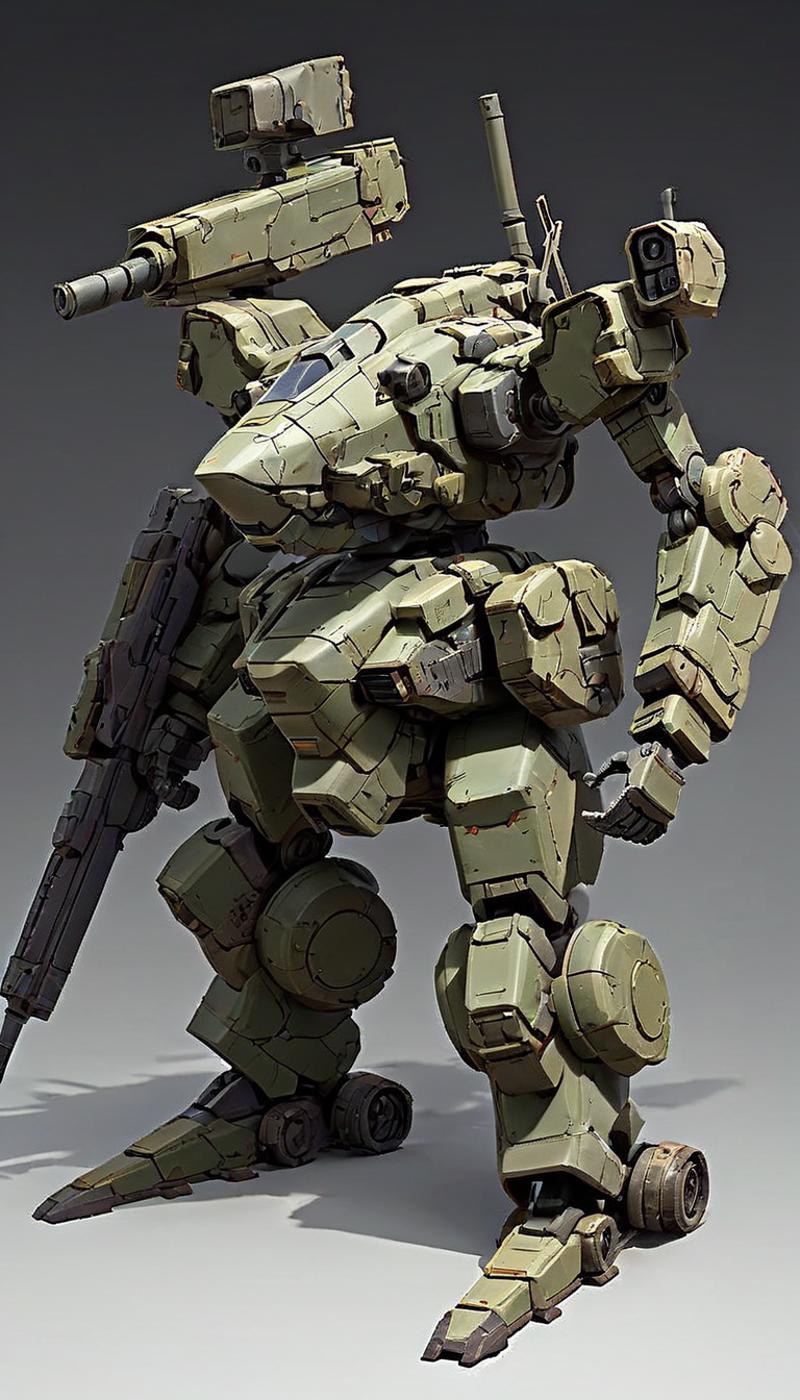
地に足のついた軍事的なロボットが欲しい?大丈夫です。
皆さんがむせそうな泥臭い武骨なロボットも出すことも可能です。
Unlike Super Robot, this robot genre has no fancy decorations and has a military weapon-like, martial and massive design.
Use this if you want a muddy, down-to-earth robot.
サンプルプロンプト
sample prompt
(MRS) ,super fine concept art, extremely detailed, a heavy mech, hard surface, hawken, sci-fi, battlefield・リアルロボットスタイル Real Robot Style (RRS)
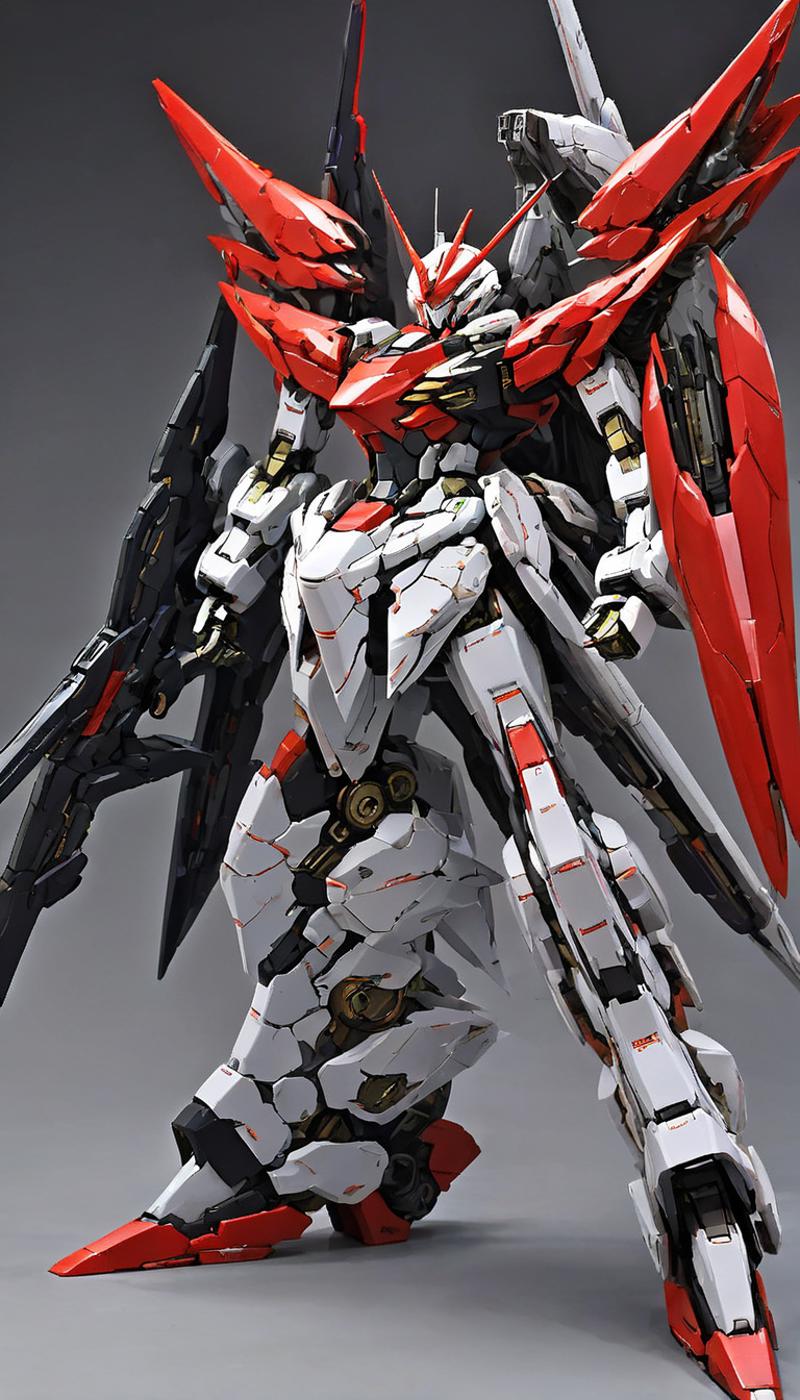
いわゆる某有名な機動なんちゃらっぽいロボットが描けるスタイルです。ミリタリーロボットは武骨過ぎるし、スーパーロボットは飾り過ぎるからちょうどいい中間のスタイルが欲しい方にうってつけです。
スタイリッシュでかつ程よいミリタリー感とヒロイック感が融合しているスタイルです。
This robot genre falls between super-robot and real-robot.
They are mainly stylishly designed and have a slight military component.
サンプルプロンプト
sample prompt
(RRS), a (((mecha))) with sleek and menacing design, glowing eyes, full body, highly detailed・ファンタジーロボットスタイル Fantasy Robot Style (FRS)
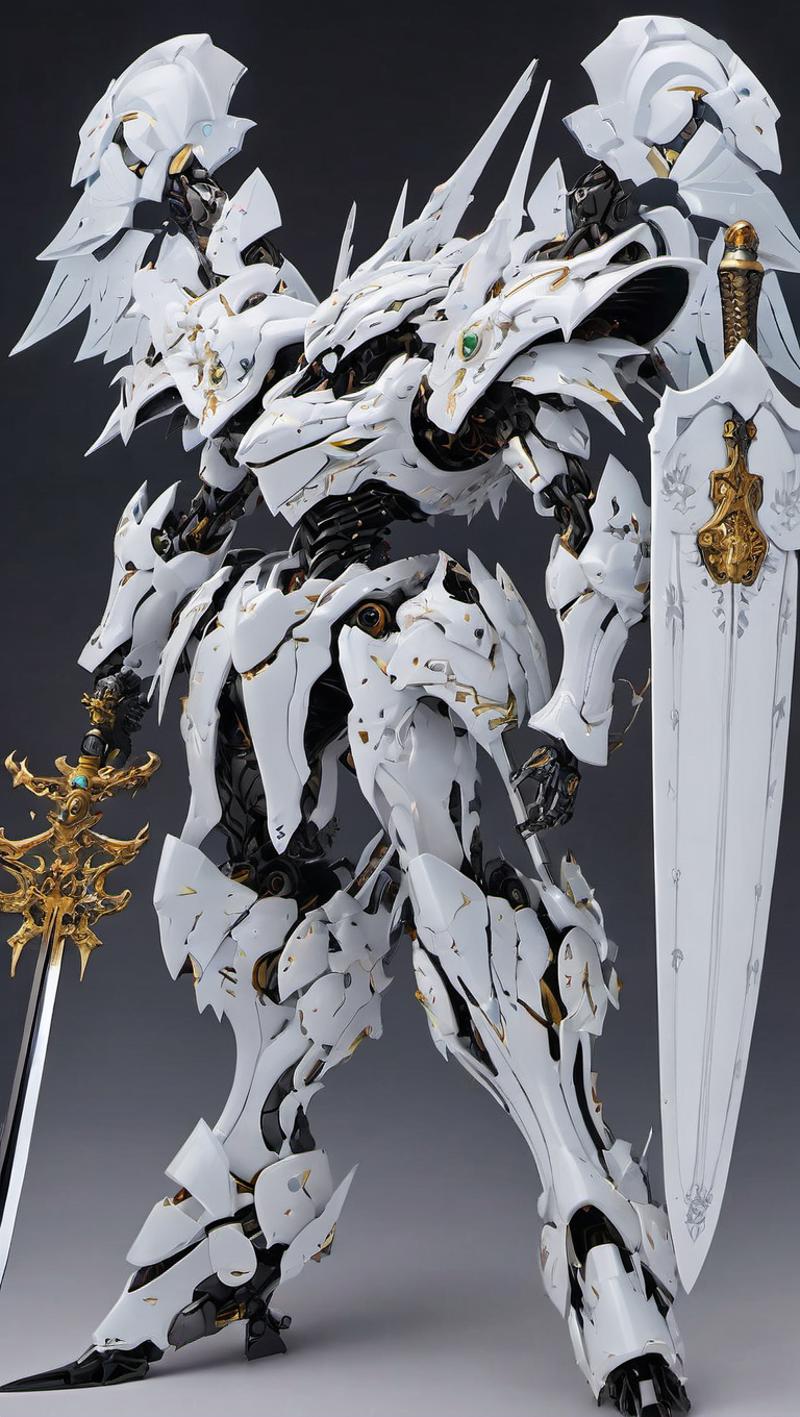
まるで異世界に登場しそうな甲冑をまとったロボットスタイルです。武骨なメカニックパーツと優雅なゴシックパーツが融合したスタイルとなっています。
メカニック要素とゴシック要素がアンバランスなこともありますので、適度にパーツに関するプロンプトを入れると良い結果が出せるでしょう。
This robot genre has an armoured form and armour, and is decorated in a gothic style.
The designs are similar to those of super robots, but are reminiscent of warriors such as knights and samurai.
It is more difficult to adjust the design to both mechanical and armoured elements, so it can work well if you supplement the parts and elements with prompts.
サンプルプロンプト
sample prompt
(FRS),(a ((mecha)) with sleek and menacing design:1.2), glowing eyes, full body, highly detailed, (heroic knight armor:0.8), (heroic parts:1.5) ・レンジャーロボットスタイル Ranger Robot Style (RARS)

どこぞの特撮ヒーローで見かけるような巨大ロボットを出すスタイルです。箱形っぽい体系でかつ派手なカラーリングが特徴となっています。
もう少し箱っぽい要素ではなく、スーパーロボット要素を入れたい場合は「heroic parts」のプロジェクトを指定して強度を上げるといいでしょう。
The style is to produce a ranger-like robot that looks like a ranger you've seen somewhere before. When combined with the Super Robot style, it can produce robots with even more heroic designs.
サンプルプロンプト
sample prompt
(megazord), (SRS),a (((mecha))) with sleek and menacing design, glowing eyes, full body, highly detailed, (heroic parts), mechanical parts, robot joints, (city:1.2)・にじジャーニーロボットスタイル Niji Journey Robot Style (NJRS)

にじジャーニーで生成されたようなデザインのロボットを出すスタイルです。独特な造形とプロポーションが特徴となっております。
It reproduces the design and texture of the robot illustrations generated by Niji Journey. Enjoy the unique colours and designs.
サンプルプロンプト
sample prompt
(NJRS),a (((mecha))) with sleek and menacing design, glowing eyes, full body, highly detailed, (heroic parts), mechanical parts, robot joints, (city:1.2)・ロボットアニメスタイル RobotAnimeStyle (ROBOTANIMESTYLE)

まるでアニメ作画で描かれたようなアートスタイルのロボットを生成することができます。使用する際は、スーパーロボットスタイルやリアルロボットスタイルとの併用を推奨します。
It is possible to generate robots with an art style that looks as if it were drawn in an animated drawing. When used, it is recommended that Super Robot Style and Real Robot Style are used together.
サンプルプロンプト
sample prompt
(SRS1),(mecha:1), (solo:1.5), (true proportions:2),(ROBOTANIMESTYLE:1), (cell anime:1.5), full body・ヘヴィーロボットスタイル HeavyRobotStyle (HRS)
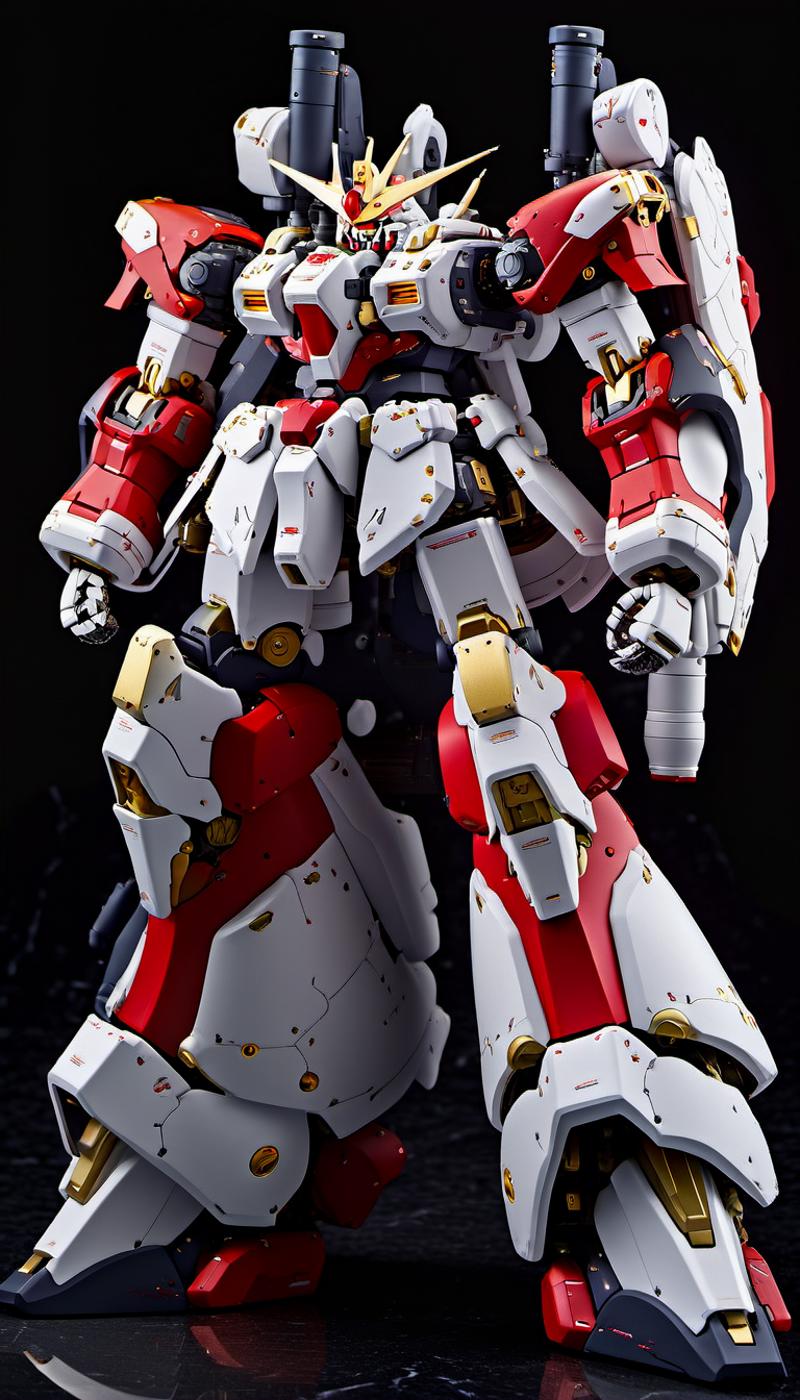
重量感あふれるマッシブな体系を持つロボットを生成することができます。武器を追加するプロンプトがあればさらに迫力が増すでしょう。
It is possible to generate robots with a heavy, massive body structure. Prompts for additional weapons would make it even more powerful.
サンプルプロンプト
sample prompt
(HRS:0.7),(masterpiece), best quality, ultra-detailed,(mecha robot:1),(ultra-detailed mecha armor), glowing eyes, (full body:1.2), (mechanical parts:1), (robot joints:1), (military parts:1), (chest parts:1.5), (heroic parts:1.5),(huge mechanical weapon:1.2), (detailed weapon description:1.2), (holding weapon:1.5)・バイオロジカルロボットスタイル BiologicalRobotStyle (BRS)
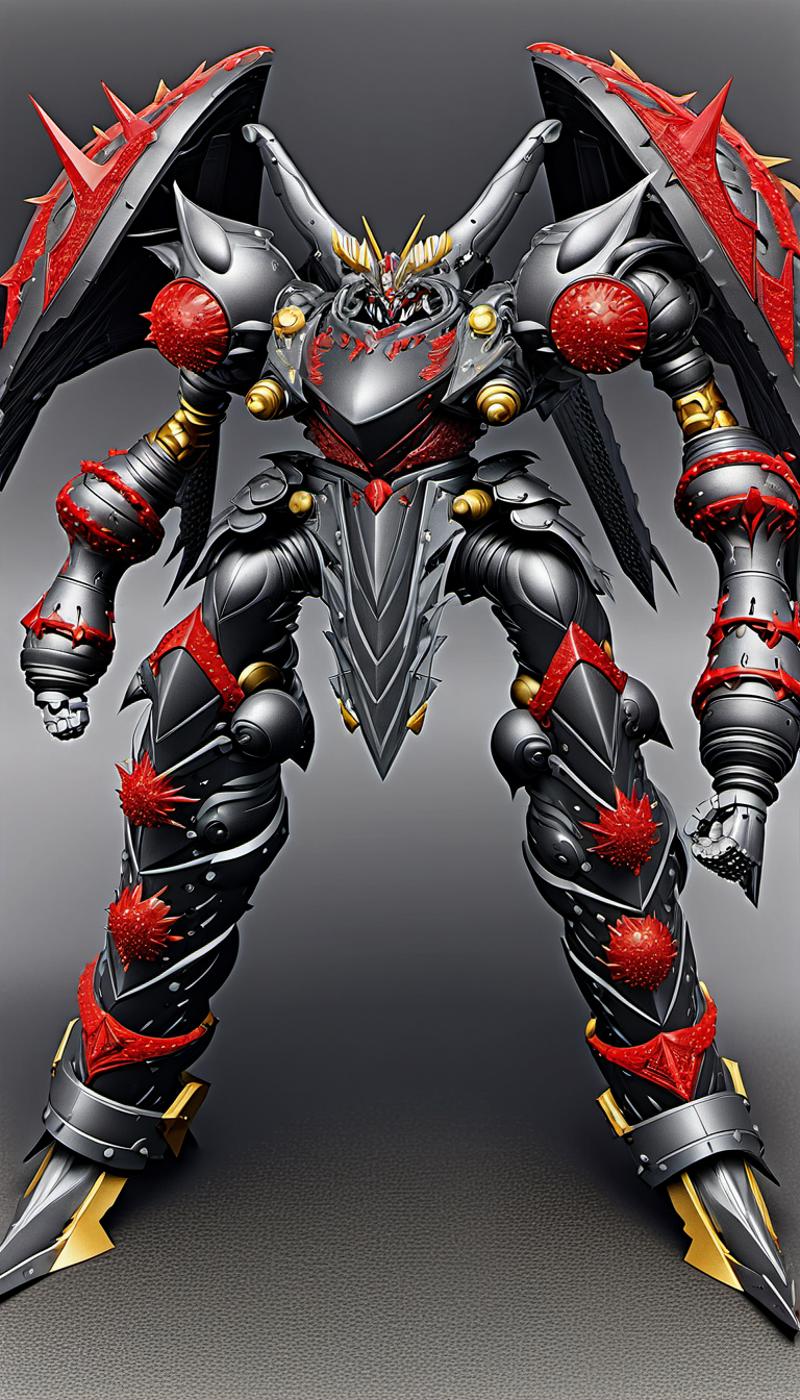
生物的でかつ有機的なデザインのロボットを生成できます。悪役ロボや敵役ロボを生成するのに最適です。
Biological and organic designs of robots can be generated. Ideal for generating villain and enemy robots.
サンプルプロンプト
sample prompt
(BRS:0.8),best quality, ultra-detailed, (ultra-detailed mecha armor), glowing eyes, (full body:1.2), (mechanical parts:1), (robot joints:1), (military parts:1), (breast armor:2.5), (heroic parts:2),(huge mechanical weapon:1.2), (detailed weapon description:1.2), (holding weapon:1.5)・ライトロボットスタイル LightRobotStyle (LRS)
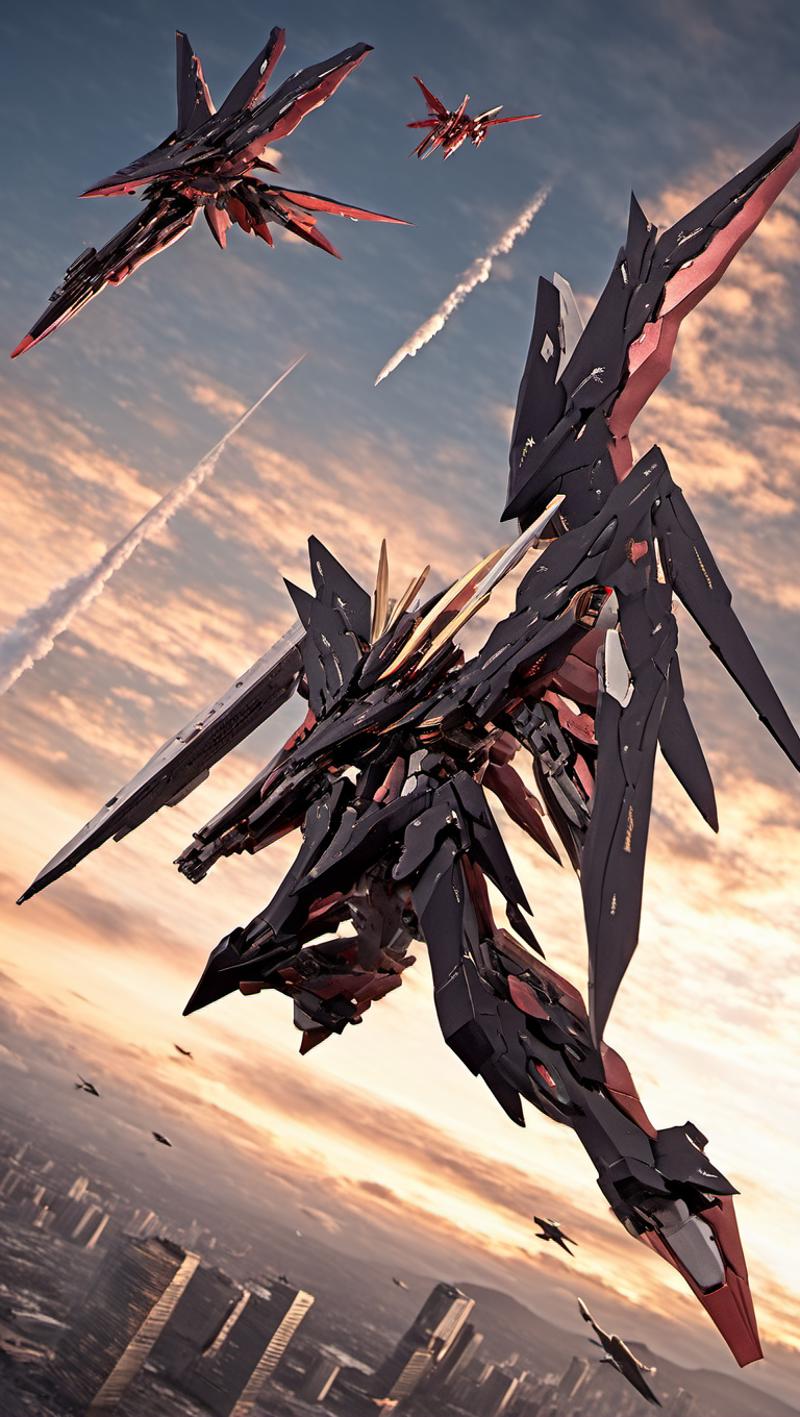
空中戦が得意な軽量デザインのロボットを生成することができます。プロンプトに(mecha flying in the sky:2)と入れれば、空中戦を描くことが可能となっています。
It can generate robots with a lightweight design that excel in aerial combat. It is possible to draw aerial combat by putting (mecha flying in the sky:2) in the prompt.
サンプルプロンプト
sample prompt
(LRS:1.5), (mecha flying in the sky:2), (flying:2),best quality, masterpiece, ultra-detailed, mecha robot, (ultra-detailed mecha armor), full armor, (very large size mecha:1.5), glowing eyes, (full body:1.2), (mechanical parts:1), (robot joints:1), (military parts:1.1), (heroic parts:1.1), cable, (dynamic pose:2),(Detailed eye description:1.2),(huge mechanical weapon:1.2), (detailed weapon description:1.2), (holding weapon and weapon :1.5)・ロボットアートスタイル RobotArtStyle
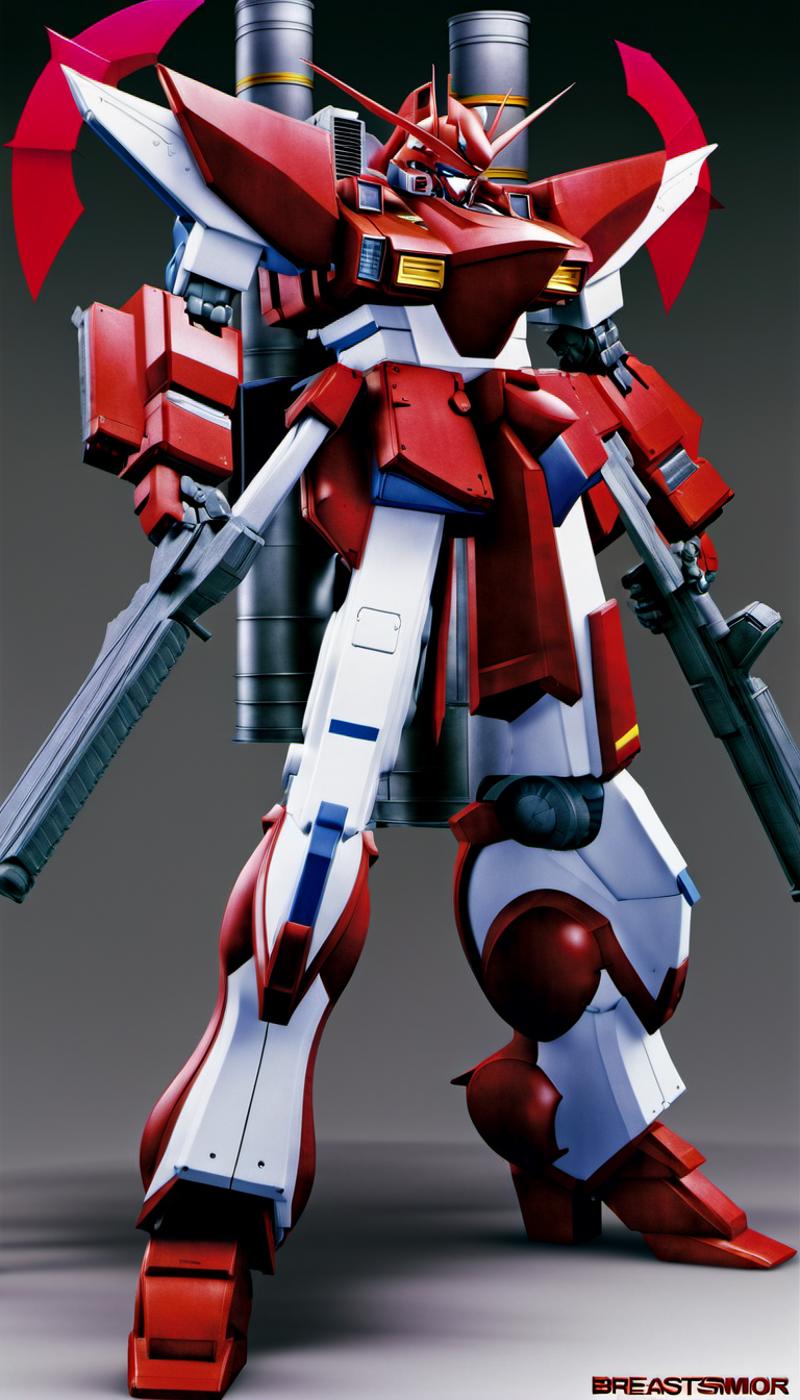
ロボットプラモデルのボックスアートのようなイラストを生成できます。使用する際は、スーパーロボットスタイルやリアルロボットスタイルとの併用を推奨します。
Illustrations like robot plastic model box art can be generated. When used, it is recommended that Super Robot Style and Real Robot Style are used together.
サンプルプロンプト
sample prompt
(ROBOTARTSTYLE:1.2),(realistic:1.5),(RRS:1.5),best quality, ultra-detailed,(mecha robot:1),(ultra-detailed mecha armor), glowing eyes, (full body:1.2), (mechanical parts:1), (robot joints:1), (military parts:1), (breastarmor:2), (heroic parts:1.5),(huge mechanical weapon:1.2), (detailed weapon description:1.2), (holding weapon:1.5)ロボットパーツシステム説明
特定のトリガーワードを入れることによってロボットパーツを追加することができます。スタイルとの併用も可能です。
Robot parts system description
Robot parts can be added by inserting specific trigger words. This can also be used in conjunction with styles.
・メカバックユニット MechaBackUnit (MECHA-BACK-UNIT)

ロボットの背中にパーツや武器を追加、増加を行います。ネガティブプロンプトにトリガーワードを入れることによって、逆に背中の部品をなくすことも可能となっています。
Add and increase the number of parts and weapons on the back of the robot. It is also possible to eliminate parts on the back in the opposite direction by putting the trigger word in the negative prompt.
サンプルプロンプト
sample prompt
(MECHA-BACK-UNIT:2),(RRS:1.2),best quality, masterpiece, ultra-detailed, mecha robot,(dynamic pose:2),(ultra-detailed mecha armor), full armor, (very large size mecha:1.5), glowing eyes, (full body:1.2), (mechanical parts:1), (robot joints:1), (military parts:1), (heroic parts:1)(Detailed eye description:1.2),(huge mechanical weapon:1.2), (detailed weapon description:1.2), (holding weapon and weapon :1.5)・メカヒュージアームズ MechaHugeArms (MECHA-HUGE-ARMS)
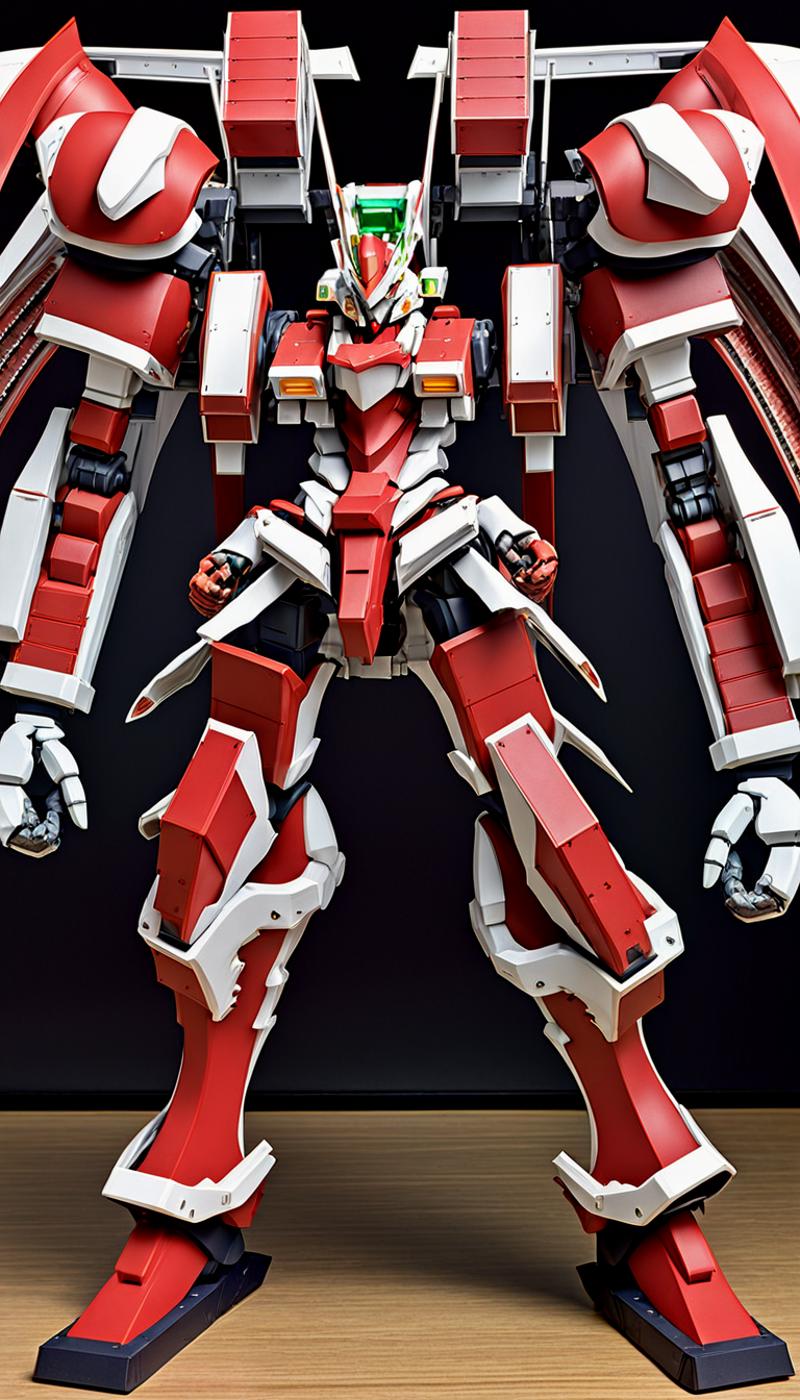
ロボットの腕を大型にします。時折、大型の腕が追加されることもあります。
Large robot arms. Occasionally additional large arms are added.
サンプルプロンプト
sample prompt
(MECHA-HUGE-ARMS:1.5),(RRS:1.2), best quality, masterpiece, ultra-detailed, mecha robot, (battlefield:2),(city:1.4),(battlefield:1.2),(dynamic pose:1.3),(ultra-detailed mecha armor), full armor, (very large size mecha:1.5), glowing eyes, (full body:1.2), (mechanical parts:1), (robot joints:1), (military parts:1.5), (heroic parts:0.1), cable(Detailed eye description:1.2),(huge mechanical weapon:1.2), (detailed weapon description:1.2), (holding weapon and weapon :1.5)・メカクアッドレッグズ MechaQuadLegs (MECHA-QUAD-LEGS)
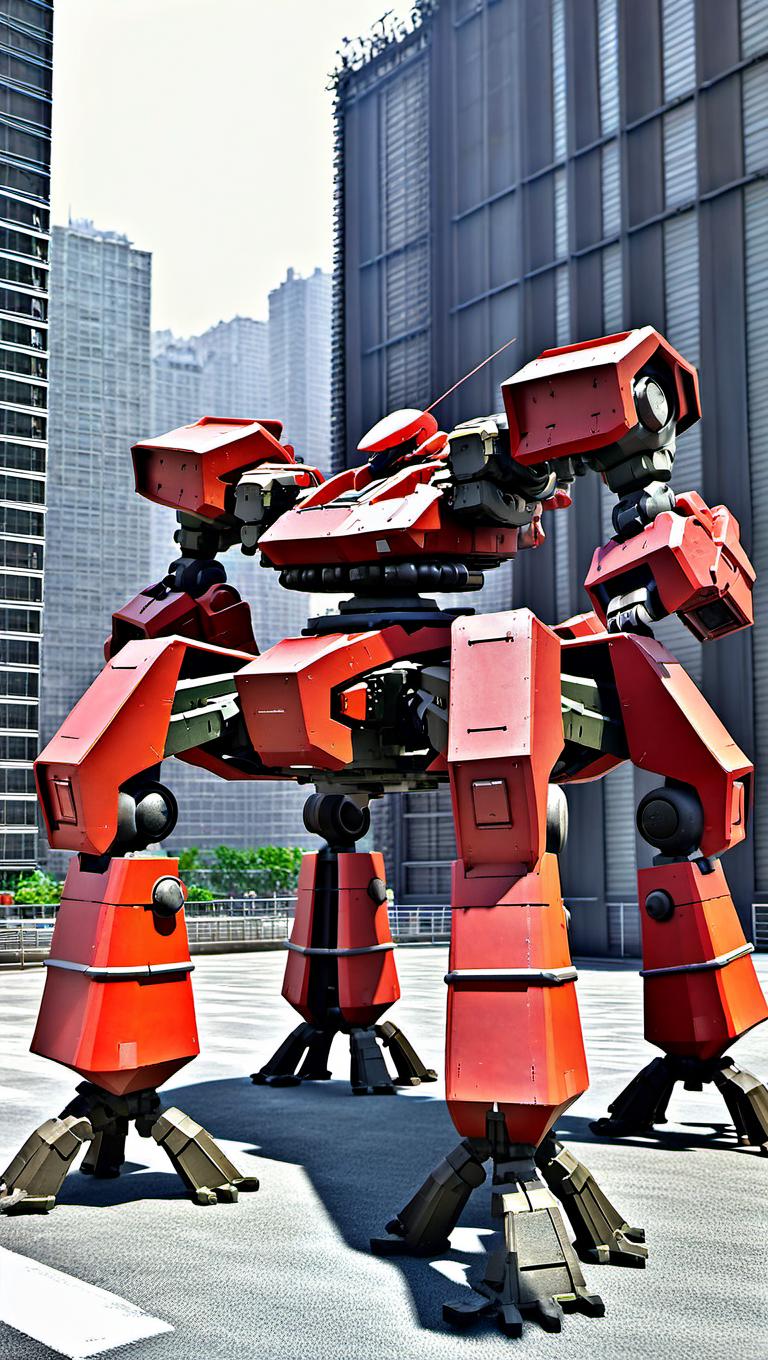
ロボットの足を四脚に替えます。綺麗な四脚が出にくいので、CFCスケールを15にすることを推奨。
Replace the robot's legs with four legs. It is recommended to set the CFC scale to 15, as it is difficult to get a clean quadruped.
サンプルプロンプト
sample prompt
(MECHA-QUAD-LEGS:2.0),(many-legged:2.5),(RRS:1.2),best quality, masterpiece, ultra-detailed, robot, (battlefield:2),(city:1.7),(dynamic pose:1.3),(ultra-detailed mecha armor), full armor, (very large size mecha:1.5), glowing eyes, (full body:1.2), (mechanical parts:1), (robot joints:1), (military parts:1.5), (heroic parts:1), cable, (Detailed eye description:1.2),(huge mechanical weapon:1.2), (detailed weapon description:1.2), (holding weapon and weapon :1.5) ・メカタンクレッグズ MechaTankLegs (MECHA-TANK-LEGS)

ロボットの下半身を戦車に替えます。綺麗な四脚が出にくいので、CFCスケールを15にすることを推奨。
Replace the robot's lower body with a tank. It is recommended to use a CFC scale of 15, as it is difficult to get clean quadrupeds.
サンプルプロンプト
sample prompt
(MECHA-TANK-LEGS:2),(TANK lowerbody:2),(non-legs:2),(RRS:2),best quality, masterpiece, ultra-detailed,mecha robot, (battlefield:2),(city:1.7), glowing eyes, (full body:1.2), (mechanical parts:1), (military parts:1), (heroic parts:1)・メカウイング MechaWings (MECHA-WINGS)
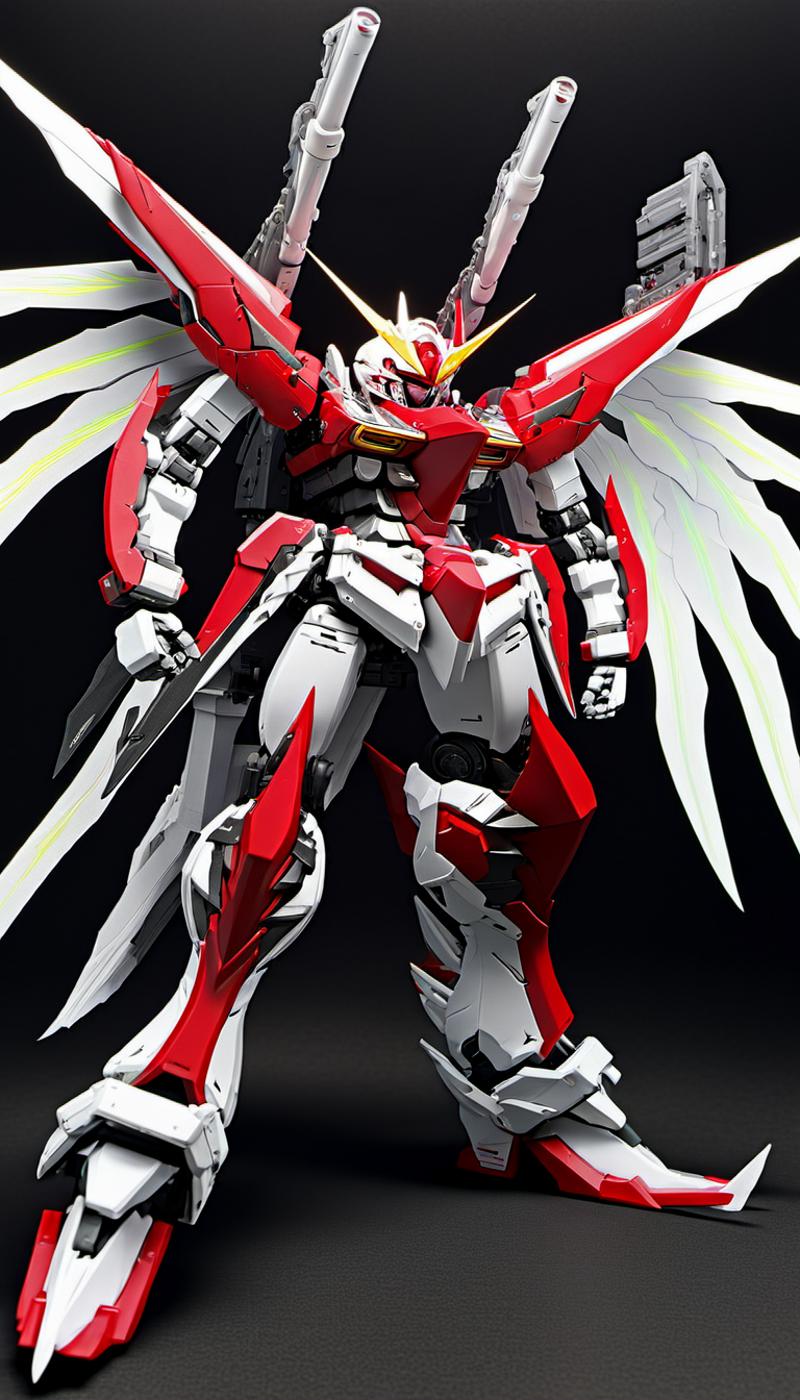
ロボットの背中に翼を装着させます。ネガティブプロンプトにトリガーワードを入れることによって、逆に背中の翼をなくすことも可能となっています。
The wings are attached to the back of the robot. It is also possible to eliminate the wings on the back in the opposite direction by putting the trigger word in the negative prompt.
サンプルプロンプト
sample prompt
(RRS:1),(MECHA-WINGS:2),best quality, masterpiece, ultra-detailed, mecha robot,(dynamic pose:2),(ultra-detailed mecha armor), full armor, (very large size mecha:1.5), glowing eyes, (full body:1.2), (mechanical parts:1), (robot joints:1), (military parts:1), (heroic parts:1),(Detailed eye description:1.2),(huge mechanical weapon:1.2), (detailed weapon description:1.2), (holding weapon and weapon :1.5) Description
初期バージョン 機能は「SRD XL v2.0」相当。
Initial version Functionality is equivalent to 'SRD XL v2.0'.
FAQ
Comments (26)
This is the best mech model so far. hoping to see more gundam series added to the data set.
Thanks for using it. Training on Gundam is quite difficult, and even though the various types of Gundam are made to learn, many of them are like the first Gundam (RX78-2). I'm working on this problem now.
Amazing checkpoint. But this will be failed while combine with ControlNet as well as in img2img mode. Please fix it.
Thanks for using checkpoints.
As for the control net,img2img issue, it may take some time, but I'll try my best to work on it.
Can I have a few minutes, img2img and ControlNet didn't work for me, I'd like to know what's going on with each of them. In particular, there are several checkpoints for control nets for SDXL that have been published, and I'm also interested in which type of process didn't work. It would also give me some hints on how to fix it, please.
Hi~
The Error Msg are the same in two modes.
RuntimeError: mat1 and mat2 shapes cannot be multiplied (77x2048 and 768x320)Here is my enviroment and Error Msg. If you have some advice, please share to me. Thanks!!
### common config
- Python 3.10.11 (tags/v3.10.11:7d4cc5a, Apr 5 2023, 00:38:17) [MSC v.1929 64 bit (AMD64)]
- Version: v1.6.1
- Commit hash: 4afaaf8a020c1df457bcf7250cb1c7f609699fa7
- checkpoint: superRobotDiffusionRiseGundam_v10
- VAE: none
- img size: 750*562
- sampler: DPM++ 2M Karrs
### txt2img
- errormsg: RuntimeError: mat1 and mat2 shapes cannot be multiplied (77x2048 and 768x320)
- ControlNet v1.1.132 -> canny
### img2img
- errormsg: RuntimeError: mat1 and mat2 shapes cannot be multiplied (77x2048 and 768x320)
@superzdd
The ControlNet model may not be for SDXL.
Try downloading and using a dedicated model.
If you want to use canny, click here.
https://huggingface.co/briaai/ControlNet-Canny
If you want to use openpose, click here.
@waomodder
I apologize for the delay in responding.
To use ControlNet in the SD APP, I need a combination of the .pth and .yaml files. The link below is the correct file that can be used in the APP:
https://huggingface.co/lllyasviel/ControlNet-v1-1/tree/main
I can see a source project in your link, but there are no .pth or .yaml files included. I'm not familiar with the codebase. Is there a way to convert the code into .pth and .yaml files? Or is there a command I can use for that?
@superzdd
I'm sorry, but are you using that version of ControlNet, perhaps the one in the link below?
https://github.com/lllyasviel/ControlNet-v1-1-nightly
If so, please do not use that ControlNet and include the following extension.
https://github.com/Mikubill/sd-webui-controlnet
Install the model for SDXL from the following link
https://github.com/Mikubill/sd-webui-controlnet/discussions/2039
@superzdd
I tried using controlnet canny to test it in my environment and it worked fine without any errors.
Please, I'll write down the operating environment below, so you can create the same environment as this one and try it out.
ControlNet v1.1.431
diffusers_xl_canny_mid [112a778d].
@waomodder
Hi! Thank you so much for your help. It worked perfectly!
Here's what I did after following your suggestion:
- ControlNet updated to version 1.1.431.
- I downloaded the file diffusers_xl_canny_mid.safetensors and saved it in the directory stable-diffusion-webui\extensions\sd-webui-controlnet\models.
You were right that these ControlNets don't work with SDXL.
https://github.com/lllyasviel/ControlNet-v1-1-nightly
And the correct ControlNets that match with SDXL are available at:
https://huggingface.co/lllyasviel/sd_control_collection/tree/main
@superzdd
I'm glad it's working properly. img2img was also able to confirm that it works.
@waomodder It still cannot be called "working" because Control net and Img2Img results always super blurry with your model.
This model stil not work correctly with Control Net. If enable control net generated image become super blurry.
Thanks for using Lora. We would first like to know your operating environment.
Then I would like to know what functions and models you use in the control net to make the images blurry, so you can tell me more about the situation.
@Velant
Here too, blurring was observed when using Canny with ControlNet v1.1.439.
The blurring was reduced by setting the Control Weight value to 0.6 or the Preprocessor Resolution value to 1024.
@waomodder this not help, image still extremely blured
@Velant
We need to know what environment you are using. Otherwise we can't deal with it or give you advice.
@waomodder automatic1111
@Velant
What versions of automatic1111 and controlnet are used?
@waomodder latest update
@Velant
That's not enough to know. As I said before, please write down the exact versions of webui and control net that caused the problem. If you don't, we can't verify it.
Robotechのモデルを作ってもいいですか。超時空要塞マクロス。とても楽しみです!
Of course it's good. I'm looking forward to it, so good luck with the production.
もちろんいいよ。楽しみに待ってるから制作頑張ってね!
Details
Available On (1 platform)
Same model published on other platforms. May have additional downloads or version variants.