tldr: get 1girl bent over with your favorite model, then use Z-image to make it REAL!
ps: if you notice any problems with the workflow, please let me know so I can fix them.
Z-Image Turbo is an absolutely incredible text2img model. The realism and maturity of its outputs is something that can be harnessed natively to create images from a prompt BUT also refining images created with other models. The trick is using it as a refine pass at low denoise. This keeps the structure while adding natural texture, depth, and lighting.
For example. Here's an image I made with an SDXL model:
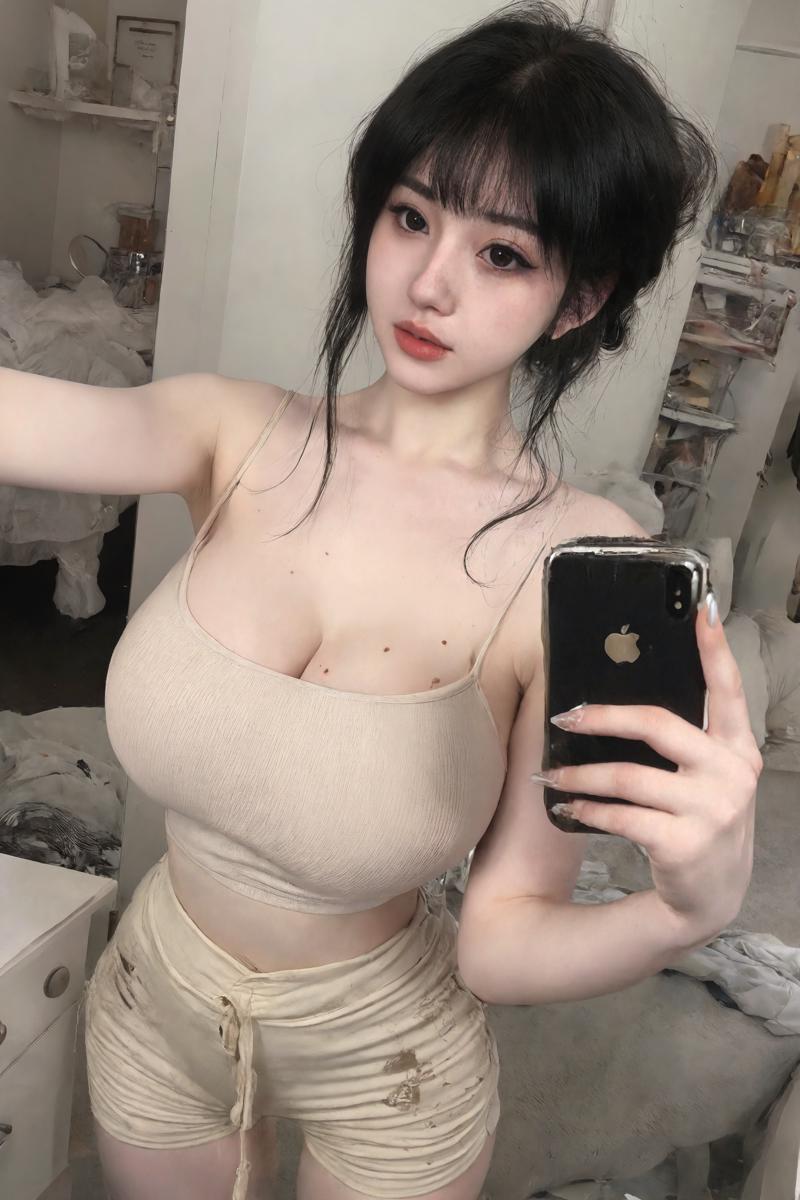
And here's the same image with a Z-noise img2img. Notice how her face is cleaned up and the background looks considerably less 'noisy' and more consistent. It also sharpened and tidied up the appearance of the phone in her hand.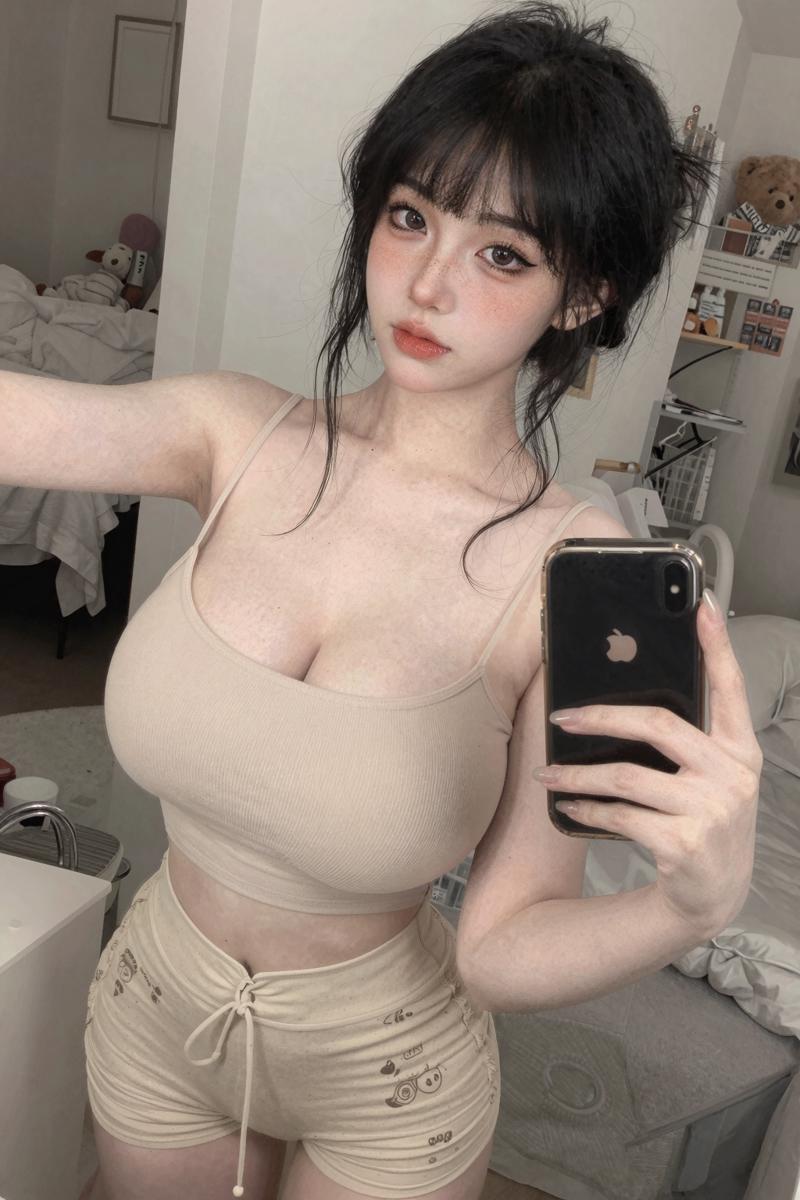
Z-Image Turbo has strong detail synthesis. At low noise levels it acts like a realism polish instead of a full redraw. You get pores, hair strands, cloth texture, micro-shadows, and more grounded lighting while keeping the same pose, face, and design.
How to Get it Working with NSFW Content
This is originally why I wanted to try out img2img with Z Image.
The only problem is, Z image doesn't know what a penis is. Or a vagina. At all. It butchers them. SO, the simplest solution my small brain can think of is just to mask out those naughty bits and have the rest of the image denoised. It seems to work well from my experiments.
For instance, here's a super lazy image I made, no face refine, just base image at 1216x832.
The image was created using Illustrij, an Illustrious model. I only used one LoRA (for Korean girls) and didn't really touch the image because I wanted to keep it kinda semi-real and plastic to show you how incredible Z image is.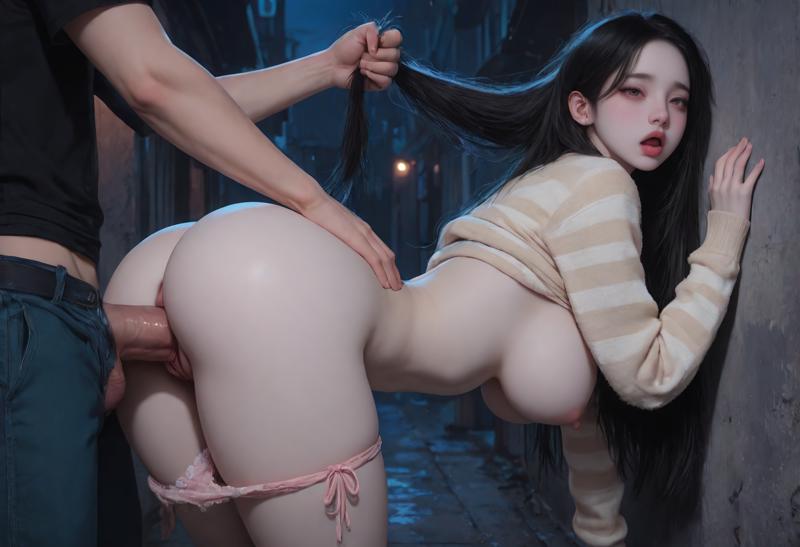
The genitals need to be masked and that mask inverted so the rest of the image can be denoised with Z image.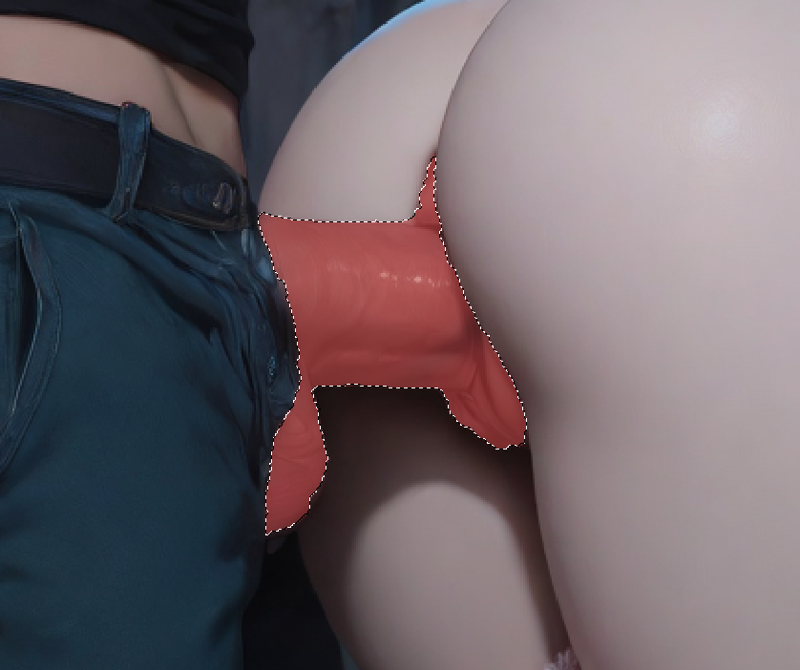
So once you invert the mask (in ComfyUI's mask editor), your Load Image node should look like this:
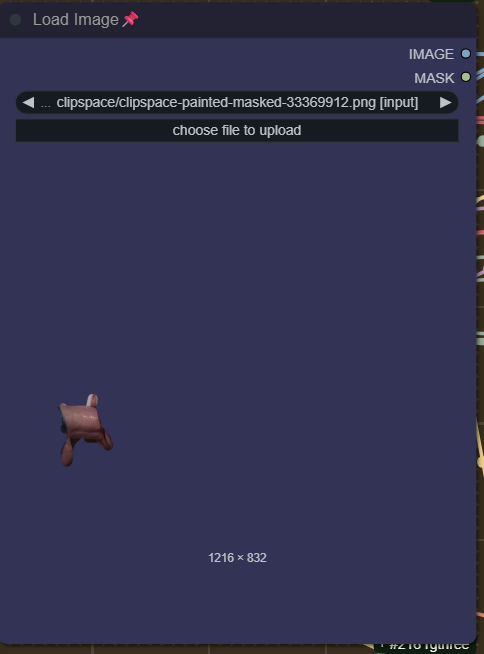
Then you can run your img2img.
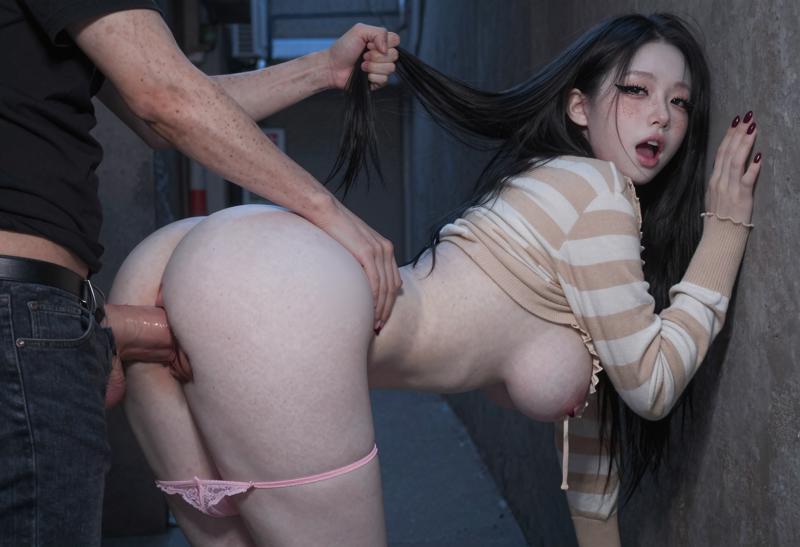
This is the result I got from a 0.55 denoise. I added some details to her face and other small things, but the idea is the same:
Another example.
Before (generated with Nova Asian, one of my favorite models):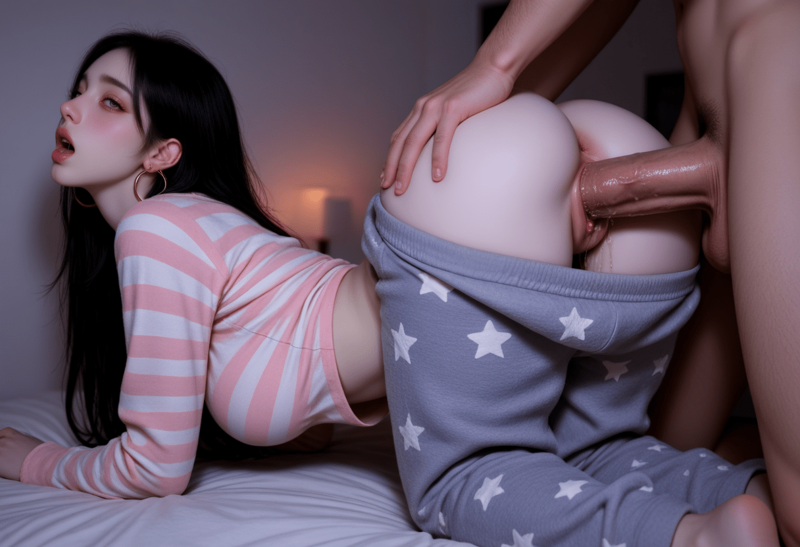
After (with Z image img2img):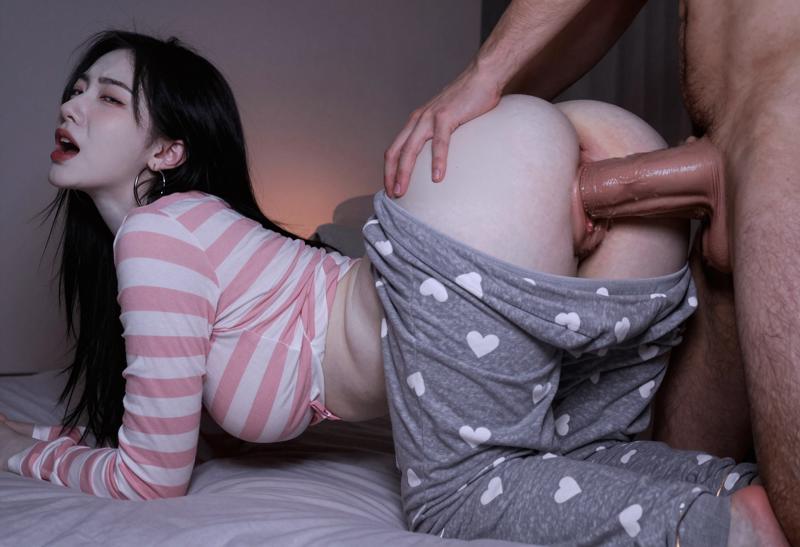
You can see a little bump on the guy's penis. This may be part of my prompt causing a problem, not sure, sometimes you get small little artifacts. If you absolutely can't get rid of little things like that, you can just manually heal/edit it out in Photoshop or a similar program.
OH and I just noticed, if you look near her feet you can see gold rings. That's because I left 'gold hoop earrings' in the prompt even though Z image should see that she has them on her ears. Just something to keep in mind as you toy with your denoise/prompts.
IMPORTANT: a shitty mask will result in shitty continuity between the genitals and the immediate surrounding content. I'm not the best at masking, but TAKE YOUR TIME making a super clean mask. You'll be glad you did.
Ideal Input
Semi-realistic portraits
Anime images with decent shading
Stylized art that already has some depth
Mildly photoreal renders from other models
If the base image is flat or heavily stylized, expect a lighter realism effect.
Denoise
Anywhere from 0.1 up to 0.65.
Of course we would like to get to 1.00 denoise as much as possible, but that obviously breaks structure and the original image style. This is a setting that needs a lot of toying with.
⚠️ If you are seeing a lot of noise/grain, don't forget to play around with the ModelSamplingAuraFlow. It has a strong affect on image composition. ⚠️
Sampler
I personally use euler/simple. If you know of a different/better sampler/scheduler combo, go for it. Res_multistep looks interesting.
Steps
9-20
This is totally up to you. I usually do 12 and the results are fantastic. Anything beyond that range seems not to add much and takes way longer.
CFG
1-3
Because we're doing a relatively low denoise img2img pass, you shouldn't be afraid to pump up the CFG a little bit. Aspects of the image won't become nearly as 'overbaked' as if we were doing a regular 1.00 denoise txt2img.
Workflow (regular img2img and img2img masked included as an attachment)
This is the current workflow I made for img2img with Z-image. It uses an AIO checkpoint of Z Image which can be found here (you can use the regular Z image model with separate clip/vae if you want of course, just redo the node connections):
https://huggingface.co/SeeSee21/Z-Image-Turbo-AIO/tree/main
Look through the workflow fully before you start. There's a main image gen part, FaceDetailer, HandDetailer, an optional SkinDetailer, Upscaler, and Save Image. Sorry for all the custom nodes, you can use other workflows if you want, I just created this myself over time and it works really well.
Paste your image in the Load Image node
Set prompt, parameters, etc.
Change denoise in the KSampler to whatever you want (start low, like 0.40)
Run it.
Toy with the prompt and CFG until you're happy.
It can be finicky so just be patient and learn to understand how the process works.
Custom Nodes You Need (not all of them necessarily)
ComfyUI Impact Pack
For the Detailers
ComfyUI-Custom-Scripts
Optional, has a nice 'Play Sound' node when the workflow finishes
rgthree-comfy
For the awesome LoRA loader
ComfyUI_essentials
For some math calc nodes
ComfyUI Impact Subpack
For the UltralyticsDetectorProvider node (critical for face/hand detailer)
Omar92's Quality of Life Suite:V2
The only pack I found that has an important Integer-to-Float node
comfyui_image_metadata_extension
Optional, just adds extra metadata so you can easily drag-n-drop your images into CivitAI with full (or mostly full) metadata pre-filling
ComfyUI-KJNodes
For keeping everything organized with GetNode and SetNode. You can try the workflow without this, but you'll have to reconnect everything and will end up with spaghetti noodles.
Tips
As I stated before, don't be afraid to play with the CFG, especially to highlight some key features that may be muted by default in Z Image. I often use CFG 2 or 3 with a weighted tag (she has very pale skin:1.2) to push super white skin. This is just an example.
This CFG playground can also work well for the FaceDetailer node.
You can transfer your initial prompt to the img2img workflow. It will probably need to be modified and this is something you will have to toy with. All my images are based off danbooru tags, so I usually look at a test render and see where there are artifacts from Z Image trying to figure out my prompt. Then I remove certain parts of the prompt or rewrite them in natural language. You could also take your image and/or prompt and plug it into an LLM to have it create a strong, natural language prompt that Z image would understand better.
From my understanding, it's better to start with an image you've already finished and upscaled. If you start with a low-res image, then do img2img, then upscale fiercely, you will notice some small problems like banding (which I have definitely encountered). img2img necessarily means you are kinda 'blending' two image styles, with the models having mostly very different understanding and implementation of shadows, lighting, color palettes, etc etc. So it's a good idea to check over the final image for imperfections that could otherwise have been fixed with a well-thought-out generation pipeline.
Before/After Expectations
Low-denoise Turbo won't replace composition or anatomy. What it does is give your existing image a natural finish, like running it through a realism filter that actually understands depth and texture.
You keep the same character. You keep the same design.
You just get a cleaner, sharper, more believable version.
Questions, comments, concerns?
If you have any questions or thoughts regarding this workflow or more generally, feel free to post a comment.
Btw, I do not consider myself an expert in any of this, I've just found this strategy works well. It's not intended to be final or perfect.
Description
FAQ
Comments (16)
can we get this as a lora or something that can work in webui forge neo?
I've never used webui forge neo and this could never be a lora because it's just a workflow lol. Sorry I couldn't be of more help :(
@SeoulSeeker thanks for the reply. it seems like a special upscaler/denoiser. I will try this in comfy when time permits. Can i ask questions and provide a link on reddit about this work?
@Melodic_Possible_582589 of course, i'm here to help. For NSFW img2img I would consider this pretty experimental as success rate isn't always super helpful. But feel free to post it wherever you want! Everything is free and open for anyone to use/modify.
When you say the genitals need to be masked, are you saying this is done in an automated detection-based process, using Segment Anything or something like that? Or that it should be done manually in photoshop?
It would technically be possible with SAM2/SAM3, I haven't tried myself. Obviously this would speed things up, I would just be concerned about the actual shape and boundaries of the mask it creates. Especially for the vagina where you want to capture a semi-poorly defined boundary of the lips, anus, etc etc.
So when I mask, I usually do it manually with the ComfyUI built-in Mask Editor or Photoshop. Photoshop is an extra step but you can mask with a lasso tool which is wayyyyy better than the primitive brush in ComfyUI.
@SeoulSeeker NSFW terms can be hard to mask with SAM, but it works if you find the terms (i.e. 'male phallus' works, but 'penis' doesn't).
@Cochese9000 thank you! i was completely unaware the more 'anatomically correct' terminology would yield better results
Thanks for sharing!
You're very welcome, I hope it helps!
Why are you being so nice and share this with us?
Because a lot of faceless people have helped me along the way and I just want to give back. Everything regarding this type of stuff should be free and open. I enjoy sharing what I've learned with others so they can generate what they want to without getting frustrated or quitting.
probably a dumb question- how do I enable the optional components like the upscaler and skin detailer?
I just updated the entire workflow with a group bypasser. It has toggles to enable groups you do or don't want.
If you run into problems with that, just click on every node in a group and either
1. Right click and find 'bypass'
2. Hit Control + B (on Windows)
when the node is very purple, it's bypassed. Obviously you don't want that so just make sure they're not purple. Also, check your SAM/YOLO models in the Backend group at the bottom of the workflow, below the main pipeline.
THANK YOU! worked great
I do have a question about the SAM model. Is there a way to run that offline? I'd love to replace it with something local- gives me the heebie jeebies going through facebook
@bowowzow287 of course, the SAM models are downloadable. There's:
sam_vit_b_01ec64.pth
SAM2.1_l.pt
and a few others. They're available somewhere on huggingface. Once you get em downloaded, they go in:
ComfyUI/models/sams