


ComfyUI Detailer/ADetailer Workflow
If you're having ANY issues with this workflow, please include the error log from your console when writing a comment here on this page. Chances are 99.98% i can help you with your issue - but i need the error log. And me not having to ask for it first will save you potentially hours. Chances are also high the solution to your problem is already documented in the FAQ here.
You can now support me on my Ko-Fi if you have too much money (✿◡‿◡)
Requirements for each version are listed below or can be found inside a Note in the Workflow itself.
Because of the many connections among the nodes, I highly recommend turning off the link visibility by clicking the "Toggle Link visibility" (Eye icon) in the bottom right of ComfyUI.

Description
I originally came from A1111 WebUI to ComfyUI and, honestly, a lot of things felt way more complicated than they needed to be. I couldn’t find workflows that were both visually pleasing and showed me all the important options without requiring a deep understanding of every little thing in ComfyUI.
Over a few months I learned the ins and outs of Comfy and built my own very barebones, simple workflow (v1) with one main goal: streamline the process and make it visually understandable. I released it here thinking it might help others who also want to make the jump from A1111 to Comfy.
Over the last year I’ve kept adding more and more features as people started using the workflow and requesting things. The workflow has grown a lot, but I’m still trying to keep the same ease-of-use that this whole journey started with. The main goal is still the same: give you a lot of powerful options in a layout that’s as clean, readable, and as user-friendly as ComfyUI will allow.
At this point I feel like I have a pretty solid understanding of how Comfy works, and I’ve even created my own custom nodes to add missing functionality so this workflow could match the ideas I had for it. I try to hide as much of the technical complexity as possible — but if you’re ever curious or confused about anything, please feel free to ask!
Thanks to all of your suggestions, the workflow now includes features like:
Single-image and batch generation
Automatic detailers for specific body parts
Upscaling
v-pred models
LoRAs
ControlNet
IPAdapter
Hires fix / refiner
Manual inpainting
Thank you to every single person who uses this workflow, donates Buzz, or shares images on this page.
I really appreciate you taking those extra steps to support and promote the project. ♥️
Requirements
v4.4 and above require ComfyUI version 0.3.51 or above and also need the frontend to be AT LEAST 1.24.3 or later.
v5.1 - Full List
v5.0 - Full List
v4.4 - Additions to v4.3 (IMG2IMG Only)
Otherwise same as v4-4.3 below
v4.2-4.3 - Additions to v4.1
Otherwise same as v4.1 (incl. v4) below
v4.1 - Additions to v4 (IMG2IMG Only)
Otherwise same as v4 below
v4 - Full List
v3 - v3.2 - Full List
v2.2 - Additions to v2
Otherwise same Custom-Nodes as v2 but you can remove Comfyui-ergouzi-Nodes
v2 - Full List
v1 - Full List
How to use
Since all of the different versions work differently, you should check the "How to use" Node inside of the Workflow itself.
I promise that once you read the explanation of the workflow itself, it'll click and it will be a simple plug and play experience.
It's the simplest I could've made it coming from someone who's only started using ComfyUI 4-5 months ago and had been exclusively an A1111WebUI user before.
When were what functionalitys added?
Starting from v3, ControlNet is included.
Starting from v4, IPAdapter is included.
Starting from v4.3, HiRes Fix and Dynamic prompts(wildcards) is included.
Starting from v4.4, Refiner is included.
Starting from v5.0, Manual Inpainting is included.
Any errors during execution?
If you're running into any errors during the execution of the workflow, please check the FAQ of my Guide first. The guide is written for the IMG2IMG Workflow but when issues arise that people run into frequently i'll add the solutions and what's hapenning to that FAQ section.
If you can't find the problem you're running into there - feel free to write me a comment on the model page so that i can help you and other people might benefit from it as well.
Feedback
I'd love to see your feedback or opinion on the workflow.
This is the first workflow I have ever created myself from scratch and I'd love to hear what you think of it.
If you want to do me a huge favor, you can post your results on this Model page.
I'll make sure to send some buzz your way!
Description
additional info below the changelist!
Changes:
Implementation of Manual inpainting
Changed refiner selection with bool and lazy switch for an easy activation/deactivation
more lazy switches implemented so workflow only runs nodes required for final result(better performance)
changed hires fix steps calculation to use the same step count if steps below 10 (lightning/dmd2 loras for low vram)
saves lora information now from all activated loras in general lora power loader
removed Anything Anywhere nodes due to repeating problems after comfy updates since introduction of subgraphs
added a slider for the color fix strength
v5.0 is finally done - it took longer than expected due to a lot of problems and bugs i had to fix introduced with new comfy updates revolving around the subgraphs.
Expect the img2img v5.0 update in the following week due to some issues with the img2img transfer in combination with the manual inpainting process. (At least to make it visually smooth)
If you're experiencing any bugs, please let me know and i'll try to fix them as soon as possible!
FAQ
Comments (84)
Hi! I'm having a problem with T2I v5 workflow: seems like it's trying to run on Inpaint mode even when i'm turning this option off. I've tried to manually bypass this section but i'm just getting the blank black gen instead of an image.
Tried to play with vae/checkpoint/toggles/sampler settings but still no success
Heya @CplGreedz,
first i wouldn't try to manually bypass the parts, that might destroy some of the functions and switches that are required for switching between the outputs. So only use the switches to activate/deactivate functions 🫡
Do you have any messages in the console where comfy is running?
Could you provide me with a screenshot through imgur or google drive or something?
When initially loading the workflow the only things that are required to be filled out by you, should be the checkpoint, vae and upscale model. From then on out you should be able to run the workflow.
There might be 1 or 2 nodes shown as "running" inside the inpaint part, but these are lazy switches that switch the output based on the switches you have activated. They just serve to forward the image for the previews and do not actually mean that the inpaint area is currently active.
@vslinx Sure! Here's the link: https://imgur.com/a/e3BpZwI . I also attached some weird thing that happened at the first start-up of the workflow.
Double checked my checkpoint, vae and upscale model nodes, everything is correctly.
Sorry if dumb, i'm just REALLY new to Comfy
hey @CplGreedz,
noo need to put yourself down - we all start somewhere and Comfy is sadly not the easiest tool to get into ^^
The two errors i can see come from 2 things and are really easy to fix.
The first: "Checkpoint failure" comes from the seconds row -> second group called "Refiner".
When executing the workflow it tries to check for the checkpoint and cant find it in your list.
Just change it to any of your checkpoints like the prefectIllustriousXL_v10 for example - no need to activate or use it, you just need to have an existing checkpoint here.
This is where you have to change it.

The second: "Output images will be put here" means that the "Load last image from output"-Node cannot find any images in your output directory - most likely because you have not yet created any images and therefore your directory is empty.
You can just click on the "choose file to upload"-Button in the Inpainting area to select any picture - no matter where, to fix this issue. Once you have generated 1 image this won't appear again :)
This is where you have to change it.

Let me know if everything works now or if you still need help 🫡♥️
PS: The second image shows warnings from comfyui, the newest frontend version now has something called workflow validation which is not really functional yet and still in the beta phase of it. You can safely ignore them since it's just comfy being stupid 🫣😂
@vslinx Hi! It helped a lot and now everything is working mostly, thanks! Sometimes the black image is still appears, but i suppose that the problem lies in resource overload from other stuff on my PC and not directly connected to the workflow itself.
hey @CplGreedz,
Glad that it's working now!
It should only be slower if you're using a lot of resources on your computer, if you're having a black image instead of a generated one it's most likely something with the workflow itself :o
Let me know if you get black images again and if there are any errors in the console.
If you're using the detailers and you're getting black images in the previews it's most likely just that the ultralytics model couldn't find what it's trained to find in an image. But if you're getting a black image in one of the two preview fields let me know!
Is this adaptable for Tensor.art Comfyui?
@xCraftyx this workflow is meant to be run locally via comfyui only.
I have gotten invites for tensor.art in the past but because it‘s such a closed off system i don‘t like to have my workflow published there since i have virtually no way to debug if anything breaks :/
Constant errors inside this WorkFlow
@RussianMan_BRUTAL that sounds unlikely unless you're on a very old comfy version or you're missing custom nodes.
If you copy and paste your errors i might be able to help you figure out what the issue is 🫡🙏
@vslinx I would really appreciate your help <3
I'll come home from work a little later (I work in a brutal, cool job, because I'm a brutal guy) and I'll send you the text of the errors that appear.
i‘ll gladly help @RussianMan_BRUTAL :D
Just send me the full error log of your console when executing the workflow and i‘ll help you as good as i can! 🫶🏽
@vslinx Hi, thanks for helping me out. The errors I encountered were related to Cuda and PyTorch incompatibility with ComfyUI, but I found a solution, and now everything is fine, except for a few details... There were errors before, but now I just don't understand anything (yes, I read the notes in the workspace). If it's not too much trouble, could you explain how to interact with IPAdapter, ControlNet, and the ManualImpainting menu? I'm probably not quite sure what to do with them. Should I just upload an image? I did that, but uploaded images don't affect the result at all. I also don't understand what enabling IPAdapter and ControlNet+ preproseccor in the "General Function Control" menu does. Enabling them doesn't change anything. The model only generates a pose and silhouette and outputs them to the "ControlNet Pose Preview" node, after which generation stops. So, I only get a pose and silhouette. Basically, I've run into a problem, and I don't know what to do about it. I've watched millions of tutorials on YouTube, but none of them really explain how to work with knots, especially when there are a lot of them. The biggest problem is the orientation in these very ControlNet, Adetailer, Mask nodes and working with them when there are many of them in one workflow.
Hey @RussianMan_BRUTAL,
i don't really give tutorials on what IPAdapter or ControlNet are since there are a lot of good tutorials out there that probably explain it way better than i do.
You can however find brief explanations in my IMG2IMG guide about what these are.
Here for IPAdapter and here for ControlNet.
There you can also find an explanation on how to use the IPAdapter, Otherwise there are explanations on how to use the IPAdapter and the ControlNet inside the Explanation node to the left called "How to use".
I tried to make the process as streamlined as possible and the workflow is mostly meant for people who already know what all these things are and only want to use them. It's probably not a good workflow for someone trying to learn some additional things.
Don't use/activate the Manual Inpainting part of the workflow if you don't actually want to inpaint anything, for normal text generation you will not need this area.
I can only recommend reading the notes inside the workflow again for ONLY the functions you want to use and only activating the functions you want to use and know what they do.
If you wildly activate a lot of options and don't know how they work or don't provide images for the process it's normal that some things might not work.
I hope that helps 🫡
@vslinx Okay, I've been sitting around for a while and now I understand at least 1/5 of it.
Thank you. Can you tell me why the danbooru list might not load, when I try to enter the path to this file, an error pops up "Error loading custom list, try manually cope + pasting the list".
My path looks like this: C:\Games\krita_ai_compatible\danbooru_e621_merged_2024-12-22_pt25-ia-dd-ed.csv
I left this file in a folder on the disk, went into its directory, copied it and tried to paste it into the field, but an error pops up.
@RussianMan_BRUTAL sometimes your pc doesn't have the permissions to access the file from outside the comfy folder. You can then just open the .csv file with editor, copy all the content and paste it into the field in the settings instead of setting the file path.
You can then click save and it should work! 🥰
@vslinx My hero
@vslinx How often can I ask for help if I need it? I feel clingy.
@RussianMan_BRUTAL If you have a question about the functionality of the workflow you can always ask and i'll always try to help :D
If it's more about general stuff like what controlnet, ipadapter, inpainting, refiner etc. is, it's probably better to google or ask chatgpt since it'll solve your issues faster :D
@vslinx The question is about the workflow functionality.
I want to download models from the Recommended Ultralytics Models, a facial recognition model.:
1. https://civitai.com/models/1222100/mask-adetailer-face-detailer-for-eyes-eyebrows-and-nose
2. https://civitai.com/models/1076050/adetailer-anime-girl-face-segmentation
I can't figure out which folder these files should be in.
If this is Lora, is it possible to add two files to the workflow at once, or just one?
This question also applies to three eye models, this is Lora and do I need to use 3 pieces at once?
@RussianMan_BRUTAL both of these models are ultralytics segment (seg/segm) models.
So they both belong into the ultralytics/segm folder.
They are NOT loras, i think you don't quite understand what they are doing or what they are there for. They are detection models only there to recognize and mask areas it is trained on, in this example the face.
So all it does is mask the face area so that the actual detailer can then re-paint them at a higher resolution.
You can also find that information in the Guide where it says that:
"Detailer (ADetailer)
The Detailer (often called ADetailer) is used to refine specific parts of an image after the initial generation. It detects body parts or facial features—like eyes, hands, or mouth—using object detection (usually with Ultralytics), and then re-renders those areas at higher quality using targeted prompts and LoRAs. It’s great for fixing anatomy issues or enhancing details like eye color or hand shape."
Please always check the guide or notes inside the workflow first, this way you don't have to wait hours or days for an answer and can help yourself.
In the Files section you can also see an explanation of where they're supposed to go.
The only way I could get this to work was to disconnect the scheduler from the Ksampler nodes. Here's what fixed it for me:
Quick workaround (no updating needed)
You can get the workflow running by removing the conflicting scheduler links and just using the sampler’s own dropdowns:
In the workflow, find the “Normal Sampler” / “Refiner Sampler” group with:
KSampler node titled “Sampler”
One or more KSamplerAdvanced nodes titled “Sampler” or “Refiner Sampler”.
For each of these sampler nodes:
Locate the scheduler input port.
Disconnect the link coming from Scheduler Selector (Image Saver) (or any other shared scheduler node).
Once disconnected, the sampler’s own “scheduler” combo widget becomes active again. Just set it to normal (or whatever scheduler you want).
Do this for all samplers mentioned in the error:
KSampler 546:82
KSamplerAdvanced 546:575
KSamplerAdvanced 546:576
(IDs won’t matter visually; just any samplers whose scheduler is wired to a shared Scheduler node.)
After that, the samplers no longer compare their scheduler type against that shared node, so the mismatch goes away and the “Output will be ignored” spam should stop.
You’ll lose the global scheduler-switching convenience from that Scheduler Selector node, but everything should generate normally.
ok, ignore my advice above. if you were getting an issue with the ksampler, it might be a conflict with RES4LYF. I removed it and now this works great.
hey @rivverswimmer2572,
yeah this problem is listed in the FAQ in the description ^^
It's sadly not possible for me to create a workaround anymore since comfyui changed some things and now the invasive RES4LYF custom_node just messes up things with other nodes like the detailers :/
great wf
Thank you! ♥️🥰 really appreciate it
Hi, I'm sorry. Normally I wouldn't do this, but I feel like I've tried everything and I can't seem to get the T2I wf to work. Even right out of the box (after changing my backend model) I keep exporting just the example picture from the ControlNet Pose. I look everywhere for something that's failing but I don't see anything. The wf looks awesome and I would love to use it but I just can't get it to fire off correctly. Is there anything I should look / check for? I know it's not a lot to go on so I'm basically shooting for the moon at this point.😅 Thank you in advanced!
Hey @xenith617,
this sounds weird - normally the controlnet pose should never even end up anywhere close to the output/preview nodes apart from the preview in the debug section.
Are you maybe using the Image feed to check for results? The image feed will show every single preview as a "generated image" unless you change the settings of comfy accordingly so that they only show saved images. Or is the ControlNet Pose actually ending up in the Output folder?
Can you tell me if you have any errors in the console of your comfy? Maybe there is one file missing.
Usually upon loading you'd only have to change a few models for the workflow to run.
The Checkpoint, VAE, Upscale Model and the Checkpoint selected in the Refiner(even if you don't use it, comfy requires a valid checkpoint here).
Let me know if you have filled all of these out and what your console is saying when trying to generate and image 🫡♥️
And don't ever be shy to ask! I'd rather have someone enjoy my workflow than despair because i didn't make something as clear or convenient as intended ^^
@vslinx I totally forgot about looking at the console. This is what I got back from the console:
Failed to validate prompt for output 228:
* KSamplerAdvanced 546:576:
- Return type mismatch between linked nodes: scheduler, received_type(['simple', 'sgm_uniform', 'karras', 'exponential', 'ddim_uniform', 'beta', 'normal', 'linear_quadratic', 'kl_optimal', 'bong_tangent']) mismatch input_type(['simple', 'sgm_uniform', 'karras', 'exponential', 'ddim_uniform', 'beta', 'normal', 'linear_quadratic', 'kl_optimal', 'bong_tangent', 'beta57'])
* KSamplerAdvanced 546:575:
- Return type mismatch between linked nodes: scheduler, received_type(['simple', 'sgm_uniform', 'karras', 'exponential', 'ddim_uniform', 'beta', 'normal', 'linear_quadratic', 'kl_optimal', 'bong_tangent']) mismatch input_type(['simple', 'sgm_uniform', 'karras', 'exponential', 'ddim_uniform', 'beta', 'normal', 'linear_quadratic', 'kl_optimal', 'bong_tangent', 'beta57'])
* KSampler 546:82:
- Return type mismatch between linked nodes: scheduler, received_type(['simple', 'sgm_uniform', 'karras', 'exponential', 'ddim_uniform', 'beta', 'normal', 'linear_quadratic', 'kl_optimal', 'bong_tangent']) mismatch input_type(['simple', 'sgm_uniform', 'karras', 'exponential', 'ddim_uniform', 'beta', 'normal', 'linear_quadratic', 'kl_optimal', 'bong_tangent', 'beta57'])
* KSampler 604:537:
- Return type mismatch between linked nodes: scheduler, received_type(['simple', 'sgm_uniform', 'karras', 'exponential', 'ddim_uniform', 'beta', 'normal', 'linear_quadratic', 'kl_optimal', 'bong_tangent']) mismatch input_type(['simple', 'sgm_uniform', 'karras', 'exponential', 'ddim_uniform', 'beta', 'normal', 'linear_quadratic', 'kl_optimal', 'bong_tangent', 'beta57'])
Output will be ignored
Failed to validate prompt for output 274:
Output will be ignored
Failed to validate prompt for output 225:
Output will be ignored
Failed to validate prompt for output 29:
Output will be ignored
Failed to validate prompt for output 226:
Output will be ignored
Failed to validate prompt for output 230:
Output will be ignored
Failed to validate prompt for output 532:
Output will be ignored
Failed to validate prompt for output 259:
Output will be ignored
Failed to validate prompt for output 231:
Output will be ignored
Failed to validate prompt for output 224:
Output will be ignored
Failed to validate prompt for output 229:
Output will be ignored
Failed to validate prompt for output 227:
Output will be ignored
Prompt executed in 0.44 seconds
@vslinx I figured it out. I looked into the error code and I guess at some point I had downloaded RES4LYF for another workflow. 😓Thank you for getting me to the solution and hopefully it helps someone else in the future.
@xenith617 yeah sadly there is nothing i can do to fix that :/
Previously in comfy i was able to use some converters to convert present to expected schedulers, but due to some recent changes on Comfy this is no longer possible.
This issue sadly happens a lot and is also listed in my FAQ section.
I hope one day comfy will either allow us to do non-strict passing of values or the custom_node developer of RES4LYF will do a different implementation.
BRAVO!
Hi, I'm not sure why, but the images I'm generating aren't being saved to my path, or at all. The images also aren't appearing under Preview after Upscale/HiRes Fix | Preview before Inpaint for me, which I assume it should do like 4.5 does.
Please help me, if you would be so kind. If there is anything else I need to provide, please ask away.
I'm not using node 2.0, in case that is important.
Hey @last27683599,
The image is only ever saved after appearing in the final preview.
If there is no image appearing in the preview then there is also non saved and if it's not appearing in the preview that means that there was an error during generation.
It's good you're not using node 2.0 since they won't work due to incompatibility with rgthree-nodes, but you should have an error in your console that could give us an idea on what's broken.
@vslinx Hi, the difficult thing is that there no error shows in the console logs when running the entire process. I have clicked the blue playbutton on Preview after Upscale/HiRes Fix | Preview before inpaint that appears when you click on it, and there it pops an error. I will include my entire console here,
Everything below the prompt executed in x seconds is the error that only appears in the console when I click the blue playbutton on that final preview. I've clicked it multiple times, each starts with "get prompt" for clarification.
<this is what it gives me in Show Report>
** ComfyUI Path: C:\Users\user\AppData\Local\Programs\ComfyUI\resources\ComfyUI
** ComfyUI Base Folder Path: C:\Users\user\AppData\Local\Programs\ComfyUI\resources\ComfyUI
** User directory: C:\Users\user\Documents\ComfyUI\user
** ComfyUI-Manager config path: C:\Users\user\Documents\ComfyUI\user\default\ComfyUI-Manager\config.ini
** Log path: C:\Users\user\Documents\ComfyUI\user\comfyui.log
[ComfyUI-Manager] Skipped fixing the 'comfyui-frontend-package' dependency because the ComfyUI is outdated.
Prestartup times for custom nodes:
2.3 seconds: C:\Users\user\AppData\Local\Programs\ComfyUI\resources\ComfyUI\custom_nodes\ComfyUI-Manager
C:\Users\user\Documents\ComfyUI\.venv\Lib\site-packages\torch\cuda\__init__.py:63: FutureWarning: The pynvml package is deprecated. Please install nvidia-ml-py instead. If you did not install pynvml directly, please report this to the maintainers of the package that installed pynvml for you.
import pynvml # type: ignore[import]
Checkpoint files will always be loaded safely.
Total VRAM 16303 MB, total RAM 31850 MB
pytorch version: 2.8.0+cu129
Set vram state to: NORMAL_VRAM
Device: cuda:0 NVIDIA GeForce RTX 5070 Ti : cudaMallocAsync
Using async weight offloading with 2 streams
Enabled pinned memory 14332.0
Using pytorch attention
Python version: 3.12.11 (main, Aug 18 2025, 19:17:54) [MSC v.1944 64 bit (AMD64)]
ComfyUI version: 0.3.76
[Prompt Server] web root: C:\Users\user\AppData\Local\Programs\ComfyUI\resources\ComfyUI\web_custom_versions\desktop_app
Total VRAM 16303 MB, total RAM 31850 MB
pytorch version: 2.8.0+cu129
Set vram state to: NORMAL_VRAM
Device: cuda:0 NVIDIA GeForce RTX 5070 Ti : cudaMallocAsync
Using async weight offloading with 2 streams
Enabled pinned memory 14332.0
[Crystools INFO] Crystools version: 1.27.4
[Crystools INFO] Platform release: 11
[Crystools INFO] JETSON: Not detected.
[Crystools INFO] CPU: AMD Ryzen 7 7800X3D 8-Core Processor - Arch: AMD64 - OS: Windows 11
[Crystools INFO] pynvml (NVIDIA) initialized.
[Crystools INFO] GPU/s:
[Crystools INFO] 0) NVIDIA GeForce RTX 5070 Ti
[Crystools INFO] NVIDIA Driver: 591.44
[ComfyUI-Easy-Use] server: v1.3.4 Loaded
[ComfyUI-Easy-Use] web root: C:\Users\user\Documents\ComfyUI\custom_nodes\comfyui-easy-use\web_version/v2 Loaded
### Loading: ComfyUI-Impact-Pack (V8.28)
[Impact Pack] Wildcard total size (0.00 MB) is within cache limit (50.00 MB). Using full cache mode.
[Impact Pack] Wildcards loading done.
### Loading: ComfyUI-Impact-Subpack (V1.3.5)
[Impact Pack/Subpack] Using folder_paths to determine whitelist path: C:\Users\user\Documents\ComfyUI\user\default\ComfyUI-Impact-Subpack\model-whitelist.txt
[Impact Pack/Subpack] Ensured whitelist directory exists: C:\Users\user\Documents\ComfyUI\user\default\ComfyUI-Impact-Subpack
[Impact Pack/Subpack] Loaded 0 model(s) from whitelist: C:\Users\user\Documents\ComfyUI\user\default\ComfyUI-Impact-Subpack\model-whitelist.txt
[Impact Subpack] ultralytics_bbox: C:\Users\user\Documents\ComfyUI\models\ultralytics\bbox
[Impact Subpack] ultralytics_segm: C:\Users\user\Documents\ComfyUI\models\ultralytics\segm
[Impact Subpack] ultralytics_bbox: C:\Users\user\Documents\ComfyUI\models\ultralytics\bbox
[Impact Subpack] ultralytics_segm: C:\Users\user\Documents\ComfyUI\models\ultralytics\segm
------------------------------------------
Comfyroll Studio v1.76 : 175 Nodes Loaded
------------------------------------------
** For changes, please see patch notes at https://github.com/Suzie1/ComfyUI_Comfyroll_CustomNodes/blob/main/Patch_Notes.md
** For help, please see the wiki at https://github.com/Suzie1/ComfyUI_Comfyroll_CustomNodes/wiki
------------------------------------------
[C:\Users\user\Documents\ComfyUI\custom_nodes\comfyui_controlnet_aux] | INFO -> Using ckpts path: C:\Users\user\Documents\ComfyUI\custom_nodes\comfyui_controlnet_aux\ckpts
[C:\Users\user\Documents\ComfyUI\custom_nodes\comfyui_controlnet_aux] | INFO -> Using symlinks: False
[C:\Users\user\Documents\ComfyUI\custom_nodes\comfyui_controlnet_aux] | INFO -> Using ort providers: ['CUDAExecutionProvider', 'DirectMLExecutionProvider', 'OpenVINOExecutionProvider', 'ROCMExecutionProvider', 'CPUExecutionProvider', 'CoreMLExecutionProvider']
C:\Users\user\Documents\ComfyUI\custom_nodes\comfyui_controlnet_aux\node_wrappers\dwpose.py:26: UserWarning: DWPose: Onnxruntime not found or doesn't come with acceleration providers, switch to OpenCV with CPU device. DWPose might run very slowly
warnings.warn("DWPose: Onnxruntime not found or doesn't come with acceleration providers, switch to OpenCV with CPU device. DWPose might run very slowly")
[rgthree-comfy] Loaded 48 magnificent nodes. 🎉
[rgthree-comfy] ComfyUI's new Node 2.0 rendering may be incompatible with some rgthree-comfy nodes and features, breaking some rendering as well as losing the ability to access a node's properties (a vital part of many nodes). It also appears to run MUCH more slowly spiking CPU usage and causing jankiness and unresponsiveness, especially with large workflows. Personally I am not planning to use the new Nodes 2.0 and, unfortunately, am not able to invest the time to investigate and overhaul rgthree-comfy where needed. If you have issues when Nodes 2.0 is enabled, I'd urge you to switch it off as well and join me in hoping ComfyUI is not planning to deprecate the existing, stable canvas rendering all together.
### Loading: ComfyUI-Manager (V3.36)
[ComfyUI-Manager] network_mode: public
### ComfyUI Revision: UNKNOWN (The currently installed ComfyUI is not a Git repository)
Import times for custom nodes:
0.0 seconds: C:\Users\user\AppData\Local\Programs\ComfyUI\resources\ComfyUI\custom_nodes\websocket_image_save.py
0.0 seconds: C:\Users\user\Documents\ComfyUI\custom_nodes\comfyui-mxtoolkit
0.0 seconds: C:\Users\user\Documents\ComfyUI\custom_nodes\comfyui-inpaint-cropandstitch
0.0 seconds: C:\Users\user\Documents\ComfyUI\custom_nodes\wlsh_nodes
0.0 seconds: C:\Users\user\Documents\ComfyUI\custom_nodes\comfyui-vslinx-nodes
0.0 seconds: C:\Users\user\Documents\ComfyUI\custom_nodes\comfyui_ipadapter_plus
0.0 seconds: C:\Users\user\Documents\ComfyUI\custom_nodes\cg-image-filter
0.0 seconds: C:\Users\user\Documents\ComfyUI\custom_nodes\comfyui-image-saver
0.0 seconds: C:\Users\user\Documents\ComfyUI\custom_nodes\comfyui-custom-scripts
0.0 seconds: C:\Users\user\Documents\ComfyUI\custom_nodes\comfyui-kjnodes
0.0 seconds: C:\Users\user\Documents\ComfyUI\custom_nodes\comfyui-advanced-controlnet
0.0 seconds: C:\Users\user\AppData\Local\Programs\ComfyUI\resources\ComfyUI\custom_nodes\ComfyUI-Manager
0.0 seconds: C:\Users\user\Documents\ComfyUI\custom_nodes\rgthree-comfy
0.0 seconds: C:\Users\user\Documents\ComfyUI\custom_nodes\comfyui_controlnet_aux
0.1 seconds: C:\Users\user\Documents\ComfyUI\custom_nodes\comfyui-impact-subpack
0.1 seconds: C:\Users\user\Documents\ComfyUI\custom_nodes\comfyui-impact-pack
0.3 seconds: C:\Users\user\Documents\ComfyUI\custom_nodes\ComfyUI-Crystools
0.4 seconds: C:\Users\user\Documents\ComfyUI\custom_nodes\ComfyUI_Comfyroll_CustomNodes
1.4 seconds: C:\Users\user\Documents\ComfyUI\custom_nodes\comfyui-easy-use
[ComfyUI-Manager] default cache updated: https://raw.githubusercontent.com/ltdrdata/ComfyUI-Manager/main/alter-list.json
[ComfyUI-Manager] default cache updated: https://raw.githubusercontent.com/ltdrdata/ComfyUI-Manager/main/model-list.json
[ComfyUI-Manager] default cache updated: https://raw.githubusercontent.com/ltdrdata/ComfyUI-Manager/main/github-stats.json
[ComfyUI-Manager] default cache updated: https://raw.githubusercontent.com/ltdrdata/ComfyUI-Manager/main/extension-node-map.json
[ComfyUI-Manager] default cache updated: https://raw.githubusercontent.com/ltdrdata/ComfyUI-Manager/main/custom-node-list.json
Failed to initialize database. Please ensure you have installed the latest requirements. If the error persists, please report this as in future the database will be required: (sqlite3.OperationalError) unable to open database file
(Background on this error at: https://sqlalche.me/e/20/e3q8)
Starting server
To see the GUI go to: http://127.0.0.1:8000
comfyui-frontend-package not found in requirements.txt
[DEPRECATION WARNING] Detected import of deprecated legacy API: /scripts/ui.js. This is likely caused by a custom node extension using outdated APIs. Please update your extensions or contact the extension author for an updated version.
[DEPRECATION WARNING] Detected import of deprecated legacy API: /scripts/ui/components/buttonGroup.js. This is likely caused by a custom node extension using outdated APIs. Please update your extensions or contact the extension author for an updated version.
[DEPRECATION WARNING] Detected import of deprecated legacy API: /extensions/core/clipspace.js. This is likely caused by a custom node extension using outdated APIs. Please update your extensions or contact the extension author for an updated version.
[DEPRECATION WARNING] Detected import of deprecated legacy API: /extensions/core/widgetInputs.js. This is likely caused by a custom node extension using outdated APIs. Please update your extensions or contact the extension author for an updated version.
[DEPRECATION WARNING] Detected import of deprecated legacy API: /extensions/core/groupNode.js. This is likely caused by a custom node extension using outdated APIs. Please update your extensions or contact the extension author for an updated version.
comfyui-frontend-package not found in requirements.txt
[DEPRECATION WARNING] Detected import of deprecated legacy API: /scripts/ui/components/button.js. This is likely caused by a custom node extension using outdated APIs. Please update your extensions or contact the extension author for an updated version.
FETCH ComfyRegistry Data: 5/110
got prompt
Failed to validate prompt for output 259:
* LoadImageOutput 664:
- Custom validation failed for node: image - Invalid image file: Loading...
Output will be ignored
Failed to validate prompt for output 871:813:
Output will be ignored
Failed to validate prompt for output 1041:
Output will be ignored
Failed to validate prompt for output 29:
Output will be ignored
Failed to validate prompt for output 407:
* LoadImage 333:
- Custom validation failed for node: image - Invalid image file: undefined
Output will be ignored
WARNING: [Errno 2] No such file or directory: 'C:\\Users\\user\\Documents\\ComfyUI\\input\\Loading...'
WARNING: [Errno 2] No such file or directory: 'C:\\Users\\user\\Documents\\ComfyUI\\input\\undefined'
WARNING: [Errno 2] No such file or directory: 'C:\\Users\\user\\Documents\\ComfyUI\\input\\undefined'
WARNING: [Errno 2] No such file or directory: 'C:\\Users\\user\\Documents\\ComfyUI\\input\\undefined'
WARNING: [Errno 2] No such file or directory: 'C:\\Users\\user\\Documents\\ComfyUI\\input\\undefined'
WARNING: [Errno 2] No such file or directory: 'C:\\Users\\user\\Documents\\ComfyUI\\input\\example.png'
model weight dtype torch.float16, manual cast: None
model_type EPS
FETCH ComfyRegistry Data: 10/110
FETCH ComfyRegistry Data: 15/110
Using pytorch attention in VAE
Using pytorch attention in VAE
VAE load device: cuda:0, offload device: cpu, dtype: torch.bfloat16
Requested to load SDXLClipModel
loaded completely; 95367431640625005117571072.00 MB usable, 1560.80 MB loaded, full load: True
CLIP/text encoder model load device: cuda:0, offload device: cpu, current: cuda:0, dtype: torch.float16
loaded diffusion model directly to GPU
Requested to load SDXL
loaded completely; 95367431640625005117571072.00 MB usable, 4897.05 MB loaded, full load: True
FETCH ComfyRegistry Data: 20/110
Requested to load SDXLClipModel
FETCH ComfyRegistry Data: 25/110
loaded completely; 8580.70 MB usable, 1560.80 MB loaded, full load: True
Requested to load SDXL
FETCH ComfyRegistry Data: 30/110
loaded completely; 11494.41 MB usable, 4897.05 MB loaded, full load: True
Restoring initial comfy attention
0%| | 0/30 [00:00<?, ?it/s]FETCH ComfyRegistry Data: 35/110
10%|█ | 3/30 [00:03<00:29, 1.10s/it]FETCH ComfyRegistry Data: 40/110
23%|██▎ | 7/30 [00:07<00:22, 1.02it/s]FETCH ComfyRegistry Data: 45/110
37%|███▋ | 11/30 [00:11<00:18, 1.05it/s]FETCH ComfyRegistry Data: 50/110
50%|█████ | 15/30 [00:14<00:14, 1.05it/s]FETCH ComfyRegistry Data: 55/110
60%|██████ | 18/30 [00:17<00:11, 1.06it/s]FETCH ComfyRegistry Data: 60/110
73%|███████▎ | 22/30 [00:21<00:07, 1.05it/s]FETCH ComfyRegistry Data: 65/110
87%|████████▋ | 26/30 [00:25<00:03, 1.05it/s]FETCH ComfyRegistry Data: 70/110
100%|██████████| 30/30 [00:29<00:00, 1.03it/s]
Restoring initial comfy attention
Requested to load AutoencoderKL
loaded completely; 1242.98 MB usable, 159.56 MB loaded, full load: True
FETCH ComfyRegistry Data: 75/110
FETCH ComfyRegistry Data: 80/110
Processing interrupted
Prompt executed in 55.83 seconds
Ignoring response {"special":"-3","unique":"16721"} because not waiting for one
FETCH ComfyRegistry Data: 85/110
FETCH ComfyRegistry Data: 90/110
FETCH ComfyRegistry Data: 95/110
FETCH ComfyRegistry Data: 100/110
FETCH ComfyRegistry Data: 105/110
FETCH ComfyRegistry Data: 110/110
FETCH ComfyRegistry Data [DONE]
[ComfyUI-Manager] default cache updated: https://api.comfy.org/nodes
FETCH DATA from: https://raw.githubusercontent.com/ltdrdata/ComfyUI-Manager/main/custom-node-list.json [DONE]
[ComfyUI-Manager] broken item:{'author': 'rjgoif', 'title': 'Img Label Tools', 'id': 'Img-Label-Tools', 'reference': 'https://github.com/rjgoif/ComfyUI-Img-Label-Tools', 'install_type': 'git-clone', 'description': 'Tools to help annotate images for sharing on Reddit, Discord, etc.'}
[ComfyUI-Manager] All startup tasks have been completed.
got prompt
Failed to validate prompt for output 259:
* LoadImageOutput 664:
- Custom validation failed for node: image - Invalid image file: Loading...
Output will be ignored
Failed to validate prompt for output 871:813:
Output will be ignored
Failed to validate prompt for output 1041:
Output will be ignored
Failed to validate prompt for output 29:
Output will be ignored
Failed to validate prompt for output 407:
* LoadImage 333:
- Custom validation failed for node: image - Invalid image file: undefined
Output will be ignored
WARNING: [Errno 2] No such file or directory: 'C:\\Users\\user\\Documents\\ComfyUI\\input\\Loading...'
WARNING: [Errno 2] No such file or directory: 'C:\\Users\\user\\Documents\\ComfyUI\\input\\undefined'
WARNING: [Errno 2] No such file or directory: 'C:\\Users\\user\\Documents\\ComfyUI\\input\\undefined'
WARNING: [Errno 2] No such file or directory: 'C:\\Users\\user\\Documents\\ComfyUI\\input\\undefined'
WARNING: [Errno 2] No such file or directory: 'C:\\Users\\user\\Documents\\ComfyUI\\input\\undefined'
WARNING: [Errno 2] No such file or directory: 'C:\\Users\\user\\Documents\\ComfyUI\\input\\example.png'
Requested to load SDXLClipModel
loaded completely; 8357.02 MB usable, 1560.80 MB loaded, full load: True
Requested to load SDXL
loaded completely; 11332.86 MB usable, 4897.05 MB loaded, full load: True
Restoring initial comfy attention
100%|██████████| 30/30 [00:28<00:00, 1.06it/s]
Restoring initial comfy attention
Processing image with shape: 1024 x 1536 to 1433 x 2150
Unloaded partially: 1237.57 MB freed, 3659.52 MB remains loaded, 65.63 MB buffer reserved, lowvram patches: 382
loaded completely; 13254.11 MB usable, 4897.05 MB loaded, full load: True
Restoring initial comfy attention
100%|██████████| 20/20 [00:13<00:00, 1.43it/s]
Restoring initial comfy attention
Unloaded partially: 4121.44 MB freed, 775.64 MB remains loaded, 525.06 MB buffer reserved, lowvram patches: 1073
Prompt executed in 74.17 seconds
got prompt
Failed to validate prompt for output 1041:
* LoadImageOutput 664:
- Custom validation failed for node: image - Invalid image file: Loading...
Output will be ignored
invalid prompt: {'type': 'prompt_outputs_failed_validation', 'message': 'Prompt outputs failed validation', 'details': '', 'extra_info': {}}
got prompt
Failed to validate prompt for output 1041:
* LoadImageOutput 664:
- Custom validation failed for node: image - Invalid image file: Loading...
Output will be ignored
invalid prompt: {'type': 'prompt_outputs_failed_validation', 'message': 'Prompt outputs failed validation', 'details': '', 'extra_info': {}}
got prompt
Failed to validate prompt for output 1041:
* LoadImageOutput 664:
- Custom validation failed for node: image - Invalid image file: Loading...
Output will be ignored
invalid prompt: {'type': 'prompt_outputs_failed_validation', 'message': 'Prompt outputs failed validation', 'details': '', 'extra_info': {}}
got prompt
Failed to validate prompt for output 1041:
* LoadImageOutput 664:
- Custom validation failed for node: image - Invalid image file: Loading...
Output will be ignored
invalid prompt: {'type': 'prompt_outputs_failed_validation', 'message': 'Prompt outputs failed validation', 'details': '', 'extra_info': {}}
</this is what it gives me in Show Report>
hey @last27683599,
that error report is already really helpful!
First of all you're getting some warnings like "[ComfyUI-Manager] Skipped fixing the 'comfyui-frontend-package' dependency because the ComfyUI is outdated." and later on the "comfyui-frontend-package not found in requirements.txt" which most likely means that your frontend package is (very) outdated. That means while your comfy(backend) does have most of the functionality, your frontend cant display nor pass the correct values to the actual technical part of the image generation.
Sadly i saw that in your error log:
"### ComfyUI Revision: UNKNOWN (The currently installed ComfyUI is not a Git repository)"
Which means you can't just simply pull the new frontend because you most likely downloaded comfy as a zip file and then unpacked it somewhere on your PC instead of "pulling" it with something called "git" which serves to keep version control of some you download via git and enables you to update it through commands.
From the looks of it you also probably installed all comfy dependencys globally, which can be a hassle since globally installed packages might end up conflicting with other software on your computer which might result in incompatibilities with other software that might also use and/or update it.
The best practice is to start comfy in a venv which means a virtual environment, that helps to keep everything installed necessary for comfy to ONLY be installed inside the comfy directory. So that nothing is really globally installed on your computer and only comfy uses these dependencys. With this you can easily manage the versions of everything installed and it's also what comfy suggests you should do in their installation guide.
The last error comes from you not having a "example.png" file in your input folder inside comfy.
Usually comfy always comes with one image inside the input folder as somewhat of an example.
This image is also visible in my workflow images and it's the little drawing of this one figure with the big yellow hair/ears.
If that image isn't present the workflow will fail since it has to have an image to display in the default "Load image node" from Comfy. So you can either select a new image in every "load image"-node inside the workflow OR you place one image into your /comfyui/input folder and call it "example.png".
Note: you also have to upload at least 1 Image in the Inpaint Area into the "Load last generated image"-Node. But only if you have never generated an image with comfy before and there is no preview of another image in that node.
I know this is all a lot and i hope i explained everything as good as possible :D
But sadly your comfyui installation is a little bit fucked/corrupted by the way you've downloaded and installed it. If you don't want to do all these steps and want to be future-proof with your comfy installation you could use the install script that i use myself to re-install my comfy installation including all dependencys/custom_nodes needed for this workflow.
I use it myself whenever i test a new version before release and a few others have also already used it to install comfy correctly.
You can find it here:
https://huggingface.co/vslinx/ComfyUIDetailerWorkflow-vslinx/tree/main
You can also open the file and check what it does to make sure nothing fishy is going on, it basically just downloads the newest comfy+frontend version and then installs all dependencys only in the comfy directory and gives you the option to also download the controlnet models etc.
At the end it lets you create a desktop shortcut which will ALWAYS start comfy in it's own venv so that it never installs anything outside of it's own directory.
You can try it if you want to - but no pressure, the other steps above will probably already fix your issue unless the frontend is not updateable at all.
If you want to use the script just download the "windows-nvidia.bat" from the link above and put it where you want comfy installed and then just execute it. It'll install comfy correctly right then and there.
@vslinx Hi. Thank you for taking your time to work that response; it was very in-depth yet easy to understand. I'm happy to inform you that it worked. Regarding the front-end part, I am using the comfyUI desktop application instead of the portable Windows version; I downloaded it on their website as is, so I believe that is just how it the desktop one is. Adding an example image into the controlnet, ipadapter, and under the manual inpainting section was what fixed the issue, I believe. Once again, thank you very much.
@last27683599 nice i'm glad it worked! ♥️
Yeah the portable version would also be wrong ^^ it's best to pull the actual directory via git, but if comfy updated just fine from the unpacked zip, it's also fine - glad it's working now! 🥰
Hope you'll enjoy the workflow and let me know if something's not working!
Who can explain the difference between the two nodes for uploading images in the ControlNet (Optional) interface? Specifically, I don't understand the difference between Pre-Prosecc and Load ControlNet Pose.
Hey @RussianMan_BRUTAL,
you can also find that Information in the notes of the workflow itself:
"ControlNet (Optional)
You can either provide a full image in the "Pre-Process image to Pose" image selector or a ControlNet pose image in the "Load ControlNet Pose" image selector at the bottom.
The ControlNet image has to match the ControlNet model in the node inside of the "ControlNet Model"-Node at the top.
If you want to imitate the pose of an image and have selected a image in the "Pre-Process image to Pose"-Node inside the "ControlNet"-Group you have to enable the "Use Pre-Processor"-Node in the "IPAdapter / ControlNet"-Group.
After selecting a pre-processing model at the bottom of the "Model Backend"-Group you can see a preview of the generated/used pose in the "ControlNet Pose Preview"-Node inside the "Debug"-Group.
You can find an in-depth guide about what ControlNet is, what it does and how each model works in this guide. (It's for A1111WebUI but you'll understand)"
I recommend reading the guide that i linked there to understand what ControlNet even does.
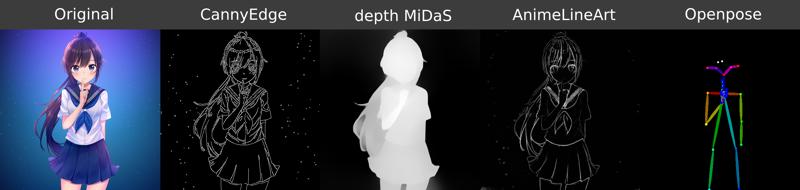
In short you can either upload a controlnet pose image, where the image is already pre-processed like these - OR you just provide an Image that you want to copy the pose from (Pre-Process Image) and activate the pre-processing in the controlnet group.
i dont know how or why but this doesnt run or even attempt to load checkpoints. it runs a few nodes for controlnet for like half a second and then ends.
i get no errors or anything like that though. looking through the comments im guessing res4lyf being installed is the problem.
hey @whateverr,
You don't always get an error thrown from comfy, is there something in the console?
There should be an error in your console where comfy is running if something fails and the workflow just stops without generating anything.
Hi @whateverr Hi @vslinx,
you right res4lyf is the problem. I uninstall res4lyf and its working. I dont use this nodes but you can try to disable it.
I apologise if my question is off topic. But after updating Comfy, when I drag and drop a previously generated image into Comfy, it does not load the entire workflow.
hey @tise4ka406,
yeah that is sadly an issue with a comfy update that broke some things with some custom nodes :/
it really really sucks and i have already brought to their attention here:
https://github.com/Comfy-Org/ComfyUI_frontend/issues/6633
This issue has been fixed with this merge-request thanks to a fellow developer in github:
https://github.com/Comfy-Org/ComfyUI_frontend/pull/7154
It's already merged so the fix is already approved, it's just now waiting to be bundles into the next release and will most likely be included in the next comfy update! 🫡♥️
@vslinx Thank you very much for your reply and for all the work you have done for everyone!
@tise4ka406, @vslinx Unfortunately, the frontend versions are prebuilt wheels, so you'll have to wait until the next version arrives > 1.34.6, which should include the code. Until then, I would recommend using a patch:
https://civitai.com/articles/23392/patch-for-the-comfyui-frontend
hey @Rvage,
yeah that's what i meant with bundled into the next (frontend) release :D my bad for badly wording it ^^
Thanks a lot for your fix in the github repo! ♥️
It seems to only save the temp png files without the metadata after you generate a image in the latest version.
Hey @SugoiDess,
if there is no image saved to the output folder it‘d mean that the process didn‘t fully finish. The output images will have all the metadata including used loras.
Can you tell me what errors you have in your console when running the workflow?
@vslinx I should clarify I was using Tavris1's easy-install comfyui with sage-attention install not portable comfyui. I tried a fresh install and its not working. I'm going to try windows nvidia portable comfyui by comfy-anonymous. See what that does.
Hey @SugoiDess,
these are a lot of errors upon startup for a new installation - damn!
But they are mostly from the GGUF-FantasyTalking node so it should be fine.
The workflow can't run because you're missing a lot of the models required for it or rather don't have them in your models folder.
This error:
* SAMLoader 9:
- Value not in list: model_name: 'sam_vit_b_01ec64.pth' not in []
Can be fixed with this here.
All the other errors are from you not having selected a Checkpoint/VAE/Detection Model.
The workflow you currently have open already has some models selected but it seems that your checkpoint folder does not have the "betterDaysIllustriousXL_illuXLV0341BKEDVAE.safetensors" checkpoint (it seems to be empty in fact).
You don't have a vae selected, the default sdxl one is not in your folder - the only one in your vae folder is the pixel_space vae.
You're also missing a face detection model while having the face detailer activated, you've selected the "segm/Anzhc Face seg 1024 v2 y8n.pt"-File but there are no files in your ultralytics folder.
In general i wouldn't recommend using portable versions, the sam_vit_b model for example should already be included in the default comfy installation.
The Tavriv1's install script also seems to also be based on the portable comfy version.
If you want to do a clean full "install" of comfyui in it's own virtual environment i could recommend my install script that installs everything automatically that is required for this workflow (except the models of course). It'd install comfy in it's base version wherever you execute it and will run in it's own venv so nothing get's installed globally which helps a lot with dependencies for custom nodes.
You can find the windows-nvidia.bat here if you're interested. But i'd also understand if you don't want to do a new comfy installation again, so the suggestions above should already fix your problems.
@vslinx I had copy pasted it out before deleting and starting fresh. I have those files. I tried your install of comfyui and I got this:
Rather bizarre it didn't created a shortcut, so it doesn't have launch .bat lol
Its saying its missing Image-Saver, very odd.
https://files.catbox.moe/88y3q8.png
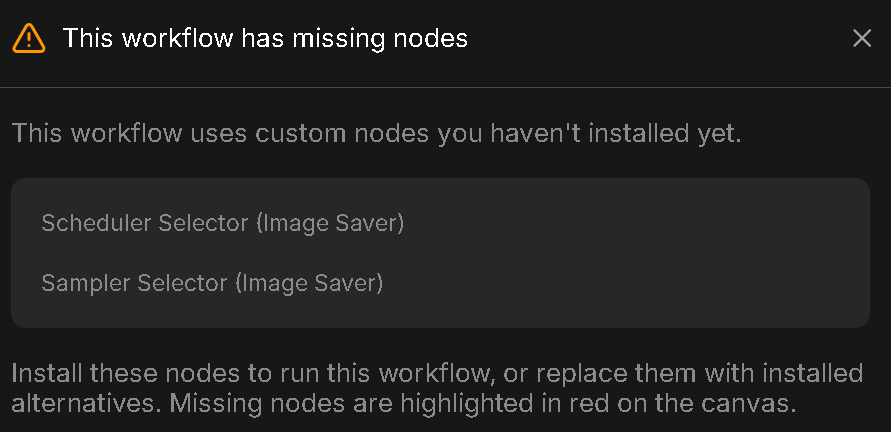
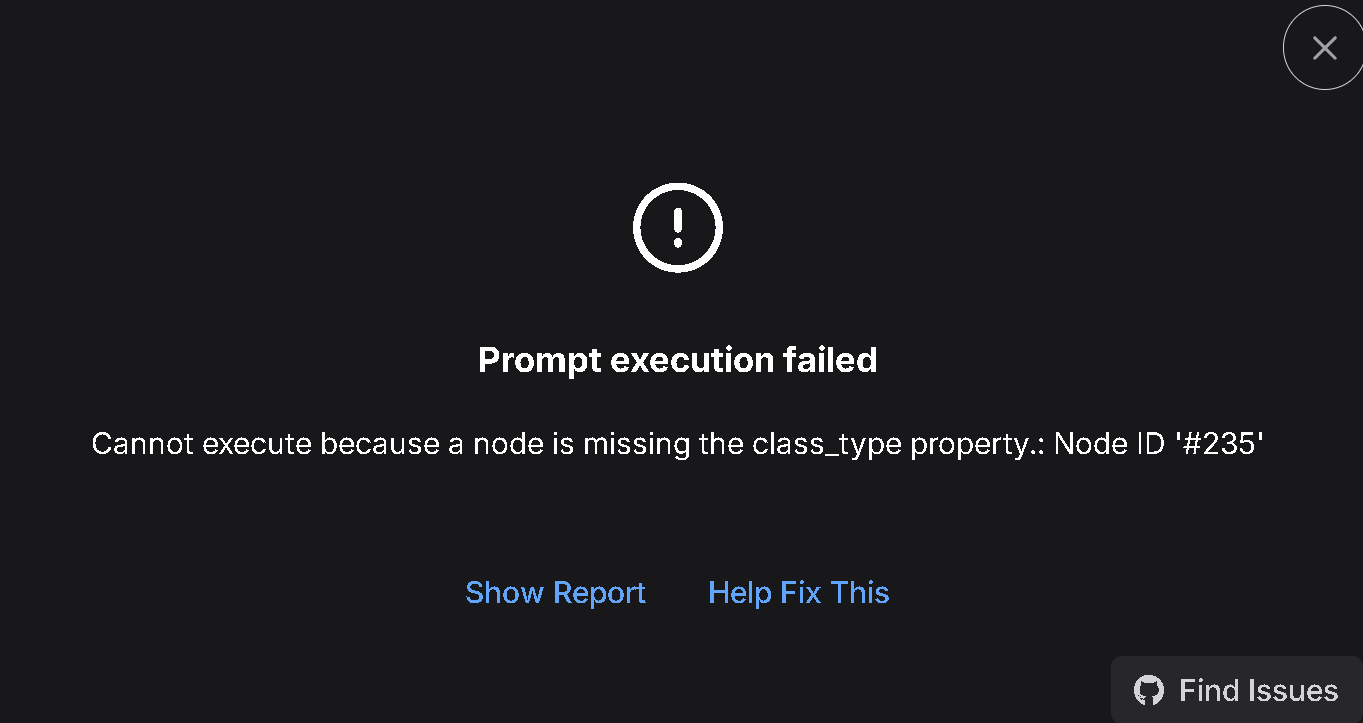
@SugoiDess you are trying to install a new comfyui where the old one already is.
So the install script is basically skipping everything.
That's why it's saying this everywhere:
Cloning custom nodes...
- ComfyUI-Impact-Pack already exists. Skipping.
Installing requirements for ComfyUI-Impact-Pack...
I assume the desktop shortcut couldn't be created because of some file permission issues with your computer.
You should install it with the script somewhere else than your current comfy installation, you can just rename the old ComfyUI folder to something else like ComfyUI2 to make the actual script run without issues.
After that you shouldn't have any issues.
It's also always important to refresh the page once after updating/installing anything, because comfyui keeps all old things in it's cache. Make sure to refresh the page and then load the downloaded workflow again, not your old edited version.
Lastly since it didn't generate a desktop shortcut for you because of file permission issues i recommend creating a new one where you start ComfyUI in a venv instead of just normally.
So create a shortcut on your desktop that does this:
@echo off
cd /d "G:\\AI\ComfyUI\"
call "G:\\AI\ComfyUI\venv\Scripts\activate.bat"
python main.py
pause
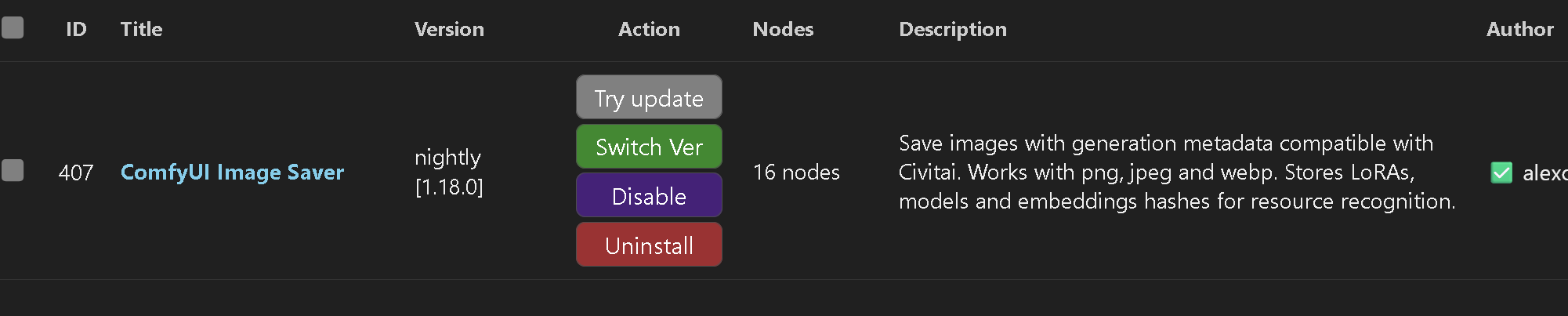
@vslinx Good news I finally managed to fix it by updating image-saver node. Seemed to do the trick. However, it still doesn't generate the image with meta data.
EDIT:
It seems refreshing "Load Last Generated Image" works. So problem solved!
@SugoiDess Yeeeey! :D
Yeah for the last generated image node there always has to be at least 1 image in the output folder or at least 1 selected ^^ it‘s a bit annoying and i hope comfy will change the behaviour of the node soon!
Hope you‘ll enjoy the workflow ❤️
This is by far the most impressive workflow I have seen, damn. I haven't been able to get it working, though. I made one small change by replacing the lora loaders with the loader from ComfyUI-Lora-Manager, apart from that I changed nothing.
These are my logs:
Hey @Unhing3d,
well that can be or good or bad thing! :D but i'll take it as a compliment for now 😎
This problem is relatively easy to fix, you can read the FAQ entry for that here.
Just a little mention - if you replace the lora loaders, the image saver will not save the metadata information for that ^^ So if you upload the images to civitai the loras wont be automatically added as meta info
@vslinx hoooly I did not expect a response in 10 minutes. Yeah, the issue was indeed res4lyf. Disabled it, and everything worked perfectly! Thanks!
@Unhing3d was just waiting for your question 😈😂
Glad it works now! (Hopefully) Enjoy the workflow! ♥️
Hi author, I ran into a problem when setting up this wf. When I ran it, it ends prematurely in ~1s and does nothing. The logs look like this: https://pastebin.com/v8a2F7d8 and I have checked FAQ and made sure I didn't have the res4lyf thing installed, but that didn't solve the issue. Any help please😢
Hey @amemiyaharuka5391,
this problem is definitely caused by res4lyf being installed :/
Maybe your comfy manager just isn't showing the custom node anymore.
Make sure you go into your comfyui folder -> custom_nodes and then check if there is a RES4LYF folder still in your custom_nodes folder.
If that is the case you can simply delete it, restart comfy and then (very important) refresh your browser window where you have comfy open. Comfy persists a lot of things in the cache until you refresh the browser with comfy open manuall once.
@vslinx Thanks for answering! Actually I fixed the issue a few hours after commenting. Seems like some other custom node pack did roughly the same thing as res4lyf, and thus a likewise bug occurred. It's probably my own bad since I haven't updated my plugins for a long time, but thank you for answering, and sorry for the inconvenience anyway. 🥰
@amemiyaharuka5391 aaaaaaaah!
I'm glad you managed to fix it. I have not heard of another custom_node yet that adds the scheduler to the list and causes this issue. If you ever find out which node it was, feel free to let me know and i'll add it to the FAQ part about this problem 🫡
I hope you'll enjoy the workflow! ♥️
@vslinx I had a similar issue. Sampler added by RES4LYF were not being seen by comfyui-image-saver's sampler selector node causing a miss match in ksampler and ksampleradvanced.
@jess_aitrash that issue is "sadly" already well known. The image saver and the detailers don't do well with the RES4LYF node since there's a mismatch between the schedulers/samplers.
The RES4LYF node overwriting the default dialog but no subnodes is bad design and has to sadly be solved by the developer :/
Great work on v5, but the final output isn’t being saved.
Case:
After finishing the Penis Detailer, it’s supposed to start the Preview and save the output like in v4.5. Now there is an in-paint phase that takes the output which is not saved in the output directory and the pipeline stops without showing an error, only reporting
"""
0 models unloaded.
Warning: Ran out of memory when regular VAE decoding, retrying with tiled VAE decoding.
Prompt executed in 265.15 seconds
"""
hey @moddimourad,
this looks like a common out of memory error during vae decoding.
The active node you see during in-paint is most likely just something called a lazy node that is only active for branching and basically does nothing but expect an image and then forward it once it get's it. It's required to do a seamless forwarding of the image.
If you ran out of memory during VAE decoding it most likely means that the image had too big dimensions for your GPU during the decoding.
What GPU do you have?
If you provide me a full error log i might be able to see where the problem is coming from.
Does this only happen when you're running a detailer? Or also when ur trying a normal txt2img process?
Hi @vslinx
I found a simple workaround: I just added an old image to the output directory. The inpainting step then loads that image, processes it correctly, and saves a new output without any issues.
For the logs:
https://pastebin.com/aXa7WsiT
You can see the warning still coming, but with this workaround the "ComfyUI-Image-Saver: Calculating sha256 for 'CyberRealistic_Pony_v14_1'" comes out this time
I also don’t think this is an OOM issue. The same configuration was working fine on v4.5, except for the new inpainting.
Thanks for taking a look at my problem.
hey @moddimourad,
sadly there has to be an image inside the output folder for comfyui to correctly execute all steps of the workflow. If you haven't generated an image yet or have it inside a subfolder in the output folder you'll have to click "choose file to upload" inside the "Load last generated image"-Node.
This is imo an oversight from the default comfy node and i might write my own node with better value handling for these cases in the future to avoid this until comfy fixes that behaviour.
When you have added a picture to the inpainting "Load last generated image"-Node, does this fix your issue and an image actually gets saved? If yes you could also just bypass that node for the time being until you'd like to use the inpainting part.
Hi @vslinx
Yes, adding an image makes it work, but if I bypass loading the image, it throws an error in the switch below.
Anyway, it works, and that's good enough. Thanks for the great work and support!
@moddimourad all right, thank you for the feedback! ♥️
I hope you'll enjoy the workflow and i'll see what i can do to fix this issue in a future v5.1 where i'll remove the comfy-core node and implement my own.
Im having a hard time finding where the actual final image is after all possible adjustments/enhancements/fixes so I can pass that to the image saver. The "Preview after Detailing | Preview after Inpaint" node never gets any images
hey @emdomenic,
if you don't have a final image in the "Preview after Detailing"-Node it means that the workflow had an error at some point during execution.
Please check your comfy console and let me know what error is being thrown there.
You can also check the FAQ section to see if the error you have might be listed there already.
And no worries, once the final preview actually appears(when the error is fixed), the image will be saved with all metadata information.
Hi, thank you for great workflows. Do you have plan to add function or already have workflow that deals "face transfer"? I built my own simple ipadapter faceid workflow, but result is somehow disappointing.
Hey @willshawn2519,
implementing faceid is currently not intended as it is a little bit too niche for my workflow and since you can mostly do it already (without using faceid).
You could either use a face detailer and activate the prompt and prompt which face you want it replace by OR you could use the manual inpainting part and mark the area you want to change and then prompt the character you want it to be replaced by.
It might not be as convenient as faceid but it works really well and i've done it frequently before ^^
Sadly faceid is not on my to-do list currently as there are some things i'd like to fix and implement first, but maybe along the way i'll add it!
@vslinx Thank you for clarifying, I need to play around more with functions you mentioned.
ends with an error
TypeError: 'CLIP' object is not subscriptable
log here https://pastebin.com/DxjxxRT9 pls help)
Hey @timsatyr981,
it seems that your comfy installation is a little bit broken.
Your main issue seems to come from a Image Preview node receiving a "CLIP" instead of an "Image". Usually comfy doesn't even allow such a connection to begin with, so it's very likely that your installation is broken and upon loading the workflow your comfy started re-wiring node connections wrongfully.
The node in question is the "Eyes"-Node in the Debug section. You could try removing/bypassing it to see if that'd make the workflow run normally.
But there are some other things that are throwing failures in your Comfy Setup, i'll mark the things you can change, in order to probably make it work, fat:
You have two nodes that fail during import, maybe update them through Comfy Manager or remove them:
- ComfyUI-GGUF-FantasyTalking
- comfyui-reactor
You have not selected a Checkpoint in the "Refiner"-Section. While you don't have to use the refiner and i usually would not use it, Comfy still expects a valid value in the Node. So just go down to the "Refiner"-Group next to the model selection and choose 1 of your models, doesn't really matter which one unless you actually want to use the Refiner functionality.
You do not have a example.png in your input folder. This image usually comes with every comfy installation and provides one common image for everyone to share workflows with. You might have deleted it from your ComfyUI/input folder. Your options are to either load an image into all of the "Load image"-Nodes (ControlNet, IPAdapter & "Load last generated Image" in the Inpainting section) or simply copy any .png file into your ComfyUI/input folder and rename it to example.png.
Fixing these Problems SHOULD make the workflow run. Make sure that you update all your custom nodes beforehand and then re-load the downloaded workflow and then refresh your Comfy Page to make sure the cache is cleared.
If this does not fix your issue your Comfy Installation might be too corrupted. In that case i can recommend to install Comfy through git instead of the installer, as it is way better at keeping dependencys local to the comfy installation instead of globally inside your AppData folder.
This makes things way easier for you and your comfy. If you don't know how to do it you could download my Installer from here by downloading the "nvidia-windows.bat" and executing it where you want comfy to be installed. It installs the newest Comfy via git including all the dependencys required for this workflow and the workflow itself. It also lets you choose if you want to download the controlnet models etc.
I frequently have people with the comfy installer or the portable comfy since they are more prone to running into errors and quite a few have switched to the git installation through my script.
I hope that helps, if you need anything more let me know :)
@vslinx thank you very much i'll try!
@timsatyr981 No problem! Let me know how it goes 🥰
I noticed that the Hi res fix has no setting to change the upscaler to simply latent? Can you please help.
hey @Darkbiology,
there is currently no option to just upscale the latent instead of upscaling the decoded img with an upscale model.
This feature is currently also not planned to not overload the workflow even more since most people rather use an upscale model instead of upscaling the latent :/
If you're concerned about colors washing out i can recommend the color fix option with a small strength like 0.1