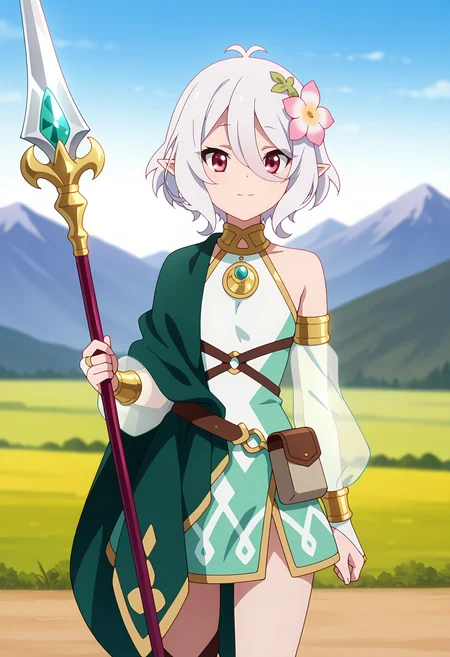

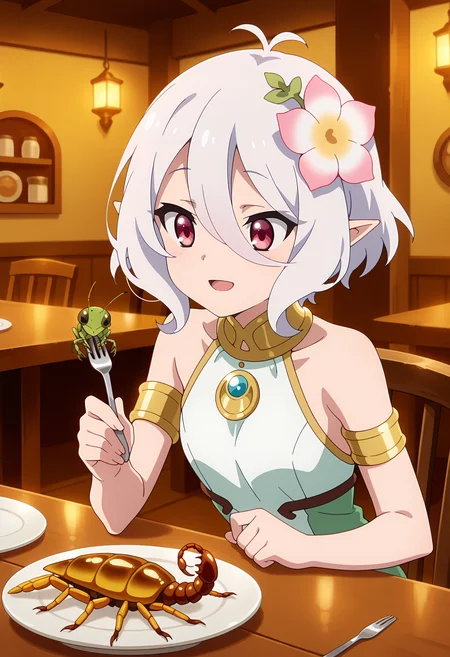
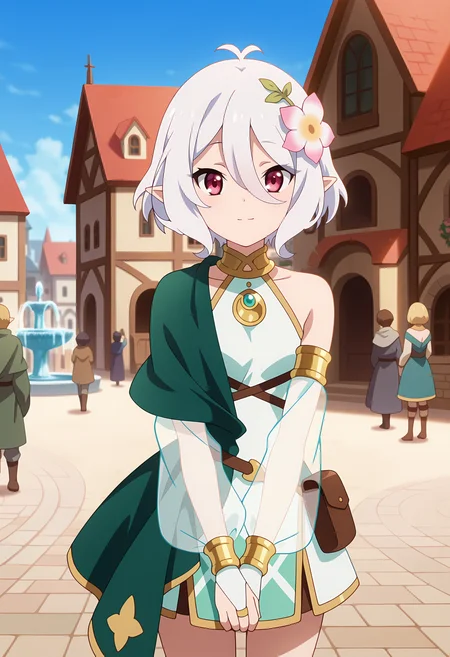
ARUJI SAMAAA OxO
🎞 LoRA is trained purely on anime screencaps
🗝 Activation tags are in the right panel
📝 Note: Her original staff refuses to generate correctly and always becomes a spear or gem staff. Eeeh. Just gen. without it :shrug:
📸 Always use ADetailer to get detailed eyes
🛠 Technical notes:
LoRA shoud be compatible with Illu models & NoobAI. (Not tested.)
LoRA is compatible with various styles - Lower the weight & remove "anime screencap" from the prompt, if you are getting too strong anime style
Hi. res fix used on all sample images:
Upscaler: R-ESRGAN 4x+ Anime6B
Steps: 10-15
Denoising: 0.3
📬Leave a like, comment, review but first of all, ENJOY ;)
Description
fixed oversaturation / bloom
fixed washed out colors
removed bad images from the dataset
upscaled dataset images & got rid of blurriness
FAQ
Comments (12)
Version v1.1 has same filename as v1.0 ^^
Yes it does, it's intentional. Overwrite the old version, it's subpar anyways.
@LittleJelly Makes reproduction of prompts complicated. Loras work by filename, so if you have a prompt for <lora:somelora:0.8> and have two different loras of same file name they will generate different outputs.
People use the sample images from prompt to ensure their parameters are correct. If a civitai prompt produces the same image localy, you know everything required (exact model, lora versions and embeddings and all other generatoin parameters) are correct and then you can start of prompting/using the modle/lora/etc.
@TScitai i have no idea about what reproduction you talk about. I'll just delete the old version from civitai if that will help you. I'm not gonna change the filename as I left it like that for a reason of not using the old version anymore.
@LittleJelly Reproducing the image in the samples. Most people go to the image info, click "copy all", add the prompt to their automatic1111 or whatever and have it parsed. Then they click generate.
If the generated image is the same as on civitai, one knows "All settings are correct, I have all the required models and settings and corrent UI", now I can start generating images.
But if you have two LoRAs with the same name, one of three things can happen
a) The LoRAs with same name are in different folders, then its somewhat randomish which one the UI picks and depending on which one, the result is different
b) You override the LoRA. Now, if you use a prompt generated with the old LoRA, you will get a different image than the image on civitai. Each Version of a LoRA generates a different result, even if every other parameter remains same. If the generated image is not the same as the image on Civitai, people think something is wrong and need to find the reason for that.
I have this issue a lot, even w/o multiple loras with same name, that a prompt do not generate same image as on civitai and is often much worse quality.
c) one renames the LoRA: MyLora.safetensors and MyLora-new.safetensors. Because on Civtiai both are created with the same prompt (<lora:MyLora:0.8> in prompt), they will generate different results. Prompt from old version will work fine, prompt from new version generate a different picture, because in the prompt it says "<lora:Lora:0.8>" but the filename rename lora name is MyLora-new.safetensors.
This causes a lot of irrtation and confusion. The only way peopel can ensure all parameters, embeddings and LoRAs are correctly loaded is by "copy all" prompt from civitai and paste it in their webui. Because if some parameters are wrong or missing, you get bad results. So a "calibration" is required and this is done by reproducing the image using the same prompt as on civitai.
Conflicting LoRA/embedding names prevent this, not only from same author but also if two authors name their lora same, hence why a lot of people put their username in lora like <username>-<show/game>-<character>_v<verison>. this prevents it and the correct name is part of the prompt inside the sample images too
@TScitai noted. However you are the only one who is irritated by this at the moment. Also, no one really uses the same filename structure as me which is AnimeName_CharaName. Changing the filename is not enough, there's a tool that can change Metadata of the file without corrupting the Lora data itself. That can be used to change activation filename in a111 so it's not confused with the old file.
I'm still sticking to my previous statement that v1 shouldn't even exist and should be overwritten by v1.1.
However, when I get back to the pc I'll change the filename for you in both versions. 👀
@TScitai Can't do, in the end. As i'd have to change the preview images to use a different filename for lora load. I've removed the old version entirely.
Changing the LoRA content, even if its meta data only and not the weights, in any type changes its checksum. Tools like Civitat extension for automatic1111 uses these to fetch preview images and other data from civitai website or any other tool which relies on Civitai AI (I did my own command line tool to synch preview images, metadata and trigger words from civitai as the official automatic1111 extension has issues with high number of checkpoints and LoRAs (>10000)).
Also LoRA hashes are saved in the image metadata (which contains the prompt and all LoRAs and Embeddings used). Changing these, brings just more troubles.
I understand its annoying and work to change it everywhere, but its enough if done in new releases. Also when you do it once, it works for everyone. If everyone has to edit the file, change metadata and other none-sense or manually figure out why the generated image is different then 122 (as of time of writing) people would have to do that each on their own. Not very efficient when the fix is so easy as to rename the file once and update the prompt to refer to the new file name.
I didn't see that happen a lot on your LoRAs, infact may be the first time, since you rarely have the need to release more than 1 version per checkpoint type (they are really good!!). I see the issue more often with another LoRA creator on Civitai, @duongve13112002, who just use the generation names and the lora names are like "character-64" or "character-32" for all types of models, where it can happen that SD1.5 LoRA and Pony LoRA (or Illustrious) have the same name and you can very easily overwrite then when downloading. Or some other which names all their LoRAs same like charactername-IL_PD_XL. Then you got three files with "charactername-IL_PD_XL.safetensors" which can either be IL, Pony or SDXL and its impossible to figure out wich of these was used in a prompt unless you renamed then while saving which inturn invalidates all sample prompts.
Then trying to reproduce a prompt becomes nightmare.
P.S. Yes, I am software developer hence why strict standards are required to avoid conflicts with using the software and why the only real solution can be if the creators properly tag and name stuff, everything else just makes everything orders of magnitudes more complciated to maintained and working flawlessly
@TScitai You are mistaken with one thing. Changing the metadata does not change the lora hash. Lora hash is generate when the lora finishes training. Then there's another hash which changes with metadata change but that one is not used to link images with loras. Two different things. Whatever.
Old versions are gone. The only one with this issue was probably you.
@LittleJelly Of course it does, try it yourself. This LoRAs SHA256 hash is AF13C19861C34660ACF8E907FA680884158F68F908C710EDF65092B842FCA47E (coped from civitai).
Open this URL in your browser: https://civitai.com/api/v1/model-versions/by-hash/AF13C19861C34660ACF8E907FA680884158F68F908C710EDF65092B842FCA47E
It will load the metadata from this LoRA in JSON Format. This is what Civitai automatic1111 extension also uses to download preview images and a json file with some extra information.
Now go on, modify the metadata of the LoRA. Calculate the the SHA256 from that LoRA. Put it in the URL above: https://civitai.com/api/v1/model-versions/by-hash/<new_hash_here> and you will get "{"error":"Model not found"}".
I know what I am talking about, I am software developer. I've writte programms that use civitai rest api. I know how it works.
Is it possible to separate just the clothes? I tried putting Kokoro's clothes on other characters (frieren, ubel), but it didn't work.
Should be possible if you play with Lora weights