
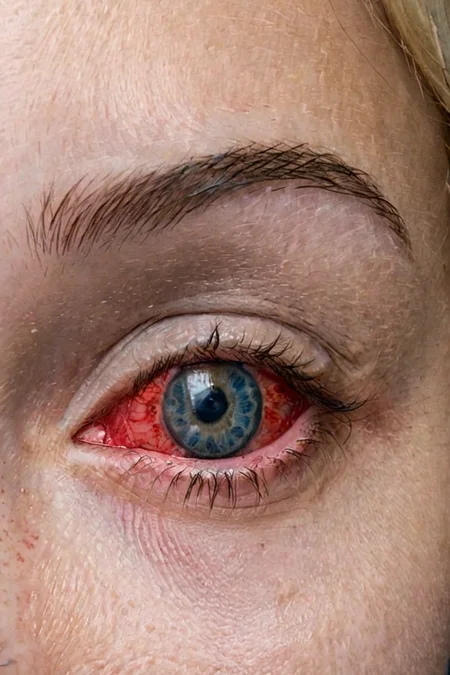


Best at inpainting! Enhance your eyes with this new Lora for SDXL
It understands these type of prompts:
Picture of 1 eye: [color] eye, close up, perfecteyes
Picture of 2 eyes: [color] [optional:color2] eyes, perfecteyes
Extra tags: heterchromia (works 30% of time), extreme close up,
Colors supported natively: green, blue, brown, grey, hazel, yellow (sort of)
New in V3: (Not an upgrade but a different version with different prompting technique)
bloodshot eyes
grey eyes
Description
This version includes in some sort bloodshot eyes or conjuntivitis eyes. In some cases it's better than V1 but this is recommended ONLY for landscape images 1152x768 and for inpainting.
This has built in also grey eyes and etherochromia but they are very difficult to obtain.
FAQ
Comments (28)
1 word!
Wow!
the main problem, if you working with low VRAM cards, in fooocus, I had the effect, that not only the part, inside the eye was blue, but the whole eye area. ( >Dune ...spice ...effect ) This could have many reason, that the Lora is only loading in default mode, that not all layers were executed, because of too many active styles. Next time, I start the system fresh, deactivate all styles, no refiner, no juggernaut, start only with realistic stock, Lora 1 and this Lora, an comment again.
10/10
it's amazing how this was published just a couple days after SDXL was first released to the public and somehow it's still a gold standard LoRA that I use in almost every image at this point (usually during inpainting or with an ADetailer eyes model).
I don't think any SDXL model or LoRA in the entire sea of models has the longevity of effectiveness that this LoRA does.
Any plans to add Black Eyes ? Because Asian women don't have brown eyes.
Have you tried? dark brown? I'll look into it meanwhile.
@Deizor Good idea........It gave me darkER brown, but still quite dark enough.
native Japanese have widely brown eyes
@Temure Very dark brown eyes
@JohnnyWu22 you clearly have not seen many jomon or ainu
bullshit. :D
I had the best results with model 0.5 and clip 1 in a variant of SDXL.
for some reason, the eye turns completely blue or green. I work at fooocus.
Can you give me more insight? Do you use something like "magic prompt" or anything like that? Which model do you use, which cfg and so on
What strengths are people using?
any success? cause I couldn't find any useful tips and tricks for this Lora
.25 to .45 works for me
the eyes turn out so bright green or blue
with photorealism, half the time I get "mannequin" looking eyes, or bad eyelids. When it's tweaked it looks good; sometimes heavy mascara though.
This lora is designed specifically for Dreamshaper XL, maybe that's the cause?
It says it natively supports hazel eyes but there is no trigger for it, do I need to type a combination of triggers? Or do I just put in "Hazel eyes" Do I need to add weights if trying to get hazel eyes? I tried using the exact prompts and weights from this image https://civitai.com/images/1772388 and I am not getting a hazel eye
This model is based on dreamshaper, any other model is supported only partially, maybe it's because of that.
Thanks for the suggestion, when I click on the example with hazel eyes, it says DreamShaper XL was used, when I click that link, the version of DreamShaper XL selected is the "alpha2 (xl1.0)" will it work with all the DreamShaper XL versions? or only the alpha2 (xl1.0) version of alpha2 (xl1.0) DreamShaper XL?
@Civitaiuser371 It should work with every dreamshaper version with that base. Every derivate from Dreamshaper is diluited and so the effect of the lora is lesser and lesser.
I get decent results running an upscaled image through a KSampler with this LoRA, but I get artifacts in the rest of the image though. Tips to only affect the face/eye region of the image and not the whole image?
It's meant to be used with a detailer model with inpainting. I suggest to use adetailer or something like that.
Details
Available On (1 platform)
Same model published on other platforms. May have additional downloads or version variants.