


FLUX V1.0 use flux model
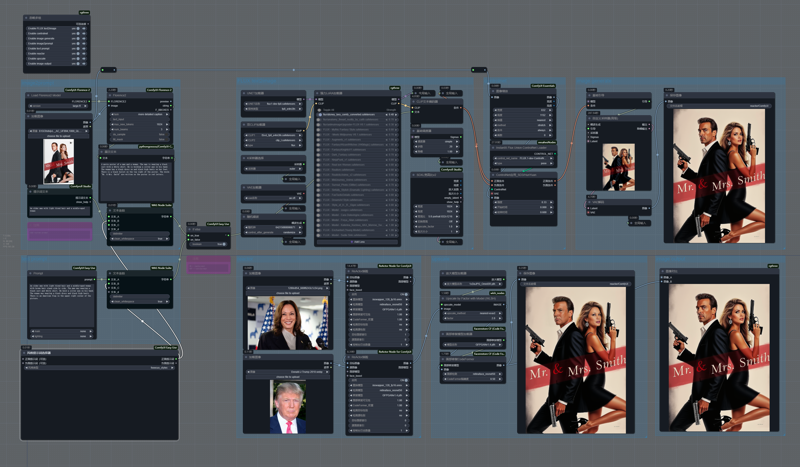 Turn off the controlnet node will result in more diverse results;
Turn off the controlnet and reactor nodes at the same time is the text2image workflow I use daily;
NF4 V1/V2/V3 use flux nf4 model
flux nf4 : lllyasviel/flux1-dev-bnb-nf4 · Hugging Face
Description
FAQ
Comments (7)
Thanks for your work on this workflow. Recently I started to receive this error "2024-09-16 11:08:11.6903883 [E:onnxruntime:Default, provider_bridge_ort.cc:1351 onnxruntime::TryGetProviderInfo_CUDA] D:\a\a\\_work\1\s\onnxruntime\session\session\provider_bridge_ort.cc:1131 onnxruntime::ProviderLibrary::Get [ONNXRuntimeError] : 1 : FAIL : LoadLibrary failed with error 126 "" when trying to load "G:\\ComfyUI\ComfyUI_windows_portable\python_embeded\Lib\site-packages\onnxruntime\onnxruntime_providers_cuda.dll". The idea is that Reactor does its job all the way, but I get these errors when using Reactor. I mention that I have the latest version of CUDA - 12.6
Can you help me with some advice?
The discussion next to it may help you
Anyone having issues with eyes on this. After the upscale the eyes get really fake looking. Tried to change the upscale nodes as well. Nothing changes it.
I have the same problem, the eyes look like a fake person.
I get through most of the workflow and then it kicks everything up into extremely high memory usage just before the image creation. My computer reports it going up into the 120GB region (i'm assuming physical memory and swap?) before I have to shut it down because there is no system memory left. M1 Max with 64GB
Disable controlnet group or disable Florence2 model loading can save some memory usage
Thank you for your great work !
As information, the ComfyUI installer does not properly install the FaceRestoreModelLoader and FaceRestore CFWithModel components. To resolve this, you need yo install them manually using the repository: https://github.com/mav-rik/facerestore_cf and ensure all the required dependencies are also installed (install.bat provided).