


FLUX V1.0 use flux model
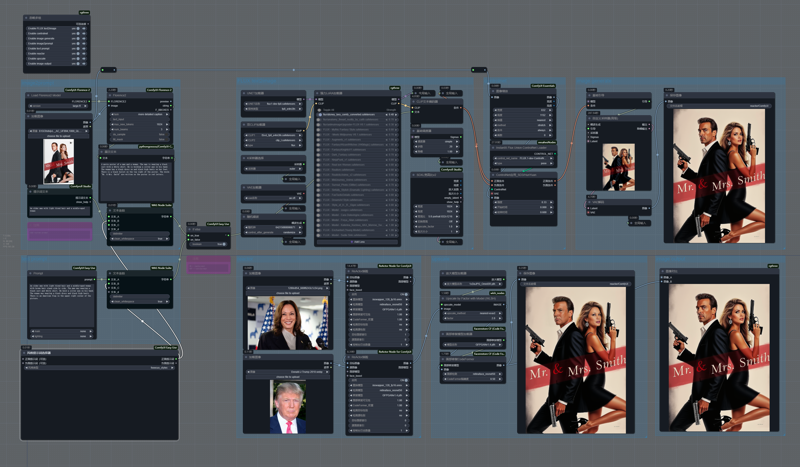 Turn off the controlnet node will result in more diverse results;
Turn off the controlnet and reactor nodes at the same time is the text2image workflow I use daily;
NF4 V1/V2/V3 use flux nf4 model
flux nf4 : lllyasviel/flux1-dev-bnb-nf4 · Hugging Face
Description
have fun
FAQ
Comments (6)
I get errors with this while trying to use the ReActor Nodes;
D:\a\_work\1\s\onnxruntime\python\onnxruntime_pybind_state.cc:636 onnxruntime::python::CreateExecutionProviderInstance CUDA_PATH is set but CUDA wasn't able to be loaded. Please install the correct version of CUDA and cuDNN as mentioned in the GPU requirements page (https://onnxruntime.ai/docs/execution-providers/CUDA-ExecutionProvider.html#requirements), make sure they're in the PATH, and that your GPU is supported.
Any idea how to fix it?
Thanx in advance!
First you need to make sure your GPU is nvidia, and then install cuda and cudnn: cuDNN Download: A Guide | Built In
@xu0831294 I installed the package as instructed, rebooted my PC to be sure of it working, but the exact same error keeps popping up. Does this have to do with the strange "D:\...." path it's looking for? All of my comfyUI directories are in a (for me) differently labeled drive.
@heresy Ensure there are no old or incorrect CUDA paths in your environment variables. You can verify this by checking the environment variable CUDA_PATH and the PATH settings.
@xu0831294 as it turned out, the PATHS were set without problems and it wasn't the reason it wasn't functioning as it should. After uninstalling and reinstalling different CUDA and cuDNN packages I found a forum in which someone mentioned they installed an older version (CUDA Toolkit 11.8) instead of the newer packages. I tried this and it now works for me as well! Thank you for your efforts, nevertheless.
@heresy Can you send me a link to this forum? I am having the same issue and if you could tell me what you did, I could also fix mine