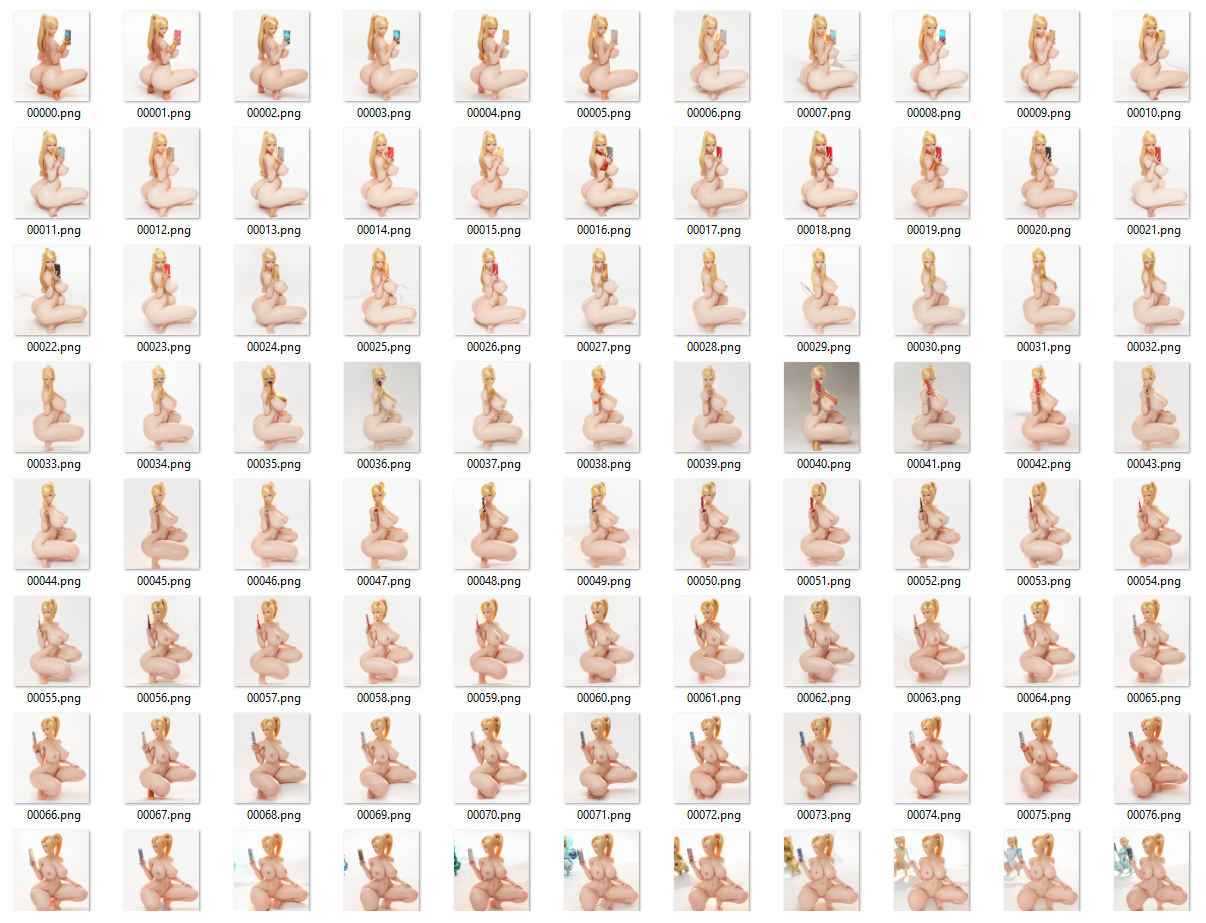

for some reason im struggling with uploading context images of this so im just not going to try anymore. either they are getting deleted or not visible to viewers and i am not being given any reason for them so i can fix it, so im not trying anymore
If you decide to do this please upload a gif in the comments, this is something new i tried and want to see what people can do with it.
there seems to be a confusion here, so to make it clear the body painted version images are not generated they are the base photogrammetry images i origenally used in instaNGP to generate the transform.json
Also
NVIDIA's instaNGP also known as NeRF is a neural photogrammetry application instantly generates a 3D dense point cloud from 50-160 images, which typically takes 300-500 images to produce a satisfactory result in 30 minutes to 1 hour. I just edited the photogrammetry images using controlnet.
The download contains the instaNGP folders with the transforms.json files for both datasets, the samus bodypaint and sanus nude (both transforms.json are exactly the same)
Processed bodypaint images using instaNGP.
Copied the transforms.json file from the bodypaint folder to a new folder.
Used the controlnet m2m (it only supports mp4 videos) script for openpose, normal, depth controlnet, and generated text2image instead of image2image.
Placed the generated images in the images folder of the new folder.
I'm using the transforms.json file from a pre-calculated dataset on a new dataset with the same dimensions. The transforms.json file contains the calculated camera locations and extracted features of the provided dataset. If the new dataset has images with the same dimensions as the original dataset, using the transforms.json file will allow the same model to be built with the new images.
Although there were some unusual images, I think instaNGP disregards the pixels that do not match up and utilizes the matching portions, so I decided to keep them.
Tutorial for control net
1 . convert your base photogrammetry images into a mp4 video
2 . setting the prompt
3 . set width and height the same as your video
4 . set control model - 0 as open pose (leave the image empty)
5 . set control model - 1 as normal_map (leave the image empty)
6 . set control model - 2 as depth (leave the image empty)
7 . select the controlnet m2m script from the script section (you should have it if you have controlnet) and put your mp4 video in ControlNet-0
8 . put the same mp4 video in ControlNet-1
9 . put the same mp4 video in ControlNet-2
10 . click generate and you video frames will start processing WARNING make sure you are absolutely ready to start because after starting it is very hard to stop.
11 . after all frames are generated rename the generated images to match the origenal photogrammetry images using a programme called "advanced renamer"
12 . copy the images in the images folder in the newfolder refered in the main bullet points
Description
samus
FAQ
Comments (31)
How this works?
I'm using the transforms.json file from a pre-calculated dataset on a new dataset with the same dimensions. The transforms.json file contains the calculated camera locations and extracted features of the provided dataset. If the new dataset has images with the same dimensions as the original dataset, using the transforms.json file will allow the same model to be built with the new images.
@sabi123456 How you made the reference images to make the NeRF? Is it an 360 (turntable) render of a 3D character and then batched it on SD as ControlNET using the Samus prompt?
edit: Oh now that I saw you updated the description, I will take a look.
edit2: Yeah, it's kinda what I was thinking of XD
@zaadsatan yes i found a 360 turntable from a r34 website and used it on NeRF then on automatic1111
@sabi123456 Very interesting workflow, I would never think of something so creative like this XD! Looking forward to see what else you can experiment using this technique, keep updating this page!
@zaadsatan I don't think it's necessary to mention where I obtained the image since this technique can be used with any photogrammetry image. If I specify the source, people may think it only applies to turntables, but I want to encourage others to experiment with this approach and i really want to see what people do with this.
@sabi123456 Yep, I think the same, let them experiment with different footages and cook some creative stuff
No Idea how you did this or if it is customizable. But a tutorial on this would give you heaven, (and probably hell as well but man, this is crazy)
The description I provided explains how I completed the task, unless you require further guidance on how to use instaNGP. Unfortunately, I am unable to create a tutorial as I do not have any safe-for-work photogrammetry images and risk being banned from YouTube. However, if you are aware of a source where I can obtain such images, please inform me and I will be happy to create a tutorial.
@sabi123456 Oh, I guess I just dont know instaNGP. I'll see what it is, thanks!
@freepn NVIDIA's instaNGP also known as NeRF is a neural photogrammetry application instantly generates a 3D dense point cloud from 50-160 images, which typically takes 300-500 images to produce a satisfactory result in 30 minutes to 1 hour. I just edited the photogrammetry images using controlnet.
@sabi123456 so how did you get 50-160 images to make a 3d model?
@ThatRedDot the oda non i own the figurine, the samus one i got from the internet from a turntable video
tutorial?
i added a visual to the description i hope it helps
hey, i tried to do this but I keep getting issues with colmap2nerf only grabbing like 30/2000 points and failing to match images, and when its finished it ends up looking terrible and nothing like what was input
you should try your images in normal colmap first to see if colmap is even able to calculate the camera possitions. because sometimes the images dont have enough data to pinpoint the camera positions. there are guidelines to taking picture of photogrammetry for example 1 would be the shadows or your images should be consistent.
@sabi123456 yeah so it seems that it works with some turnarounds, which I got from the same source as your samus, but it's odd because some seem to work but some just refuse to give more than one camera angle, even though they have the same parameters, and should theoretically work fine.
@1mazharaha265 It seems like you are testing a method on other models created by the same person who made the Samus turntable. In order to get it to work properly, you have to do a lot of manual work to remove the moving shadows from the turntable images using Photoshop, Photopea, Gimp or Affinity etc, that is what i did. This is because the software you are using, called Colmap, doesn't handle moving shadows in the background well. If the shadows are on the subject, it's fine. Additionally, I recommend using the Colmap Matcher Sequential method instead of the default Colmap Matcher Exhaustive method. The Sequential method is better suited for matching images taken in a sequence, such as a video or series of images taken in a specific order, rather than random images. if you compare my samus with the origenal turn table you will notice there are no moving shadows behind her, there is a gif on the page if you want to easily compare. i hope this helped
This approach looks intriguing, but I am a bit confused as to the overall goal. Are you attempting to produce a new set of images via stable diffusion control net that can be used as input to a NERF generation, starting from a given set of images with similar dimensions and corresponding view transforms but different appearance? Once you have the NERF, do you anticipate being able to generate free-viewpoint video of the static model? You can assume a baseline of being conversant in photo- and video-grammetry concepts, if that helps.
Yeah, is this going from nerf to images or from images to nerf, and how did you obtain the images if so?
my attempt was to drastically alter the result of an already calculated camera data of an already calculated grammetry images (transforms.json). so in this case the woman in the bodysuit are the origenal and then naked one is the altered. if you put the folders i provide in to insta-ngp you will understand way better, i just replaced the images with controlnet images.
@sabi123456 kinda wanted to "suit up" another character instead of birthday suiting them... but yeah there needs to be a way of more easily handling them instead of frame rendering (since the head is unstable when it is facing sideways)
i dont understand any of this stuff can anyone help where to place it and where to place controlnet
if you have nerf/instant-ngp place the file in the data>nerf directory then launch instant-ngp and drag one of the extracted folder into the resulting window
can you update the guide or is still the same workflow
its still the same workflow i just used it with SDXL works even better now
Where did you get the images for the fiest one (body painted)? was it somwhere on the internet or AI generated?
yes its on the internet.i was looking for the artist again for you but i cant find it again.he uploads 360 images of this models. maybe i am using the wront keywords to find it. i saved the video a long time ago before i used it for this. by the way i made it even better, https://sketchfab.com/3d-models/mia-fey-photogrammetryfrom-ai-images-cf764628fd694c868ec5a95a3b338469 . i will upload a workflow on this when i get an entire full body to work and for some reason the backside is really trick to get it together with the front. i can do it seperately and combine the models. but i cant figure out when i try the back and front together
Let me get this straight: you used instaNGP to turn a physical object into a digital model, then convert the digital model into Samus using ControlNet, and then reverse the whole process using instaNGP again!?
Q1: How do you guarantee consistency in the data so that the 3d "fixer" can get more efficient and flicker less?
Q2: why only use the turntable with one single camera angle, instead of multiple angle to increase accuracy?
Q3: If I have a character that has a LoRA and a dataset but no 3d model, are there ways around it to make 3d models? Or progressively refine the character LoRA through consistency checks?
Q4: Is there any way of making this better with Gaussian Splatting?
no, insta ngp uses a third party software for photogrametry that generates the 3d model insta ngp only refines that sparse data. so what i do is replace the origenal images with ai generated ones i use controlnet for consistancy but you can use ip adapter to do that now. it does not matter if the images are not exactly consistant insta ngp takes details from each image that match. so as thay have matching details it will combing a bit hazy but it will. also for some reason civit ai removed my image for the output for the samus model. but if you pause the video of her turnaround you will notice some images are completely different with her head completely turned, but it take the details of her back from that so i kept it