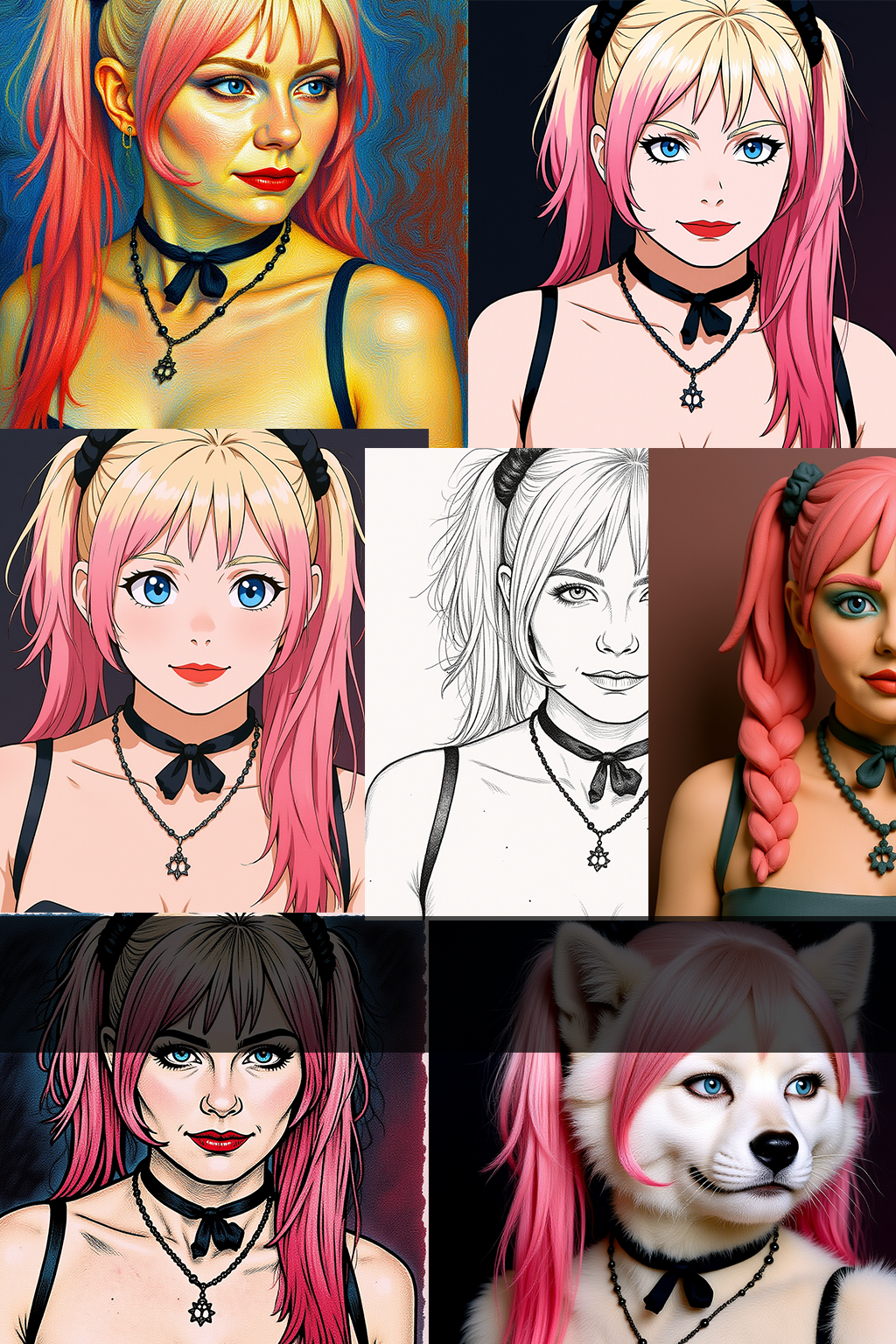


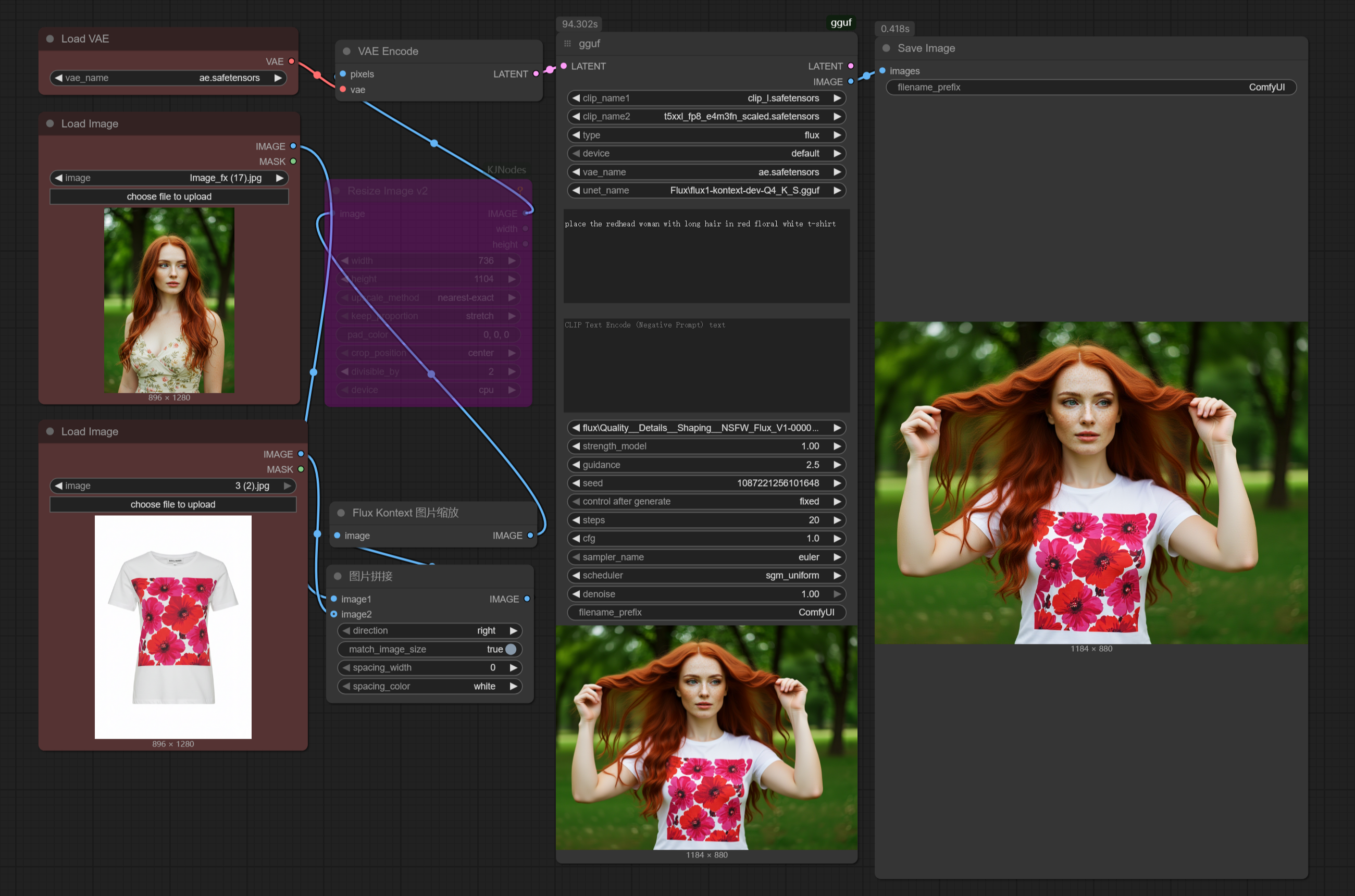


Nunchaku Multi_input+Lora
Now includes two separate workflows:
------Kontext_gguf&safetensors__Multi_input&Lora.json
------Kontext_nunchaku_Multi_input&Lora.json
Anyone Installed mit-han-lab/ComfyUI-nunchaku but can't get it workin' right? Look here!
so I really took my time setting up this workflow this time around. For anyone who's used the official nodes but doesn't know how to use multiple image inputs, or how to customize the generation resolution, or how to switch to the nunchuka-textencoder model… this streamlined workflow is perfect for you!
The image generation time using nunchak's int4 model is now, like, one-fourth of what it used to be for me, and with very little loss in quality. I honestly don't even want to use gguf anymore.
Nuchaku Checkpoint:
https://huggingface.co/mit-han-lab/nunchaku-flux.1-kontext-dev/tree/main
aqw-int4-flux.1-t5xxl (Optional):
https://huggingface.co/mit-han-lab/nunchaku-t5/tree/main
Nunchaku comfyui node:
https://github.com/mit-han-lab/ComfyUI-nunchaku
ComfyUI-nunchaku Installation Guide (windows):
1.In the address bar of the ComfyUI_windows_portable directory, type cmd and press enter. Then, enter the following commands to check your torch and python versions:
"python_embeded\python.exe""python_embeded\python.exe -m pip list"
For example, mine shows python 3.12 and torch 2.5.1+cu124.
2.You can install the nunchaku node (ComfyUI-nunchaku v0.3.3) using ComfyUI-Manager, or manually by typing cmd in the address bar of the ComfyUI_windows_portable\ComfyUI\custom_nodes directory and then running git clone https://github.com/mit-han-lab/ComfyUI-nunchaku.git.
3.Download the nunchaku whl file that corresponds to your versions from: https://github.com/mit-han-lab/nunchaku/releases. I already checked the version info in step 1, so I'll download nunchaku-0.3.1+torch2.5-cp312-cp312-win_amd64.whl. Afterdownloading, place the whl file in the ComfyUI_windows_portable directory, and then install it using "python_embeded\python.exe -m pip install nunchaku-0.3.1+torch2.5-cp312-cp312-win_amd64.whl".
4.After installing, don't forget to update ComfyUI to the latest version and restart. Also, remember to place the downloaded nunchaku model in the diffusion_models folder. For Nvidia 40-series cards and below, choose int4; for 50-series, you can choose FP4.
5.I found that python 3.11-based ComfyUI didn't work properly in my tests, but i'm not completely sure about that.
gguf+Lora
Got questions like 'Is there too much going on in the workflow?' or 'Are the hardware requirements too steep?' or 'Where do I even download the models?' or 'Does the output keep ignoring my input image?
This workflow is actually made for beginners. You seriously just need this single workflow file, and that's it. And honestly, I barely did anything on it; I just took the official ComfyUI workflow, tweaked it a little, and added support for gguf and Lora.
How to Use:
1. Drag the workflow or example image into ComfyUI, and install any missing nodes.
2. Download the model, place it in the diffusion_models folder, then update ComfyUI and restart.
Checkpoint:
https://huggingface.co/bullerwins/FLUX.1-Kontext-dev-GGUF/tree/main
Guide:
https://docs.bfl.ai/guides/prompting_guide_kontext_i2i
https://docs.comfy.org/tutorials/flux/flux-1-kontext-dev
https://comfyui-wiki.com/en/tutorial/advanced/image/flux/flux-1-kontext
Here's what Flux1 Kontext can do right now, and I can't even list it all, but these are the main things:
1. Change image style / Style transfer.
2. Add or remove objects in the image.
3. Make characters perform different actions (like turning around) or change their expressions while keeping their look consistent.
4. Combine multiple characters and scenes.
5. Virtual try-on for models. (I haven't gotten this to work in my tests yet. It worked, but I'm not happy with the results. ~The good news is that it is open source and free)
so if you're selling clothes, check this out for model try-ons: if you don't specify a particular model, just give it the images of the clothes, and let Kontext generate the model for you. You'll actually get much better results that way!
Description
FAQ
Comments (9)
Still the same mistake with models and VRAM. PCIe 3 (16 channels) is 16GB/sec, which means a model 16GB large entirely streams onto the GPU in one second, so if your generation rate is worse than 1 sec per iteration, there is no downside to having the model in RAM. The only reason cards with low VRAM fail with large models is because there is an attempt to keep the model in VRAM. This is a fault with ComfyUI, and its terrible memory management- amateurs with no idea about any computer science issues coded it!
PS another terrible coding issue means some models take twice as much RAM as they actually need, meaning that some people run out of RAM (without realizing), and their system runs slow because windows starts thrashing the memory with a swap file.
fix it then if your so smart.
Ah, bravo - you've single-handedly outsmarted the entire field by announcing that a 16 GB model glides over PCIe 3.0 x16 (15.75 GB/s raw, ~12 GB/s real-world) in exactly one second, as if 4-8 µs per 256-byte TLP latency, kernel launch overhead, and non-sequential parameter access simply don't exist. I'm sure NVIDIA's own white-papers showing 10× slower end-to-end transfers once you include driver and protocol overhead - were just written by "amateurs" who forgot that GPUs actually need random, nanosecond-scale VRAM access to feed 20 TFLOPS tensor cores, not leisurely one-second bulk transfers from system RAM.
Hello. You provide a workflow for beginners, but your workflow uses Lora quality__details__Shaping__NSFW_Flux_V1-0000. Where can I get it?
Don't even worry about that one. It does have a bit of an effect with Kontext, but it's not actually a Lora for Kontext. It's a Lora meant for Flux models. I just set its strength to 1 just to see if it would do anything.
https://civitai.com/models/879072/quality-details-shaping-nsfw
@SamLiu And it works with kontext or not? Sounds like cool Lora.
@flo11ok874 It works like 60%.
@SamLiu Thanks!
So how do I run this with no lora?