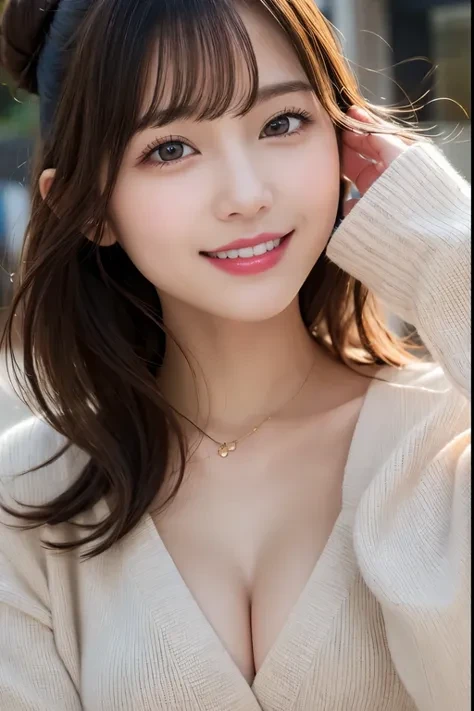
1. introduction of the model
KIREI AI is an image-generating model that reproduces the realistic beauty of Japanese women and achieves a visual expression that harmonizes tradition and modernity. It incorporates Japanese cultural elements and natural beauty to create a realistic image of a woman, delicately expressed in every detail.
Designed for artists, designers, marketers, and anyone interested in AI image generation, KIREI AI is the perfect tool to incorporate a unique aesthetic into your work and projects.
2. creative overview
KIREI AI is designed around the following elements
Realism: Specializes in reproducing skin textures and facial expressions similar to those of live-action photographs.
Japaneseness: Reflects traditional aesthetics such as kimonos, seasonal backgrounds, etc.
Versatility: Adaptable to a variety of scenarios (advertising, illustration, concept art, etc.).
Customizability: Various styles can be achieved by fine-tuning the prompts and parameters. 3.
3. model usage instructions
The following guidelines are provided to help you get the most out of KIREI AI.
1) Basic usage
Prompt settings: Describe the specific elements of the image you wish to generate in the prompts.
Example: “Female in her 20s, cherry blossom background, black hair, kimono, smiling”.
Parameter Adjustment: Use the following recommended settings as a guide
Resolution: 1024x1024 (high quality output)
Style Intensity: 0.7 - 0.9 (to emphasize traditional elements)
Detail: 80 to 100 (for realistic details)
2) Example of recommended prompts
Japanese style portrait: “Black hair straight, Japanese garden, Japanese style portrait
Straight black hair, Japanese garden, traditional furisode kimono, smiling woman in her 20s, spring petals dancing
Modern Style: “Short hair, simple white dress.
Short hair, simple white dress, cityscape at night, woman in her 20s, reserved expression
3) Use of color palette
Japanese style: cherry blossom, indigo, white paste
Modern: Ice blue, Soft pink, Steel gray
4) List of adjustable parameters
Color Tone: “Warm Tone” to emphasize warm colors, “Cool Tone” for cooler expressions.
Background: Specifically set natural, traditional architectural, or urban backgrounds.
Pose: Front, diagonal, looking back, etc. can be freely specified. 4.
Model Features
Realistic details: Specialize in skin, hair, and eye textures.
Versatile: Ideal for illustration, advertising design, and fashion promotions.
Easy to use: even beginners can use the prompts intuitively. 5.
5. how to access and use tips
KIREI AI is available on the official website and affiliated platforms.
Prompt templates and sample galleries by users are available, so even beginners can start using it right away.
For high-quality results, we recommend adding a simple touch-up (image editing software) after AI generation.
6. slogan
“Bringing the beauty of Japan to the world with KIREI AI.”
Description
Details
Files
Available On (1 platform)
Same model published on other platforms. May have additional downloads or version variants.