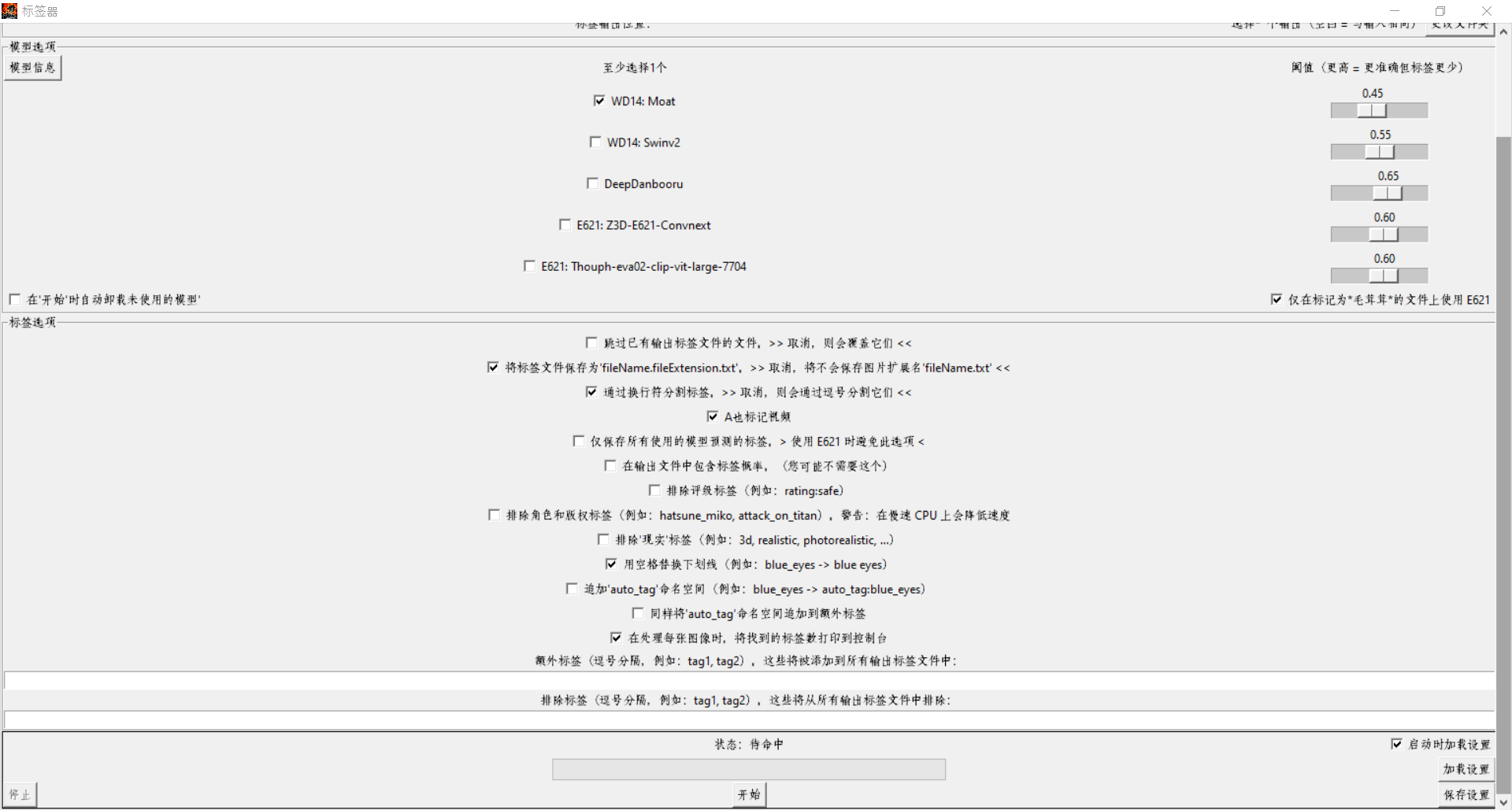
(yeah I keep re-using the same previews. I'm too lazy to make new ones)
What is this script for?
To batch auto-tag images/videos with booru tags.
Its mostly meant for people who have huge amount of imgs and use a decent program to navigate through them using tags. Something like Hydrus Network (open source).
But nothing stops you from using it for any other workflow - including (ofc) LoRA training.
Can it be used to tag real photos/videos?
Yes but please keep in mind the nature of the model's training sets and the tags they were used to train on (boorus).
It can still work decently well on real people photos for tags specific to the description of the person and their clothes/nudity, but when it comes to scenery and real life objects - its not that great.
I advise you to separate anime from real life images and tag the real ones with higher thresholds.
The script strikes a nice balance between speed and compatibility by using .onnx models with DirectML (which means it runs on GPU and is pretty much compatible with any NVIDIA and AMD GPUs)
It offers compatibility with a very wide range of image formats and every popular video codecs as of 29-10-2023.
Supported video formats: [".avi", ".wmv", ".mp4", ".m4v", ".m4p", ".webm", ".mkv", ".mpeg", ".mov"] - plus animated gifs.
Keep in mind that with videos, 15 evenly spaced frames are selected and individually tagged then their results are merged for the final output - this means that tagging videos with this script is only effective for small duration videos (less than 6min).
Requires minimum 4GB VRAM to be able to load all models at the same time. Only about 2GB if loading only 1.
Installing:
- First make sure you have a valid python version (v3.9.x ~ v3.11.x) installed and added to PATH.
- Install FFMPEG and make sure its properly installed and added to PATH by running cmd and typing the command: FFMPEG - it should display your FFMPEG's INFO - not an error.
Look for guides online on how to do it - it only takes 2min.
- Run the 'install.bat' file OR you can set it up in a different env if you are experienced with python.
If you don't use 'install.bat' then keep in mind that mmcv needs to be installed with 'mim' - not pip. Hence its not in requirements.txt. And don't forget the provided .whl for DirectML support.
Updating:
Future updates will not include the models - they are downloaded automatically if you don't have them.
Just download the latest version, drop the files at your existing install location, overwrite them and possibly run the install.bat at least once before running the script.
How to use?
Just execute 'run.bat' and a UI will show up.
You can also run it with commands, type '--help' for a list of available commands.
Models are automatically downloaded the first time you use them but if any download link gets broken than you can get them from here: https://drive.google.com/file/d/1_VC0kMqFQU8z9kwWPD8GKK9OglsN6arx/view
You can easily check the url of the models through the script with a text editor to double check their authenticity if you want.
Please report any bugs you find.
Description
Changed the UI default tag options to match settings commonly used for SD Training.
Defined torch and openmim versions in requirements to better decrease future compatibility issues.
Switched mmcv to mmcv-lite==2.1.0 because its much lighter and still works for the purposes of this script.
Removed apnggif requirement to allow for python 3.11.X support.
Re-added support for python 3.11.X.
Animated apng(s) are no longer fully supported but considering their rarity that shouldn't be an issue. Both PIL and CV2 do not fully support it either so I guess people shouldn't be using apng in the first place.
Details
Files
Available On (1 platform)
Same model published on other platforms. May have additional downloads or version variants.