Workflow embeds image generation data that is compatible with Civitai.
Automatic LoRA trigger words are added to the prompt 🗝️
Option for random LoRA and Checkpoints 🤩
High-res fix 🖼️
Detailers ✨✨
Upscale 📏
Filters 🫨
I highly recommend trying the LoRA randomizer. It is fun! ⭐🤩⭐
Set up the config with general-purpose settings -- I recommend something like DPM++ SDE, Karras, 30 steps, random seed, and standard image size.
Turn the Unet and CLIP model temperature to 1.1 - 1.3 to encourage creativity.
Organize your LoRA folder. Here is an example of a structure
--
Models
LoRAs
XL (for SDXL and PONY Loras)
Characters (i.e., Disney princess, baby Yoda, pokemon, anime waifu, etc. )
Art Styles (i.e., realistic styles, anime illustration styles, aesthetics, etc.)
Subject enhancers (i.e., clothing, hairstyles, accessories, poses, actions, scenes)
Effects (detail enhancers, realism enhancers, background enhancers, dramatic lighting, etc.)
Configure the Lora selector nodes - add the folder names to the LoRA nodes (for example, you have one node picking a random character, one picking an art style, one an effect, etc.), turn the weight to 0.4-0.7 for each, and turn randomize on.
The format is in relation to the /Models/Lora folder, so if you use the above file structure, you need to put xl/character/* in the filter widget
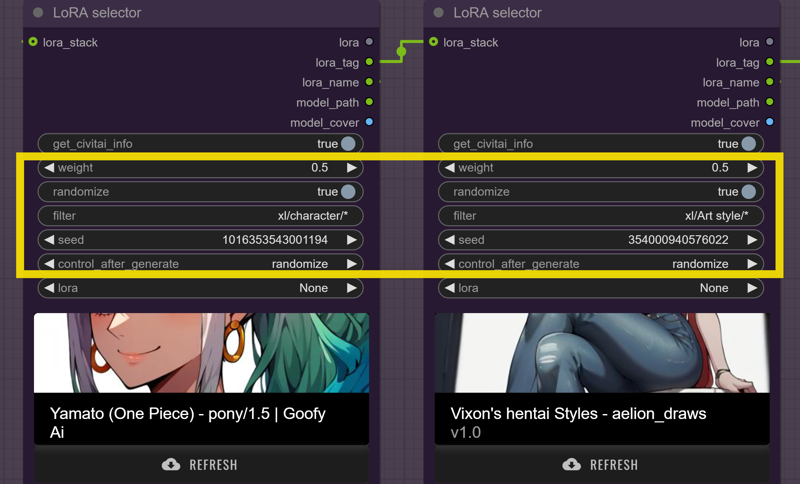
Queue up the prompt and see what you get! You don't need a prompt using the automatic LoRA tagging. I like to add a few quality tags, such as "score_9, score_8_up, score_7_up, high quality, best quality," and just let the trained Lora Keywords drive the generation.
General Setup Walkthrough
Step 1. Set Config including image size, seed, guidance scale (CFG), steps, sampler, scheduler, upscale factor (high res fix), upscale denoise (high res fix), and upscale model.
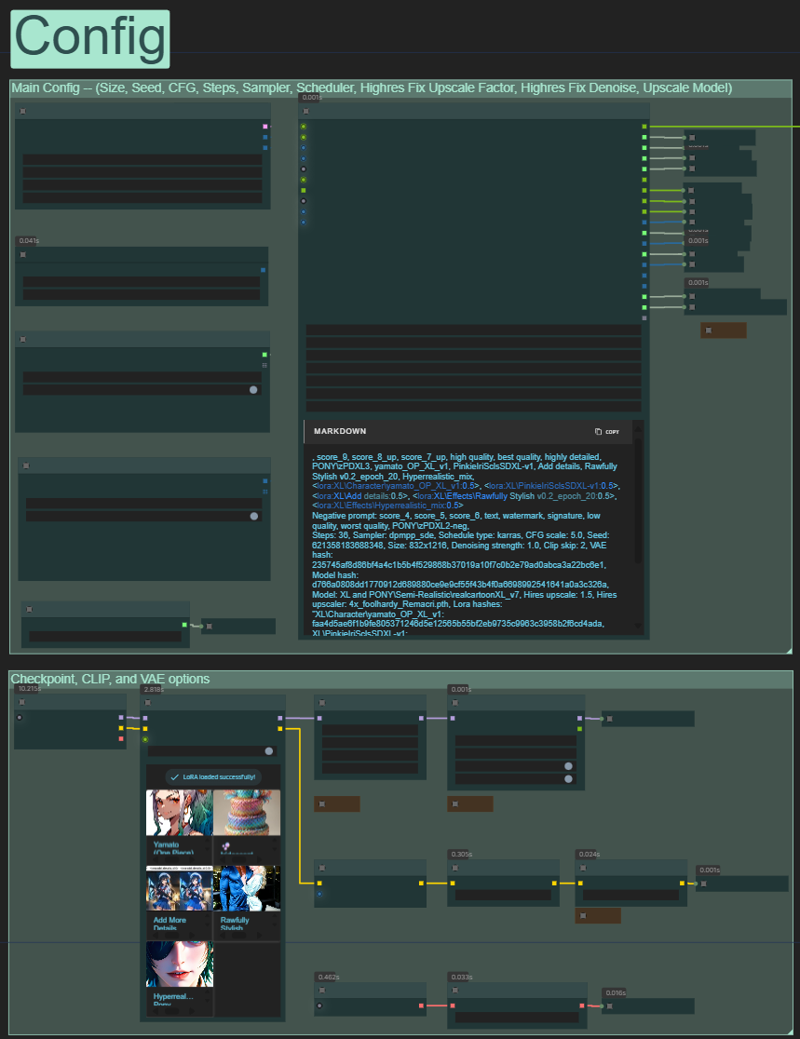
Step 2. Creative inputs
Select your checkpoint, LoRAs, and Prompt.
Optional auto load in LoRA keywords and adding styler keywords.
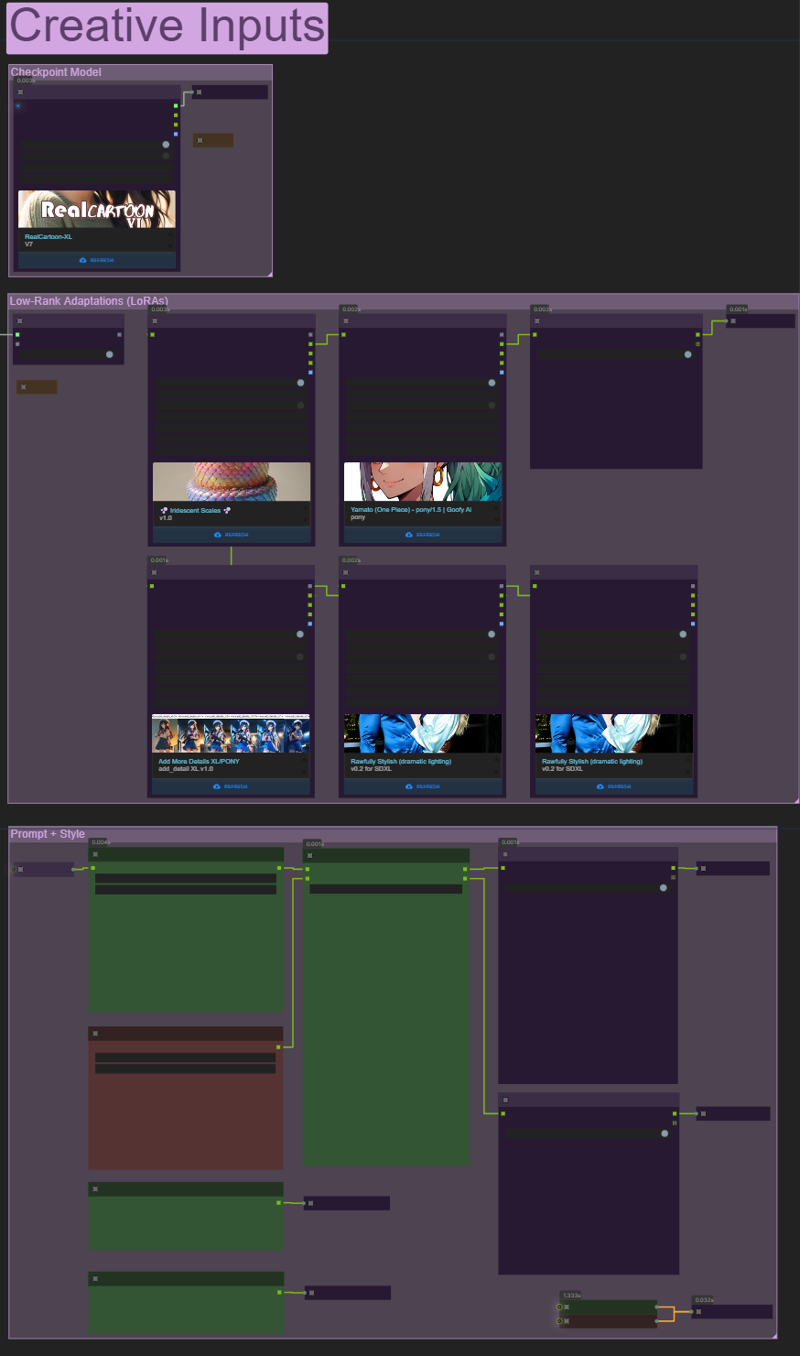 >> Queue prompt 😊🪄🪄
The rest of the settings will be fine-tuned if you are doing specific. For general use, it should be plug-and-play.
Posting is appreciated.⚡⚡⚡ Feedback and requests are welcome.
Description
TY for feedback 😊
Added auto Lora Triggers, simplified options, and cleaned up some of the node connections.
FAQ
Comments (2)
Amazing workflow!
Can you help me understand what the Model and CLIP temperature settings do? What are the recommended settings?
I have been using one of your older workflows and added a bunch of additional detailers inline (lips, hands,feet, etc.) and "Detail Daemon". You should give it a try! I'm going to give this newer version a try! I really like the cleanliness of the everywhere nodes but for a noob like me it makes things a bit more, confusing... But I'm sure I'll figure it out! If your interested I'll upload my workflow, well, your workflow with a touch of "I have no idea what I'm doing"! LOL... Thanks for your hard work!
Looks like we don't have an active mirror for this file right now.
CivArchive is a community-maintained index — we catalog mirrors that volunteers upload to HuggingFace, torrents, and other public hosts. Looks like no one has uploaded a copy of this file yet.
Some files do get recovered over time through contributions. If you're looking for this one, feel free to ask in Discord, or help preserve it if you have a copy.