

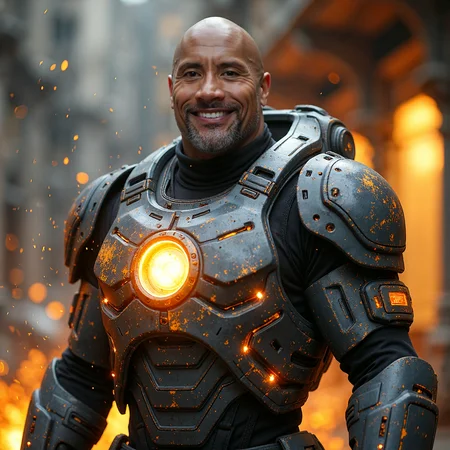





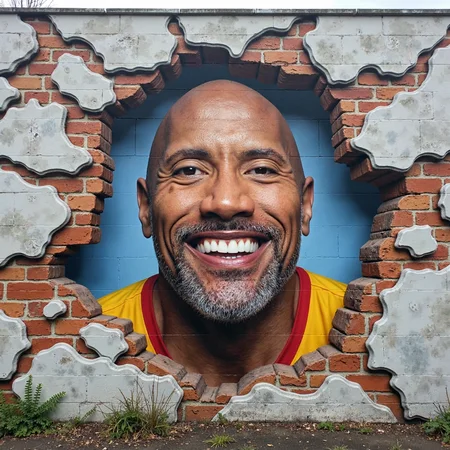




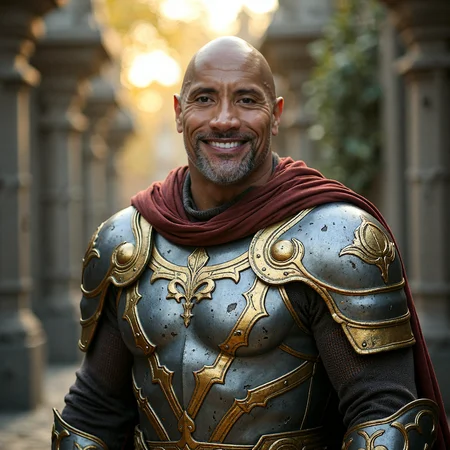


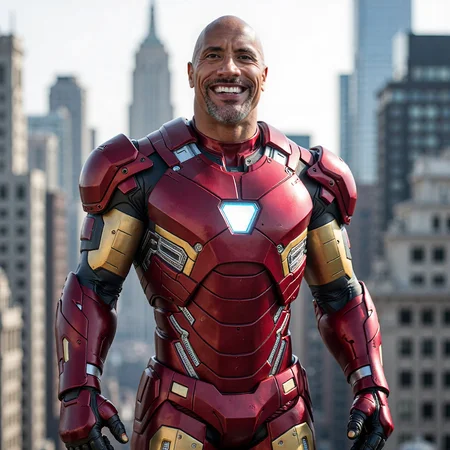


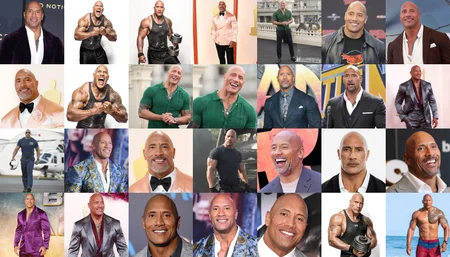
I am sharing how I trained this model with full details and even the dataset: please read entire post very carefully.
This model is purely trained for educational and research purposes only for SFW and ethical image generation.
The workflow and the config used in this tutorial can be used to train clothing, items, animals, pets, objects, styles, simply anything.
The uploaded images have SwarmUI metadata and can be re-generated exactly. For generations FP16 model used but FP8 should yield almost same quality. Don't forget to have used yolo face masking model in prompts.
How To Use
Download model into diffusion_models of the SwarmUI. Then you need to use Clip-L and T5-XXL models as well. I recommend T5-XXL FP16 or Scaled FP8 version.
A newest fully public tutorial here for how to use :
I have trained both FLUX LoRA and Fine-Tuning / DreamBooth model.
Activation token / trigger word : ohwx man
Each training was up to 200 epochs and once every 10 epoch checkpoints saved and shared on below Hugging Face Repo : https://huggingface.co/MonsterMMORPG/Model_Training_Experiments_As_A_Baseline
This model contains experimental results comparing Fine-Tuning / DreamBooth and LoRA training approaches.
Additional Resources
Installers and Config Files : https://www.patreon.com/posts/112099700
FLUX Fine-Tuning / DreamBooth Zero-to-Hero Tutorial : https://youtu.be/FvpWy1x5etM
FLUX LoRA Training Zero-to-Hero Tutorial : https://youtu.be/nySGu12Y05k
Complete Dataset, Training Config Json Files and Testing Prompts : https://www.patreon.com/posts/114972274
Click below link to download all trained LoRA and Fine-Tuning / DreamBooth checkpoints for free
https://huggingface.co/MonsterMMORPG/Model_Training_Experiments_As_A_Baseline/tree/main
Environment Setup
Kohya GUI Version:
021c6f5ae3055320a56967284e759620c349aa56Torch: 2.5.1
xFormers: 0.0.28.post3
Dataset Information
Resolution: 1024x1024
Dataset Size: 28 images
Captions: "ohwx man" (nothing else)
Activation Token/Trigger Word: "ohwx man"
Fine-Tuning / DreamBooth Experiment
Configuration
Config File:
48GB_GPU_28200MB_6.4_second_it_Tier_1.jsonTraining: Up to 200 epochs with consistent config
Optimal Result: Epoch 170 (subjective assessment)
Results
LoRA Experiment
Configuration
Config File:
Rank_1_29500MB_8_85_Second_IT.jsonTraining: Up to 200 epochs
Optimal Result: Epoch 160 (subjective assessment)
Results
Comparison Results
Key Observations
LoRA demonstrates excellent realism but shows more obvious overfitting when generating stylized images.
Fine-Tuning / DreamBooth is better than LoRA as expected.
Model Naming Convention
Fine-Tuning Models
Dwayne_Johnson_FLUX_Fine_Tuning-000010.safetensors10 epochs
280 steps (28 images × 10 epochs)
Batch size: 1
Resolution: 1024x1024
Dwayne_Johnson_FLUX_Fine_Tuning-000020.safetensors20 epochs
560 steps (28 images × 20 epochs)
Batch size: 1
Resolution: 1024x1024
LoRA Models
Dwayne_Johnson_FLUX_LoRA-000010.safetensors10 epochs
280 steps (28 images × 10 epochs)
Batch size: 1
Resolution: 1024x1024
Dwayne_Johnson_FLUX_LoRA-000020.safetensors20 epochs
560 steps (28 images × 20 epochs)
Batch size: 1
Resolution: 1024x1024
Description
For Full Details, Training Dataset, Tutorial, Guide, Configs, Training Json Files, Workflows, Installers, Resources and All Checkpoints > https://huggingface.co/MonsterMMORPG/Model_Training_Experiments_As_A_Baseline
This is FP8 converted version of original FP16 training
FAQ
Comments (26)
22GB for The Rock? Yea..
FP8 version also exists but sadly I couldn't find how to make it default asking CivitAI team
@SECourses Most creators would extract a lora from the dreambooth model and upload this instead.
@Triple_Headed_Monkey I will post that too. I trained LoRA models as well and i will hopefully publish all. LoRA , and LoRA extraction
FP8 model is also there sadly it is not set as default and I am asking CivitAI team to how to set it default
Yeah, no. Apparently the site still doesn't allow for you to choose the order of files uploaded on a single model page without uploading as an entirely new version.
@Triple_Headed_Monkey yes sadly that way. i added as separate models for now
@Triple_Headed_Monkey @SECourses working as intended, all community members can choose their favourite precision in their account settings, so someone preferring fp16 will see that as default, another one with fp8 set as default, will be shown that instead as the first one. so you can put both checlpoints into one version, each visitor will see what they prefer. :)
@eurotaku but it is set as fp16 by default and private window shows that too. i think user should be able to override default behavior
@eurotaku Yes it is totally working as intended when you choose to upload a CLIP model and it shows up as the default because it is the higher precision model :D And not to mention when you try and change the precision there is no value lower than FP8 and setting it the same it will just tell you "there is already a model of this type uploaded"
Keep up the good work!
Thanks a lot for comment
question lora training, have you found out whether it is better to remove the background or describe it, e.g. for portraits?
well i tested full captions. it reduces training accuracy. however for only background, i didnt test them to be fair
I am getting error: [ComfyUI-0/STDERR] ValueError: Model face_yolov9c.pt not found, or yolov8 folder path not defined
true it works in SwarmUI : https://huggingface.co/Bingsu/adetailer/blob/main/face_yolov9c.pt
@SECourses thanks, where to put this file in swarm ui?
@ranjeet3939 make a folder inside models folder as yolov8 put there
@SECourses thanks champion, one more thing, in the article, could you please write the setting which needs to be selected during image generation in swarmui, for example: sampler, clips, flux guidance etc... I am trying to replicate your images and huge fan of you :)
@ranjeet3939 please watch this tutorial just recently recorded to show all : https://youtu.be/-zOKhoO9a5s
For Full Details, Training Dataset, Tutorial, Guide, Configs, Training Json Files, Workflows, Installers, Resources > https://huggingface.co/MonsterMMORPG/Model_Training_Experiments_As_A_Baseline
I'm going to be kind here. Flux training is case sensitive, so while it is cool that you managed to show that it is easier to train Flux contradictory to how it expects to be trained compared to other models, if you were to repeat this experiment you should at least use the tags/captions like so:
Owhx Man
This should reduce the amount of time it takes and the rank/dim needed to achieve decent results.
it is true case sensitive. but we still don't have full tokenizer. have you found any? i found T5 tokenizer and it had so few words
@SECourses I've not seen a decent one around off the top of my head either.
T5 is basically a mini LLM. I'm fairly certain that CLIP is still handling the majority of the heavy lifting all round including the tokenization process. I've been trying to work it out for a little while but I think the process is something like:
Text input > T5 breaks it down contextually based on the sentence structure and attempts to feed it to the CLIP tokenizer without giving it room to mistake intent > CLIP converts tokens into a vector with spaital/visual information > Transformer uses these vectors to generate an image.
There are a couple of other possible configurations, but the simple take away from all of the different variations was that T5 is not capable of interpreting or producing the output necessary to caption or generate imagery. It is inherently fully text and token based. Therefore it's contributions to the process must also be restricted to the domain of text and/or improving the tokenization process with semantic context.
By itself T5 is basically an autofill model. Which would generate text based on simple inputs/parameters. Things like finishing a sentence you've started writing or responding to simple questions relating to additional information being provided to it. For example when interrogating an image using a Vision adapter model or something like BLIP.
In other words I'm not sure it really matters much in this case. CLIP having been created originally for the purpose of captioning and sorting images into categories was accidentally found to have the ability, when used in reverse, to generate the image information it was trained to caption.
So instead of converting images to vectors and plotting them to category tags, it became possible to input category tags and it would output vectors.
The transformer is then trained on top of the vector inputs with the same, or similar enough, datasets that were used to train the CLIP models, which bridges the gap between the Transformers ability to generate/manipulate pixels and the CLIP's output of vector information.
In the case of FLUX in specifics, the architecture seems to include a secondary clip model inside the transformer model layers itself. Which handles the translation between the training done on the transformer and the untrained clip and T5 models and allows for results to be closer to if you had trained them in conjunction.
This is my take on it anyway.
Details
Files
Available On (1 platform)
Same model published on other platforms. May have additional downloads or version variants.