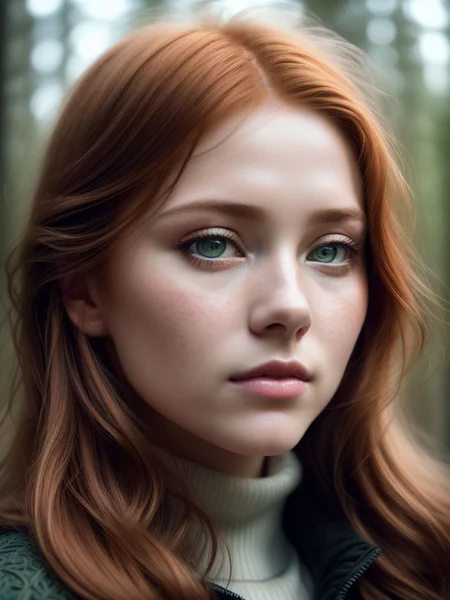
This is the magic ingredient for the last few XenoEngine releases - with some new improvements added.
Applied at various weights, this LoRa will transform flat and boring images into detailed works of XenoEngine art - using most any Checkpoint.
New Year's Eve 2023 - V3 Update
This update is awesome! Please note... this works a lot differently and with a much wider range and effect on images than v1 and v2. In some situations, one of those older versions will probably still be useful for you.
The Differences
Earlier versions came in adding some objects and interesting features to the image, but they also focused a lot more on contrast and delineation factors. The new version does the latter things - but at much lower weights - while increasing the overall intricacies, object clutter, and the things you see.
Older versions have a strong bias toward science fiction - meaning the higher the weight, the more "sci-fi" feeling you're going to get.
This version trends more toward general "opulence" and "royalty". During initial testing, I briefly considered releasing this as a new model named "The Poshifier". The advantage here is that, for example, instead of making "Steampunk" nudge toward "Sci-Fi Steampunk" - it works more like nudging it toward "Opulient Steampunk" - thus leaving the normal Steampunk sensibilities in place. Most styles seem to hold well and work well.
I think the thing I like most about this compared to other detailers (and even earlier versions of my own) is that it doesn't just "add more things based upon what it likes to do" - but it "adds more things and more detail to the things you asked for." This is something you'll see and understand better as you play with it.
The Settings
The general safe range for this goes up to around 2.0 for many models. It can sometimes go higher, but also on some (as you'll see in some of the previews) it does start to get too heavy at numbers below 2.0. Negative numbers should be possible, too - though I haven't tested it much - that will be coming.
Generally, heavily realistic models have a shorter range while you can hit artistic models and general purpose checkpoints pretty hard.
Additional Benefits
In addition to adding more detail this can (sometimes):
-- Fix Hands: This will often make hands look better in general, but also changes the pose and posture to trend toward hand poses that it's better at drawing. It's not perfect, but if you've got that "almost perfect" shot but the hands are going crazy - adding this in, even at low levels where it changes little else, can help clean that up.
-- Sexiness: This is an interesting result - if you're describing clothes that shouldn't be super sexy, but your checkpoint keeps making them so - this can tend to push them back toward more "regal" without being slutty. Conversely, if you ARE describing sexy clothes and they aren't as sexy as you want - this can tend to make them a bit skimpier and sexier - without going full-nude unless asked for. You may get somewhat varying results across different checkpoints, but... in general, most seem to be working this way with a fair amount of consistency.
From Older Versions:
Uses some of the techniques from Elixer along with some face magic to bring out details and depth while maintaining a definite style.
Bigger numbers do not always equal "more" or "better" - I've found that starting at around a 0.75 weight is good for most cases. Moving it up or down will cause interesting changes. This plays especially nice with known sci-fi type themes.
This model will have trouble with scenes that are already calling for a lot of heavy detail - use it with simple prompts to get extra details without complicating the prompt.
For closer shots, leaving "restore faces" turned off can bring some really nice face details. I love the big, clear eyes this makes, too.
Want Tips, Tricks, Pix of Things We Can't Show on Civitai?
Join the XenoEngine Discord to discuss tips and tricks, complimentary Lora's and Embeds, and to post (and see) images not allowed here on Civitai.
Description
Reworked - forces less art styling while adding more detail and opening up interesting connection.
The old v1.0 should still be useful and fun in some situations - this one is just different, and maybe a bit more forgiving before you hit burn points.
FAQ
Comments (4)
In my case its use leads to almost complete desaturation of the image. Is that because of the initial prompt complexity?
I've not seen desaturation effects, but theoretically, a really complex prompt could make some odd things happen with this, I think.
Basically what this (and most of the other "add details" type LoRas that are out there nowadays) is open up extra connections between concepts which might normally take extra words in the prompt to accomplish. So, for example, if you say "intricate stitching" for the clothes, normally, it will do just that - make stitching visible and make it intricate. What these do is take it one step further - so maybe instead of just "intricate stitching" you might find that it starts showing extra things on the clothes that are "stitched" onto it - like buttons, patches, pockets, etc. They are all things that are "stitched" to clothing - and this just opens up the possibilities of those things (or similar things) appearing without you needing to say so.
So... now if you've got a complicated prompt, you're probably already directing that "intricate stitching" to connect to things that might be stitched on - so it becomes either redundant or conflicting. (By conflicting I mean, that you're saying you want "this" stitched on, but the detailer might have wanted to put "that" there instead... this still "works" but it makes consistency more difficult).
Not sure how all that might play into saturation, though. Typically saturation comes down to VAE. Does the model you're using have a VAE baked in? Or are you using a specific VAE on your model? (And, of course, which model are you using... there are a few I've tried where this just doesn't work well because the models themselves do similar things - often in very different ways).
@iamxenos Meanwhile I found that the saturation problem is not connected with your Lora. (Nor the VAE). In the end it will came out that it is a simple prompt mistake. I'm sorry I've disturbed you. Tomorou will make some images with your Lora and will show them in the feed.
@aiden_soler So long as you have it solved - that's the key thing! Bad things in the negative prompt get me sometimes too - when I start playing with some new model, I usually totally clear our the negative prompt first and wait until I start seeing stuff I don't want before bringing it back in. That's a new habit and it saves me LOTS of time. lol
Good luck and glad you can get your colors back!