


Want to generate anime style images but aren't a prompt wizard? AnimEasy only needs a couple of words to generate decent images (sometimes even one is enough). Capable of generating both semi-realistic and anime style images along with decent text performance. See the show reel for some examples.
Using the DDIM sampler, a guidance factor of 3.5, and 10 steps works well enough - if you find some images are a bit half-baked, increase the number of steps and let them cook a bit more (more steps rarely hurts the image and even at 50 steps, there's still an improvement). To improve performance, I recommend the flux version of TAESD VAE. All examples were generated in ComfyUI with the fp16 version of this checkpoint and the stock FLUX CLIP models.
If you don't explicitly use a keyword like "anime", "manga", or "cartoon", you may find some images take on a more... illustration-y look to them. One way to counter this without actually changing the prompt is to increase the number of steps, this tends to sharpen the line-art and flatten the colours a bit without any major stylistic or compositional changes (although it will take proportionally longer to finish cooking).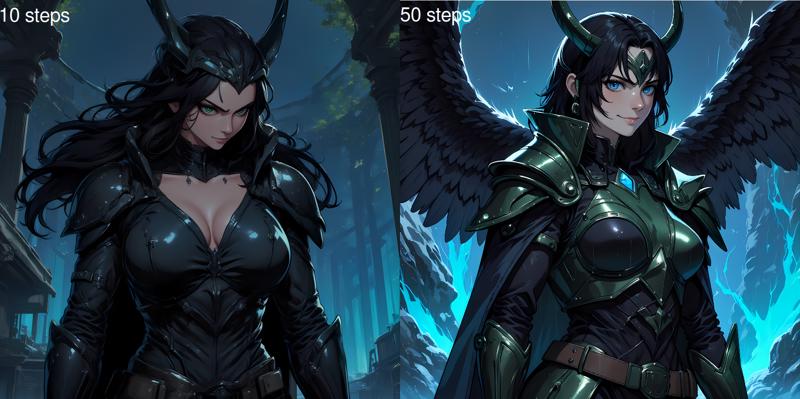
N.B. Even using the fp8 checkpoint with fp8 CLIP models still needs a good 13-14GB of VRAM to run. If you want to have everything run native (fp16/bf16) you'll need a good 23-24GB VRAM. FLUX is also a very compute-intensive model, as a point of reference, each fp16 step takes ~1.2s on an RTX3090.
If you don't have the VRAM to run the fp16 model natively, I'd recommend getting the GGUF loader (if you use ComfyUI), the Q8 model seems a lot closer to the original than the fp8 model, and the loader also works with Q4 and Q2 quantized models. The only advantage fp8 has is that it has native support in a lot more programs whereas GGUF sometimes needs third-party plugins to work. Just be aware that any quantization has a bit of a compute penalty, I saw an ~30% increase in step time on an RTX3090 no matter whether I was using Q8, Q4 or Q2.
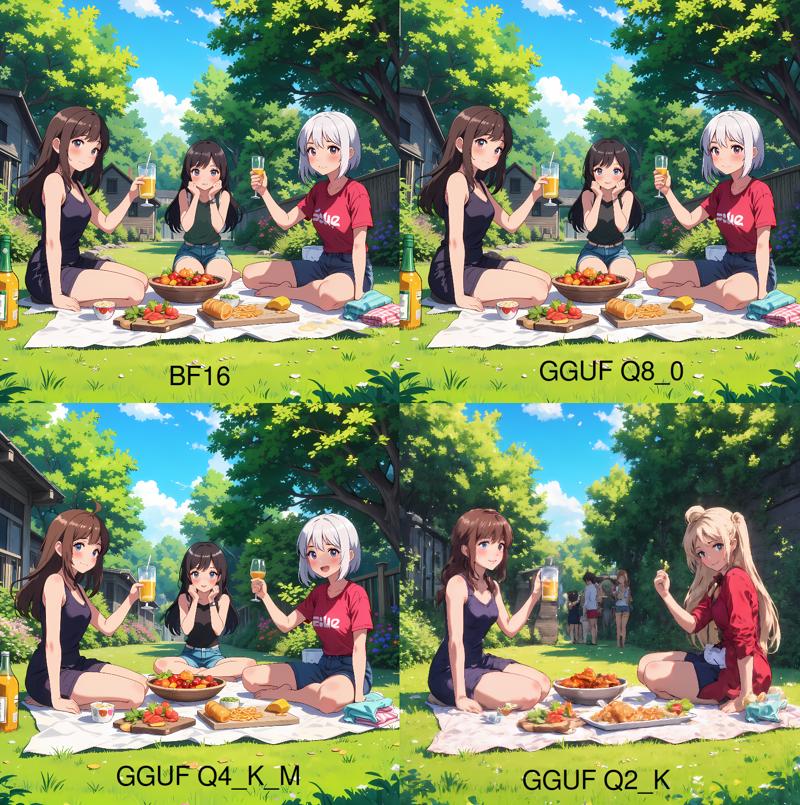 "backyard anime picnic" - steps:50, cfg:3.5, seed:918081932971977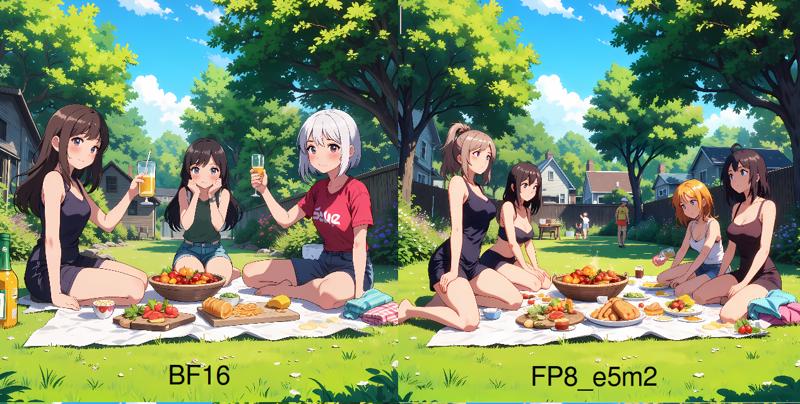
Description
bf16, fp8_e5m2, Q8, Q4 & Q2 versions of an anime-optimized FLUX.1 Dev checkpoint model, If you have ComfyUI, you can load a basic workflow from the showreel images.
FAQ
Comments (7)
nf4 version pls
Interesting to see that Q4_K_M looks pretty similar to Q8.
And I guess, there will be better results with IQ_2 quants.
I have a question! I need to use GGUF loader as I only have 16GB of VRAM so FP16 is a bit of a stretch. I downloaded Flux_Q6_K model, as it was suggested, but how would I use that together with your checkpoint? I may have missed something entirely aha
use the GGUF loader as the model and then import your clip models using GGUF's clip loader. Google it if you're unsure how to use GGUF models.
For some reason, when I use this model with Invoke UI in Linux, my RAM gets filled up to a point my computer freezes. It looks like there's some kind of memory leak with this model or it causes one for some reason?
¿What is the difference between Pruned Model nf4 (6.46 GB) and Pruned Model fp32 (3.76 GB)??
¿who is the Q4 version ??
Hello,
tried all version but nothing is working on swarmUI or Stable diffusion.
Stable diffusion : TypeError: 'NoneType' object is not iterable
SwarmUI : Possible reason: ComfyUI execution error: Error while deserializing header: incomplete metadata, file not fully covered.
Details
Files
Available On (1 platform)
Same model published on other platforms. May have additional downloads or version variants.