


ioclab/control_v1u_sd15_illumination_webui · Hugging Face
非常抱歉在过去的一周里没有添加详细描述,由于工作时间原因,现在我将他补充在下方:
这是一个类似depth的controlnet,同时包含了从0到1阶段的光影构图可控的目的的controlnet。
I am very sorry that I did not add the detailed description in the past week. Due to working time, now I will add it below:
This is a controlnet similar to depth, but also contains a controlnet for the purpose of controlling the light composition from 0 to 1.
从0-1的光影构图可控 -- text to image
Controllable composition of light and shadow from 0-1 - text to image
如果你是一个画师,或者你可以使用ps等软件进行图片的移动和拼合,你可以产出这样的一张图片去描述你想要的构图,如下面这张图,我希望左边是一个类似聚光灯一样的视觉焦点,同时空气中漂浮着闪烁的光点
If you are a painter, or if you can use Photoshop or other software to move and combine images, you can produce an image that describes your desired composition, such as the one below, where I want to have a visual focal point like a spotlight on the left, with twinkling points of light floating in the air
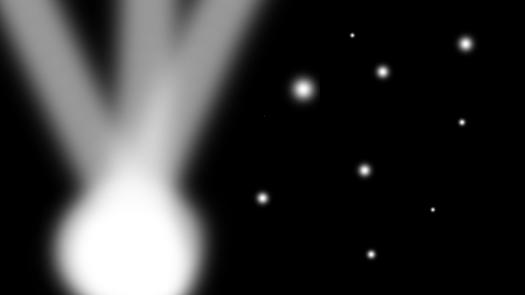
将这张图作为controlnet的输入后,调整权重为0.6,退出时间为0.65(末尾会进行解释)输入提示词masterpiece, best quality, High contrast, dim environment, bright lights, 1girl, standing in the center of the stage, spotlight hit her, ((floating stars))
你可以得到这样的结果
With this graph as input to controlnet, adjust the weight to 0.6, Enter the prompt word masterpiece, best quality, High contrast, dim environment, bright lights, 1girl, best quality, high contrast, dim environment, bright lights, 1girl, standing in the center of the stage, spotlight hit her, ((floating stars))
You can get something like this
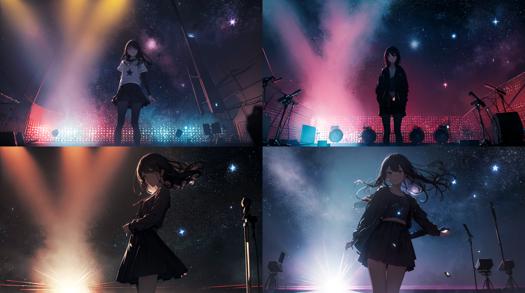
你会发现,相比于传统的生成图片,这样的方式似乎可以更明确的让画面的明暗关系更可控,那现在我们继续修改。
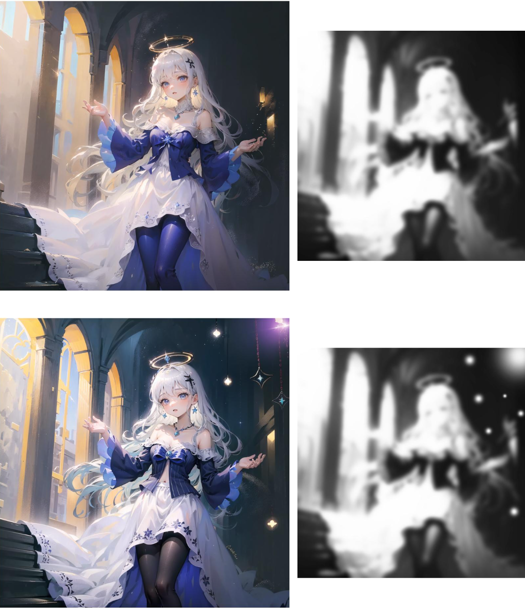
我喜欢右下角的构图,但是我希望女孩的光影层次更丰富,比如衣服上有反光,并想调整他的比例关系,通过ps或其他图片软件去色,高斯模糊,抠图的步骤后,你可以得到这样的图片。或者你可以继续按自己的意愿去重新绘画
As you can see, compared to the traditional image generation, this method seems to make the relationship between light and shade more clearly controlled, so let's continue to modify.
I like the composition in the lower right corner, but I want the girl to have richer light and shadow layers, such as reflecting light on her clothes, and I want to adjust her proportion relationship. After the steps of decolorizing, Gaussian blur and matting through Photoshop or other picture software, you can get such pictures. Or you can go ahead and repaint as you wish
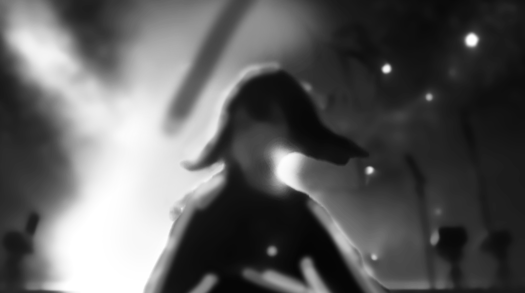
在提供图片的时候,你可以选择比较模糊的图片,这样可以让ai去补足更多的细节
现在调整prompt和controlnet的输入,输出图片。这个过程中你可以使用lora,其他controlnet来加强你对画面的控制力,该controlnet在训练的时候保留了对HDR对比度的修改,让他不会过曝/过暗而损失图片的细节,你可以通过常见的noiseoffest等提高对比度的光影lora来配合使用,在这个过程中如果你发现了过拟合等现象,可以适当的调低controlnet的权重以及退出时间。
下面可以得到这样的图片:
When providing images, you can choose a blurry image, which allows the ai to fill in more detail
Now adjust the prompt and controlnet input to output the picture. For more control, you can use lora, controlnet, which has been trained to modify the HDR contrast so that it doesn't overdark or overdark the image. You can use the noiseoffest and other light loras to improve contrast. If you find overfitting and other phenomena during this process, you can appropriately lower the weight and exit time of the controlnet.
You can get a picture like this:
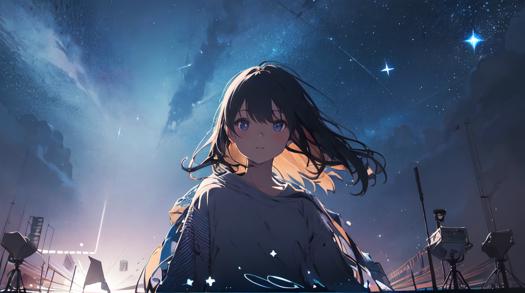
可以看到,floating star 这样带有明亮语义的词,被引导到了画面中最亮的亮点部分,你可以用这个原理去制作诸如 刀光 星星 水花 等过去难以引导的素材,请见最后的例子
如果你发现你生成的图片是这样的,人物并没有按你想要的出现在目标位置:
As you can see, "floating star", a word with a bright meaning, has come to be seen in the brightest parts of the picture, and you can use this principle to make things that used to be difficult to navigate, such as knife light, star splash, and so on. See the last example
If you find yourself generating an image like this, where the person doesn't appear where you want them to:
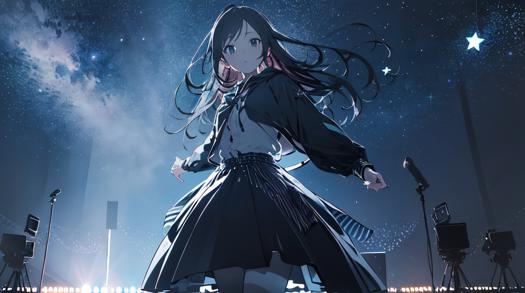
这个时候你可以选择继续roll,或者调整构图。但是,我们不是孤军奋战!这是一个controlnet,并且可以和其他的controlnet完美配合,而在过去的controlnet里有这样一个seg可以使用:(有点丑,但是ai可以理解)
At this point you can choose to continue roll, or adjust the composition. But we are not alone! This is a controlnet and works perfectly with other ControlNets, whereas in the past controlnet there was a seg that you could use :(ugly, but ai understood)

当你开启第二个controlnet的时候,你会发现人物出现在了正确的位置,按照这个逻辑,还可以与其他的controlnet来配合
When you open the second controlnet, you will see that the character appears in the right place and, by this logic, works with the other controlnet
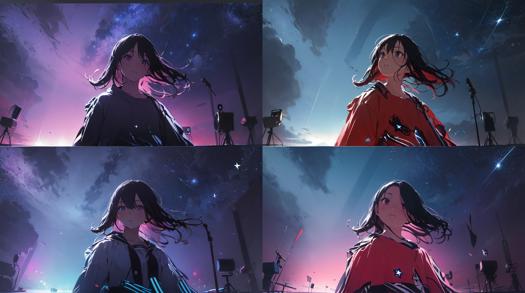
现在你可以使用tile或者img2img来高清,也可以调高分辨率开启hires,更换种子,看看ai在t2i里生成什么样不同的结果,但你可以看到被保留的星星,左边的焦点,被照亮的头发和脖子。。。:
Now you can use tile or img2img for HD, you can switch to higher resolution hires, change the seeds, see what different ai produces in t2i, but you can see retained stars, left focus, lit hair and neck... :
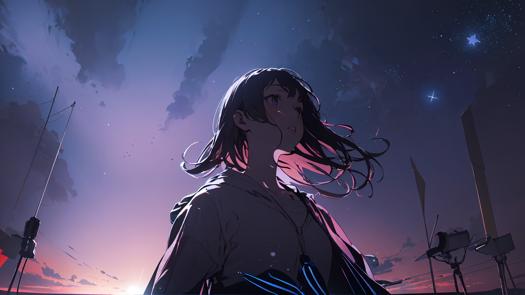
更换一个ckpt尝试一下,会保持这样的关系吗?
答案是会!
Try replacing a ckpt, will this relationship be maintained?
The answer is yes!
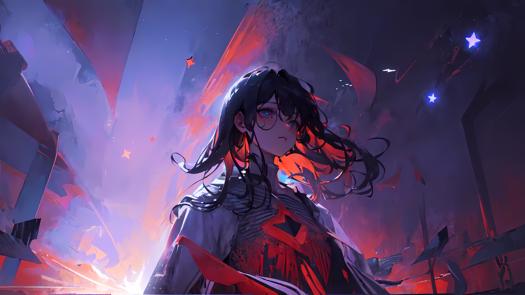
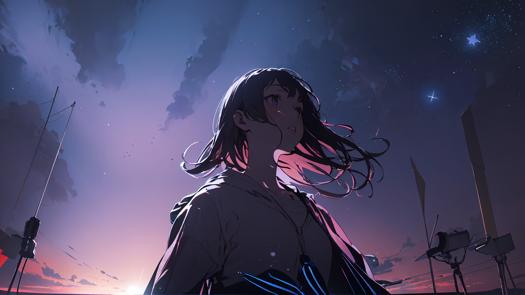
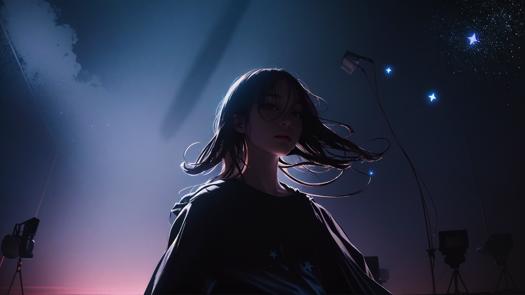
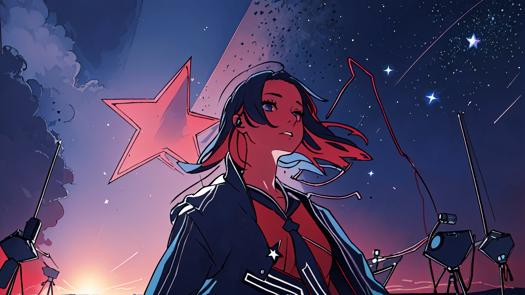
通过该Controlnet,可以让AI在生成的时候意识到哪里应该是阴影,哪里应该是明亮的部分。
With the Controlnet, it is possible for the AI to realize where the shadows should be and where the bright parts should be when generating.
从1-1.5的光影调整
Light and shadow adjustment from 1-1.5
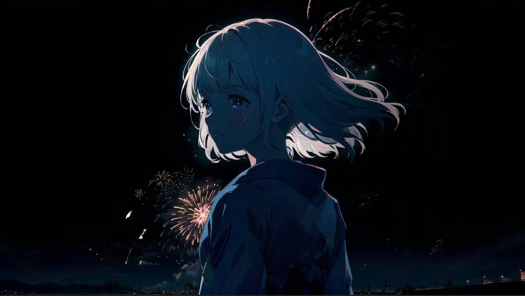
在这张示例图中,我超级喜欢这样的头发边缘光和背后的烟花,并想在我的ckpt上去尝试复刻这样的构图。但是你可能知道,让sd重新去roll的话,很可能会失去我想保留的构图,于是我们可以用ps扣除烟花并制作这样的输入
In this example image, I really liked the hair edge light and the fireworks in the back and wanted to try to recreate this composition on my ckpt. But as you probably know, having sd roll back would probably lose the composition that I wanted to keep, so we could use Photoshop to subtract the fireworks and make this input
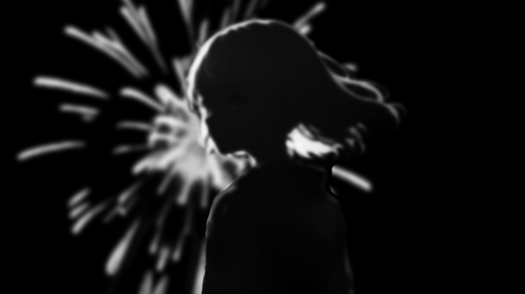
并且由于有原图,我制作了这样的seg
And because of the original artwork, I made this seg
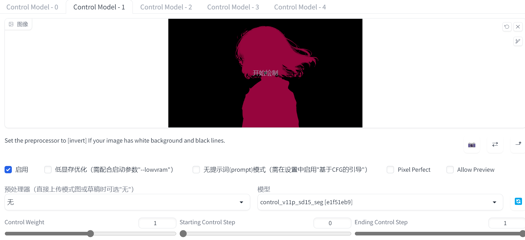
The following please witness!
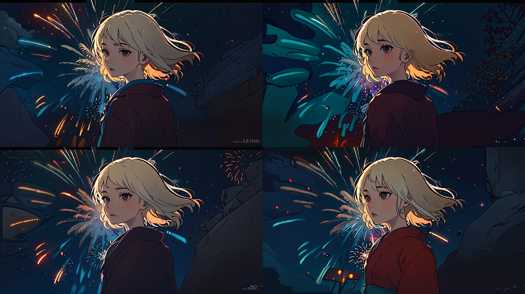
是的,还是相同的构图,相同的头发边缘光,但是更大的烟花出现了!通过controlnet和SD本身对prompt的理解,烟花作为明亮的关系出现在了我们预期出现的位置!
更换底膜,查看更多的效果,而一切我们想保留的,都有保留:
Yes, same composition, same hair edge light, but bigger fireworks appear! With controlnet's and SD's own understanding of the prompt, fireworks appear as bright relationships where we expected them to be!
Replace the bottom film, see more effect, and everything we want to keep, there are reservations:
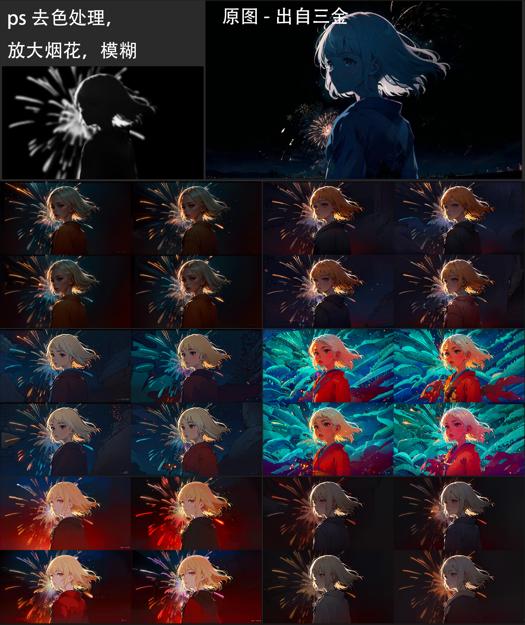
同样的,我可以给一张图添加新的光源和漂浮物
Similarly, I can add new light sources and floats to an image
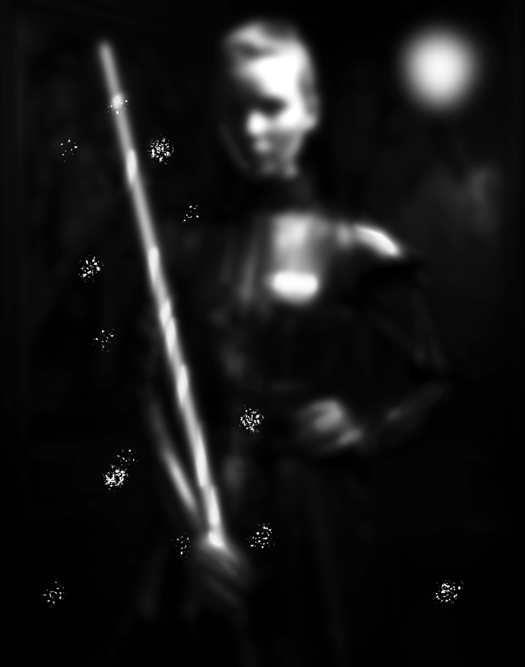
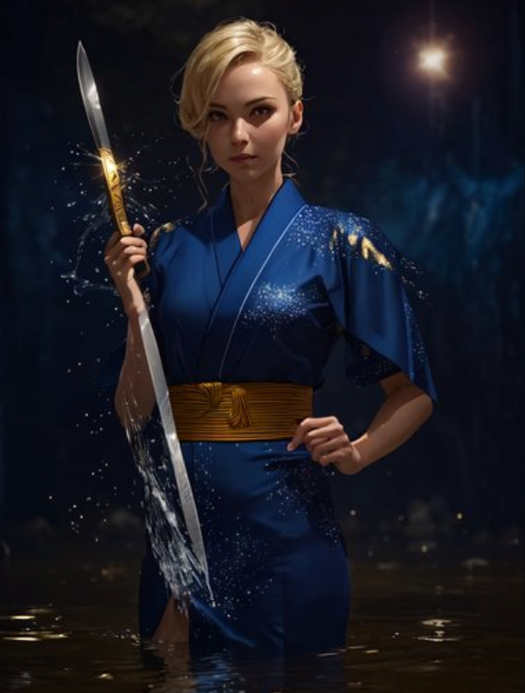
我也可以给刀身加金属发光,并引导水花/刀光在其附近出现,在身后添加一个灯,你不需要绘制的太清晰,只需要一个意向。
I can also add a metal glow to the blade and direct the splash/blade light to appear near it, and add a light behind it, you don't need to draw too clearly, just an intention.
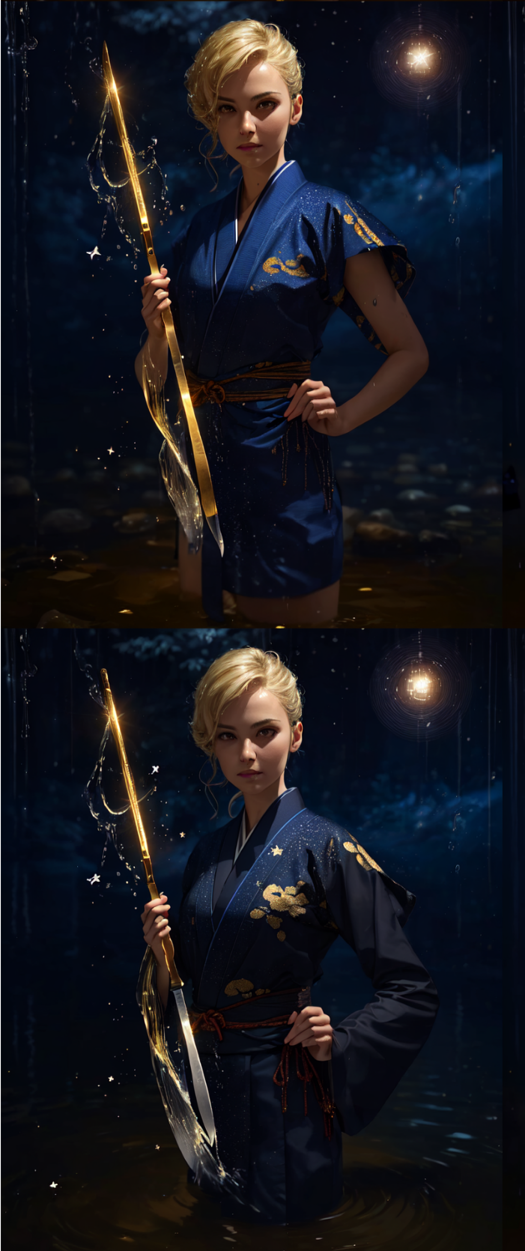
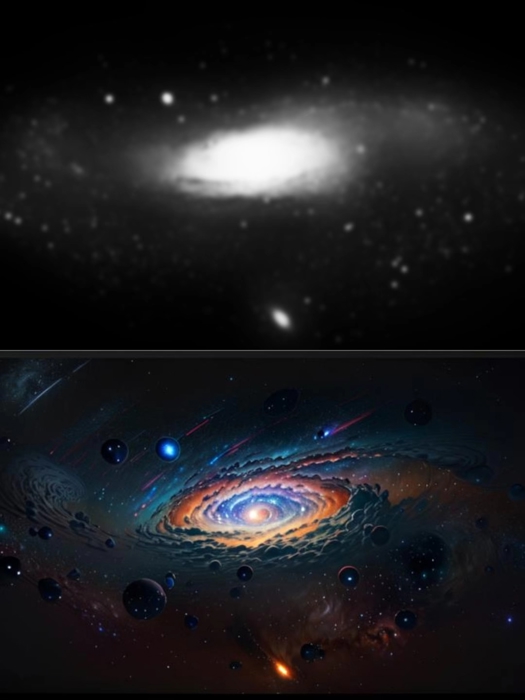
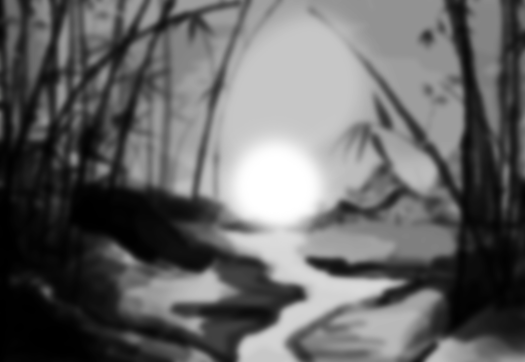
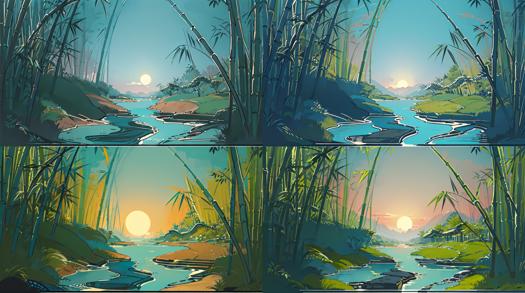
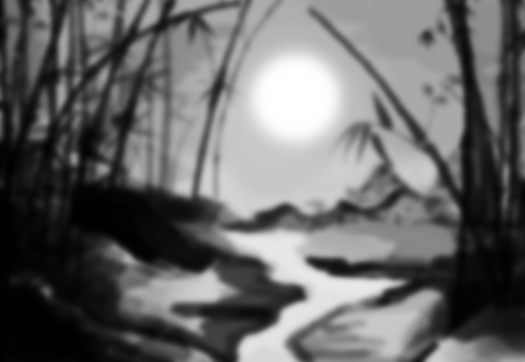
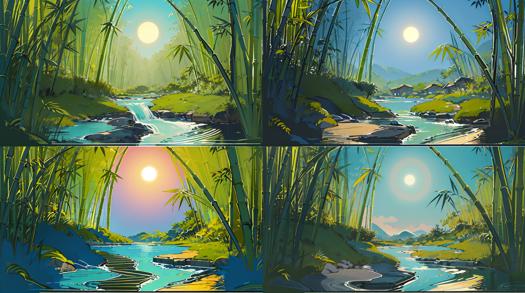
在其他的场景中,该controlnet也保留了语义,你可以做出这样的图:
In other scenarios, where controlnet preserves semantics, you can make a diagram like this:
如何使用:
How to use?
你只需要下载并将其放进和其他的controlnet同一个模型文件夹中,刷新模型列表即可,目前还没有制作统一的预处理器,如果你有建议欢迎评论。
All you need to do is download and put it in the same model folder as the other controlnet models and refresh the list of models. No unified preprocessor has been made yet, please comment if you have suggestions.
QA:
img2img好像也能达到类似的效果,有什么区别吗?
是的,过去是有一些img2img或者其他方法来控制光影的出现,但控制往往需要多次的roll,或者更精细的处理。通过controlnet的话不仅可以在t2i阶段带来更多的控制和可能性,更好的帮助你从0想出的构图的实现,或者分镜layout
img2img seems to achieve a similar effect. What's the difference?
Yes, there are img2img and other ways to control the appearance of light and shadow, but the controls often require multiple rolls or more detailed manipulation. The controlnet approach not only gives you more control and possibilities in t2i, but also helps you create layouts from 0, or shoot layouts
为什么我出的图片有问题,看起来过拟合了
因为该controlnet是在大量的真实数据集下去训练的,学习到了现实中光影和图片的对应关系,所以在动漫等场景中应用时,需要调低权重和退出时间,你可以尝试权重0.6,退出时间0.6。请等待下一个版本改进,需要你的反馈来帮助我去调整训练方式~
Why is there something wrong with my picture? It looks overfitted
Because the controlnet is trained on a large set of real data to learn the relationship between light and picture in real life, you need to lower the weight and exit time when applying it in animation and other scenarios. You can try weight 0.6 and exit time 0.6
Please wait for the next version improvement,I need your feedback to help me adjust my training style
有其他的例子和讨论吗?
Any other examples and discussions?
4.6. Light Composition Controlnet 使用教程及训练记录 - AIGC All in One (ioclab.com)
https://discord.com/channels/879548962464493619/1093958427417518120
(6) A new test version of ControlNet for controlling lighting and composition has been released!! : StableDiffusion (reddit.com)
我也想训练一个controlnet,如何开始?
I also want to train a controlnet, how to get started?
4.6. Light Composition Controlnet 使用教程及训练记录 - AIGC All in One
4.5. Brightness ControlNet 训练流程 - AIGC All in One (ioclab.com)
https://discord.com/channels/879548962464493619/1093958427417518120
Description
FAQ
Comments (50)
hmmm maybe some explaination here ?
What I inferred from looking at the slightly more information and images at HuggingFace, you feed it an image that looks like a depth map but is actually a contrast map. Areas that are white get higher contrast, and areas that are black get lower contrast. It effectively allows you to create an HDR image. You could, for example, show a glowing plant in a dark cave, and the plant could be very bright and jump out at the viewer but all the surrounding areas very dark and low contrast Your control image could be taken from a layer mask in Photoshop (or similar).
The way I will probably use it is:
(1) generate an image I like that needs more contrast;
(2) load it into Photoshop and create a layer mask;
(3) paint the layer mask so that the parts I want to have more contrast are white or bright gray, and the areas I want less contrast in will be black or dark gray;
(4) export the layer mask to a separate image;
(5) load that image into ControlNet;
(6) regenerate with the exact same settings.
I haven't tested that yet, so I can't guarantee it's correct or that it will work the way I've described. But it should give you an idea of at least how to start playing with it I hope. Happy diffusing.
I'm sorry that the time was rushed. Now I have updated the English version
thanks :)
And how is this supposedly working?
I'm sorry that the time was rushed. Now I have updated the English version
someone proposed an idea on a discord forum a few weeks back for using controlnet layers to take the lighting from one image (control layer) and apply it to the currently generated image as a form of “borrowing/stealing a scenes lighting setup” without having to prompt technical lighting terms. this seems to be someting along those lines.
I'm not sure if that's my post you're seeing, but at the end of the post there's a discord link that mentions me in April and documents the training session
From what I gather you just give it an unprocessed b/w bitmap with light locations and it relights the scene? If so it works like absolute crap
Maybe he has more possibilities? At least in my scenario, he could more easily convert layout to hi-fi preview. Maybe take a look at the updated profile
It doesn't exactly relight the scene I think. You still light it with your prompt.
I believe it will attempt to light it using your provided image as a guide/mask.
谢谢大佬!非常有用!
Looks pretty cool. But a bit big. Do you think it can be pruned? Or is it already at its smallest size?
實現光照自由啊!
Is there a way to add lighting infront of the main object instead of behind ?
I'm not quite getting the results I want with img2img, or I'm just too dumb and don't know how to use it. But this could be big if further developed.
词汇量比较少,不懂说什么,只会说:大佬NB
I've added the lightingBasedPicture_v10.safetensors to the ControlNet models folder, but the CLI is saying the yaml file is missing.. help me pls
it complains about not finding a yaml file but then it uses this one for me: cldm_v15.yaml finds this one maybe it will work.
Where do I put the model at? I am getting mixed reports of putting it in A) stable-diffusion-webui\extensions\sd-webui-controlnet\models or B) stable-diffusion-webui\models\ControlNet
you put it in B
Thanks a lot for your model. For the model to work correctly, the lightingBasedPicture_v10.yaml file is needed. Where can I download it?
Only get errors as there is no associated YAML file. Does not work.
try updating your controlnet to the latest version.
Put the file in stable-diffusion-webui\models\ControlNet
Set preprocessor to none and the model to lighting.
This is how I have it working and I've downloaded it today
@EvelockI had the same problem!
Is your controlnet version 1.1.232?
@guosir sorry for the late reply, my controlnet is 1.1.234
ERROR: The WRONG config may not match your model. The generated results can be bad.
ERROR: You are using a ControlNet model [lightingBasedPicture_v10] without correct YAML config file.
ERROR: The performance of this model may be worse than your expectation.
ERROR: If this model cannot get good results, the reason is that you do not have a YAML file for the model.
Solution: Please download YAML file, or ask your model provider to provide [F:\stable-diffusion-webui\extensions\sd-webui-controlnet\models\lightingBasedPicture_v10.yaml] for you to download.
me too
This thing is pretty neat! Works for me.
If you're getting errors, you're probably trying to load it as a checkpoint. It's NOT a checkpoint, it's a model for the extension ControlNet, and goes in the models/controlNet folder, NOT the models/Stable-diffusion folder. :D
看到好多人提示报错,我也遇到这个问题。看了作者介绍里说这个模型没有yaml文件,所以执行的时候controlnet会先找此模型对应的yaml,没有就调用cldm_v15.yaml,但是我这个调用的时候失败,可能跟部署方式有关系,调用不了cldm_v15.yaml。
解决办法:把cldm_v15.yaml复制一份改成跟模型的一样的名字lightingBasedPicture_v10.yaml。这样就可以正常用了。
谢谢兄弟!!
感谢
有没有人做这款模型的预处理器呀,直接将参考图丢进去出光影关系图
非常棒,把字体隐藏在里面。(含教程)文字版的:https://kenshin.zhubai.love/posts/2294348384703733760
视频版的:
How to use the controlnet model ?
1. put the lightingBasedPicture_v10.safetensors model ckpt to the path of sdwebui/models/ControlNet.
2. copy the cldm_v15.yaml file from sdwebui/extensions/sd-webui-controlnet/models/cldm_v15.yaml to sdwebui/models/ControlNet, and rename cldm_v15.yaml to lightingBasedPicture_v10.yaml.
+1 thanks 🙏
I need this for SDXL 🥲
Please wait, in training ~
@Isle_of_Chaos hello isle! are you still training for this?
@LatentCat please realise it fo SDXL, it really needed
@LatentCat hi! is the SDXL model making any progress?
Can this be used in img2img on existing images?
大佬,sdxl会增加这个模型吗?
is there a video tutorial somwhere in english?
Is there a video tutorial somewhere in english?
很棒的工作,请问还有更新的迭代结果吗?目前的结果似乎在很多场景下都过拟合了。
大佬什么时候出xl版本啊,很好的创意
Incredible work! Good job! Thank you!
Details
Files
lightingBasedPicture_v10.safetensors
Mirrors
lightingBasedPicture_v10.safetensors
lightingBasedPicture_v10.safetensors
control_v1p_sd15_illumination.safetensors
control_v1p_sd15_illumination.safetensors
lightingBasedPicture_v10.safetensors
light.safetensors
control_v1p_sd15_illumination.safetensors
lightingBasedPicture-sd15.safetensors
lightingBasedPicture_v10.safetensors
lightingBasedPicture_v10.safetensors
control_v1p_sd15_illumination.safetensors
control_v1p_sd15_illumination.safetensors
lightingBasedPicture_v10.safetensors
control_v1p_sd15_illumination.safetensors
lightingBasedPicture_v10.safetensors
control_v1p_sd15_illumination.safetensors
control_v1p_sd15_illumination.safetensors
lightingBasedPicture_v10.safetensors
control_v1p_sd15_illumination.safetensors
control_v1p_sd15_illumination.safetensors
lightingBasedPicture_v10.safetensors
illumination20000.safetensors
control_v1p_sd15_illumination.safetensors
control_v1p_sd15_illumination.safetensors
z_lightingBasedPicture_v10.safetensors
illumination20000.safetensors
Available On (1 platform)
Same model published on other platforms. May have additional downloads or version variants.