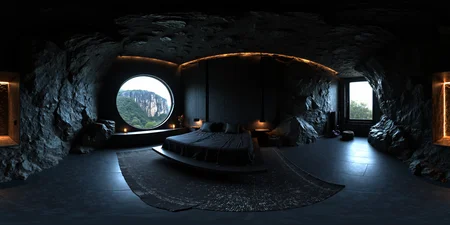
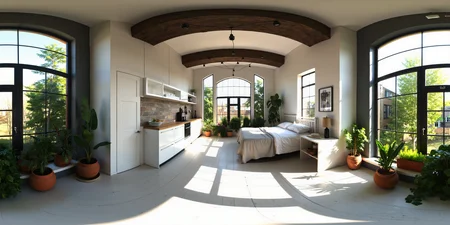
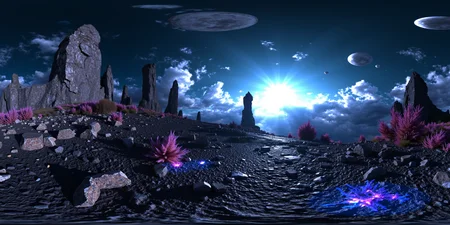
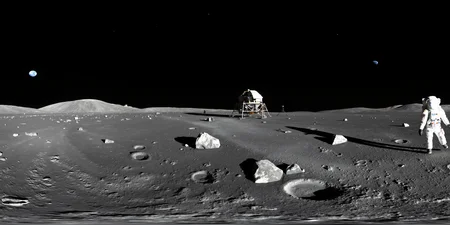
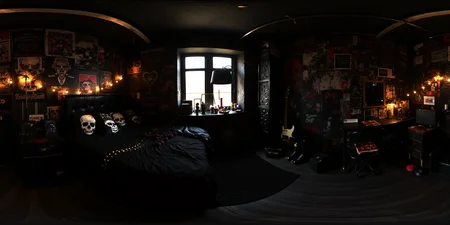
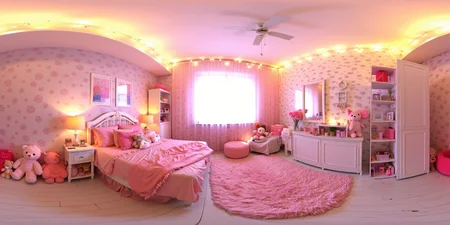
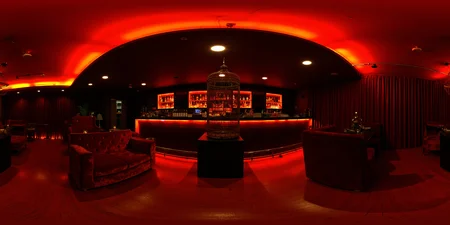
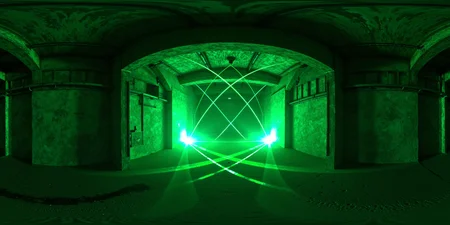
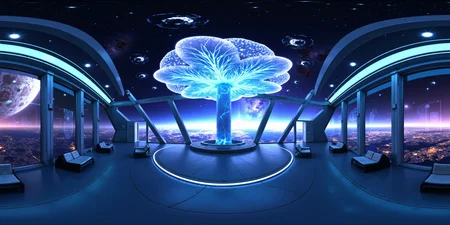
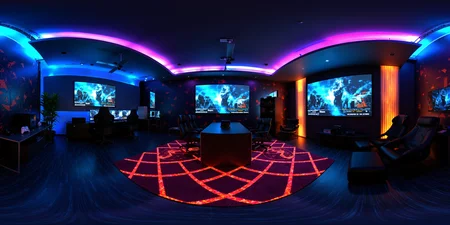
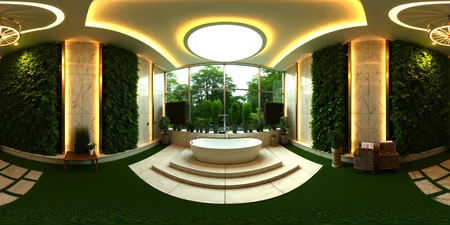
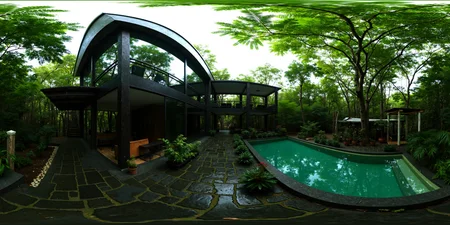

Trained with OSTRIS AI-Toolkit @ runpod.io
Flux Klein:
Seamfix LoRa:
Comfyui 360 Workflow
Seamless 360° Image Generation with Flux Klein
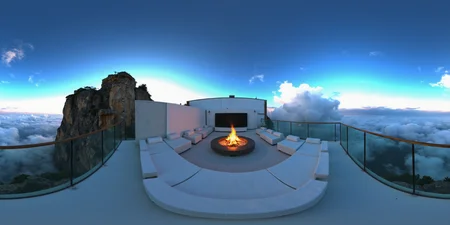
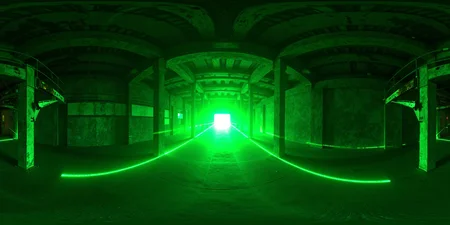
One year after my first experiments generating 360-degree images with Flux, I'm now taking a fresh approach using the klein 9b model. The results have improved significantly compared to my earlier attempts.
To achieve truly seamless 360° images, I trained a second LoRA specifically designed to support seamless inpainting. This additional LoRA helps repair the seams that typically appear where the image wraps around, ensuring a smooth transition across the entire panorama.
With this comfryui workflow—Flux Klein 360 Lora plus the seamfix LoRA—it's now possible to generate mostly seamless 360-degree images consistently.
Flux Kontext:
Comfyui Workflow:
Transform any input image into immersive 360-degree panoramic views with this specialized LoRA model.
Model Description
This Kontext LoRA has been specifically trained to convert regular input images into full 360-degree panoramic representations. The model leverages advanced training techniques to understand spatial relationships and generate contextually appropriate wraparound imagery.
Training Details
Dataset: Custom before/after image pairs showcasing the transformation from standard images to 360-degree panoramas
Training Framework: Ostris AI Toolkit
Model Type: Kontext LoRA for Flux
Purpose: Image-to-360° panorama conversion
Usage Notes
Base Quality: The raw output without upscaling may appear less refined
Recommended Enhancement: Use tiled diffusion upscaling for significantly improved results
Workflow: A complete ComfyUI workflow for creating seamless 360-degree images will be uploaded soon
Applications
Perfect for creating immersive content, virtual environments, VR experiences, and panoramic artwork from standard input images.
----------------------------------------------------------------------------------------------------
Flux Version:
The LoRA can create 360-degree panoramic images, and there is a high probability that the textures at the edges will be seamless.
However, as is often the case with AI-generated images, it doesn't always work perfectly.
But it works ;)
Here’s a tip for creating the images:
Choose a 2:1 format, such as 1536x768 pixels, for the first sampler. Then, use the Ultimate Upscaler to do a 2x or 4x upscaling. This should help maintain quality while generating 360-degree panoramic images.
The 'SCHNELL' version is trained with Rank 64 and SCHNELL as a Base Model, making it a bit more resource-efficient. 'Dev' offers the best image quality with Rank 128, but if speed is the priority, 'SCHNELL' is ideal.
Description
FAQ
Comments (15)
Wow!
Really nice, I think the HDR trigger token bring some burned white, on light sources, but may be the training data, hope that we will be able to generate 16bit image in the near future, to really use these as HDRi to illuminate 3D scenes, great job +1
Yes, a 16-bit HDR update for ComfyUI would be fantastic. There are the fake HDR workflows, but they don't work very well.
This is incredible man. thankyou!!!!
Now I would love to see that panorama converted to 3D by passing it through Depth and Norm nodes and generating details through mesh deformation in Blender! I bet I can do that! I'd love to see other people's take on the subject too, drop a comment if you try and want to share! POM/parallax occlusion mapping is another solution, and it works well on spheres too!
Do you believe that Clipvision and procedural Masking could identify all light sources and create an emission map? Could it furthermore identify light bounces and make low emission from those bounces too? There's 255 levels of brightness.
Dang, if it was I who was the big boss of all Techs, I'd make the color palette include a much broader b-w and lightness shade range. Maybe not on the hue level thought. Not yet. But having a smoother range on the lightness axis would make so depth maps and lightness maps would be flawless and have no "topography" lines.
You can use the HDRI on World setting and light dome, (or a subdivided icosphere) to control the emission from the image without affecting the hdri brightness, Use nodes to isolate the bright points, make the dome as (indirect only) so it's only emitting lights, https://www.youtube.com/watch?v=vgxuf6Bj21s
@pgc I found really nice nodes, one called Super Beast node and the other is an open EXR exporter. As far as I remember, there are real HDRIs with encoded light and fake HDRIs where it's just raster. In the video, a trick with lightness/contrast is used, which can do the trick, but I'm pretty much persuaded that there's a more accurate way of getting that light source. I did put emphasis on getting an HDR screen, so I can test HDR light if I figure out how to display HEIC with HDR enable on windows, and manage to do the same with EXR... lol...
I thought I could manually make two pictures, original, and one with exaggerated light, with SD, and extract the light by subtracting image2 from image1... Is there a node that performs logic gate operations and color mixing inside Comfy? It could automate the process. Then, instead of using the hue/lightness node inside Blender, you'd use the raw image and set the emission channel based on the generated difference, and color the light with the raster... Unless we could add a node that boosts Hue to the maximum and generate a light hue map. We could work together on that. I unfortunately cannot make a Discord right now. Is there a place on Civitai where collaboration can be done?
Maybe making a Git for that Blend file could make it nice for the community.
i've never seen something like this, really cool
Thank you :)
Did anyone try this with schnell too?
Details
Files
360HDR.safetensors
Mirrors
360HDR.safetensors
360HDR.safetensors
360HDR.safetensors
360 Degree - Flux1D - 360HDR,seamless,2-1 format,1536x768 then upscale.safetensors
360 Degree - Flux1D - 360HDR,seamless,2-1 format,1536x768 then upscale.safetensors
360 Degree - Flux1D - 360HDR,seamless,2-1 format,1536x768 then upscale.safetensors
360HDR.safetensors
360 Degree - Flux1D - 360HDR,seamless,2-1 format,1536x768 then upscale.safetensors
Available On (2 platforms)
Same model published on other platforms. May have additional downloads or version variants.