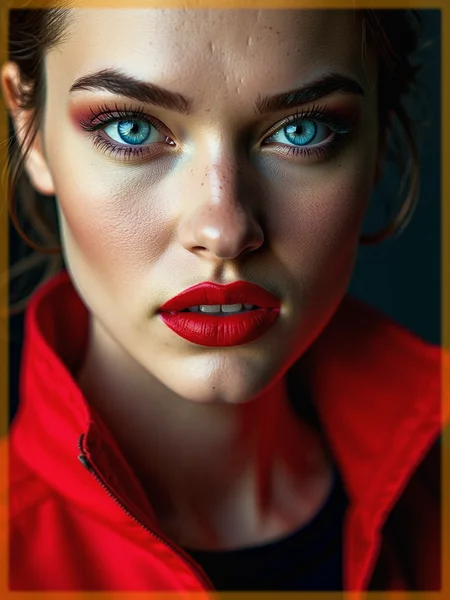













I’ve been working on a LoRA to tackle the overly airbrushed skin textures that are pretty common with the Flux base model. If you’re finding that your images often come out with skin that’s just too smooth and soft, this LoRA might help. When you apply it at a weight between 0.5 and 0.85, it adds more structure to the skin, bringing out pores and tiny imperfections that make faces look more natural and realistic.
For extreme close-up shots, I recommend using a lower weight to avoid overdoing it. Give it a try and let me know what you think—I’d love to hear your feedback!
Trigger words are not absolutely necessary. But if they are, then “detailed skin” and “detailed skin pores” will work.
For the training, I used images with a resolution of 684x1024 to 1024x1024.
Description
FAQ
Comments (5)
Thanks for this!
Can you make one that removes the chin dimple and makes chins not look like a witch chin ?
I think we can only get rid of this in a significant way if there are complete finetunes for the base model.
In my Lora training data I had used 56 images and no person had this chin dimple. Nevertheless, almost every generated image has it :/
@Catalorian
Thanks for your reply.
@strong134 you are welcome :) I will look into it.
Yes it adds details but at the cost of realism. I think this needs to be fine tuned. The original images without your lora look more realistic.
Details
Files
Available On (2 platforms)
Same model published on other platforms. May have additional downloads or version variants.