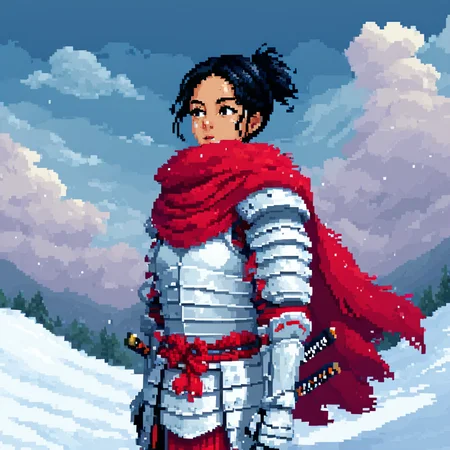


This LoRA is trained on MidJourney images that utilize my "Personalized Style" combined with Pixel Art. This is version 2 of my Pixel Art LoRA, and the changes are substantial enough to warrant a new model card.
Original model - https://civarchive.com/models/547343/pixel-art-pony-sdxl
Like v1 of the Model, all versions play really well with other Pixel Art assets.
V3 Update:
The dataset has been completely reworked from scratch using the latest MidJourney models.
I’ve removed the special manyP / fewP tagging system, since it seems no one was actively using it. The dataset still includes a wide range of pixel densities, but now without custom tagging.
If you found that feature useful, feel free to leave a comment and I might release an alternate version with it re-enabled.
This version leans more into "style inspired by pixel art" rather than strict, purist pixelation.
Usage:
The trigger words used in training the LoRA are ArsMJStyle, Pixel Art, manyP, fewP.
All "lower pixel count" images were tagged with fewP (~200 images).
All "higher pixel count" images were tagged with manyP (~200 images).
While it can work without the trigger words, it is specifically designed to produce five distinct modalities:
ArsMJStyle, Pixel Art, manyP + Negative: fewP
Highest quality; only the specific Pixel Art color transitions are visible at first glance.ArsMJStyle, Pixel Art, manyP
The default "High quality" pixel art.ArsMJStyle, Pixel Art
The default look and feel, similar to v1.ArsMJStyle, Pixel Art, fewP
Visible pixelation; resembles the look and feel of modern pixel art games.ArsMJStyle, Pixel Art, fewP + Negative: manyP
Even more pronounced effect; evokes the look and feel of retro pixel art games.
Please check the pinned posts for a better showcase of its usage.
LoRA Strength:
Starts adding visible effects at 0.2+.
Works best in the 0.4 - 0.8 range, depending on your preference and LoRA mix.
For the best Pixel Art results, I recommend setting the strength to 1+ if you're not mixing it with other LoRAs.
I have a deep appreciation for different Pixel Art styles, so expect this model card to include fewP/manyP as standalone LoRAs, other versions with specific color/style influences, and a new version with 3-4 tiers of pixelation.
Thank you for reading this wall of text and I hope you enjoy this LoRA as much as I do!
Description
FAQ
Comments (3)
Can i ask you how many epochs, repetitions and total steps do you use for your styles? thanks.
Of course :) Most loras are with 5-7.5k total steps fro Flux, 7-10k for SDXL/Pony/Illustrious and 12-15k for SD1.
This is for the standard dataset of ~200-400 images for most of the LoRAs.
I usually crank up the total steps when there are more images, but not by THAT much.
I believe that the maximum I have used so far was in the V3 of the 80s Fantasy Movie with ~12 - 15k steps for it (cant remeber the exact number) .
@ArsMachina many thanks.