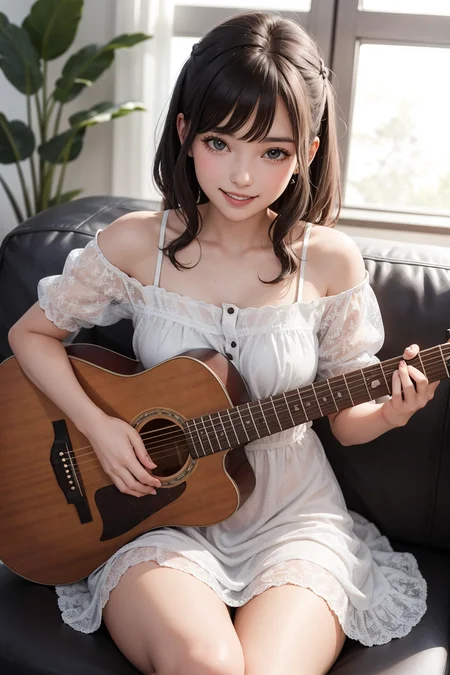
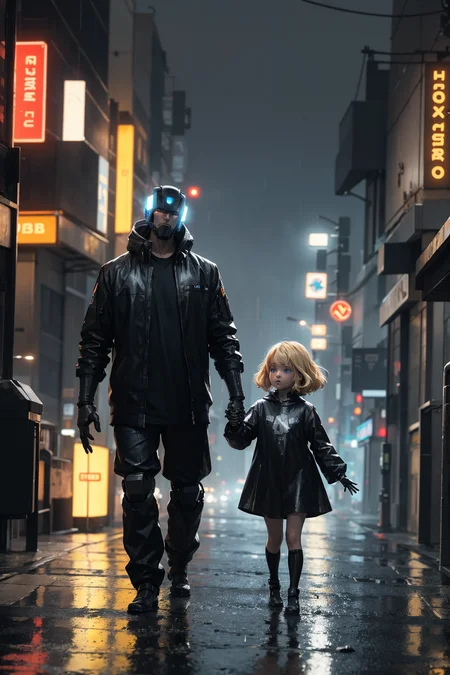
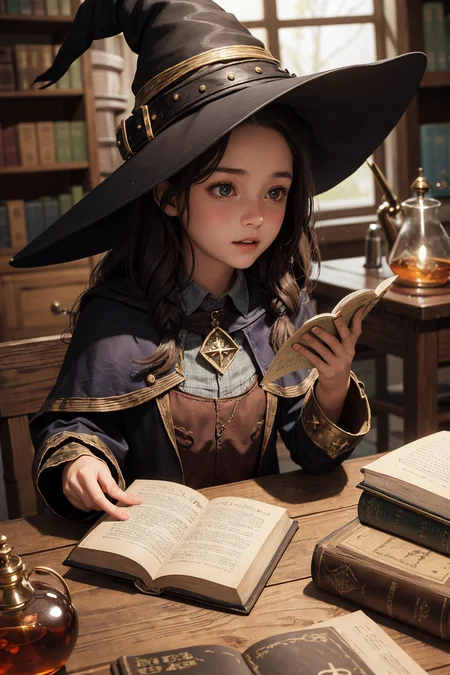
Update: This model now has an anime-styled variant called FantasticAnimeChix-HR which you can find here:
https://civarchive.com/models/64635?modelVersionId=69265
This is my first merge upload, and is simply the product of mixing a few of my favorite models that I thought might look nice together. I was pretty happy with it so I decided to upload it.
Merged models:
Fantastic Mix V4
ChikMix V3
ZemiHR V2
This model can produce very nice results with prompts as simple as "A female soccer player" and can sometimes produce nice results before upscaling is even applied yet.
For the examples, I tried making a few sample images of:
Samples where I add a lot of other (hidden) prompts with various quality trigger words like "masterpiece", "best quality", etc. to give an idea of what's possible when you sculpt the prompts a little.
Simple (visible) prompts of various different things with no LoRAs. Some of these aren't perfect, but are just demonstrating what you can do with simple prompts and nothing extra.
Using only a simple (visible) prompt like "A 21 year old female" along with a few LoRA's and their trigger words to let the LoRA do its thing to show compatibility with a few LoRA's.
Despite the name, it's capable of a wide variety of images, which can hopefully be seen from the examples. I tried to provide some variety to the examples.
Settings for (most) examples:
Clip Skip = 1
VAE: vae-ft-mse-840000-ema-pruned (Don't forget)
CFG Scale = 7
Sampling Steps = 20
Height, Width = 512 x 768, 768 x 512
Sampling Method = DPM++ SDE Karras
Upscaler = 4x UltraSharp
Denoise Strength = 0.5
Upscale by = 2
Description
Just a pruned fp16-no-ema version.
FAQ
Comments (11)
what is no ema?
The ema weights, or "exponential moving average", are basically just extra information that the model needs if you want to train it further. A lot of that information is not necessary if all you want to do is use the model, so by removing it -- or what's called "pruning" the model -- the ema gets thrown away, creating a much smaller file size but without drastically affecting the overall image. So, the results should be just as good as V1.0, but at a fraction of the file size.
The model is excellent. Thanks!
Thanks for checking it out and sharing your work! Glad you liked it.
the model is the best which is stable to use with other lora. Thank you sooooo much.
I'm glad you like it. Thanks for checking it out!
Will you update with fantasticmix v5?
I've been experimenting with v5 and v5.5, but so far I'm not happy with the results. Lots of problems with messed up anatomy and other issues with it. I'll see if I can get something I like after a bit more tinkering, but so far it doesn't seem to be as nice as v4.
I'm more than a little confused as to the setup/usage details concerning the VAE: "vae-ft-mse-840000-ema-pruned". I found this on huggingface, there's two variants, a .ckpt and .safetensor - which one should I use? Does this go into the models/Stable-diffusion dir, or the models/VAE dir? Does it have to be renamed to <modelname>.pt (e.g. vae-ft-mse... -> fantasticchixHR_v10.pt) ? If I want to use your fantasticanime model as well, do I need to provide another copy of the (renamed) VAE for that model too?
I know this is probably a noob question - other models I've gotten from Civitai that require VAEs usually provide instructions for VAE download and installation...
"I found this on huggingface, there's two variants, a .ckpt and .safetensor - which one should I use?"
Both the .ckpt and .safetensor will do the same thing, but I would recommend always choosing .safetensor files rather than .ckpt. The .ckpt version of files aren't as secure as .safetensors and can potentially contain malicious code and malware. They also tend to take longer to load, so you're better off always sticking with the .safetensor version of models when you can find them. The .safetensors have essentially replaced the older .ckpt files.
"Does this go into the models/Stable-diffusion dir, or the models/VAE dir?"
Any VAE you download will always go inside the folder,
\stable-diffusion-webui\models\VAE
"Does it have to be renamed to <modelname>.pt (e.g. vae-ft-mse... -> fantasticchixHR_v10.pt)"
Nope, no need to do anything like that. Just drop it into the folder with the name (and extension) it already has, and then select the VAE from the menu in Automatic1111 -- I'm assuming you're using Automatic1111. Same applies to any other VAE.
"If I want to use your fantasticanime model as well, do I need to provide another copy of the (renamed) VAE for that model too?"
Nope, you can use the same one. In fact, a lot of models use that same exact VAE so it's good to have if you plan to use other models.
"I know this is probably a noob question - other models I've gotten from Civitai that require VAEs usually provide instructions for VAE download and installation..."
Most models on Civitai that require a VAE will basically use one of the same three VAE's:
1.) vae-ft-mse-840000-ema-pruned.safetensor,
2.) orangemix.vae.pt
3.) kl-f8-anime2.pt
A lot of the realistic models will use the first one. For "anime" style models, usually one of the other two are often used.
The one called "orangemix" is for the really popular (and NSFW) model AbyssOrangeMix2_hard -- which a lot of anime models are based on -- and that model uses a VAE of its own called "orangemix.vae.pt" which you can find here:
https://huggingface.co/WarriorMama777/OrangeMixs/tree/main/VAEs
Since other models are based on it, they'll usually require the exact same VAE, and so you can just select it from the dropdown menu if it's required, exactly the way it is.
Other anime models, however, might require kl-f8.anime2.pt which can be found here,
https://huggingface.co/hakurei/waifu-diffusion-v1-4/tree/main/vae
As far as I'm aware, kl-f8.anime2.pt is a VAE for the model "waifu diffusion" which several other models are based on also. Lots of models use it -- including the very popular ReV Animated -- , so it's also a good one to have, as well.
Grab those three and toss them into your VAE folder, and you should be good for the majority of models you'll find. If you ever download a model and it doesn't say what VAE to use, either it doesn't require one because it was permanently combined with the model -- which is referred to as a "baked" model -- or it probably requires one of those three. Sometimes using a VAE that's different from what's required can give you an effect you might like, so you can also experiment a bit and see if you like the look that a different VAE creates, as you can "sort of" think of the VAE like a image filter that gets applied at the end that affects things like the color saturation/brightness/etc.
Hope that helps.
@mangaka92 A big-time thank you for your clear, unambiguous discussion of VAE installation and usage. Armed with this knowledge, I can now go in and clean up my SD installation and get rid of most of the redundant VAE copies.
I have all 3 of the VAEs you mentioned, I'll drop them all in models\VAE and select the appropriate one from the Settings/Stable Diffusion/SD VAE dropdown as you suggest.
Details
Files
fantasticchixHR_v10Fp16NoEma.safetensors
Mirrors
FantasticChixHR.safetensors
FantasticChix-HR.safetensors
fantasticchixHR_v10Fp16NoEma.safetensors
fantasticchixHR_v10Fp16NoEma.safetensors
fantasticchixHR_v10Fp16NoEma.safetensors
fantasticchixHR_v10Fp16NoEma.safetensors
fantasticchixHR_v10Fp16NoEma.safetensors
fantasticchixHR_v10Fp16NoEma.safetensors
FantasticChixHR.safetensors
FantasticChix-HR.safetensors