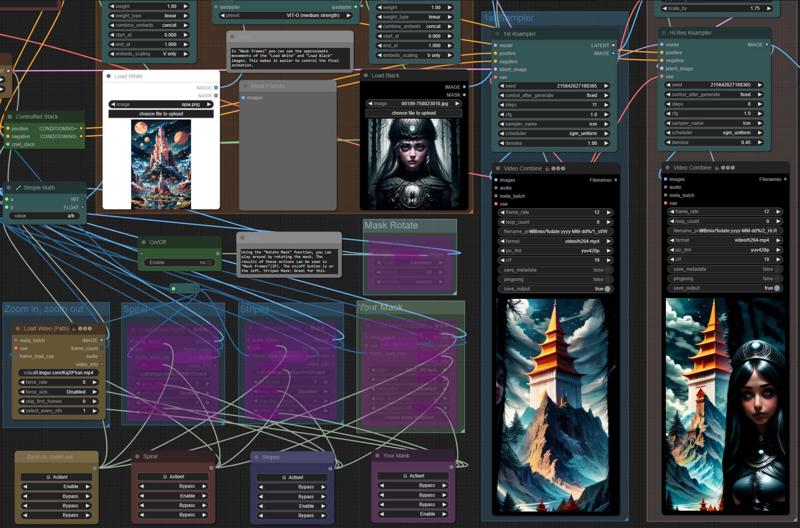
This workflow is inspired by the excellent work of ipiv. I loaded three masks into it, and also added the ability to load your own mask, and all this can be switched with one click of the mouse.
All you need to do is load the images into "Load White" and "Load Black". I also added various image manipulations and masks for more variable results.
To install the missing nodes, go to "manager - Install missing custom nodes".
You can see additional tips and downloads in the gray boxes within the workflow.
P.S. I found the "Stripes" mask on civitai, but I forgot from whom. If suddenly the author of the mask or someone who knows him sees this, write to me and I will add a link to it in the description.
Description
FAQ
Comments (10)
Muchas gracias
This workflow is awesome, great job!
Thank you)
Love the way this looks. I'm trying to get it up and running for the first time, and I've gotten past some hurdles, but I'm stumped on:
Sizes of tensors must match except in dimension 2. Expected size 144 but got size 40 for tensor number 1 in the list.
Any ideas what is causing this would be appreciated.
Figured it out. The step not mentioned is that you need to download and apply each element in the notes on the left-hand side of the workflow.
@altgreengamer ok)
Hello,
My animation looks like thereis no interpolation, it's like "Stop Motion effect", no smooth animation.
I run ComfyUI on Think Diffusion.
thank you for your help
Hi, interpolation is at the very end on the right side, do you use it?